解决方案
RichText组件不支持设置backgroundColor属性,所以当系统切换到深色模式后未生效,如果有较多的自定义HTML显示效果的场景,推荐使用Web组件。
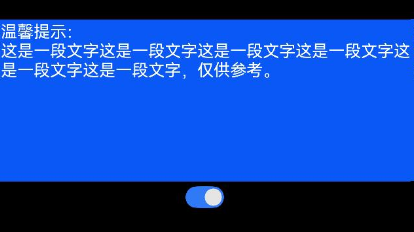
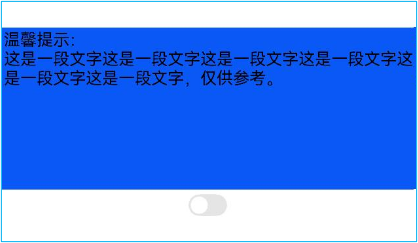
但是对于一些简单场景如通过加载与显示一段HTML字符串,可以通过设置支持的style标签来定义RichText组件内要显示的内容样式,如:
import { ConfigurationConstant } from '@kit.AbilityKit';

@Entry
@Component
struct ToggleExample {
  @State isOn: boolean = false;
  // 背景颜色,通过内容中添加style样式,内容添加背景颜色或者其他样式信息
  richBgContent: string =
    '<style>*{ background-color: blue;width:100%;padding:0;font-size:50px}</style>';
  // 文字内容
  richContent: string =
    '<p style="background-color: blue"><span></span><span style="white-space: pre-wrap;">温馨提示:<br/>' +
      '这是一段文字这是一段文字这是一段文字这是一段文字这是一段文字这是一段文字,仅供参考。</span></p>';

  build() {
    Column() {
      RichText(this.richBgContent + this.richContent)
        .margin({ top: 28 })
        .padding(0)
        .width('100%')
        .height(150);

      Row() {
        Toggle({ type: ToggleType.Switch, isOn: this.isOn })
          .onChange(() => {
            this.isOn = !this.isOn;
            // 切换深浅色主题
            let context = this.getUIContext().getHostContext()?.getApplicationContext();
            if (context) {
              context.setColorMode(this.isOn ? ConfigurationConstant.ColorMode.COLOR_MODE_DARK :
                ConfigurationConstant.ColorMode.COLOR_MODE_LIGHT);
            }
          });
      };
    };
  }
}
浅色模式效果:
深色模式效果: