

问题定位
获取横屏视频做对比,两个视频在手机上显示的尺寸宽高数值相反。
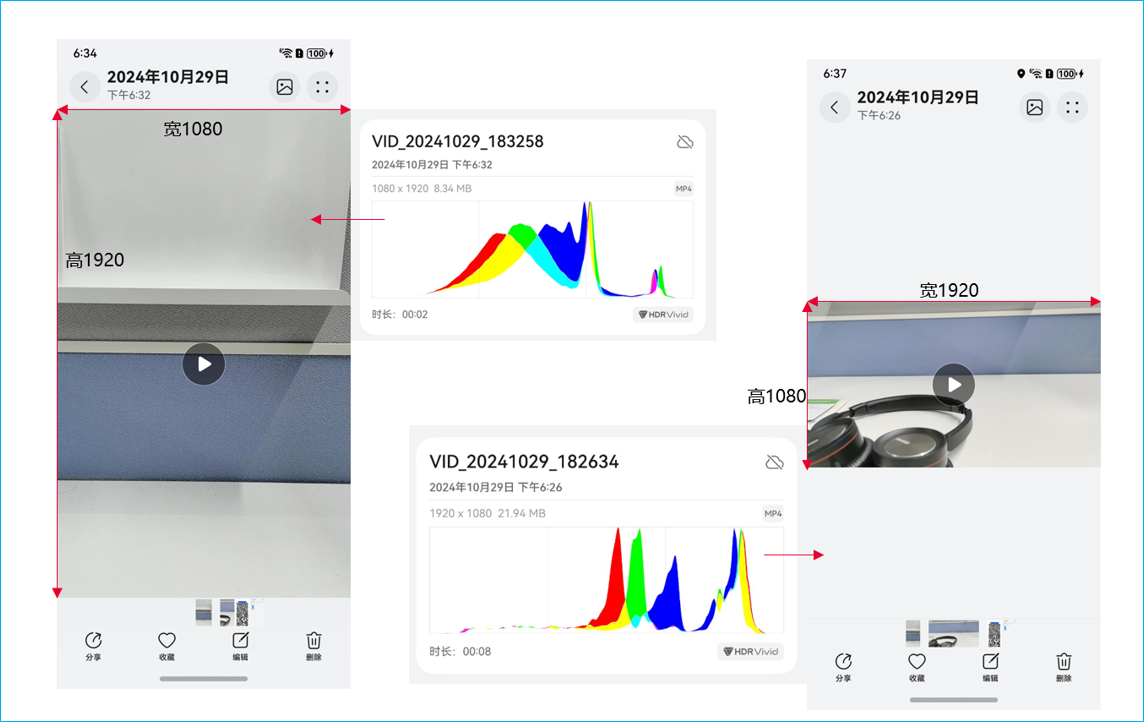
通过API获取到的两个视频同样高为1080,宽为1920,但是竖向视频有90°旋转,因此怀疑是旋转导致的问题。
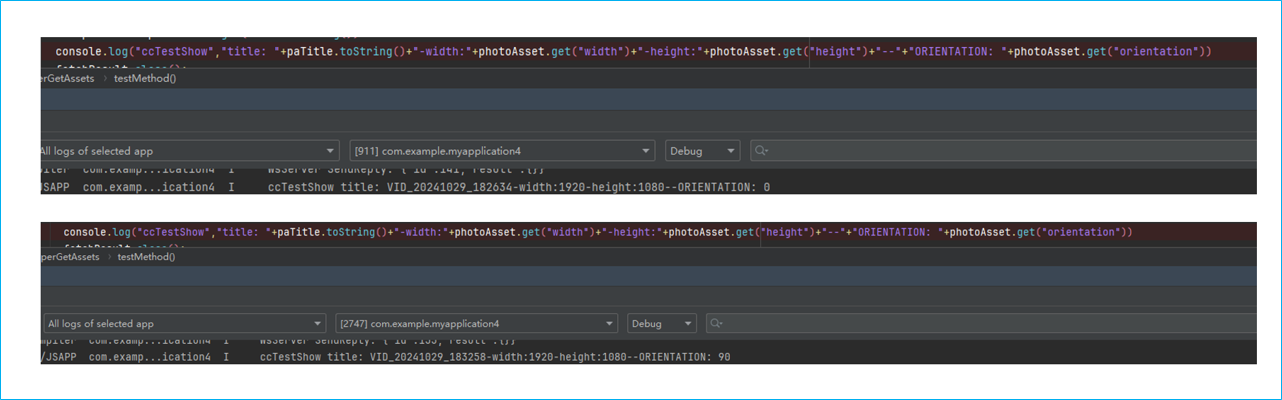
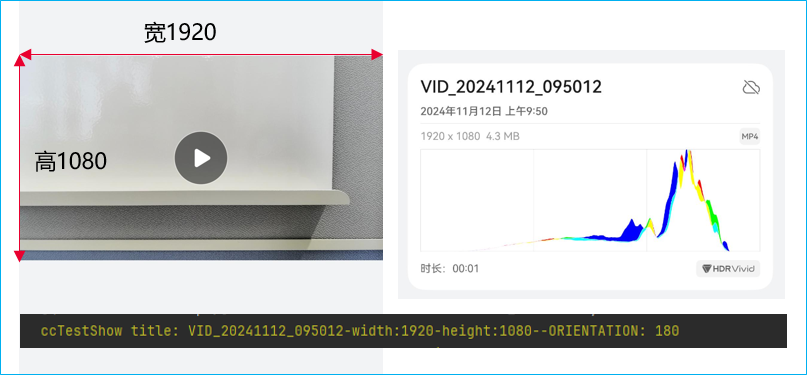
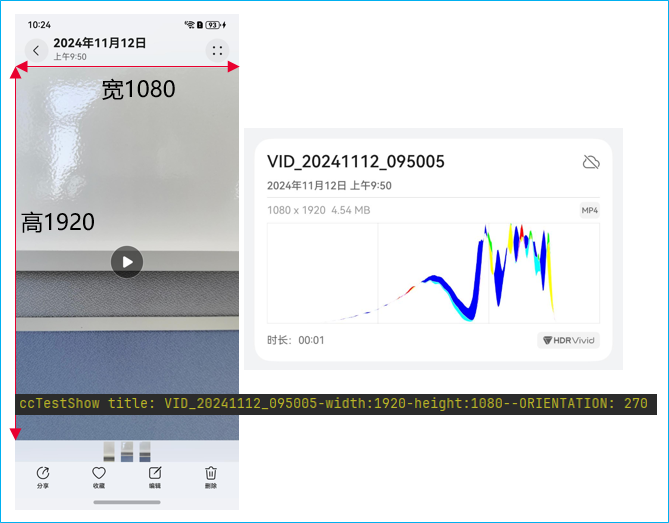
再对比下旋转180°和270°的情况,旋转度数除以180余数为90的时候,需要长宽的数值互换,才能得出手机上看到的结果。
修改建议
通过photoAsset.get('orientation')判断视频是否旋转,来判断视觉效果上的长宽和参数的对应关系:
import { photoAccessHelper } from '@kit.MediaLibraryKit';
import { dataSharePredicates } from '@kit.ArkData';
import { common } from '@kit.AbilityKit';
import { BusinessError } from '@kit.BasicServicesKit';

@Entry
@Component
struct PhAccessHelperGetAssets {
  @State phName: string = '';
  @State phHeight: number = 0;
  @State phWidth: number = 0;
  @State phOrientation: number = 0;

  async testMethod() {
    const photoSelectOptions = new photoAccessHelper.PhotoSelectOptions();
    photoSelectOptions.MIMEType = photoAccessHelper.PhotoViewMIMETypes.IMAGE_VIDEO_TYPE; // 过滤选择媒体文件类型为IMAGE
    photoSelectOptions.maxSelectNumber = 1; // 选择媒体文件的最大数目
    let uris: Array<string> = [];
    const photoViewPicker = new photoAccessHelper.PhotoViewPicker();
    // 拉起相册
    photoViewPicker.select(photoSelectOptions).then(async (photoSelectResult: photoAccessHelper.PhotoSelectResult) => {
      uris = photoSelectResult.photoUris;
      console.info('photoViewPicker.select to file succeed and uris are:' + uris);
      if (uris.length === 0) {
        return;
      }
      let context: Context = this.getUIContext().getHostContext() as common.UIAbilityContext;
      let phAccessHelper = photoAccessHelper.getPhotoAccessHelper(context);
      let predicates: dataSharePredicates.DataSharePredicates = new dataSharePredicates.DataSharePredicates();
      let uri = uris[0]; // 需保证此uri已存在
      predicates.equalTo(photoAccessHelper.PhotoKeys.URI, uri.toString());
      let fetchOptions: photoAccessHelper.FetchOptions = {
        fetchColumns: [
          'title',
          photoAccessHelper.PhotoKeys.WIDTH, // 图片宽度
          photoAccessHelper.PhotoKeys.HEIGHT, // 图片高度
          photoAccessHelper.PhotoKeys.DURATION, // 持续时间
          photoAccessHelper.PhotoKeys.SIZE, // 文件大小
          photoAccessHelper.PhotoKeys.DISPLAY_NAME, // 显示名字
          photoAccessHelper.PhotoKeys.ORIENTATION, // 图片文件的方向
          photoAccessHelper.PhotoKeys.PHOTO_SUBTYPE], // 媒体文件的子类型
        predicates: predicates
      };
      let fetchResult: photoAccessHelper.FetchResult<photoAccessHelper.PhotoAsset> =
        await phAccessHelper.getAssets(fetchOptions);
      let photoAsset: photoAccessHelper.PhotoAsset = await fetchResult.getFirstObject();
      let title: photoAccessHelper.PhotoKeys = photoAccessHelper.PhotoKeys.TITLE;
      let paTitle = photoAsset.get(title.toString());
      this.phName = paTitle.toString();
      this.phOrientation = photoAsset.get('orientation') as number; // 获取旋转角度
      if (this.phOrientation % 180 == 90) {
        this.phName = paTitle.toString();
        this.phWidth = photoAsset.get('height') as number;
        this.phHeight = photoAsset.get('width') as number;
        this.phOrientation = photoAsset.get('orientation') as number;
      } else {
        this.phWidth = photoAsset.get('width') as number;
        this.phHeight = photoAsset.get('height') as number;
      }
      // 释放FetchResult实例并使其失效
      fetchResult.close();
      return photoAsset;
    }).catch((err: BusinessError) => {
      console.error(`Invoke photoViewPicker.select failed, code is ${err.code}, message is ${err.message}`);
    });
    return;
  }

  build() {
    Column() {
      Button('选择图片或视频')
        .id('PhAccessHelperGetAssetsHelloWorld')
        .fontSize(30)
        .fontWeight(FontWeight.Bold)
        .alignRules({
          center: { anchor: '__container__', align: VerticalAlign.Center },
          middle: { anchor: '__container__', align: HorizontalAlign.Center }
        })
        .onClick(() => {
          this.testMethod();
        });
      Text(`图片:${this.phName},属性长:${this.phHeight}宽:${this.phWidth}角度:${this.phOrientation}`);
    }
    .height('100%')
    .width('100%')
    .alignItems(HorizontalAlign.Center)
    .justifyContent(FlexAlign.Center);
  }
}