问题现象
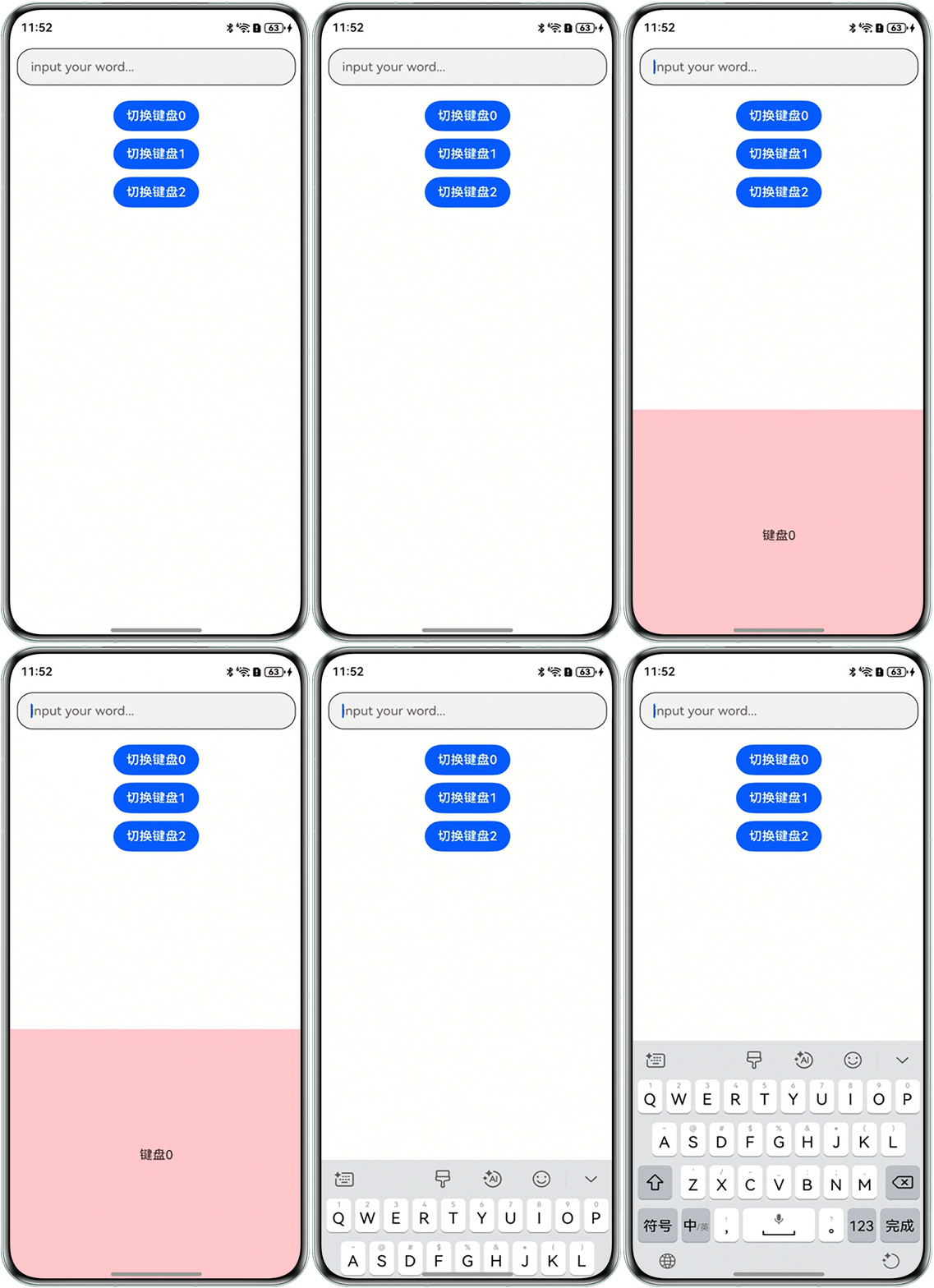
使用customKeyboard属性绑定不同的自定义键盘到输入框时不生效,问题代码如下:
@Entry
@Component
struct TextInputClearFocusExample {
  @State index: number = 0;

  @Builder
  keyboard() {
    Column() {
      Text('键盘0');
    }
    .width('100%')
    .height('40%')
    .backgroundColor(Color.Pink)
    .justifyContent(FlexAlign.Center);
  }

  @Builder
  keyboard1() {
    Column() {
      Text('键盘1');
    }
    .width('100%')
    .height('40%')
    .backgroundColor(Color.Pink)
    .justifyContent(FlexAlign.Center);
  }

  @Builder
  keyboard2() {
    Column() {
      Text('键盘2');
    }
    .width('100%')
    .height('40%')
    .backgroundColor(Color.Pink)
    .justifyContent(FlexAlign.Center);
  }

  build() {
    Column({ space: 10 }) {
      TextInput({ placeholder: 'input your word...' }) // 绑定自定义键盘
        .customKeyboard(this.index === 0 ? this.keyboard() : (this.index === 1 ? this.keyboard1() : this.keyboard2()))
        .margin(10)
        .border({ width: 1 })
        .height('48vp');

      Button('切换键盘0')
        .onClick(() => {
          this.index = 0;
        });
      Button('切换键盘1')
        .onClick(() => {
          this.index = 1;
        });
      Button('切换键盘2')
        .onClick(() => {
          this.index = 2;
        });
    };
  }
}
问题现象见下图:
解决方案
customKeyboard属性不支持使用响应式,将三元表达式替换为正常的if-else语句可以正常绑定不同的自定义键盘。示例代码如下:
@Entry
@Component
struct TextInputClearFocusExample {
  @State index: number = 0;

  @Builder
  keyboard() {
    Column() {
      Text('样式 0');
    }
    .width('100%')
    .height('40%')
    .backgroundColor('#F1F3F5')
    .justifyContent(FlexAlign.Center);
  }

  @Builder
  keyboard1() {
    Column() {
      Text('样式 1');
    }
    .width('100%')
    .height('40%')
    .backgroundColor('#F1F3F5')
    .justifyContent(FlexAlign.Center);
  }

  @Builder
  keyboard2() {
    Column() {
      Text('样式 2');
    }
    .width('100%')
    .height('40%')
    .backgroundColor('#F1F3F5')
    .justifyContent(FlexAlign.Center);
  }

  build() {
    Column() {
      if (this.index === 0) {
        TextInput({ placeholder: 'input your word...' }) // 绑定自定义键盘
          .customKeyboard(this.keyboard())
          .margin(10)
          .height('48vp');
      } else if (this.index === 1) {
        TextInput({ placeholder: 'input your word...' }) // 绑定自定义键盘
          .customKeyboard(this.keyboard1())
          .margin(10)
          .height('48vp');
      } else {
        TextInput({ placeholder: 'input your word...' }) // 绑定自定义键盘
          .customKeyboard(this.keyboard2())
          .margin(10)
          .height('48vp');
      }

      Button('切换键盘 样式0')
        .onClick(() => {
          this.index = 0;
        })
        .margin({ top: 10, bottom: 10 });
      Button('切换键盘 样式1')
        .onClick(() => {
          this.index = 1;
        })
        .margin({ top: 10, bottom: 10 });
      Button('切换键盘 样式2')
        .onClick(() => {
          this.index = 2;
        })
        .margin({ top: 10, bottom: 10 });
    };
  }
}