问题现象
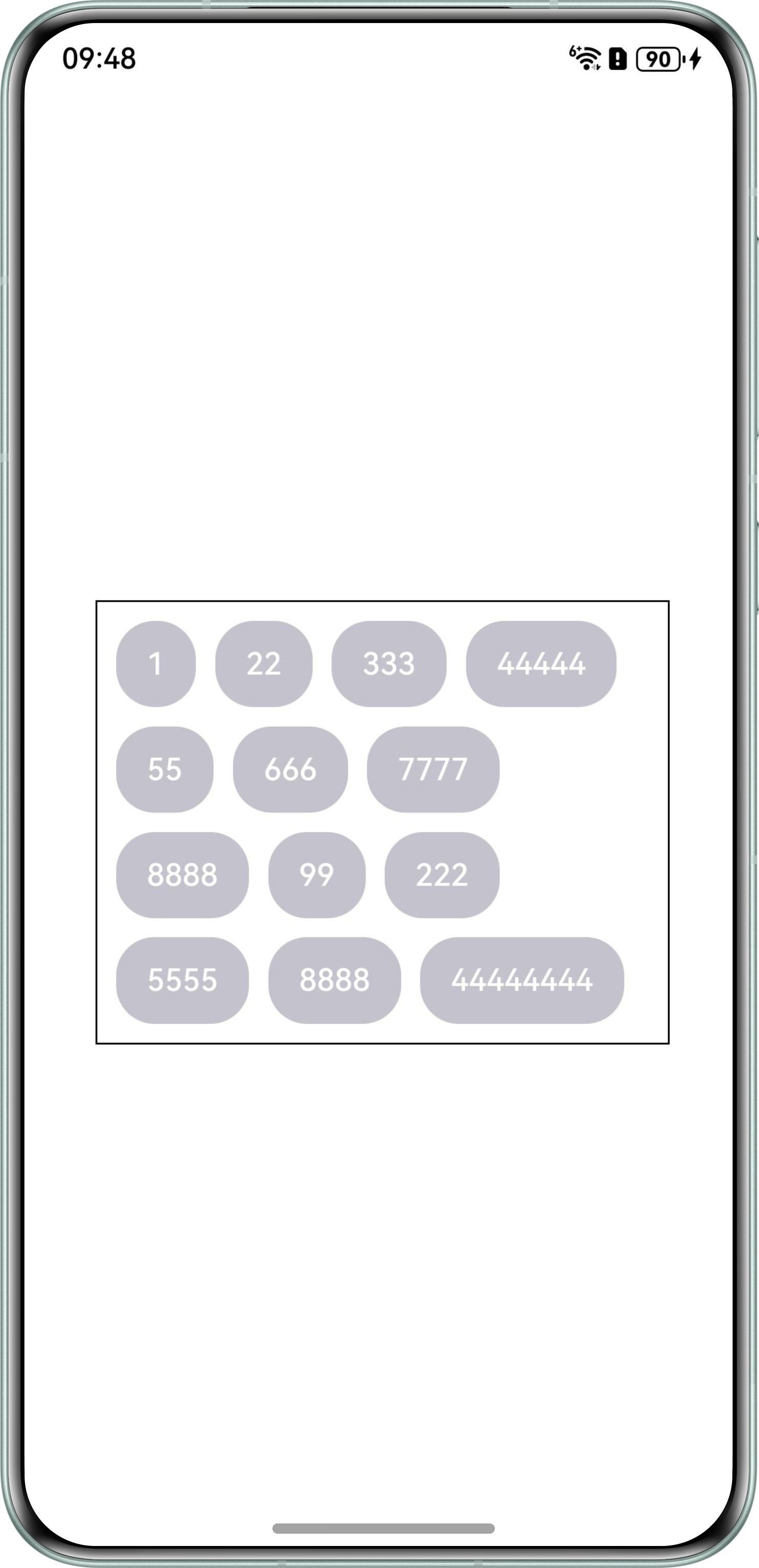
场景一:如何实现Flex布局中只显示固定行数的Button,超出固定行数的Button按钮不显示?
场景二:Text组件和Image组件使用Row包裹,Text组件内容过长会导致超出组件本身大小,如何规避?
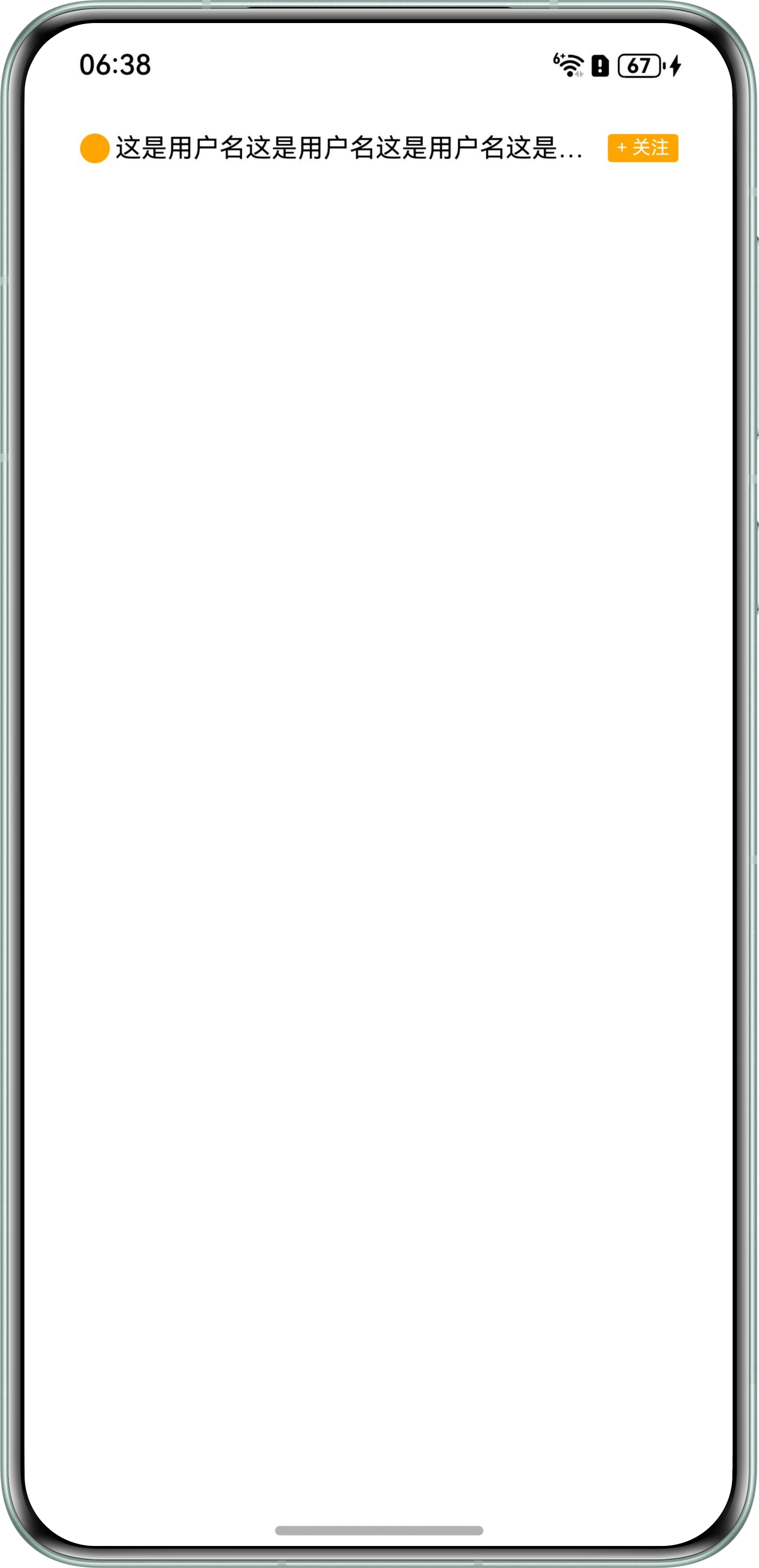
场景三:在Row里,处于中间位置的Text组件在只显示一行的前提下如何宽度自适应?
背景知识
- Flex是以弹性方式布局子组件的容器组件,提供更加有效的方式对容器内的子元素进行排列、对齐和分配剩余空间。Flex组件主轴默认不设置时撑满父容器,Column、Row组件主轴不设置时默认是跟随子节点大小。
- constraintSize属性设置约束尺寸,组件布局时,进行尺寸范围限制。
- maxLines属性设置文本的最大行数。默认情况下,文本是自动折行的,如果指定此属性,则文本最多不会超过指定的行。如果有多余的文本,可以通过textOverflow来指定截断方式。
解决方案
- 场景一:计算子组件高度和布局所占用高度的总和,将该值设置为父组件的constraintSize属性最大高度,实现只显示固定行数功能。具体实现可参考如下示例:
import { LengthMetrics } from '@kit.ArkUI';

@Entry
@Component
struct Solution1 {
  @State allData: string[] =
    ['1', '22', '333', '44444', '55', '666', '7777', '8888', '99', '222', '5555', '8888', '44444444',
      '666666', '7777', '44444', '55', '666', '7777', '8888'];

  @Builder
  TextItem(message: string) {
    Button(message)
      .fontSize(16)
      .backgroundColor('#c4c2cc')
      .height(45);
  }

  build() {
    Column() {
      Flex() {
        Flex({ wrap: FlexWrap.Wrap, space: { main: LengthMetrics.vp(10), cross: LengthMetrics.vp(10) } }) {
          ForEach(
            this.allData,
            (item: string) => {
              this.TextItem(item);
            }
          );
        }
        .margin(10) // 与外层Flex间隔为10
        .constraintSize({ maxHeight: 45 * 4 + 10 * 3 }) // 设置内层Flex最大高度为4个Button的高度+Button之间的间隔
        .clip(true) // 超出部分不显示
        .width('100%');
      }.border({ width: 1 }).width('80%'); // 外层Flex不设置高度,自适应内层Flex高度
    }.width('100%').height('100%').justifyContent(FlexAlign.Center);
  }
}
实现效果如下:
- 场景二:可以使用layoutWeight来实现,但会导致Text占据剩余空间,从而可能影响到Row组件设置的居中效果。因此,需要考虑其他方法。使用constraintSize设置Text的最大宽度,达到约束Text组件的效果,需要注意的是,应根据不同设备的适配需求,合理设置constraintSize中的maxWidth值。
- 获取屏幕宽度。
- 计算Text的最大允许宽度:屏幕宽度减去Image的宽度和Row的margin等。
- 使用constraintSize设置Text的最大宽度。
具体实现可参考如下示例:
import { display } from '@kit.ArkUI';

@Entry
@Component
struct Solution2 {
  // 屏幕宽度-单位为px
  screenWidthPx: number = 0;
  // 屏幕宽度-单位为vp
  @State screenWidth: number = 0;

  aboutToAppear(): void {
    // 获取显示设备的屏幕宽度,单位为px
    this.screenWidthPx = display.getDefaultDisplaySync().width;
    // 将px转换为vp
    this.screenWidth = this.getUIContext().px2vp(this.screenWidthPx);
  }

  build() {
    Column() {
      Row({ space: 10 }) {
        Image($r('app.media.startIcon')) // 图片资源需自行替换
          .width(40);
        Text('测试一段长文字测试一段长文字测试一段长文字测试一段长文字测试一段长文字测试一段长文字测试一段长文字测试一段长文字测试一段长文字')
          .backgroundColor('#F1F3F5')
          .constraintSize({ maxWidth: this.screenWidth - 40 - 20 - 20 - 10 }); // 约束宽度,屏幕宽-图片宽-左右margin-间隔
      }
      .width('100%')
      .margin(20)
      .justifyContent(FlexAlign.Center);
    }
    .height('100%')
    .width('100%');
  }
}
实现效果如下:

- 场景三:将需要省略显示的Text组件的maxLines属性设置为1,并将其最大宽度设置为父组件宽度减去间距和其他组件的宽度。
@Entry
@Component
struct Solution {
  build() {
    Row() {
      Image('')
        .backgroundColor(Color.Orange)
        .width(16)
        .height(16)
        .borderRadius(8);
      Text('这是用户名这是用户名这是用户名这是用户名这是用户名这是用户名这是用户名这是用户名')
        .fontSize(14)
        .fontColor(Color.Black)
        .margin({ left: 3 })
        .textOverflow({ overflow: TextOverflow.Ellipsis })
        .maxLines(1)
        .constraintSize({ maxWidth: 260 });
      Text('+ 关注')
        .fontSize(10)
        .fontColor(Color.White)
        .backgroundColor(Color.Orange)
        .padding({ left: 5, right: 5, })
        .height(15)
        .margin({ left: 5 })
        .borderRadius(2);
    }
    .justifyContent(FlexAlign.Center)
    .alignItems(VerticalAlign.Center)
    .width('100%')
    .height(20)
    .margin({ top: 20 });
  }
}
实现效果如下: