问题现象
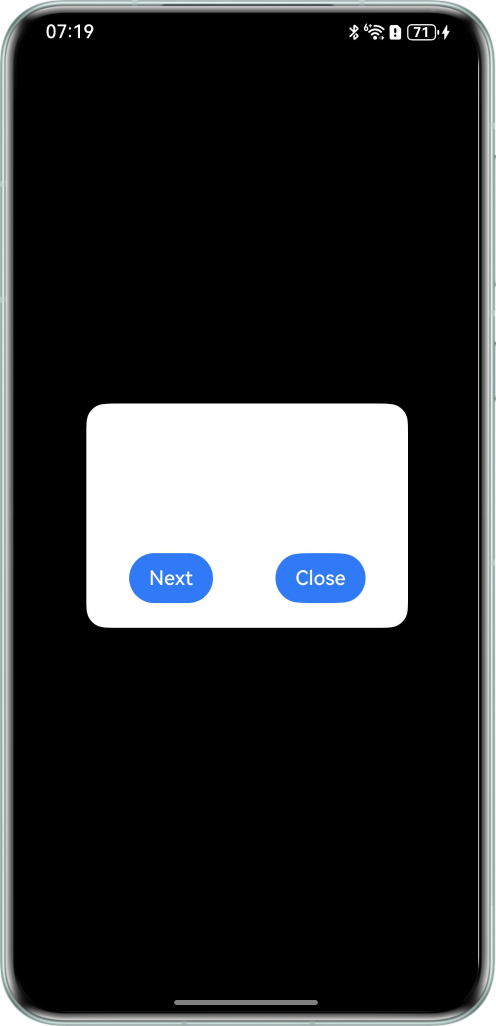
使用UIContext.getPromptAction().openCustomDialog()创建自定义弹窗时,由于要创建弹窗工厂,需要在构建弹窗内容的@Builder函数中调用@Component,再由@Component去构建UI内容。此种调用方式下,在弹窗打开时切换系统深浅色模式,弹窗的背景色不会变化。
问题代码示例参考如下:
import { ComponentContent, UIContext } from '@kit.ArkUI';

class OMDialog {
  private uiContext: UIContext = new UIContext;
  private viewNode: ComponentContent<Object> | null = null;
  static instance: OMDialog = new OMDialog();

  static init(uiContext: UIContext) {
    OMDialog.instance.uiContext = uiContext;
  }

  open() {
    let view = new ComponentContent(this.uiContext, wrapBuilder(customDialogBuilder), 1);
    this.uiContext.getPromptAction().openCustomDialog(view, { isModal: true }).then(() => {
      this.viewNode = view;
    })
  }

  close() {
    this.uiContext.getPromptAction().closeCustomDialog(this.viewNode);
  }
}

@Builder
function customDialogBuilder(type: number) {
  TestComponent()
}

@Component
struct TestComponent {
  build() {
    Column() {
      Text('Custom dialog Message').fontSize(20).height(100)
      Row() {
        Button('Next').onClick(() => {
          // 在弹窗内部进行路由跳转
        })
        Blank().width(50)
        Button('Close').onClick(() => {
          OMDialog.instance.close();
        })
      }
    }.padding(20).borderRadius(16)
    .backgroundColor($r('app.color.start_window_background'))
  }
}
问题效果预览:

背景知识
- UIContext.getPromptAction().openCustomDialog()基于UIContext实现自定义弹窗,通过ComponentContent封装内容可以与UI界面解耦,调用更加灵活,可以满足开发者的封装诉求。具有较高的灵活性,弹出框样式完全自定义。
- @ohos.app.ability.Configuration(系统环境信息)可以监听系统深浅色的变化。
- updateConfiguration可以传递系统环境变化事件,触发节点的全量更新。
问题定位
ComponentContent基于UIContext创建,customDialogBuilder会自动继承系统的深浅色模式,如果是直接在customDialogBuilder中构建UI内容,其背景色也会自动感知系统深浅色变化。但customDialogBuilder通过调用@Component去构建UI内容,@Component不是在UIContext上下文中创建的,因此无法自动感知系统的深浅色变化。
分析结论
如果想要@Component中的背景色能感知系统深浅色变化,可以在OMDialog类的open方法中,注册监听系统环境变化监听器,主动感知系统深浅色变化,并向弹窗的ComponentContent传递。调用ComponentContent的update和updateConfiguration实现自定义弹窗的数据更新及节点的全量刷新。
修改建议
在open方法注册系统深浅色变化,在close方法中取消监听。
import { ComponentContent, UIContext } from '@kit.ArkUI';
import { AbilityConstant, Configuration, EnvironmentCallback, ConfigurationConstant } from '@kit.AbilityKit';

class OMDialog {
  private uiContext: UIContext = new UIContext;
  private viewNode: ComponentContent<Object> | null = null;
  static instance: OMDialog = new OMDialog();
  callbackId: number | undefined = 0;

  static init(uiContext: UIContext) {
    OMDialog.instance.uiContext = uiContext;
  }

  open() {
    let view = new ComponentContent(this.uiContext, wrapBuilder(customDialogBuilder));
    this.uiContext.getPromptAction().openCustomDialog(view, { isModal: true }).then(() => {
      this.viewNode = view;
    });
    let environmentCallback: EnvironmentCallback = {
      onMemoryLevel: (level: AbilityConstant.MemoryLevel): void => {
        console.info(`onMemoryLevel level: ${level}`);
      },
      onConfigurationUpdated: (config: Configuration): void => {
        console.info(`onConfigurationUpdated config: ${JSON.stringify(config)}`);
        this.uiContext.getHostContext()?.getApplicationContext().resourceManager.getConfiguration(() => {
          // 调用ComponentContent的update更新colorMode信息
          this.viewNode?.update(undefined);
          // 调用ComponentContent的updateConfiguration,触发节点的全量更新
          this.viewNode?.updateConfiguration();
        });
      }
    };
    // 注册监听系统环境变化监听器
    this.callbackId = this.uiContext.getHostContext()?.getApplicationContext().on('environment', environmentCallback);
    // 设置应用深浅色跟随系统
    this.uiContext.getHostContext()?.getApplicationContext()
      .setColorMode(ConfigurationConstant.ColorMode.COLOR_MODE_NOT_SET);
  }

  close() {
    this.uiContext.getPromptAction().closeCustomDialog(this.viewNode);
    // 取消监听
    this.uiContext.getHostContext()?.getApplicationContext().off('environment', this.callbackId);
  }
}

@Builder
function customDialogBuilder() {
  TestComponent()
}

@Component
struct TestComponent {
  build() {
    Column() {
      Text('Custom dialog Message').fontSize(20).height(100)
      Row() {
        Button('Next').onClick(() => {
          // 在弹窗内部进行路由跳转
        })
        Blank().width(50)
        Button('Close').onClick(() => {
          OMDialog.instance.close();
        })
      }
    }.padding(20).borderRadius('16')
    .backgroundColor($r('app.color.dialog_color')) // 颜色值需自行配置
  }
}

@Entry
@Component
struct DialogDemo {
  build() {
    Column() {
      Button('打开弹窗')
        .onClick(() => {
          OMDialog.init(this.getUIContext()!);
          OMDialog.instance.open();
        })
    }.height('100%').width('100%')
    .justifyContent(FlexAlign.Center)
  }
}