问题现象
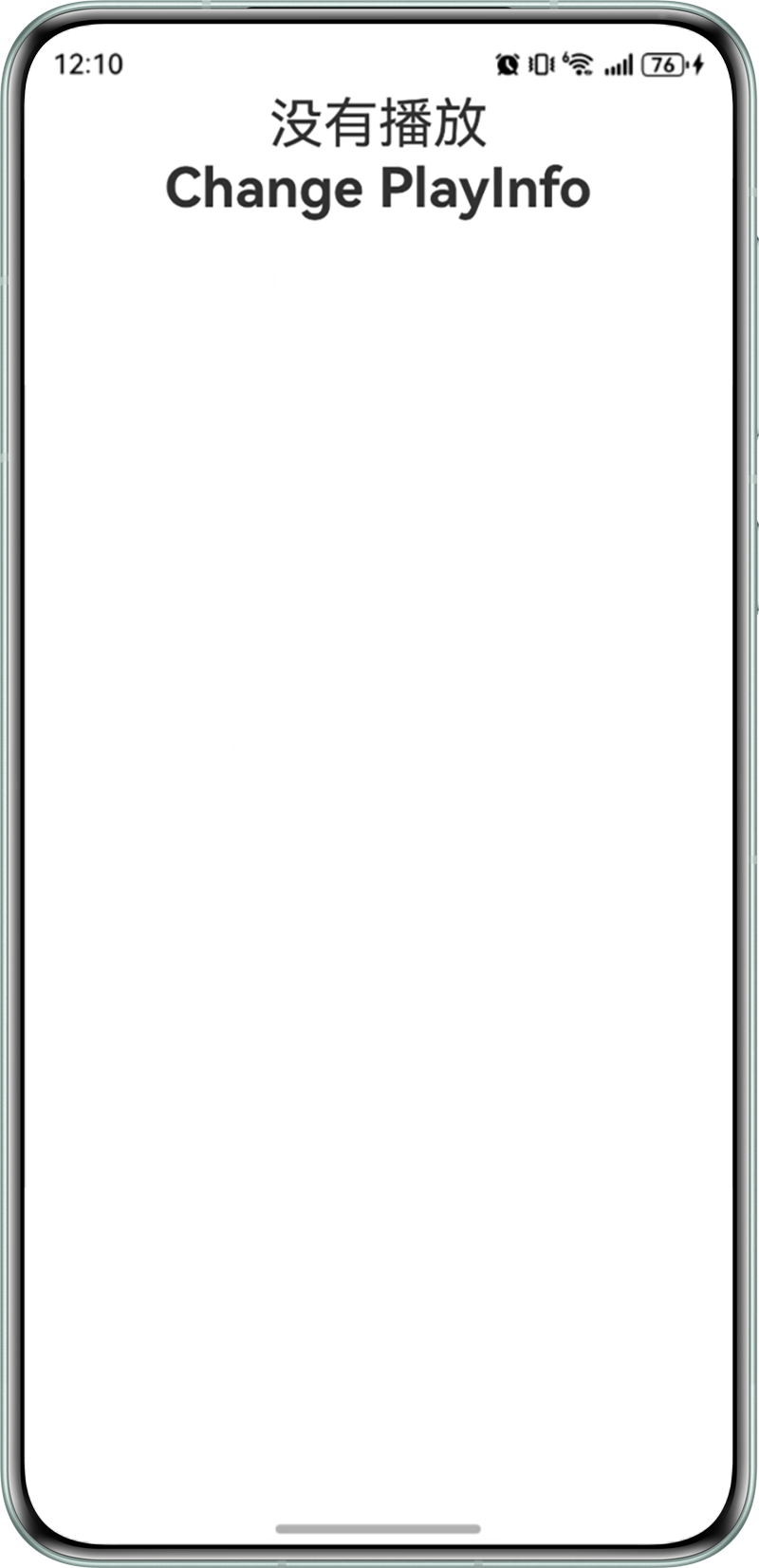
采用@Provide装饰器声明了一个状态变量,通过其它类提供的方法实现数据修改,但是没有触发UI刷新,页面上的数据没有改变。
- 首页Index.ets代码如下:
import currentPlayInfo, { PlayInfo } from './PlayInfo'
import player from './AVPlayer'

@Entry
@Component
struct Index {
  @Provide('pageStack') pageStack: NavPathStack = new NavPathStack()
  @Provide('playInfo') playInfo: PlayInfo = currentPlayInfo

  build() {
    Navigation(this.pageStack) {
      Column() {
        if (this.playInfo.isPlaying) {
          Text('正在播放' + this.playInfo.title)
            .fontSize(50)
            .fontWeight(FontWeight.Bold)
            .alignRules({
              center: { anchor: '__container__', align: VerticalAlign.Center },
              middle: { anchor: '__container__', align: HorizontalAlign.Center }
            })
        } else {
          Text('没有播放')
            .fontSize(30)
        }
        Text('Change PlayInfo')
          .fontSize(30)
          .fontWeight(FontWeight.Bold)
          .alignRules({
            center: { anchor: '__container__', align: VerticalAlign.Center },
            middle: { anchor: '__container__', align: HorizontalAlign.Center }
          })
          .onClick(() => {
            player.play();
          })
      }
      .height('100%')
      .width('100%')
    }
    .hideTitleBar(true)
  }
}
- 封装PlayInfo类,并导出全局实例对象给到Index.ets页面。
- 封装AVPlayer方法类,修改播放的数据。
点击“Change PlayInfo”文本时,希望文本“没有播放”更新为“正在播放第XX首”,问题现象如下图所示:

背景知识
- 状态管理概述:在声明式UI编程框架中,UI是程序状态的运行结果,用户构建了一个UI模型,其中应用的运行时的状态是参数。当参数改变时,UI作为返回结果,也将进行对应的改变。这些运行时的状态变化所带来的UI的重新渲染,在ArkUI中统称为状态管理机制。自定义组件拥有变量,变量必须被装饰器装饰才可以成为状态变量,状态变量的改变会引起UI的渲染刷新。如果不使用状态变量,UI只能在初始化时渲染,后续将不会再刷新。下图展示了State和View(UI)之间的关系。
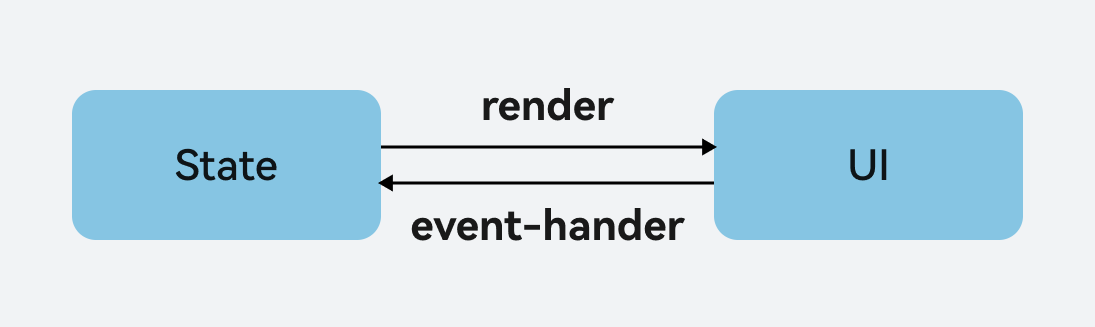
- View(UI):UI渲染,是指把build方法内的UI描述和@Builder装饰的方法内的UI描述映射到界面。
- State:状态,指驱动UI更新的数据。用户通过触发组件的事件方法,改变状态数据。状态数据的改变,将引起UI的重新渲染。
- 状态变量:被状态装饰器装饰的变量,状态变量值的改变会引起UI的渲染更新。示例:@State num: number = 1,其中@State是状态装饰器,num是状态变量。
- 常规变量:没有被状态装饰器装饰的变量,通常应用于辅助计算。它的改变不会引起UI的刷新。
- @Provide/@Consume装饰器:该装饰器为状态管理装饰器的一种,可以实现组件与后代组件数据的共享与双向同步,修改时可实现同步刷新UI。
问题定位
- ArkUI编程框架中,页面刷新需要通过状态装饰器装饰的状态变量的修改刷新UI界面。
- 对于@Provide装饰器而言,装饰的状态变量会被代理为一个Proxy对象。在问题代码示例中,该代理对象为playInfo,而非currentPlayInfo。因此,AVPlayer类中play()函数虽然修改了对象currentPlayInfo,但是currentPlayInfo对象是普通变量,所以无法刷新UI界面。
修改建议
应将AVPlayer类中play()函数修改的普通变量currentPlayInfo替换为状态变量playInfo。由于状态变量playInfo并不是全局实例对象,无法通过引用导入的方式修改,所以通过重写play()方法,在调用时传入状态变量playInfo并修改。修改如下:
- 定义PlayInfo类。
export class PlayInfo {
  isPlaying: boolean = false;
  title: string = '';
}

let currentPlayInfo = new PlayInfo();

export default currentPlayInfo as PlayInfo;
- 重写play()方法为需要传参的函数。
- 将状态变量playInfo传入,实现点击修改,并刷新UI界面。
import currentPlayInfo, { PlayInfo } from './PlayInfo';
import player from './AVPlayer';

@Entry
@Component
struct Index {
  @Provide('pageStack') pageStack: NavPathStack = new NavPathStack();
  @Provide('playInfo') playInfo: PlayInfo = currentPlayInfo;

  build() {
    Navigation(this.pageStack) {
      Column() {
        if (this.playInfo.isPlaying) {
          Text('正在播放' + this.playInfo.title)
            .fontSize(50)
            .fontWeight(FontWeight.Bold)
            .alignRules({
              center: { anchor: '__container__', align: VerticalAlign.Center },
              middle: { anchor: '__container__', align: HorizontalAlign.Center }
            });
        } else {
          Text('没有播放')
            .fontSize(30);
        }
        Text('Change PlayInfo')
          .fontSize(30)
          .fontWeight(FontWeight.Bold)
          .alignRules({
            center: { anchor: '__container__', align: VerticalAlign.Center },
            middle: { anchor: '__container__', align: HorizontalAlign.Center }
          })
          .onClick(() => {
            // 需要修改的是状态变量,以实现驱动UI更新的效果
            player.playNew(this.playInfo as PlayInfo);
          });
      }
      .height('100%')
      .width('100%');
    }
    .hideTitleBar(true);
  }
}