问题现象
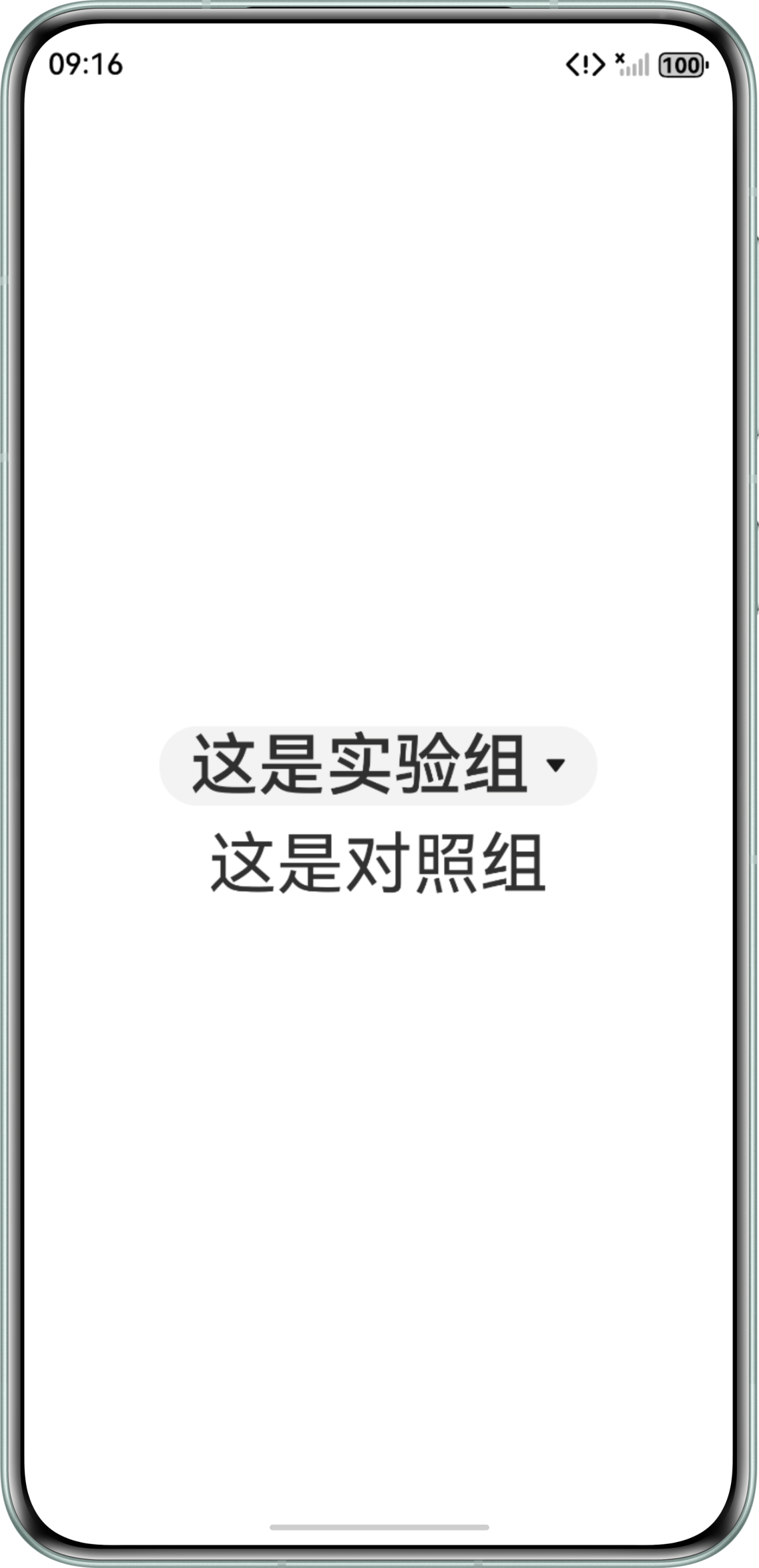
在字体大小一致的前提下,Select组件中显示的文本相较Text组件中的文本,视觉上更为粗重。
问题代码示例参考如下:
@Entry
@Component
struct SelectExample {
  @State text: string = '这是实验组';
  @State index: number = 0;

  build() {
    Column({ space: 10 }) {
      // icon可以使用其他有效资源
      Select([{ value: 'aaa', icon: $r('app.media.startIcon') }])
        .selected(this.index)
        .value(this.text)
        .font({ size: 35 })
        .optionWidth(200)
        .optionHeight(300)
        .onSelect((index: number, text?: string | undefined) => {
          this.index = index;
          if (text) {
            this.text = text;
          }
        });
      Text('这是对照组')
        .fontSize(35);
    }
    .width('100%')
    .height('100%')
    .justifyContent(FlexAlign.Center);
  }
}
问题效果预览:

问题定位
- 当前Select组件和Text组件的文本内容相同,仅在font属性中设置了size大小,并未修改weight属性,但是Select组件中的文本比Text组件中的文本更粗。
- 根据Select组件中的font方法得知,下拉按钮本身的文本样式中weight的默认值为FontWeight.Medium,且后续版本没有相关变动。而Text组件字体默认粗细为FontWeight.Normal。
修改建议
为Select组件的font属性添加weight参数,并将值设置为FontWeight枚举类型的Normal。
完整示例参考如下:
@Entry
@Component
struct SelectBold {
  @State text: string = '这是实验组';
  @State index: number = 0;

  build() {
    Column({ space: 10 }) {
      // icon可以使用其他有效资源
      Select([{ value: 'aaa', icon: $r('app.media.startIcon') }])
        .selected(this.index)
        .value(this.text)
        .font({ size: 35, weight: FontWeight.Normal })
        .optionWidth(200)
        .optionHeight(300)
        .onSelect((index: number, text?: string | undefined) => {
          this.index = index;
          if (text) {
            this.text = text;
          }
        });
      Text('这是对照组')
        .fontSize(35);
    }
    .width('100%')
    .height('100%')
    .justifyContent(FlexAlign.Center);
  }
}