问题现象
在ArkUI框架的应用开发过程中,实现多选功能是常见的交互需求。开发过程中通常面临以下具体场景:
- 场景一:如何通过Checkbox组件实现多项选择,并获取已选项的数据集合?
- 场景二:Checkbox组件如何实现一键反选?
- 场景三:如何利用Checkbox构建全选功能?
背景知识
- Checkbox:提供多选框组件,通常用于某选项的打开或关闭。
- LazyForEach:在大量子组件的场景下,LazyForEach与缓存列表项、动态预加载、组件复用等方法配合使用,可以进一步提升滑动帧率并降低应用内存占用。
- CheckboxGroup:多选框群组,用于控制多选框全选或者不全选状态。
- @ObservedV2装饰器和@Trace装饰器:类属性变化观测。
解决方案
- 场景一:ArkUI中的Checkbox组件支持多选功能,通过select属性绑定选中状态,并使用onChange事件监听状态变化,从而实现多选操作并获取选中数据。示例代码可参考:获取多选框选中信息。
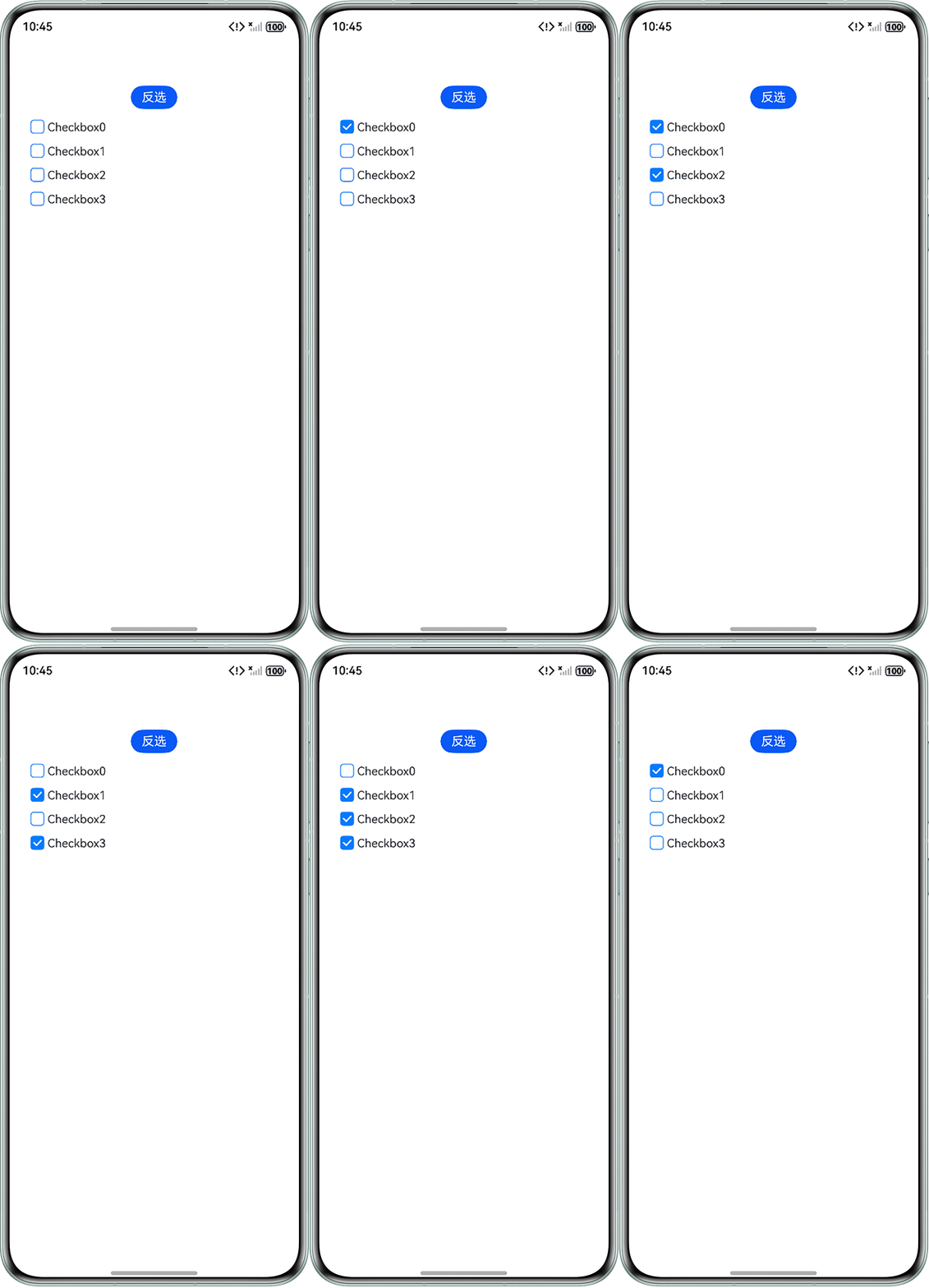
- 场景二:通过遍历数据列表,将每个Checkbox绑定的item.name状态值进行取反。@ObservedV2和@Trace建立的响应式链路捕获这个取反操作,并据此更新对应Checkbox的选中状态,从而实现一键反选功能。
@ObservedV2
class Person {
  @Trace public name: boolean;
  public value: number;

  constructor(name: boolean, value: number) {
    this.name = name;
    this.value = value;
  }
}

@ObservedV2
class Info {
  // 存储Person对象的数组
  personList: Person[] = [];

  constructor() {
    this.personList = [new Person(false, 0), new Person(false, 1), new Person(false, 2), new Person(false, 3)
    ];
  }
}

@Entry
@Component
struct CheckboxPage1 {
  // 创建Info实例作为组件状态
  info: Info = new Info();

  build() {
    Column() {
      // 反选按钮
      Button() {
        Text('反选')
          .fontColor(Color.White);
      }
      .width(60)
      .height(30)
      .margin(10)
      .onClick(() => {
        // 实现反选功能
        for (let i = 0; i < this.info.personList.length; i++) {
          this.info.personList[i].name = !this.info.personList[i].name;
        }
      });

      // 使用List组件显示复选框列表
      List({ space: 5, initialIndex: 0 }) {
        ForEach(this.info.personList, (item: Person) => {
          ListItem() {
            Flex() {
              // Checkbox组件,显示选择状态
              Checkbox({ name: item.value.toString() })
                .selectedColor('#027cff')
                .shape(CheckBoxShape.ROUNDED_SQUARE)
                .unselectedColor('#027cff')
                .select(item.name)
                .onChange((value: boolean) => {
                  // 复选框状态改变时更新Person对象的name属性
                  item.name = value;
                })
                .width(18)
                .height(18);

              Text('Checkbox' + item.value.toString())
                .fontSize(15)
                .margin({ top: 5 });
            };
          };
        }, (item: Person) => JSON.stringify(item));
      };
    }
    .width('100%')
    .height('100%')
    .margin({ top: 50 })
    .padding({ left: 24, right: 24 });
  }
}
效果预览:
- 场景三:在实现全选功能时,可充分利用CheckboxGroup组件控制全选或者不全选的特性。下面提供两种实现方案,可按需参考使用:
方案
适用场景
优点
缺点
方案一:CheckboxGroup+LazyForEach
适用于长列表,如商品列表、文件列表等。
代码结构清晰,易于维护。
- 需要自定义数据源类。
- 初始实现稍复杂。
方案二:CheckboxGroup+分组控制
适用于分组数据,如章节下的题目、分类下的子项等。
支持分组选择。
- 状态同步逻辑需手动处理。
- 数据绑定较为繁琐。
- 方案一:通过CheckboxGroup的selectAll属性绑定全选状态,并利用LazyForEach动态渲染列表。全选按钮点击时,更新数据源中所有项的选中状态,并刷新UI。参考示例见官网:示例4(设置全选)。
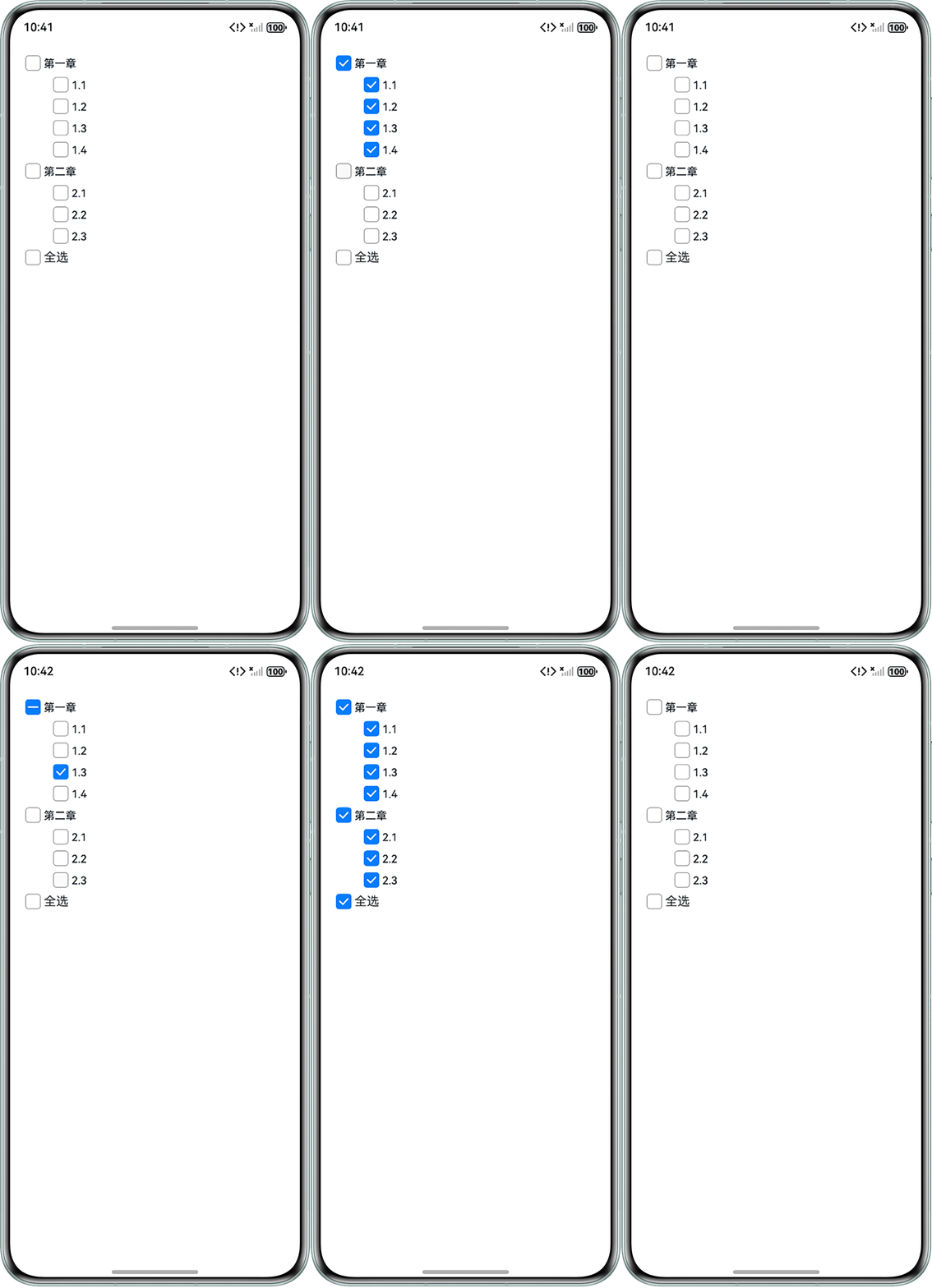
- 方案二:同样是CheckboxGroup,可通过全局全选按钮控制所有分组,每个分组再独立控制其内部选项,实现分组全选功能。
interface GroupData {
  groupName: string;
  items: string[];
  isGlobalSelectedAll: boolean;
}

@Entry
@Component
struct CheckboxPage2 {
  // 数据源
  groupDataList: Array<GroupData> = [
    { groupName: '第一章', items: ['1.1', '1.2', '1.3', '1.4'], isGlobalSelectedAll: false },
    { groupName: '第二章', items: ['2.1', '2.2', '2.3'], isGlobalSelectedAll: false }
  ];
  @State isGroupAllSelected: boolean[] = [false, false];
  @State isGlobalSelectedAll: boolean = false;
  @State selectedItems: Array<Array<string>> = [[], []];

  @Builder
  buildGroupSection(data: GroupData, index: number) {
    Flex({ justifyContent: FlexAlign.Start, alignItems: ItemAlign.Center }) {
      CheckboxGroup({ group: data.groupName })
        .checkboxShape(CheckBoxShape.ROUNDED_SQUARE)
        .selectedColor('#007DFF')
        .selectAll(this.isGroupAllSelected[index])
        .onChange((event: CheckboxGroupResult) => {
          this.groupDataList[index].isGlobalSelectedAll = (event.status === SelectStatus.All);
          this.isGlobalSelectedAll = true;
          for (let item of this.groupDataList) {
            this.isGlobalSelectedAll = (this.isGlobalSelectedAll && item.isGlobalSelectedAll);
          }
          // 保存当前分组所选数据
          this.selectedItems[index] = event.name;
        });
      Text(data.groupName).fontSize(14).lineHeight(20).fontColor('#182431').fontWeight(500);
    };

    ForEach(data.items, (item: string) => {
      Flex({ justifyContent: FlexAlign.Start, alignItems: ItemAlign.Center }) {
        Checkbox({ name: item, group: data.groupName })
          .selectedColor('#007DFF')
          .shape(CheckBoxShape.ROUNDED_SQUARE)
          .onChange((value: boolean) => {
            console.info(`Checkbox1 change is ${value}`);
          });
        Text(item).fontSize(14).lineHeight(20).fontColor('#182431').fontWeight(500);
      }.margin({ left: 36 });
    }, (item: string) => item);
  }

  build() {
    Column() {
      ForEach(this.groupDataList, (item: GroupData, index: number) => {
        this.buildGroupSection(item, index);
      }, (item: GroupData) => JSON.stringify(item));
      Flex({ alignItems: ItemAlign.Center }) {
        Checkbox({ name: '全选' })
          .select(this.isGlobalSelectedAll)
          .selectedColor('#007DFF')
          .shape(CheckBoxShape.ROUNDED_SQUARE)
          .onClick(() => {
            // 点击全选按钮,改变每个CheckBoxGroup选择状态
            this.isGlobalSelectedAll = !this.isGlobalSelectedAll;
            for (let i = 0; i < this.isGroupAllSelected.length; i++) {
              this.isGroupAllSelected[i] = !this.isGroupAllSelected[i];
              this.isGroupAllSelected[i] = this.isGlobalSelectedAll;
            }
          });
        Text('全选');
      };
    }
    .padding(16);
  }
}
效果预览: