背景知识
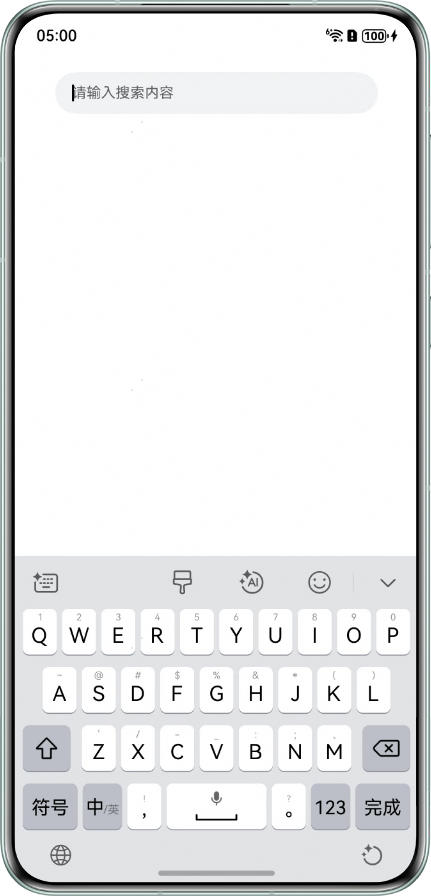
- TextInput输入框组件可通过设置caretColor属性改变输入框光标颜色。
- 十六进制颜色表示解析:
部分
长度
含义
值示例
说明
0x
前缀
十六进制标识符。
-
声明后续数字是十六进制。
00
2位
透明度(Alpha通道)。
00
00=完全透明,FF=不透明。
33
2位
红色分量(Red)。
33
十六进制值(0-255)。
33
2位
绿色分量(Green)。
33
十六进制值(0-255)。
33
2位
蓝色分量(Blue)。
33
十六进制值(0-255)。
完整格式:0x+AARRGGBB(AA=透明度,RR=红色,GG=绿色,BB=蓝色)。
- TextInput组件的默认背景色为#0C000000。
问题定位
- 使用DevEco Testing查看问题组件,该组件为TextInput组件。
- 全局搜索caretColor,排查输入框光标颜色设置。
- 颜色设置为#0C000000,与搜索框背景色一致。
@Entry @Component struct Index { build() { Column() { TextInput({ placeholder: '请输入搜索内容' }) .fontSize(14) .fontWeight(FontWeight.Bold) .backgroundColor('#f1f3f5') .placeholderFont({ size: 14, weight: 400 }) .caretColor('#0C000000') .height(40) .enableKeyboardOnFocus(true) .width('80%') .margin({ top: 20 }) } .height('100%') .width('100%'); } } - 颜色设置为#00000000,文字颜色完全透明。
@Entry
@Component
struct Index {
  build() {
    Column() {
      TextInput({ placeholder: '请输入搜索内容' })
        .fontSize(14)
        .fontWeight(FontWeight.Bold)
        .backgroundColor('#f1f3f5')
        .placeholderFont({
          size: 14,
          weight: 400
        })
        .caretColor('#00000000')
        .height(40)
        .enableKeyboardOnFocus(true)
        .width('80%')
        .margin({ top: 20 });
    }
    .height('100%')
    .width('100%');
  }
}
- 颜色设置为#0C000000,与搜索框背景色一致。

修改建议
合理设置光标颜色,如黑色不透明。
@Entry
@Component
struct TextInputCaretColor {
  build() {
    Column() {
      TextInput({ placeholder: '请输入搜索内容' })
        .fontSize(14)
        .fontWeight(FontWeight.Bold)
        .backgroundColor('#f1f3f5')
        .placeholderFont({
          size: 14,
          weight: 400
        })
        .caretColor('#000000') // 黑色不透明
        .height(40)
        .enableKeyboardOnFocus(true)
        .width('80%')
        .margin({ top: 20 });
    }
    .height('100%')
    .width('100%');
  }
}
效果图如下: