问题现象
开发者使用Text组件中嵌套多个Span组件时,想要实现以下两个效果:
- 效果一:需要给Span组件设置最大的字符数,超出部分用省略号显示。
- 效果二:其中一个Span组件排不下一行时可以自动换行不会被截断。
背景知识
- if/else:条件渲染可根据应用的不同状态,使用if、else和else if渲染对应状态下的UI内容。
- display.getDefaultDisplaySync():获取当前默认的Display对象。
- measureText:计算指定文本的宽度。
解决方案
- 场景一:单独实现以上两个效果。
- 针对效果一:可以使用if()条件渲染方法实现。
@Entry
@Component
struct CombinedSpanExampleOne {
  testInfo: string = '旨在指导开发者和设计师打造统一';

  build() {
    RelativeContainer() {
      Text() {
        if (this.testInfo.length > 5) {
          Span(this.testInfo.slice(0, 5) + ' ... ');
        } else {
          Span(this.testInfo);
        }
        Span('从理念到实现');
        Span('好的用户体验');
        Span('合理设计理念');
        Span('完美视觉风格');
        Span('交互事件归一');
      }
      .fontSize(14);
    }
    .height('100%')
    .width('85%')
    .margin({ left: 30, top: 220 });
  }
}
效果预览:
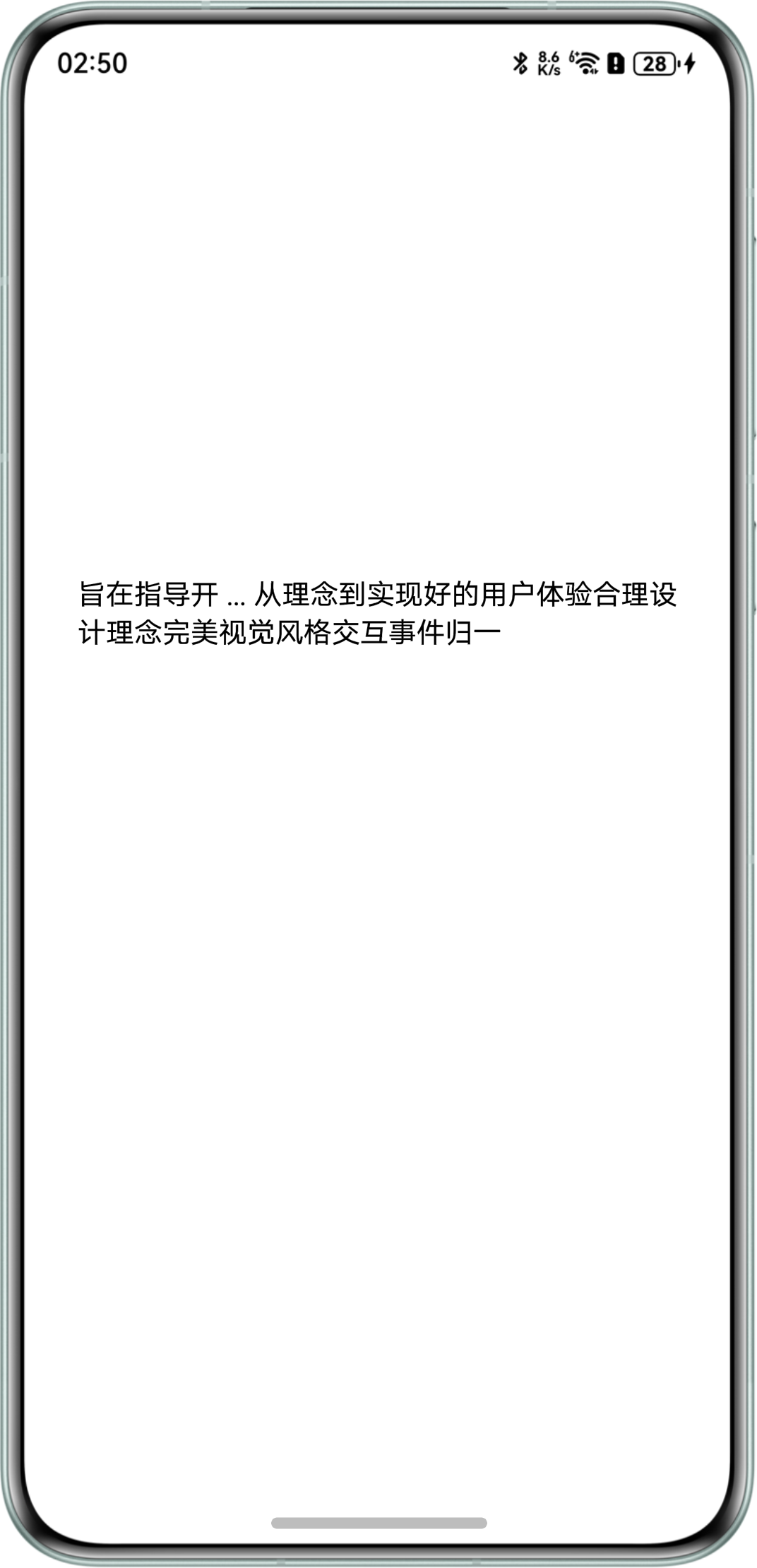
- 针对效果二:先获取当前屏幕宽度,再计算指定文本的宽度,将两者对比判断是否需要换行,如果需要换行,则插入一个换行符来实现。
import display from '@ohos.display';
import { MeasureUtils } from '@kit.ArkUI';

@Entry
@Component
struct CombinedSpanExampleTwo {
  msg: string = '为你提供全端侧的针对性设计建议';
  message: string = '和谐的数字世界';
  msgAdd: string = '共同构建一个和谐的数字世界';
  uiContext: UIContext = this.getUIContext();
  uiContextMeasure: MeasureUtils = this.uiContext.getMeasureUtils();
  textWidth: number = display.getDefaultDisplaySync().width - this.getUIContext().vp2px(60);

  build() {
    Column() {
      Row() {
        Text() {
          Span(this.msg).fontColor('#ff2f69ff').fontSize(14);
          if (this.changeLine(this.msg, this.message)) {
            Span('\n');
          }
          Span(this.message).fontColor(Color.Black).fontSize(14);
        }
        .textAlign(TextAlign.Start)
        .width('100%')
        .backgroundColor('#ffe9e9e9');
      }
      .width('100%')
      .padding({ left: 30, right: 38 })
      .height(200);
    }
    .width('100%')
    .height('100%')
    .justifyContent(FlexAlign.Center)
    .alignItems(HorizontalAlign.Center);
  }

  changeLine(msg1: string, message: string): boolean {
    let i: number = 0;
    let j: number = 0;
    while (j < msg1.length) {
      j++;
      if (this.getTextWidth(msg1.substring(i, j), 14) > this.textWidth) {
        i = j - 1;
      }
    }
    console.info(`msgAdd ${this.msgAdd}`);
    return this.getTextWidth(msg1.substring(i), 14) + this.getTextWidth(message, 14) > this.textWidth;
  }

  getTextWidth(content: string, fontSize: number): number {
    const width = this.uiContextMeasure.measureText({
      textContent: content,
      fontSize: fontSize
    });
    console.error(`getTextWidth: content: ${content}, width: ${width}`);
    return width;
  }
}
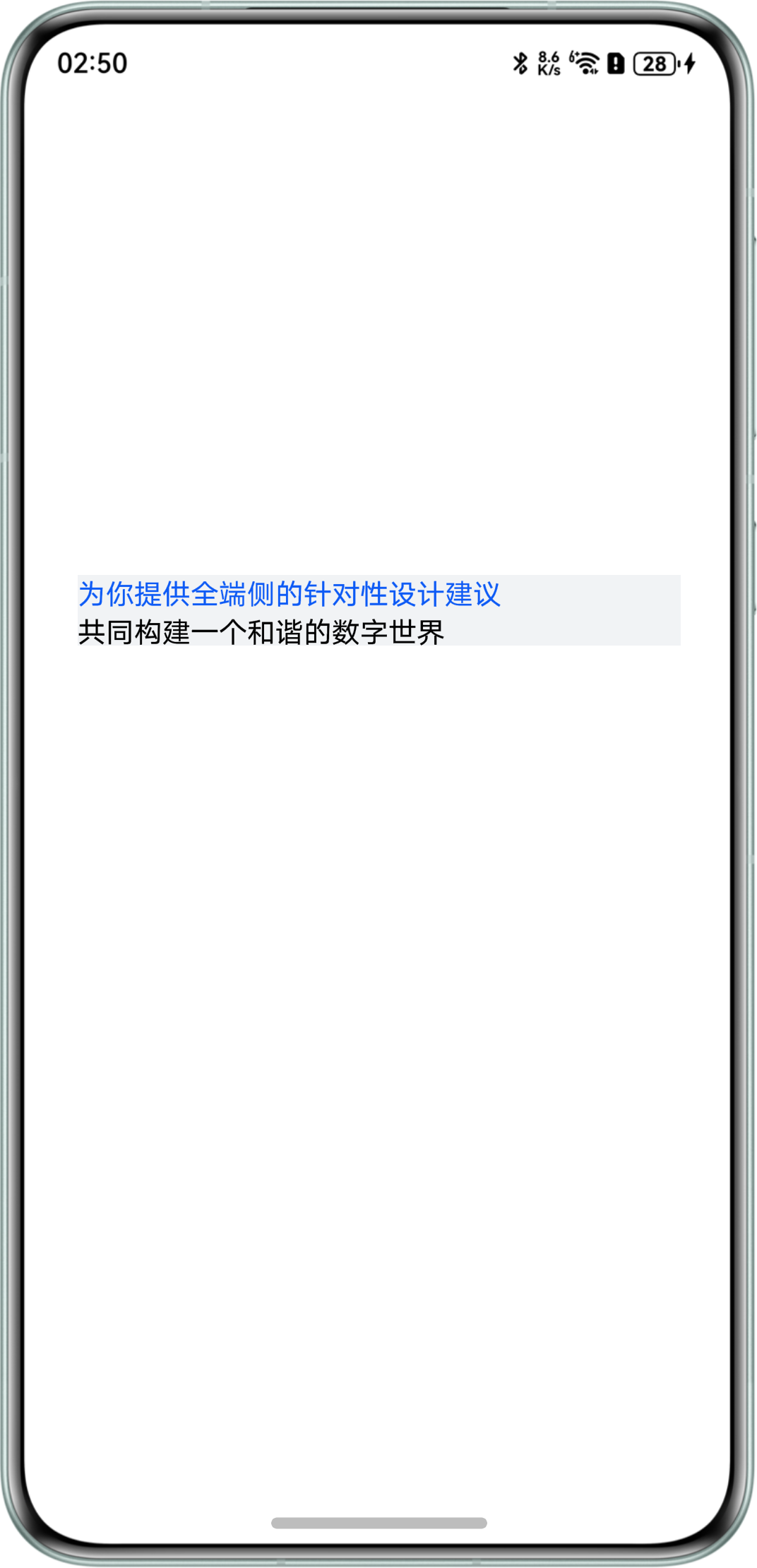
当changeLine方法传入的文本(msgAdd)和msg加起来超过一行时,会进行换行。
换行效果预览:
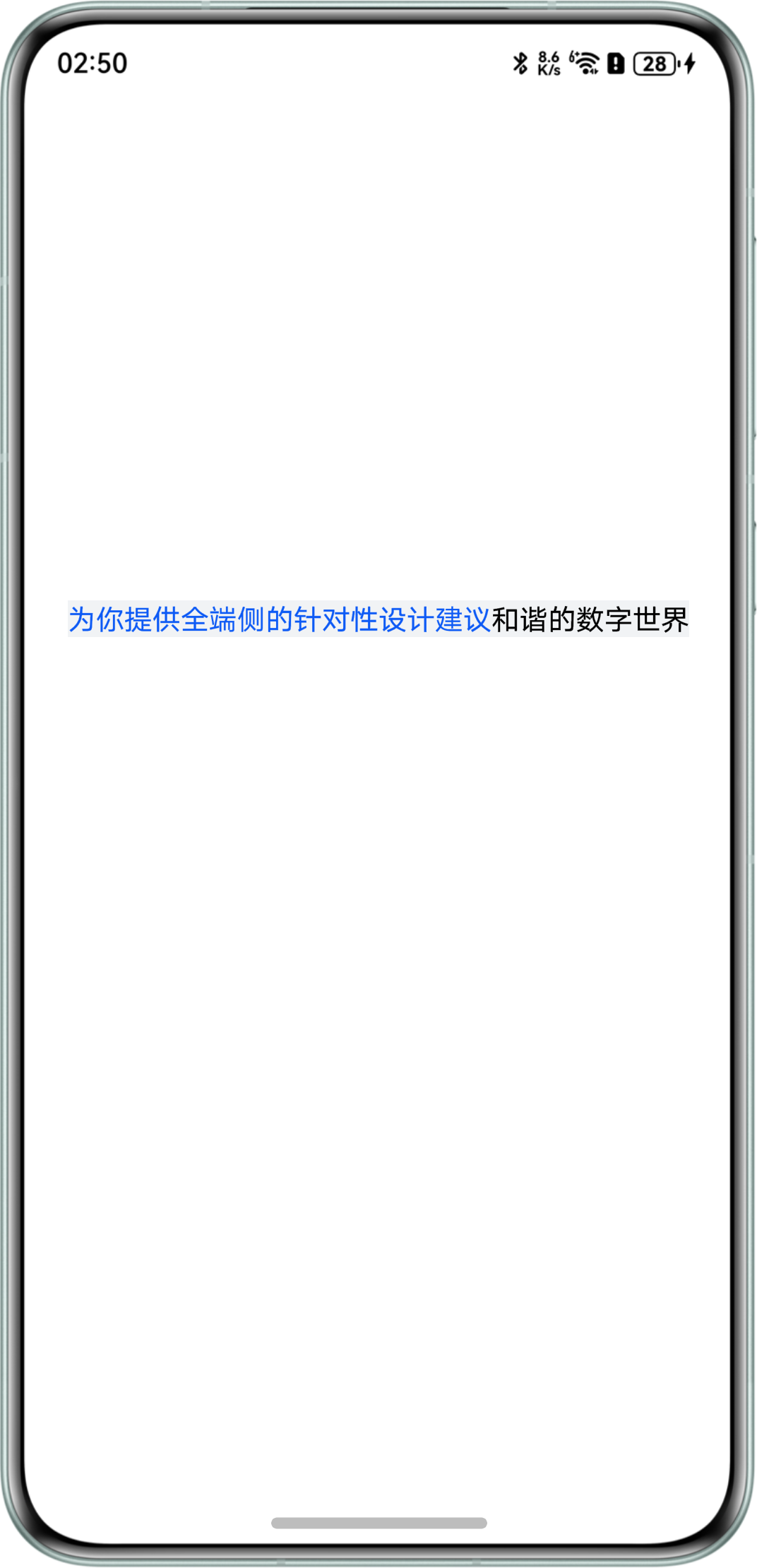
当changeLine方法传入的文本(message)和msg加起来不超过一行时,不会进行换行。
不换行效果预览:
- 针对效果一:可以使用if()条件渲染方法实现。
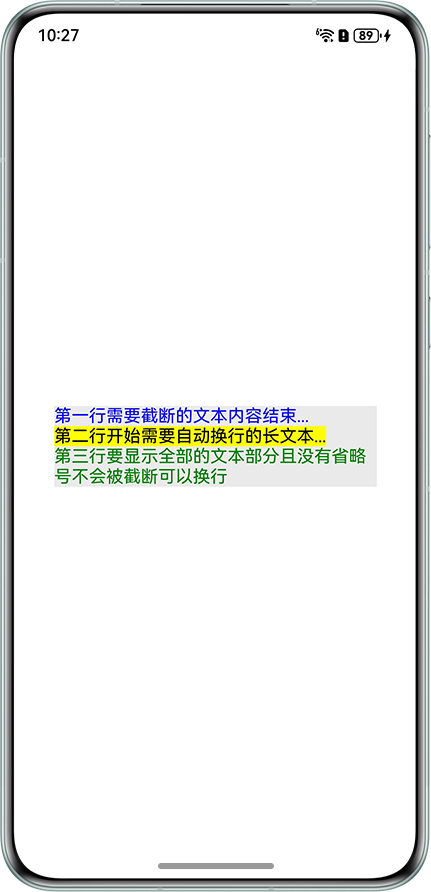
- 场景二:将以上两个效果结合在一起实现。使用substring()方法截取指定长度字符,通过三元运算符来动态截断文本换行并添加省略号实现以上两个效果。
@Entry
@Component
struct CombinedSpanExampleThree {
  longText: string =
    '第一行需要截断的文本内容结束第二行开始需要自动换行的长文本第三行要显示全部的文本部分且没有省略号不会被截断可以换行';

  build() {
    Column() {
      Text() {
        Span(this.getTruncatedText(14, 0))
          .fontColor(Color.Blue);
        Span(this.getTruncatedText(15, 14))
          .fontColor(Color.Black)
          .textBackgroundStyle({ color: Color.Yellow });
        Span(this.getTruncatedText(Infinity, 29))
          .fontColor(Color.Green);
      }
      .width('80%')
      .margin({ top: 20 })
      .textOverflow({ overflow: TextOverflow.None })
      .backgroundColor('#FFEAEAEA');
    }
    .width('100%')
    .height('100%')
    .alignItems(HorizontalAlign.Center)
    .justifyContent(FlexAlign.Center);
  }

  private getTruncatedText(maxLength: number, startIndex: number): string {
    const targetText = this.longText.substring(startIndex);
    return targetText.length > maxLength ?
      targetText.substring(0, maxLength) + '...' + '\n' :
      targetText;
  }
}
效果预览:
常见FAQ
Q:Text组件如何实现以字母为单位进行截断效果。
A:通过wordBreak属性设置断行规则WordBreak.BREAK_ALL即可实现字母为单位进行截断效果。可以参考示例4(设置文本断行及折行)。
Q:Span组件如何设置背景色。
A:可以添加textBackgroundStyle属性来给Span组件设置背景色。