背景知识
- bindSheet:给组件绑定半模态页面,点击后显示模态页面。
- constraintSize:设置约束尺寸,组件布局时,进行尺寸范围限制。
- position绝对定位,确定子组件相对父组件内容区的位置,支持attributeModifier动态设置属性方法。
解决方案
给bindSheet所绑定的自定义构建函数@Builder内部的根容器组件设置constraintSize({minHeight:300,maxHeight:300})属性即可解决,高度值根据实际开发场景需要进行设置。示例代码如下:
@Entry
@Component
struct SheetTransitionExample {
  @State isShow: boolean = false;

  @Builder
  myBuilder() {
    Row() {
      Button('content1')
        .margin(10)
        .fontSize(20)

      Button('content2')
        .margin(10)
        .fontSize(20)
    }
    .width('100%')
    .height('100%')
    .alignItems(VerticalAlign.Bottom)
    .justifyContent(FlexAlign.Center)
    .constraintSize({ minHeight: 300, maxHeight: 300 })
  }

  build() {
    Column() {
      Button('transition modal 1')
        .onClick(() => {
          this.isShow = true;
        })
        .fontSize(20)
        .margin(10)
        .bindSheet($$this.isShow, this.myBuilder(), {
          detents: [SheetSize.MEDIUM, SheetSize.LARGE, 200],
          backgroundColor: Color.White,
          blurStyle: BlurStyle.Thick,
          showClose: true,
          title: { title: 'title', subtitle: 'subtitle' },
        })
    }
    .justifyContent(FlexAlign.Start)
    .width('100%')
    .height('100%')
  }
}
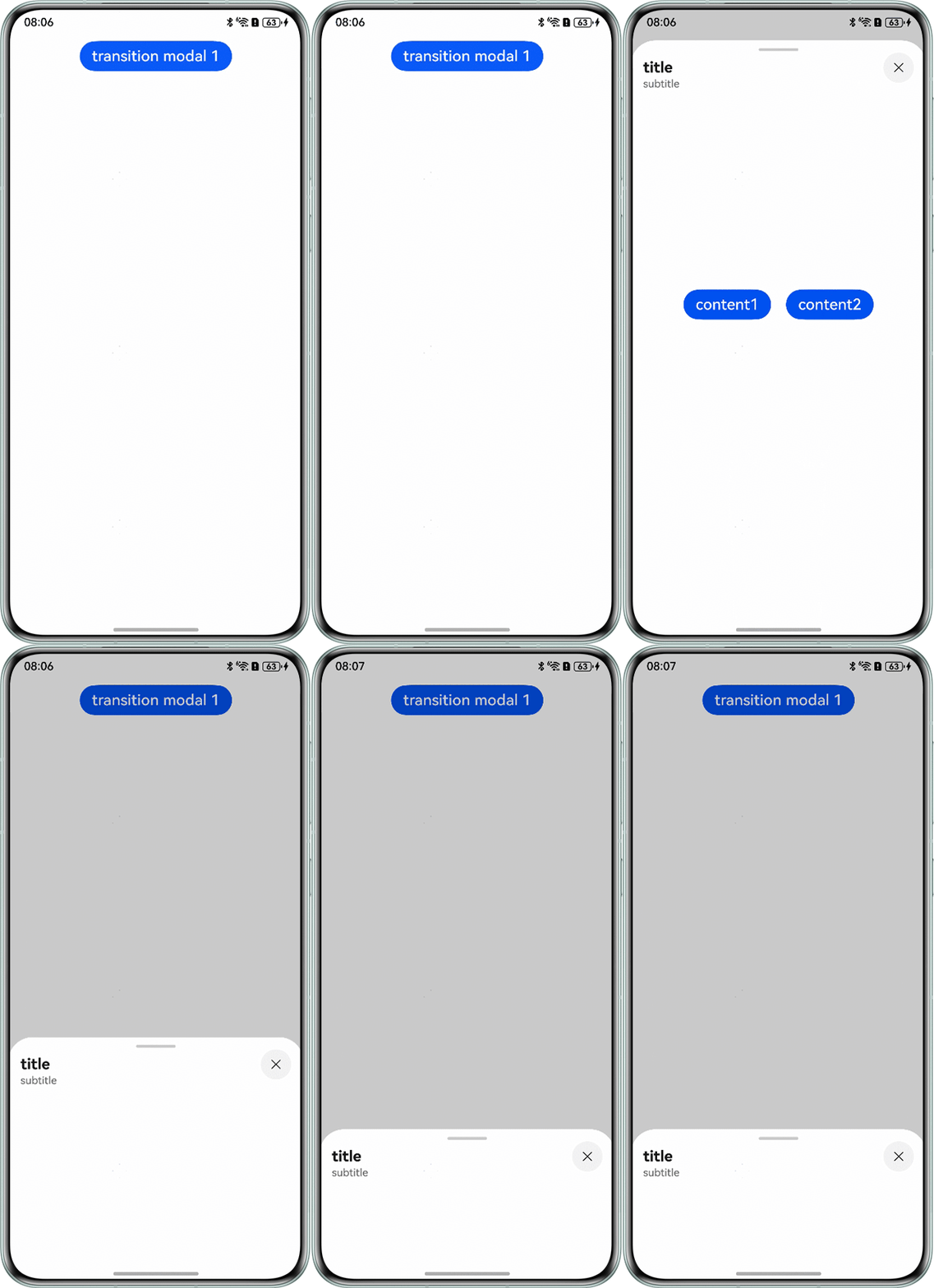
效果如下: