背景知识
- onAnimationStart:切换动画开始时触发该回调。当animationDuration为0时动画关闭且scrollable为false时,不触发该回调。
- SegmentButton:分段按钮组件,包含页签类分段按钮、胶囊类单选分段按钮、胶囊类多选分段按钮。
问题定位
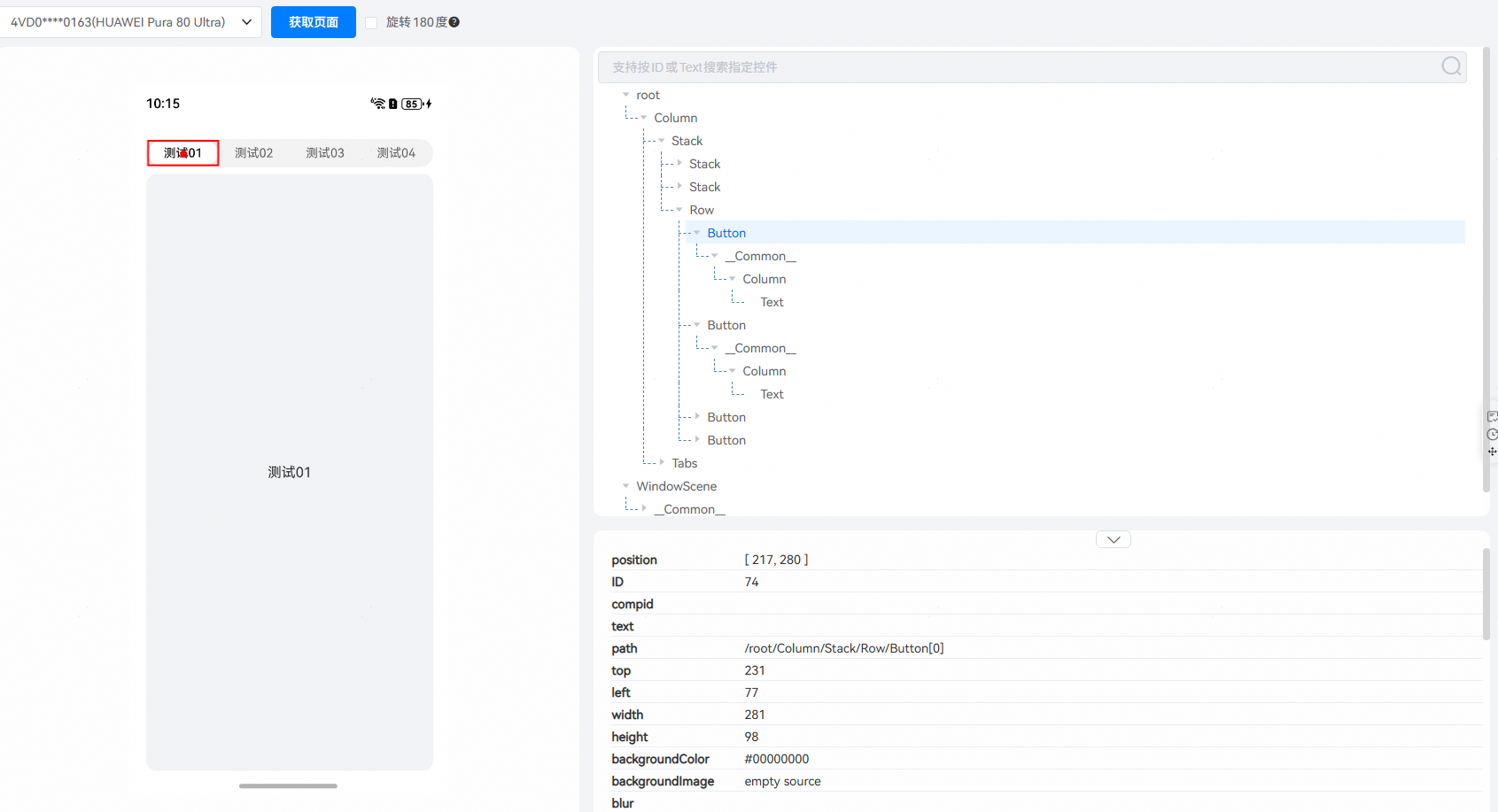
通过DevEco Testing的UIViewer工具查看页面结构。确认顶部页签按钮不是Tabs组件本身的TabBar。
- 场景一:查看Tabs组件绑定的onChange/onAnimationStart事件。确认页面切换时事件中只改变了currentIndex,但没有更新分段按钮的选中项绑定的segmentIndex变量,导致页面切换时,顶部页签未跟随切换。问题代码如下:
import { ItemRestriction, SegmentButton, SegmentButtonOptions, SegmentButtonTextItem, window } from '@kit.ArkUI'; @Entry @Component struct TabPage { // SegmentButton配置项 @State tabOptions: SegmentButtonOptions = SegmentButtonOptions.tab({ buttons: [ { text: '测试01' }, { text: '测试02' }, { text: '测试03' }, { text: '测试04' } ] as ItemRestriction<SegmentButtonTextItem>, }); controller: TabsController = new TabsController(); @State segmentIndex: number[] = [0]; // 选中项编号列表 @State currentIndex: number = 0; // 当前Tabs页索引 tabs: string[] = ['测试01', '测试02', '测试03', '测试04']; // Tabs页列表 build() { Column() { SegmentButton({ options: this.tabOptions, selectedIndexes: this.segmentIndex, onItemClicked: (index: number) => { this.controller.changeIndex(index); // 点击SegmentButton内的按钮切换Tabs页内容 } }); Tabs({ barPosition: BarPosition.End, index: $$this.currentIndex, // 双向同步当前Tabs页的索引 controller: this.controller }) { ForEach(this.tabs, (item: string, index?: number) => { TabContent() { Column() { Text(item); }; } .borderRadius(12) .backgroundColor('#f1f3f5') // 灰色占位 .margin({ left: index === 0 ? 0 : 6, // 第一页左边距为0,其他页左边距6px right: index === this.tabs.length - 1 ? 0 : 6, // 最后一页右边距为0,其他页右边距6px top: 8, bottom: 30 }); // 内容避让导航栏 }); } .barHeight(0) // 隐藏tabBar .onChange((newIndex: number) => { this.currentIndex = newIndex; // 页面切换,更改Tabs组件的index参数 }); } .margin({ left: 20 }) .height('100%') .width('90%') .padding({ top: 26 }); // 避让状态栏 } } - 场景二:排查切换Tabs页相关的代码。确认仅在onItemClicked方法中切换Tabs页,但由于滑动顶部页签按钮进行切换时不会触发onItemClicked方法,导致拖动页签按钮切换时Tabs页未同步切换。问题代码如下:
import { ItemRestriction, SegmentButton, SegmentButtonOptions, SegmentButtonTextItem, window } from '@kit.ArkUI';

@Entry
@Component
struct TabPage {
  // SegmentButton配置项
  @State tabOptions: SegmentButtonOptions = SegmentButtonOptions.tab({
    buttons: [
      { text: '测试01' },
      { text: '测试02' },
      { text: '测试03' },
      { text: '测试04' }
    ] as ItemRestriction<SegmentButtonTextItem>,
  });
  controller: TabsController = new TabsController();
  @State segmentIndex: number[] = [0]; // 选中项编号列表
  @State currentIndex: number = 0; // 当前Tabs页索引
  tabs: string[] = ['测试01', '测试02', '测试03', '测试04']; // Tabs页列表

  build() {
    Column() {
      SegmentButton({
        options: this.tabOptions,
        selectedIndexes: this.segmentIndex,
        onItemClicked: (index) => {
          this.controller.changeIndex(index);
        }
      });
      Tabs({
        barPosition: BarPosition.End,
        index: $$this.currentIndex, // 双向同步当前Tabs页的索引
        controller: this.controller
      }) {
        ForEach(this.tabs, (item: string, index?: number) => {
          TabContent() {
            Column() {
              Text(item);
            };
          }
          .borderRadius(12)
          .backgroundColor('#f1f3f5') // 灰色占位
          .margin({
            left: index === 0 ? 0 : 6, // 第一页左边距为0,其他页左边距6px
            right: index === this.tabs.length - 1 ? 0 : 6, // 最后一页右边距为0,其他页右边距6px
            top: 8,
            bottom: 30
          }); // 内容避让导航栏
        });
      }
      // 推荐在onAnimationStart事件中更新,onChange事件是Tabs页切换完成后才触发的
      .onAnimationStart((index: number, targetIndex: number) => {
        if (this.currentIndex !== targetIndex) {
          // 添加切换动画
          this.getUIContext().animateTo({
            duration: 300,
            curve: Curve.EaseInOut
          }, () => {
            this.segmentIndex[0] = targetIndex;
          });
        }
      })
      .barHeight(0); // 隐藏tabBar
    }
    .margin({ left: 20 })
    .height('100%')
    .width('90%')
    .padding({ top: 26 }); // 避让状态栏
  }
}
分析结论
- 场景一:Tabs组件只改变了自身index的值,但没有改变分段按钮选中项segmentIndex的值,导致页面切换时,顶部页签未跟随切换。
- 场景二:滑动顶部按钮时没有触发onItemClicked,导致Tabs的控制器没有调用changeIndex方法,Tabs的页面不会切换。
修改建议
- 场景一:当滑动Tab组件切换页面时,同步更改控制按钮显示状态selectedIndexes属性的值。
- 场景二:由于selectedIndexes配置的装饰器类型是@Link,在滑动时会更改selectedIndexes属性的值。可以通过@Watch监听selectedIndexes属性值的变化,在该监听方法中切换Tabs页。
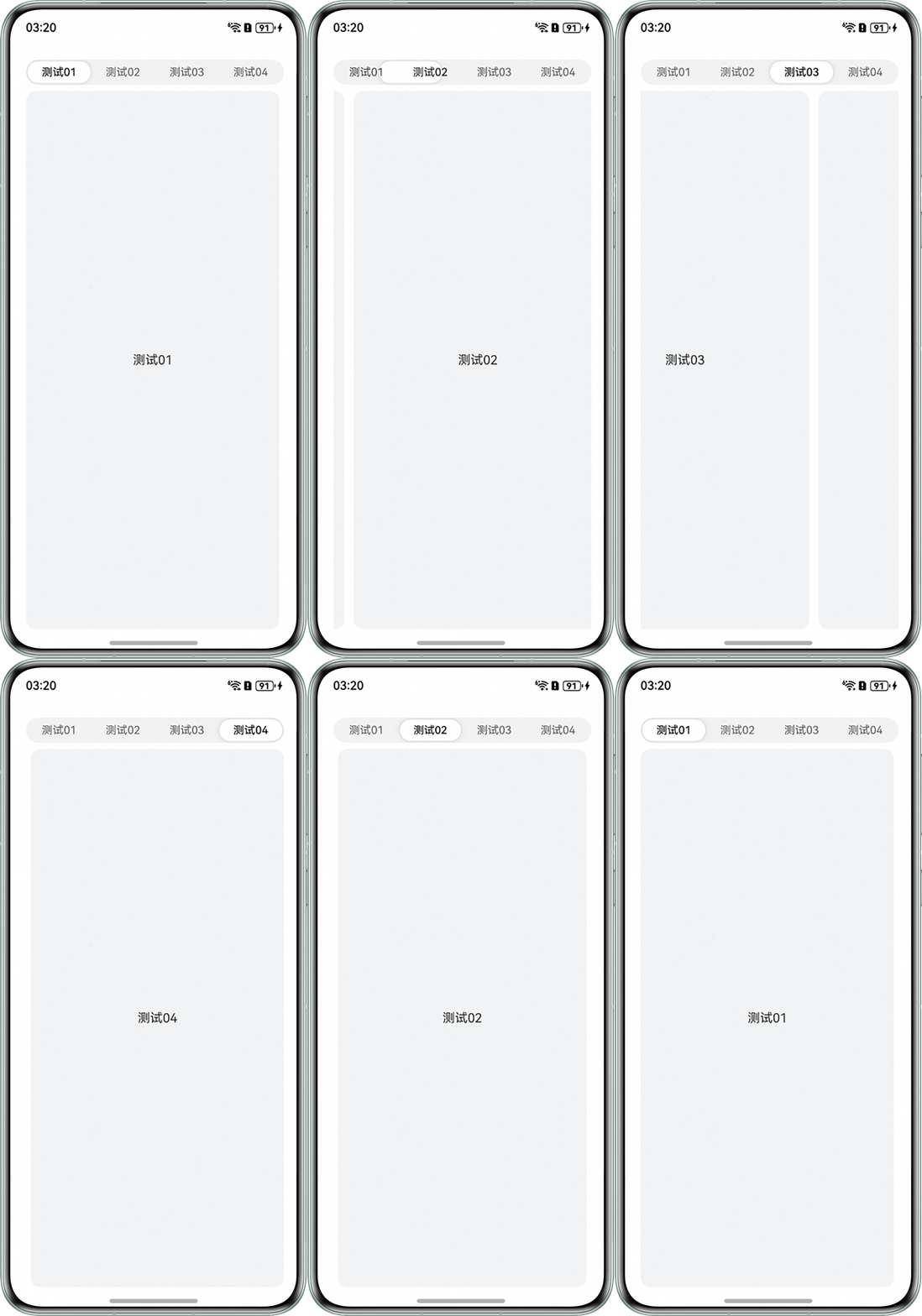
完整代码如下:
import { ItemRestriction, SegmentButton, SegmentButtonOptions, SegmentButtonTextItem } from '@kit.ArkUI';

@Entry
@Component
struct TabPage {
  // SegmentButton配置项
  @State tabOptions: SegmentButtonOptions = SegmentButtonOptions.tab({
    buttons: [
      { text: '测试01' },
      { text: '测试02' },
      { text: '测试03' },
      { text: '测试04' }
    ] as ItemRestriction<SegmentButtonTextItem>,
  });
  @Watch('updateIndex') @State segmentIndex: number[] = [0]; // 选中项编号列表
  controller: TabsController = new TabsController();
  @State currentIndex: number = 0; // 当前Tabs页索引
  tabs: string[] = ['测试01', '测试02', '测试03', '测试04']; // Tabs页列表

  updateIndex() {
    if (this.segmentIndex[0] != this.currentIndex) {
      this.controller.changeIndex(this.segmentIndex[0]);
    }
  }

  build() {
    Column() {
      SegmentButton({
        options: this.tabOptions,
        selectedIndexes: this.segmentIndex
      });

      Tabs({
        barPosition: BarPosition.End,
        index: $$this.currentIndex, // 双向同步当前Tabs页的索引
        controller: this.controller
      }) {
        ForEach(this.tabs, (item: string, index?: number) => {
          TabContent() {
            Column() {
              Text(item);
            };
          }
          .borderRadius(12)
          .backgroundColor('#F1F3F5') // 灰色占位
          .margin({
            left: index === 0 ? 0 : 6, // 第一页左边距为0,其他页左边距6px
            right: index === this.tabs.length - 1 ? 0 : 6, // 最后一页右边距为0,其他页右边距6px
            top: 8,
            bottom: 30
          }); // 内容避让导航栏
        });
      }
      .barHeight(0) // 隐藏tabBar
      // 推荐在onAnimationStart事件中更新,onChange事件是Tabs页切换完成后才触发的
      .onAnimationStart((index: number, targetIndex: number) => {
        if (this.currentIndex !== targetIndex) {
          // 添加切换动画
          this.getUIContext().animateTo({
            duration: 300,
            curve: Curve.EaseInOut
          }, () => {
            this.segmentIndex[0] = targetIndex;
          });
        }
      })
      .onChange((targetIndex) => {
        this.currentIndex = targetIndex;
      });
    }
    .margin({ left: 20 })
    .height('100%')
    .width('90%')
    .padding({ top: 26 }); // 避让状态栏
  }
}
运行效果图如下: