问题现象
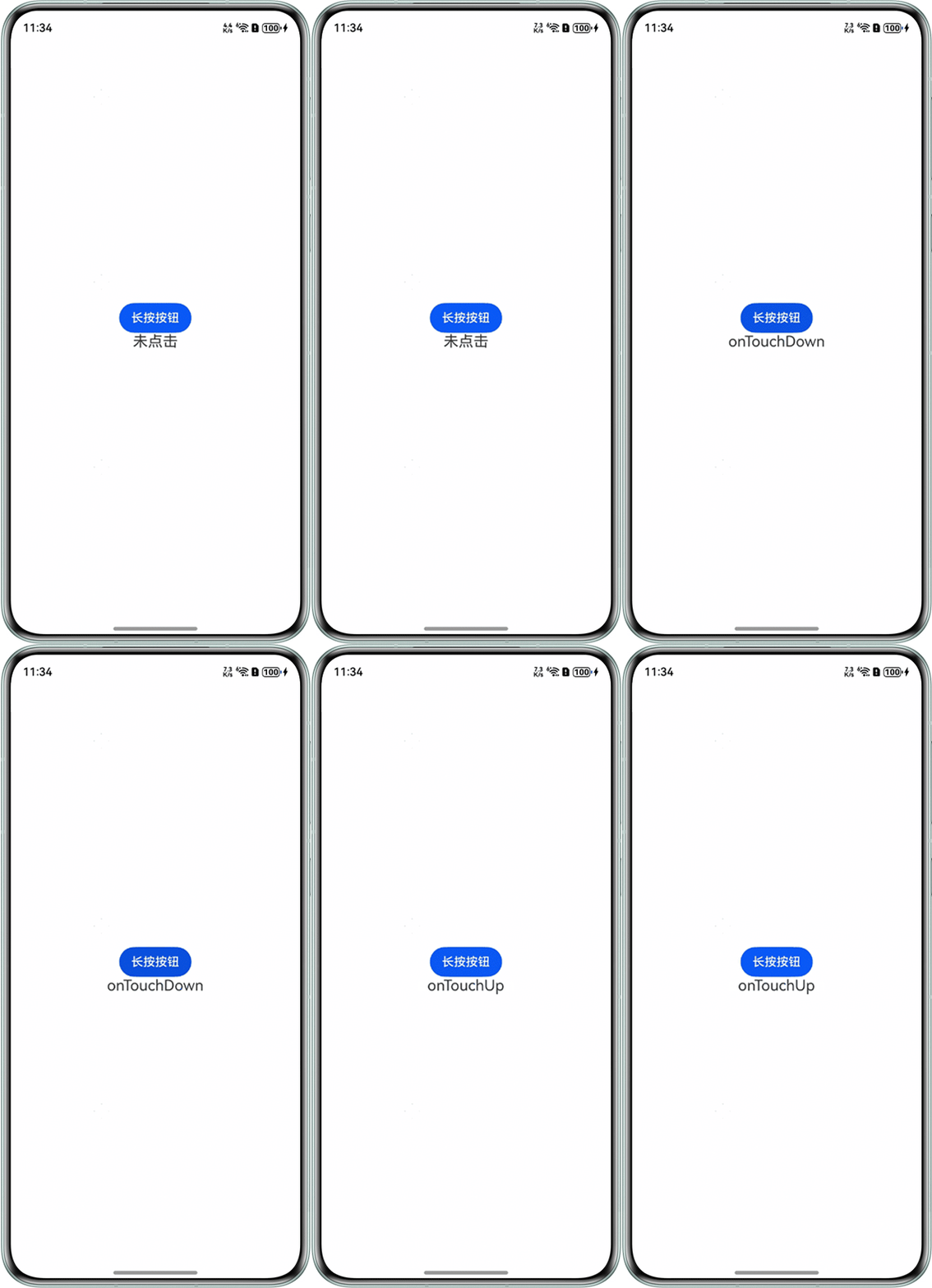
在onTouchDown方法中改变状态变量的值后无法引起UI刷新,代码和运行效果如下:
@Component
struct ContainerView {
  @BuilderParam child: () => void
  onTouchDown = () => {
  }
  onTouchUp = () => {
  }

  build() {
    Column() {
      Button('长按按钮')
        .onTouch((event) => {
          if (event.type === TouchType.Down) {
            this.onTouchDown()
          } else if (event.type === TouchType.Up) {
            this.onTouchUp()
          }
        })
      this.child()
    }
  }
}

@Entry
@Component
struct MainPage {
  @State title: string = '未点击'

  build() {
    Column() {
      ContainerView(
        {
          onTouchDown: this.onTouchDown,
          onTouchUp: () => {
            this.title = 'onTouchUp'
          }
        }
      ) {
        Text(this.title)
          .fontSize(20)
      }
    }
    .width('100%')
    .height('100%')
    .alignItems(HorizontalAlign.Center)
    .justifyContent(FlexAlign.Center)
  }

  onTouchDown() {
    this.title = 'onTouchDown'
  }
} 
背景知识
- this是HarmonyOS中的一个关键字,代表当前对象的上下文,它指向调用该函数的对象。
- bind方法允许明确设置函数运行时的this值。当this的指向不符合预期时,可以使用bind将this设置为指定的值。
问题定位
- 当直接使用this.onTouchDown时,此时this指针指向的是子组件ContainerView,实际调用的是该组件的onTouchDown空方法。
- 使用官网提供的适配方案,即利用lambda函数形式,参考链接如下:bind适配指导案例。
修改建议
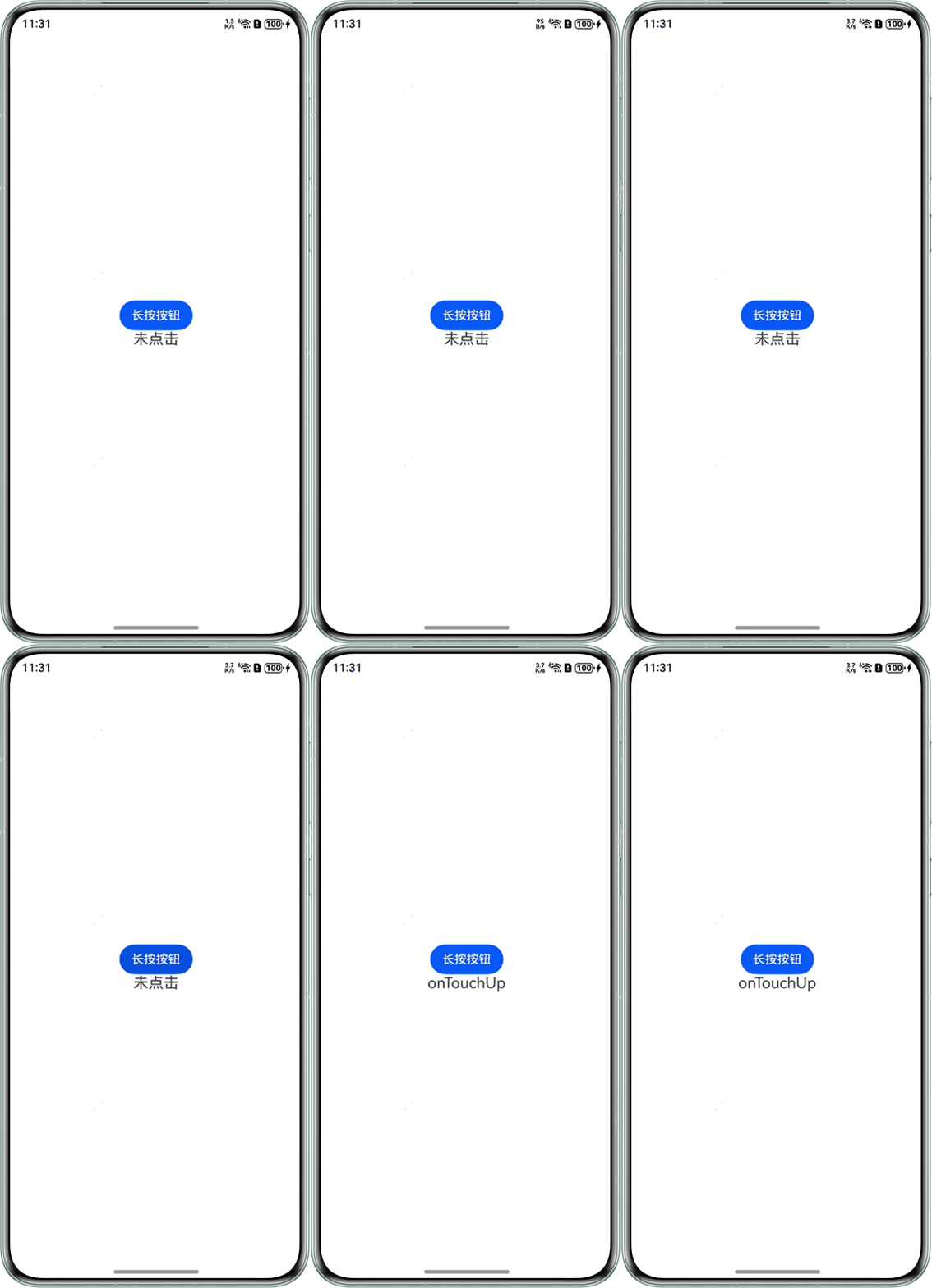
修改onTouchDown函数,具体代码和运行效果如下:
@Component
struct ContainerView {
  @BuilderParam child: () => void;
  // 实际调用的onTouchDown方法
  onTouchDown = () => {
  };
  onTouchUp = () => {
  };

  build() {
    Column() {
      Button('长按按钮')
        .onTouch((event) => {
          if (event.type === TouchType.Down) {
            this.onTouchDown();
          } else if (event.type === TouchType.Up) {
            this.onTouchUp();
          }
        });
      this.child();
    };
  }
}

@Entry
@Component
struct TouchDownCustom {
  @State title: string = '未点击';

  build() {
    Column() {
      ContainerView(
        {
          // 修改后的代码
          onTouchDown: (): void => this.onTouchDown(),
          onTouchUp: () => {
            this.title = 'onTouchUp';
          }
        }
      ) {
        Text(this.title)
          .fontSize(20);
      };
    }
    .width('100%')
    .height('100%')
    .alignItems(HorizontalAlign.Center)
    .justifyContent(FlexAlign.Center);
  }

  onTouchDown() {
    this.title = 'onTouchDown';
  }
}