问题现象
在Grid组件中,通过设置onGetIrregularSizeByIndex属性实现第一个元素占据两行两列空间的效果,但是得到的结果却是只占据了一行两列,问题图如下:
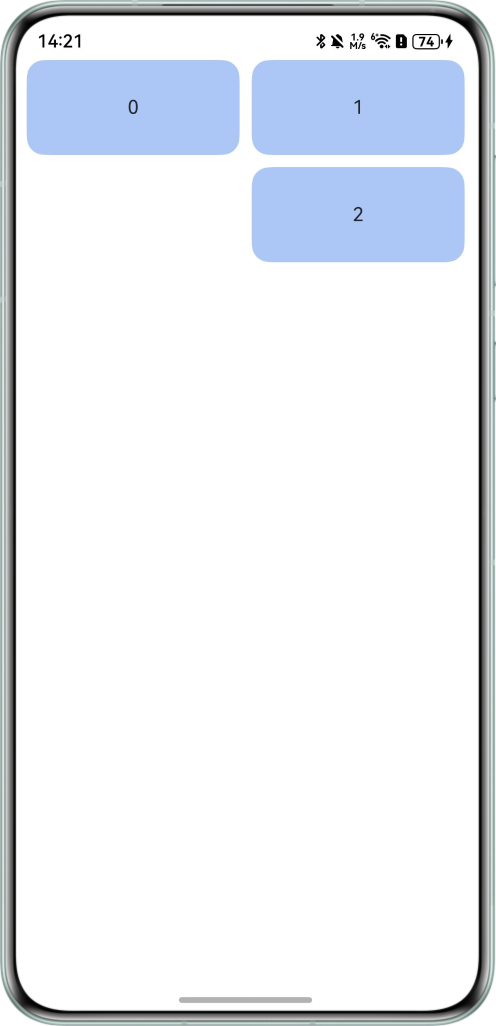
问题代码如下:
@Entry
@Component
struct Index {
  @State numbers: String[] = ['0', '1', '2'];
  scroller: Scroller = new Scroller();
  layoutOptions2: GridLayoutOptions = {
    regularSize: [1, 1],
    irregularIndexes: [0, 1, 2],
    onGetIrregularSizeByIndex: (index: number) => {
      if (index === 0) {
        return [2, 2];
      } else {
        return [1, 2]
      }
    }
  };

  build() {
    Column({ space: 5 }) {
      Grid(this.scroller, this.layoutOptions2) {
        ForEach(this.numbers, (item: string) => {
          GridItem() {
            Text(item)
              .fontSize(16)
              .backgroundColor('#ACC6F6')
              .width('100%')
              .height(80)
              .borderRadius(15)
              .textAlign(TextAlign.Center)
          }
        }, (item: string) => item)
      }
      .columnsTemplate('1fr 1fr 1fr 1fr')
      .columnsGap(10)
      .rowsGap(10)
      .scrollBar(BarState.Off)
      .width('95%')
      .height(170)
    }
    .width('100%')
  }
}
背景知识
- Grid:网格容器,由“行”和“列”分割的单元格所组成,通过指定“项目”所在的单元格做出各种各样的布局。
- GridLayoutOptions:Grid布局选项。其中的属性onGetIrregularSizeByIndex需要配合irregularIndexes使用,以此来设置不规则GridItem占用的行数和列数。
修改建议
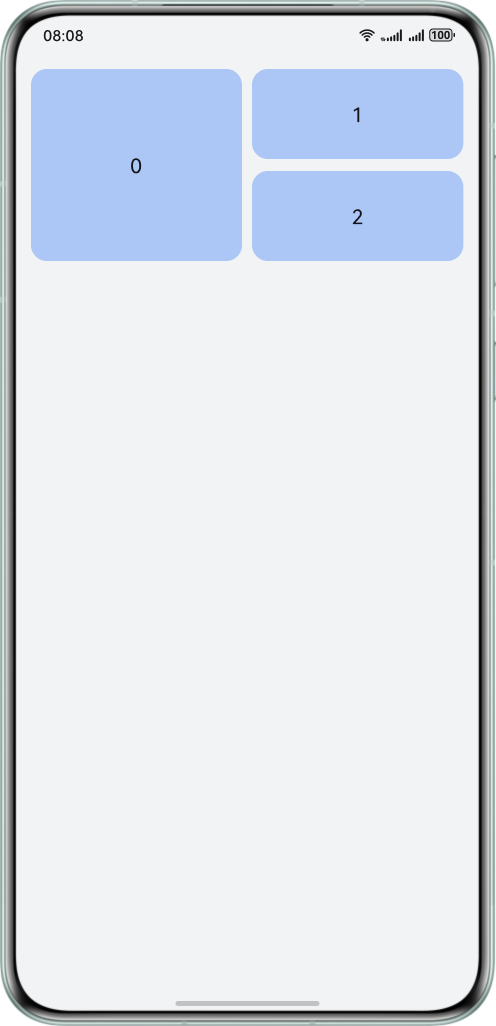
可以通过三元运算符来设置Text组件的高度,当通过索引判断出是第一个元素时,将高度设置为100%,除此之外的元素高度不变,例如:height(index === 0 ? '100%' : 80),修改代码如下:
@Entry
@Component
struct GridHeight {
  @State numbers: String[] = ['0', '1', '2'];
  scroller: Scroller = new Scroller();
  layoutOptions2: GridLayoutOptions = {
    regularSize: [1, 1],
    irregularIndexes: [0, 1, 2],
    onGetIrregularSizeByIndex: (index: number) => {
      if (index === 0) {
        return [2, 2];
      } else {
        return [1, 2];
      }
    }
  };

  build() {
    Column({ space: 0 }) {
      Grid(this.scroller, this.layoutOptions2) {
        ForEach(this.numbers, (item: string, index: number) => {
          GridItem() {
            Text(item)
              .fontSize(16)
              .backgroundColor('#ACC6F6')
              .width('100%')
              .borderRadius(15)
              .height(index === 0 ? '100%' : 80) // 给第一个元素设置高度为100%,即两列的高度
              .textAlign(TextAlign.Center);
          };
        }, (item: string) => item);
      }
      .columnsTemplate('1fr 1fr 1fr 1fr')
      .columnsGap(10)
      .rowsGap(10)
      .scrollBar(BarState.Off)
      .width('95%')
      .height(170);
    }
    .width('100%');
  }
}
修改后效果图如下: