问题现象
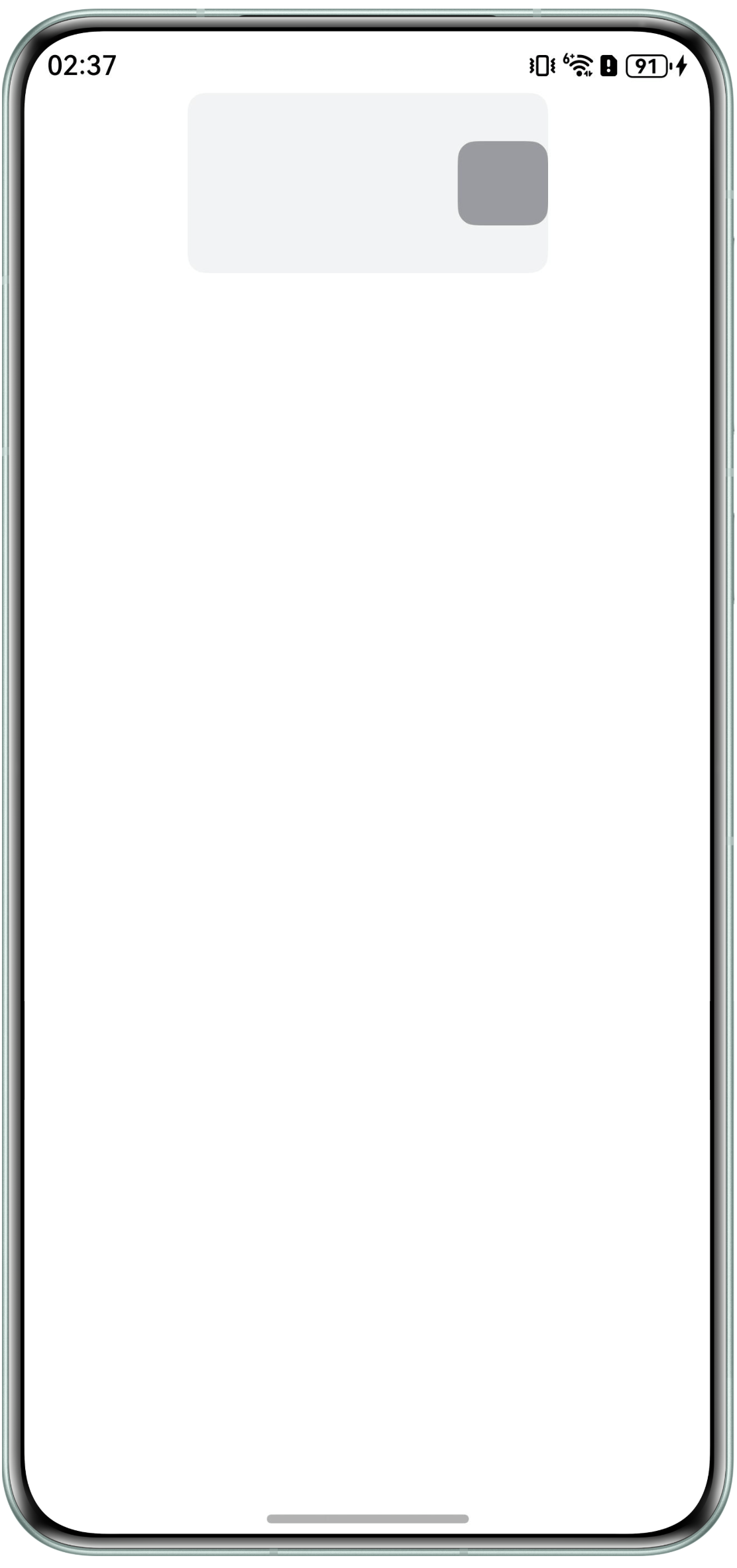
- 场景一:Stack组件中Text子组件因边缘约束导致宽度压缩、文字溢出,如何设置Text宽度自适应或调整Stack布局策略,使其保持原始文本宽度并扩展容器边界。代码如下:
@Entry
@Component
struct StackPageOne {
  build() {
    Column() {
      Stack() {
        Text(' 测试 ')
          .borderRadius(10)
          .fontSize(40)
          .margin({ left: 150 })
          .backgroundColor('#989ba1')
          .maxLines(1);
      }
      .width(200)
      .height(100)
      .borderRadius(10)
      .backgroundColor('#f1f3f5');
    }
    .alignItems(HorizontalAlign.Center)
    .width('100%')
    .height('100%');
  }
}
效果如下:
- 场景二:如何实现图片超出容器右上角展示效果?
解决方案
- 场景一:
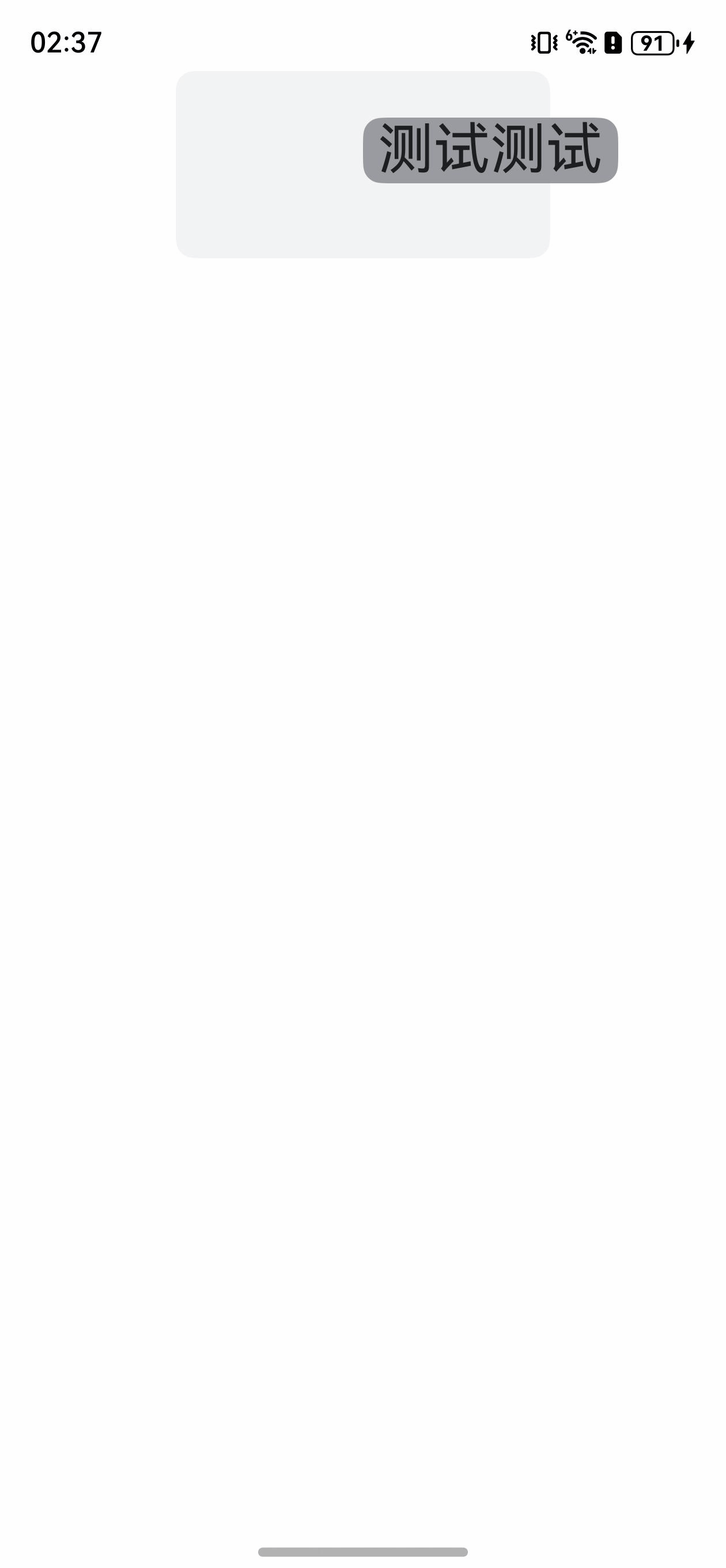
Stack容器的默认层叠布局模式限制了Text组件的宽度,通过.margin({ left: 150 })设置的左侧外边距仅调整了文本位置,若需实现Text组件突破父容器边界显示,可通过绝对定位(position)明确设置其位置和宽度,从而使Text组件能够突破Stack容器边界,完整显示内容。
@Entry
@Component
struct StackPageTwo {
  build() {
    Column() {
      Stack() {
        Text(' 测试测试 ')
          .borderRadius(10)
          .fontSize(30)
          .backgroundColor('#989ba1')
          .maxLines(1)
          .position({
            top: 25,
            right: 0,
            left: 100
          });
      }
      .width(200)
      .height(100)
      .borderRadius(10)
      .backgroundColor('#f1f3f5');
    }
    .alignItems(HorizontalAlign.Center)
    .width('100%')
    .height('100%');
  }
}
效果如下:
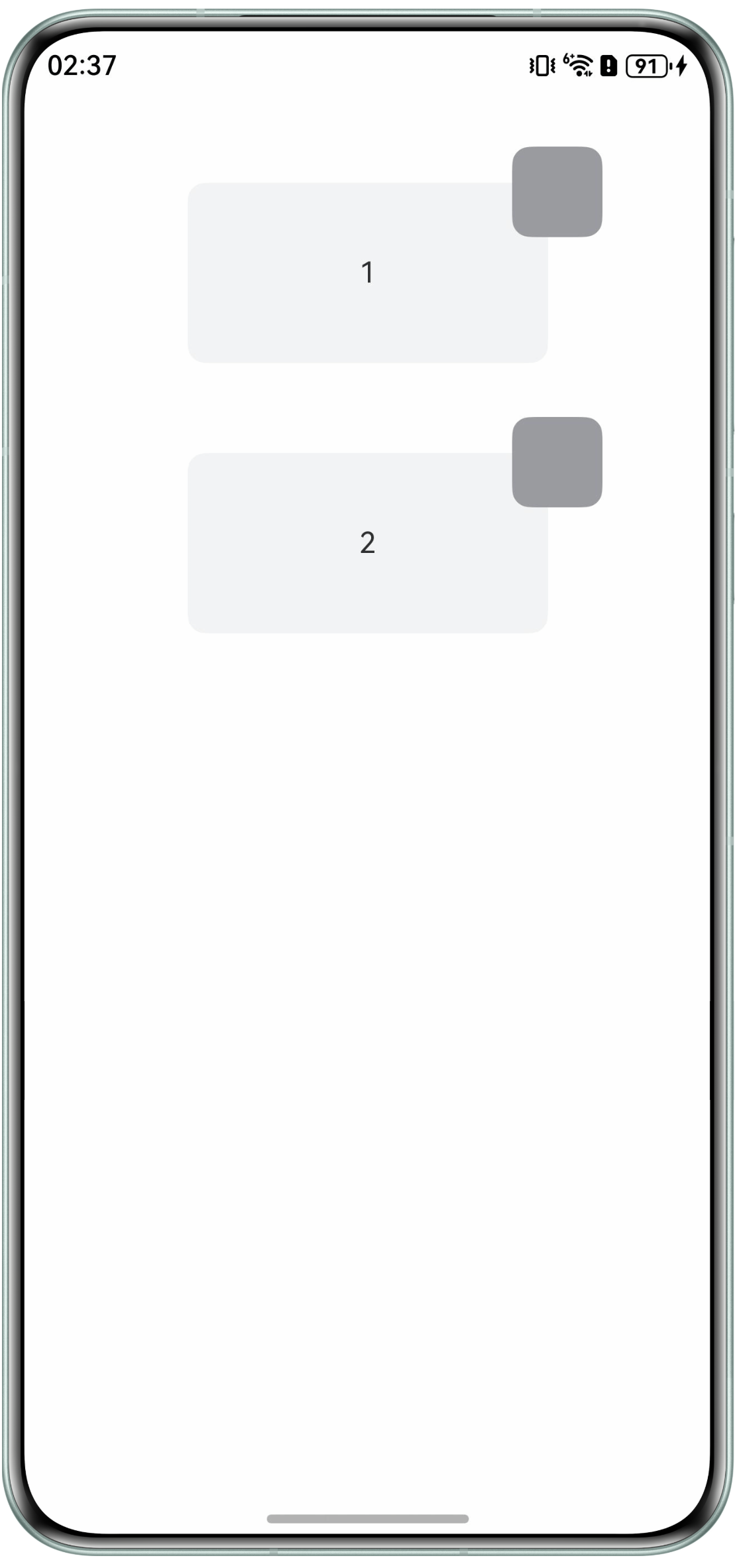
- 场景二:
使用Stack容器的默认层叠布局模式结合子组件position属性实现图片超出父组件右上角堆叠效果。示例代码如下:
@Entry
@Component
struct StackPageThree {
  num: number[] = [1, 2];

  build() {
    Column() {
      ForEach(this.num, (item: number) => {
        Stack() {
          Text()
            .borderRadius(10)
            .backgroundColor('#989ba1')
            .maxLines(1)
            .width(50)
            .height(50)
            .position({
              top: -20,
              right: 0,
              left: 180
            });

          Text(`${item}`);
        }
        .margin({ top: 50 })
        .width(200)
        .height(100)
        .borderRadius(10)
        .backgroundColor('#f1f3f5');
      }, (item: number) => JSON.stringify(item));
    }
    .alignItems(HorizontalAlign.Center)
    .width('100%')
    .height('100%');
  }
}
效果如下: