问题现象
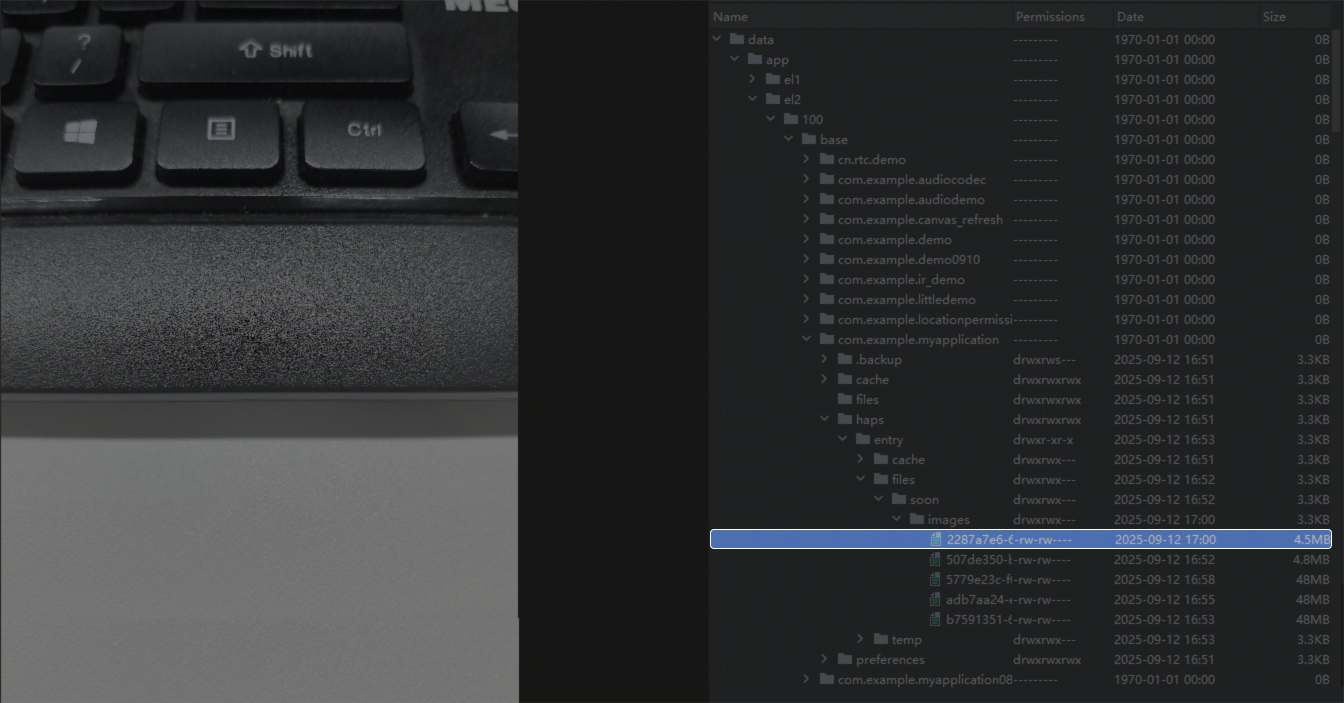
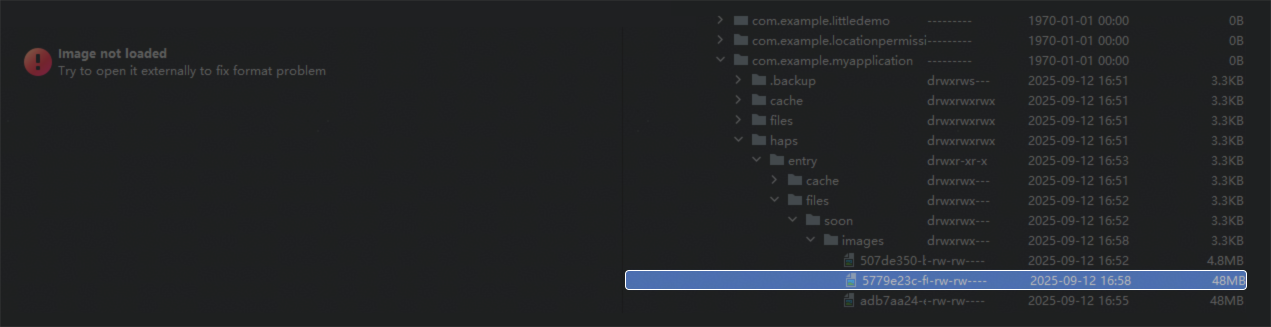
拍照后,获取到图片uri,保存到本地后再去读取该文件,无法打开。用Device File Browser导出保存的文件,提示已损坏,如下图所示:
@Entry
@Component
struct ImagePickerPage {
  build() {
    Row() {
      Column() {
        Image(this.uri)
          .height($r('app.float.image_height'))
          .alt($r('app.media.startIcon'))

        Button($r('app.string.capture'))
          .width($r('app.float.button_width'))
          .margin({ top: $r('app.float.margin') })
          .onClick(async () => {
            try {
              // Configure to launch the rear camera
              let pickerProfile: cameraPicker.PickerProfile = { cameraPosition: this.cameraPosition[1] };
              // Configure to photo mode
              let pickerResult: cameraPicker.PickerResult =
                await cameraPicker.pick(this.getUIContext().getHostContext(),
                  [this.mediaType[0]], pickerProfile);
              // Get photo uri
              let uri = pickerResult.resultUri;
              let type = uri.split('.').pop();
              let fd = fs.openSync(uri, fs.OpenMode.READ_ONLY).fd;
              let imgPixelMap = await image.createImageSource(fd).createPixelMap();
              let array = new ArrayBuffer(imgPixelMap.getPixelBytesNumber());
              imgPixelMap.readPixelsToBuffer(array);
              let res = this.saveImage(array, type ?? 'jpg');
              this.uri = res;
              hilog.info(0x0000, '', `the pick pickerResult is: ${pickerResult}`);
            } catch (error) {
              let err = error as BusinessError;
              hilog.error(0x0000, '', `the pick call failed. error code: ${err.code}`);
            }
          })
      }
      .width(Const.FULL_SIZE)
    }
    .height(Const.FULL_SIZE)
  }
}
背景知识
图像像素类PixelMap,用于读取或写入图像数据以及获取图像信息。在调用PixelMap的方法前,需要先通过createPixelMap创建一个PixelMap实例。目前PixelMap序列化大小最大128MB,超过会送显失败。大小计算方式为宽*高*每像素占用字节数。目前图片加载不支持直接用沙箱路径,需要进行转化。
解决方案
具体到该示例,首先图片大小为48M,序列化后超过了128MB,因此需要调用packToData方法压缩处理。其次saveImage函数返回的路径为沙箱路径,需要通过getUriFromPath方法进行转换后才能加载显示。
import { cameraPicker } from '@kit.CameraKit';
import { camera } from '@kit.CameraKit';
import { image } from '@kit.ImageKit';
import fs from '@ohos.file.fs';
import { util } from '@kit.ArkTS';
import { fileUri } from '@kit.CoreFileKit';
import { BusinessError } from '@kit.BasicServicesKit';

@Entry
@Component
struct ImagePickerPage {
  @State uri: Resource | string | undefined = undefined;
  private cameraPosition: Array<camera.CameraPosition> = [
    camera.CameraPosition.CAMERA_POSITION_UNSPECIFIED,
    camera.CameraPosition.CAMERA_POSITION_BACK,
    camera.CameraPosition.CAMERA_POSITION_FRONT
  ];
  private mediaType: Array<cameraPicker.PickerMediaType> = [
    cameraPicker.PickerMediaType.PHOTO, cameraPicker.PickerMediaType.VIDEO
  ];
  baseDirStr: string = '/soon';
  imageDirStr: string = '/images';

  getBaseFileDir() {
    let path = this.getUIContext().getHostContext()?.filesDir + this.baseDirStr;
    if (fs.accessSync(path) === false) {
      fs.mkdirSync(path);
    }
    return path;
  }

  getImageFileDir() {
    let path = this.getBaseFileDir() + this.imageDirStr;
    if (fs.accessSync(path) === false) {
      fs.mkdirSync(path);
    }
    return path;
  }

  saveImage(buffer: ArrayBuffer, type: string, name?: string): string | undefined {
    if (!name) {
      name = util.generateRandomUUID(false);
    }
    let path = this.getImageFileDir() + '/' + name;
    return this.saveFile(buffer, type, path);
  }

  saveFile(buffer: ArrayBuffer | string, type: string, uri: string): string | undefined {
    let file: fs.File | undefined = undefined;
    try {
      let path = uri + '.' + type;
      file = fs.openSync(path, fs.OpenMode.READ_WRITE | fs.OpenMode.CREATE);
      fs.writeSync(file.fd, buffer);
      fs.closeSync(file);
      return path;
    } catch (err) {
      try {
        if (file) {
          fs.close(file);
        }
      } catch (e) {
        console.error(`Write image error: ${err}`);
      }
      return undefined;
    }
  }

  build() {
    Row() {
      Column() {
        Image(this.uri)
          .height(30)
          .alt($r('app.media.startIcon'))
        Button('点击拍照并保存图片')
          .width(180)
          .margin({ top: 20 })
          .onClick(async () => {
            try {
              // Configure to launch the rear camera
              let pickerProfile: cameraPicker.PickerProfile = { cameraPosition: this.cameraPosition[1] };
              // Configure to photo mode
              let pickerResult: cameraPicker.PickerResult =
                await cameraPicker.pick(this.getUIContext().getHostContext(),
                  [this.mediaType[0]], pickerProfile);
              // Get URI
              let uri = pickerResult.resultUri;
              let type = uri.split('.').pop();
              let fd = fs.openSync(uri, fs.OpenMode.READ_ONLY).fd;
              const imagePackerApi: image.ImagePacker = image.createImagePacker();
              const imageSourceApi: image.ImageSource = image.createImageSource(fd);
              let packOpts: image.PackingOption = { format: 'image/jpeg', quality: 98 };
              await imagePackerApi.packToData(imageSourceApi, packOpts).then((data: ArrayBuffer) => {
                let res = this.saveImage(data, type ?? 'jpg');
                // Obtain file URI using a synchronous method
                this.uri = fileUri.getUriFromPath(res);
                console.info(`The uri of the file is ${this.uri}`);
              }).catch((error: BusinessError) => {
                console.error(`Packing failed and the error is ${error.code}`);
              });
              console.info(`The pick pickerResult is: ${pickerResult}`);
            } catch (error) {
              let err = error as BusinessError;
              console.error(`The pick call failed. error code: ${err.code}`);
            }
          })
      }
      .width('100%')
    }
    .height('100%')
  }
}
用Device File Browser导出保存的文件,效果图如下: