修改建议
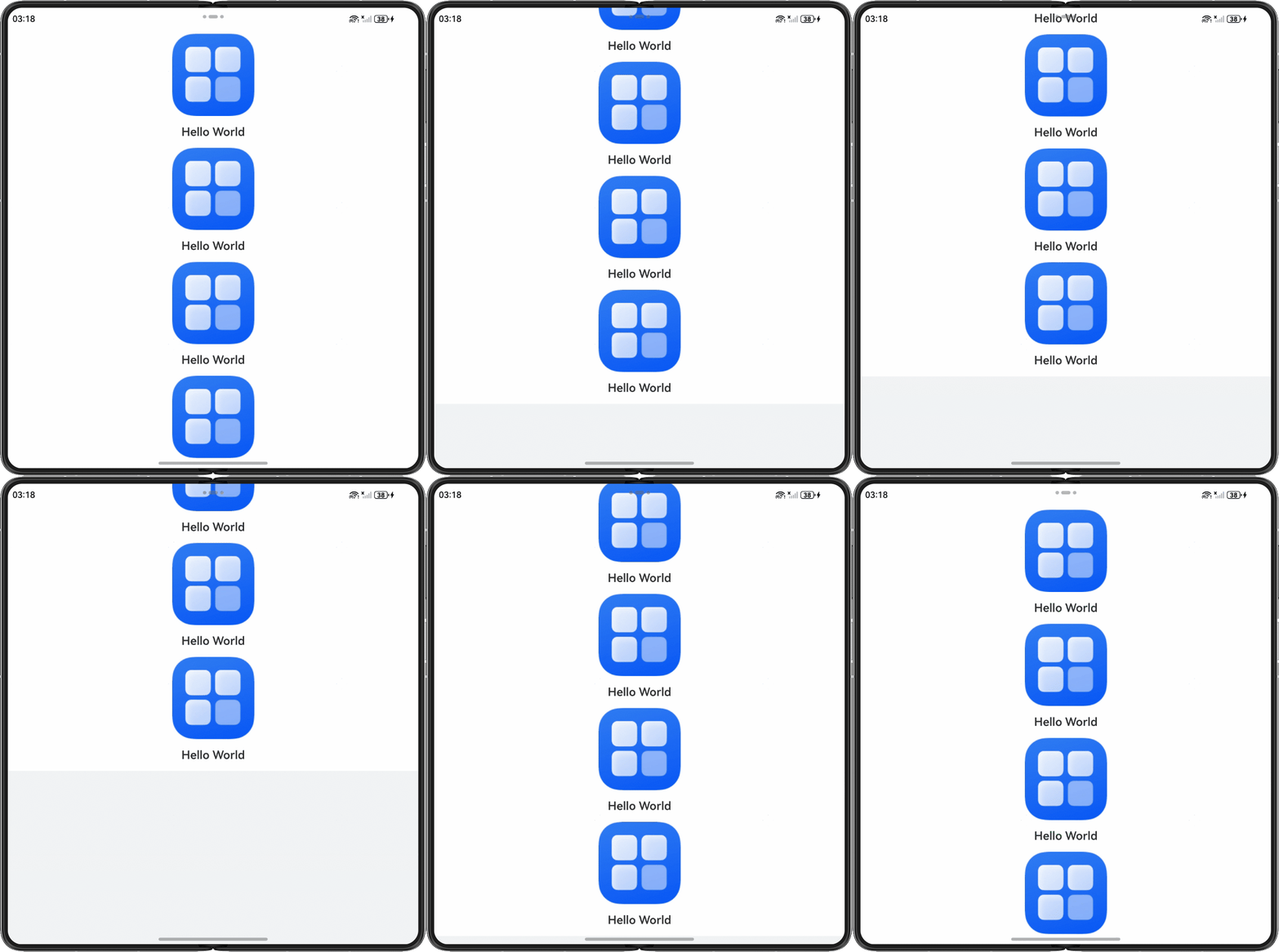
父组件不设置高度或将高度设置为auto,使父容器的高度自适应子组件的高度。示例代码如下:
@Entry
@Component
struct HeightAutoPage {
  message: string = 'Hello World';
  controller: VideoController = new VideoController();

  build() {
    Column() {
      Scroll() {
        Column() {
          Column() {
            Image($r('app.media.startIcon')) // 请替换成实际资源图片
              .width('20%')
              .objectFit(ImageFit.Contain);
            Text(this.message)
              .fontSize(20)
              .fontWeight(600)
              .margin({ top: 16, bottom: 16 });
            Image($r('app.media.startIcon')) // 请替换成实际资源图片
              .width('20%')
              .objectFit(ImageFit.Contain);
            Text(this.message)
              .fontSize(20)
              .fontWeight(600)
              .margin({ top: 16, bottom: 16 });
            Image($r('app.media.startIcon')) // 请替换成实际资源图片
              .width('20%')
              .objectFit(ImageFit.Contain);
            Text(this.message)
              .fontSize(20)
              .fontWeight(600)
              .margin({ top: 16, bottom: 16 });
            Image($r('app.media.startIcon')) // 请替换成实际资源图片
              .width('20%')
              .objectFit(ImageFit.Contain);
          }
          .width('100%')
          .height('auto') // 父组件高度设置为auto,使父容器的高度自适应子组件的高度
          .margin({ top: 16 });

          Text(this.message)
            .fontSize(20)
            .fontWeight(600)
            .margin({ top: 16, bottom: 16 });
          Column()
            .width('100%')
            .height(300)
            .backgroundColor('#f1f3f5');
        }
        .justifyContent(FlexAlign.Start);
      }
      .height('100%')
      .width('100%')
      .scrollBar(BarState.Off);
    }
    .height('100%')
    .width('100%');
  }
}
效果图如下: