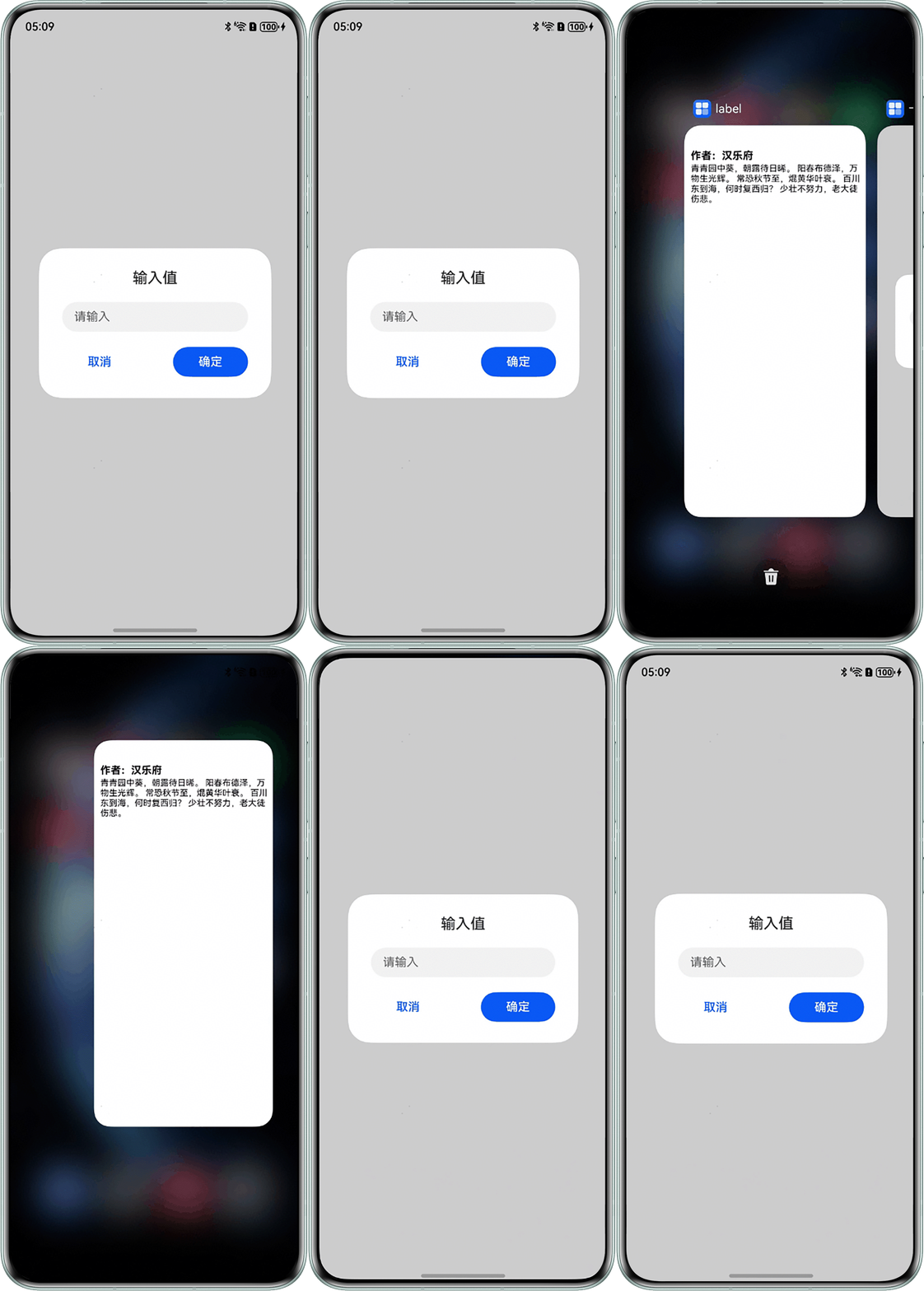
背景知识
- 自定义组件的生命周期包括onPageShow和onPageHide,它们在页面每次显示和隐藏时触发一次。
- 自定义弹窗 (CustomDialog)通过CustomDialogController类显示自定义弹窗。使用弹窗组件时,优先考虑自定义弹窗,便于弹窗样式与内容的自定义。
问题定位
该页面搜索onPageShow和onPageHide,查看页面每次显示和隐藏时弹窗的设置。页面设置为页面隐藏时关闭弹窗,页面显示时重新打开弹窗。
/*切换到其他应用时不关闭自定义弹窗,切换到其他应用再切换回来,会发现有闪屏现象
这是因为在页面隐藏时关闭了弹窗,页面显示时重新打开了弹窗
导致切换回该页面的一瞬间,弹窗是处于未打开的状态,此时页面亮度正常(弹窗处于打开状态时页面较暗)
于是就发生闪屏现象*/
@Entry
@Component
struct SplashScreen {
  dialogController: CustomDialogController = new CustomDialogController({
    builder: this.Dialog,
    autoCancel: true,
    customStyle: true
  });

  // 此处onPageShow和onPageHide使用不当,使弹窗多次隐藏和显示,会导致闪屏
  onPageShow(): void {
    this.dialogController.open();
  }

  onPageHide(): void {
    this.dialogController.close();
  }

  build() {
    Column() {
      // 页面内容
    }
  }

  @Builder Dialog(){
    // 弹窗内容
  }
} 修改建议
无需在页面隐藏时关闭弹窗,页面显示时重新打开弹窗,而是使用aboutToAppear使弹窗只在页面加载完成时出现一次。
@Entry
@Component
struct SplashScreen {
  dialogController: CustomDialogController = new CustomDialogController({
    builder: this.Dialog,
    autoCancel: true,
    customStyle: true
  });

  // 不在页面隐藏时关闭弹窗和页面显示时重新打开弹窗
  aboutToAppear(): void {
    this.dialogController.open();
  }

  build() {
    Stack() {
      Column() {
        Text('hello world')
          .fontSize(20);
      }
      .justifyContent(FlexAlign.Center)
      .height('50%')
      .width('100%');
    }
    .height('100%')
    .width('100%');
  }

  @Builder
  Dialog() {
    Stack() {
      Column() {
        Text('输入值')
          .fontSize(20)
          .fontWeight(500)
          .width('100%')
          .textAlign(TextAlign.Center)
          .margin({ bottom: 20 });
        TextInput({ placeholder: '请输入' })
          .width('80%')
          .height(40);

        Row() {
          Button('取消')
            .backgroundColor(Color.White)
            .borderWidth(0)
            .fontColor('#0A59F7')
            .width(100)
            .height(40)
            .onClick(() => {
              this.dialogController.close();
            });

          Button('确定')
            .backgroundColor('#0A59F7')
            .fontColor(Color.White)
            .width(100)
            .height(40)
            .borderRadius('50%')
            .onClick(() => {
              this.dialogController.close();
            });
        }
        .width('80%')
        .justifyContent(FlexAlign.SpaceBetween)
        .margin({ top: 20 });
      }
      .width('100%')
      .height('100%')
      .justifyContent(FlexAlign.Center);
    }
    .alignContent(Alignment.TopEnd)
    .padding({ top: 5, bottom: 5 })
    .borderRadius(30)
    .backgroundColor(Color.White)
    .height(200)
    .width('80%');
  }
}
效果图如下: