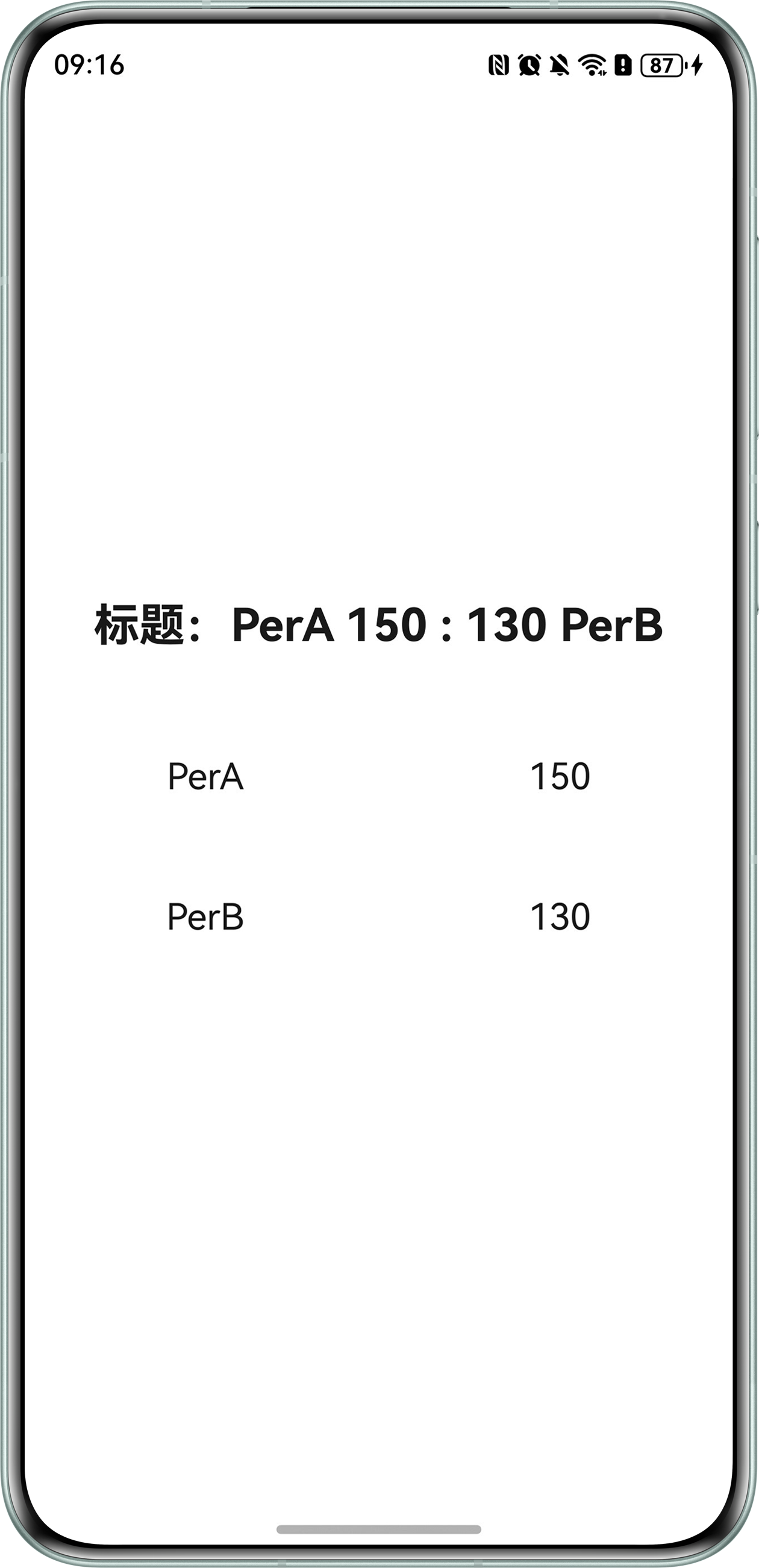
问题定位
- 使用DevEco Testing中的UIViewer工具,查看详情页面的布局,发现数据展示使用的是Text组件,并且同一个对象的数据分在了多个不同组件内展示,不涉及与H5页面的交互。
- 对比发现标题和页面内数据展示相反,并且页面内问题数据与其他内容对不上,判断是页面内的数据传参有误。
- 排查该Text组件的设置,用于展示问题数据的Text组件传参颠倒。
Text(`标题:${this.PerList[0].nam} ${this.PerList[0].sum} : ${this.PerList[1].sum} ${this.PerList[1].nam}`)

Column() {
  Row() {
    Text(this.PerList[1].nam)
    Text(this.PerList[1].sum.toString())
  }
  Row() {
    Text(this.PerList[0].nam)
    Text(this.PerList[0].sum.toString())
  }
}
修改建议
对于同一个对象的数据,放在一起集中处理,避免因分散操作导致页面错乱等问题。示例代码如下:
@Entry
@Component
struct TextAlignment {
  @State PerList: Array<Per> = [new Per('PerA', 150), new Per('PerB', 130)];

  build() {
    Column({space: 30}) {
      Text(`标题:${this.PerList[0].nam} ${this.PerList[0].sum} : ${this.PerList[1].sum} ${this.PerList[1].nam}`)
        .fontSize(25)
        .fontWeight(FontWeight.Bold)
        .fontColor('#e6000000')

      Column() {
        ForEach(this.PerList, (item: Per) => {// 对于同一个对象的数据集中处理
          Row() {
            Text(item.nam)
              .fontSize(20)
              .fontWeight(FontWeight.Regular)
              .fontColor('#e6000000')
            Text(item.sum.toString())
              .fontSize(20)
              .fontWeight(FontWeight.Regular)
              .fontColor('#e6000000')
          }
          .width('100%')
          .height('10%')
          .justifyContent(FlexAlign.SpaceAround)
        })
      }
      .width('100%')
    }
    .width('100%')
    .height('100%')
    .justifyContent(FlexAlign.Center)
  }
}

class Per {
  nam: string = '';
  sum: number = 0;
  constructor(nam: string, sum: number) {
    this.nam = nam;
    this.sum = sum;
  }
}