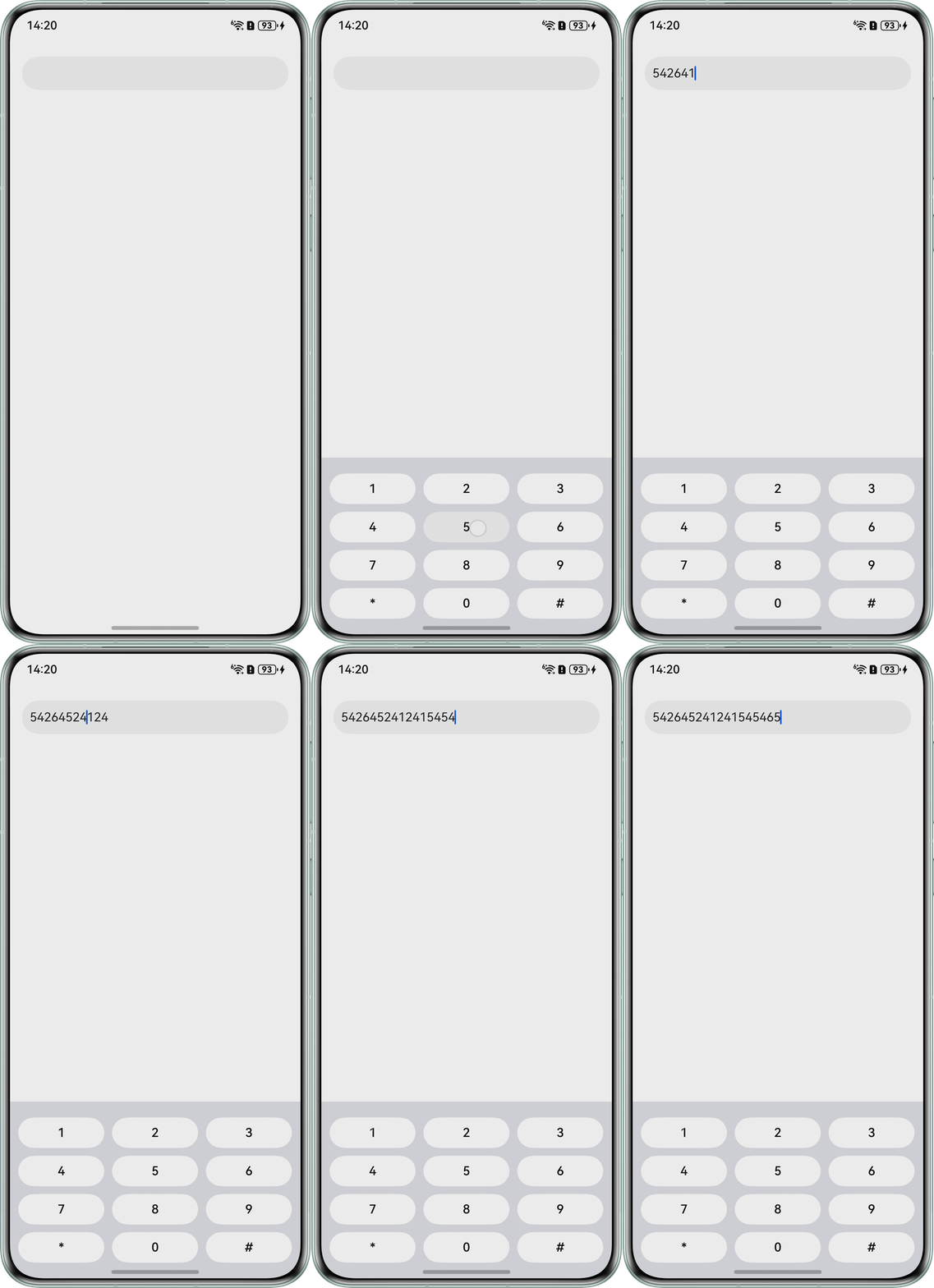
修改建议
参考以下Demo正确展示光标位置:
@Entry
@Component
struct TextInputExample {
  controller: TextInputController = new TextInputController();
  @State inputValue: string = '';
  @State currentCaretOffset: number = 0;

  // 自定义键盘组件
  @Builder
  CustomKeyboardBuilder() {
    Column() {
      // 数字键盘
      Grid() {
        ForEach([1, 2, 3, 4, 5, 6, 7, 8, 9, '*', 0, '#'], (item: number | string) => {
          GridItem() {
            Button(`${item}`)
              .width(110)
              .backgroundColor('#ffffff')
              .fontColor('#000000')
              .onClick(() => {
                // 在当前光标位置插入字符
                this.inputValue = this.inputValue.slice(0, this.currentCaretOffset) +
                  item + this.inputValue.slice(this.currentCaretOffset);
                this.currentCaretOffset++;
              })
          }
        })
      }
      .maxCount(3)
      .columnsGap(10)
      .rowsGap(10)
      .padding(5)
    }
    .backgroundColor(Color.Gray)
    .margin({ bottom: 36 })
    .padding({ top: 16, bottom: 16 })
  }

  build() {
    Column() {
      TextInput({ controller: this.controller, text: $$this.inputValue })
        .onChange(() => {
          this.controller.caretPosition(this.currentCaretOffset);
        })
        .onEditChange((isEditing: boolean) => {
          if (isEditing) {
            // 开始编辑时同步光标位置
            const caret = this.controller.getCaretOffset();
            this.currentCaretOffset = caret.index;
          }
        })
        .onTextSelectionChange((selectionStart) => {
          // 记录光标位置
          this.currentCaretOffset = selectionStart;
        })
        .onPaste((pasteValue: string) => {
          // 处理粘贴功能
          if (pasteValue && pasteValue.length > 0) {
            this.inputValue = this.inputValue.slice(0, this.currentCaretOffset) +
              pasteValue + this.inputValue.slice(this.currentCaretOffset);
            this.currentCaretOffset += pasteValue.length;
          }
          // 返回true表示已处理粘贴事件
          return true;
        })
        .customKeyboard(this.CustomKeyboardBuilder())
        .margin(10)
        .width('100%')
        .padding(10)
        .borderRadius(30)
    }.padding(16)
  }
}
效果展示: