问题现象
- 场景一:状态管理V1迁移V2时,@Monitor代替@Watch导致动画失效。
@Entry
@ComponentV2
struct SceneOne {
  @Local x: number = 0;
  @Local y: number = 0;
  @Local animate: boolean = false;


  @Monitor('animate')
  onMsgChange() {
    this.getUIContext().animateTo({
      duration: 2000
    }, () => {
      this.x = 100;
      this.y = 200;
    });
  }


  build() {
    Column() {
      Text('Hello World')
        .fontSize(50)
        .onClick(() => {
          this.animate = true;
        })
        .position({
          x: this.x,
          y: this.y
        });
    }
    .height('100%')
    .width('100%');
  }
}
场景一问题现象:
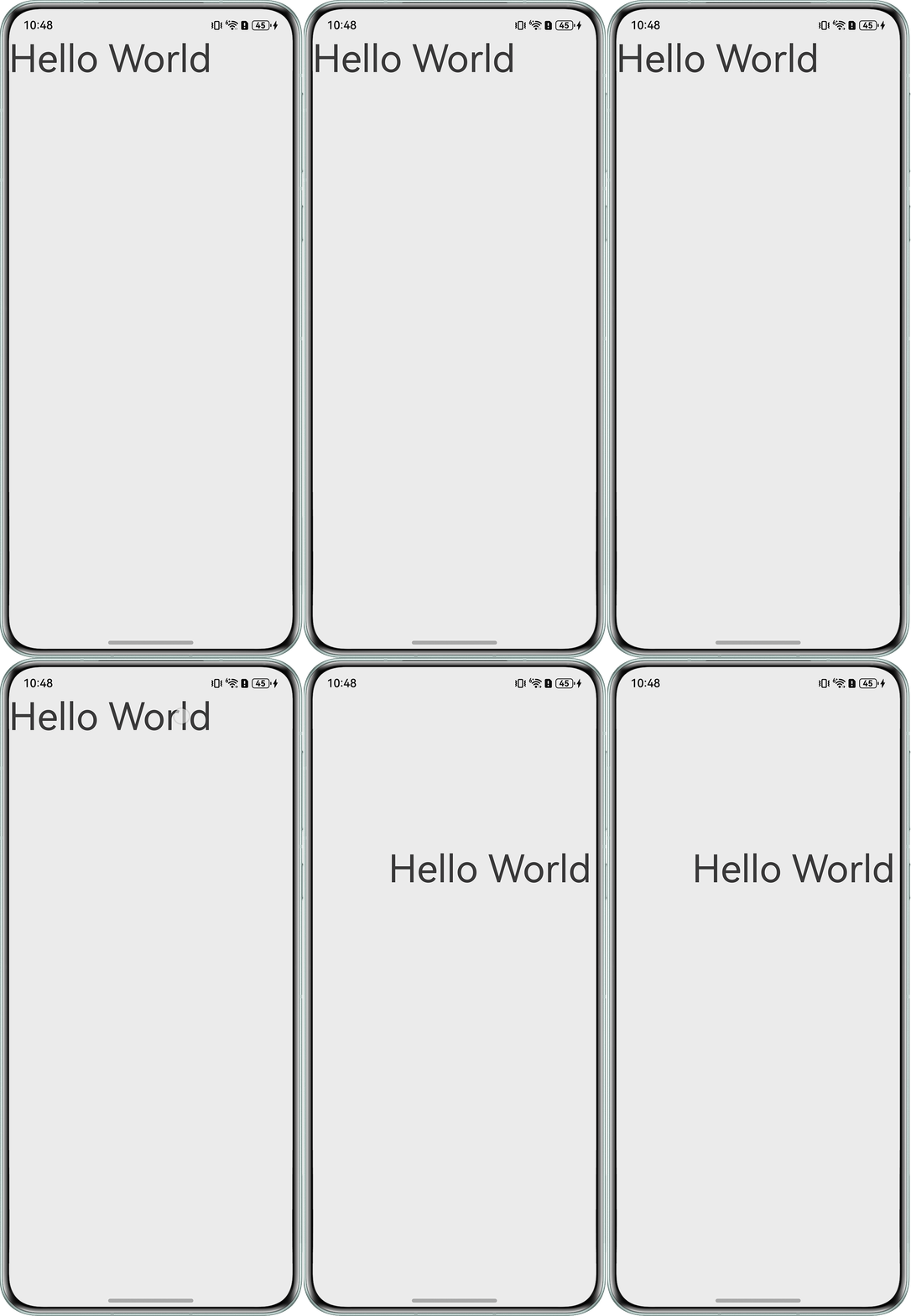
- 场景二:没有被@Trace修饰属性也会一起被@Monitor监听。
@ObservedV2
class Book {
  @Trace num: number = 0;
  name: string = '时间简史';
}


@Entry
@ComponentV2
struct SceneTwo {
  @Local book: Book = new Book();


  @Monitor('book.num', 'book.name')
  change(monitor: IMonitor) {
    monitor.dirty.forEach((path: string) => {
      console.info(`监听${path}属性的变化,变之前的值:${JSON.stringify(monitor.value(path)?.before)},变后的值:${JSON.stringify(monitor.value(path)?.now)}。`);
    });
  }


  build() {
    Column() {
      Text(`Index: ${this.book.num}`)
        .width(320)
        .margin(10)
        .textAlign(TextAlign.Center);
      Button('change')
        .width(320)
        .margin(10)
        .onClick(() => {
          this.book.num++;
          this.book.name += '1';
        });
    };
  }
}
场景二问题现象(Book的name属性未被@Trace修饰,但是一起被@Monitor监听到变化前后的值):
03-10 11:23:55.890   36164-36164   A03D00/com.exa...ication/JSAPP  com.examp...lication  I     监听book.num属性的变化,变之前的值:0,变后的值:1。
03-10 11:23:55.890   36164-36164   A03D00/com.exa...ication/JSAPP  com.examp...lication  I     监听book.name属性的变化,变之前的值:"时间简史",变后的值:"时间简史1"。
- 场景三:在onReady中初始化的值会在@Monitor之后被篡改,怎么做到不被篡改?
@Entry
@ComponentV2
struct SceneThree {
  @Local message: string = '';
  @Local isChange: boolean = true;


  @Monitor('isChange')
  change() {
    this.message += 'New Message!';
  }


  build() {
    NavDestination() {
      Column() {
        Text(this.message)
          .fontSize(50)
          .onClick(() => {
            this.isChange = !this.isChange;
          });
      }
      .width('100%');
    }
    .onReady(() => {
      // 模拟从其它NavDestination页面获取的参数,初始化本页面参数
      this.message = 'Hello World!';
      this.isChange = false;
    });
  }
}
场景三问题现象:
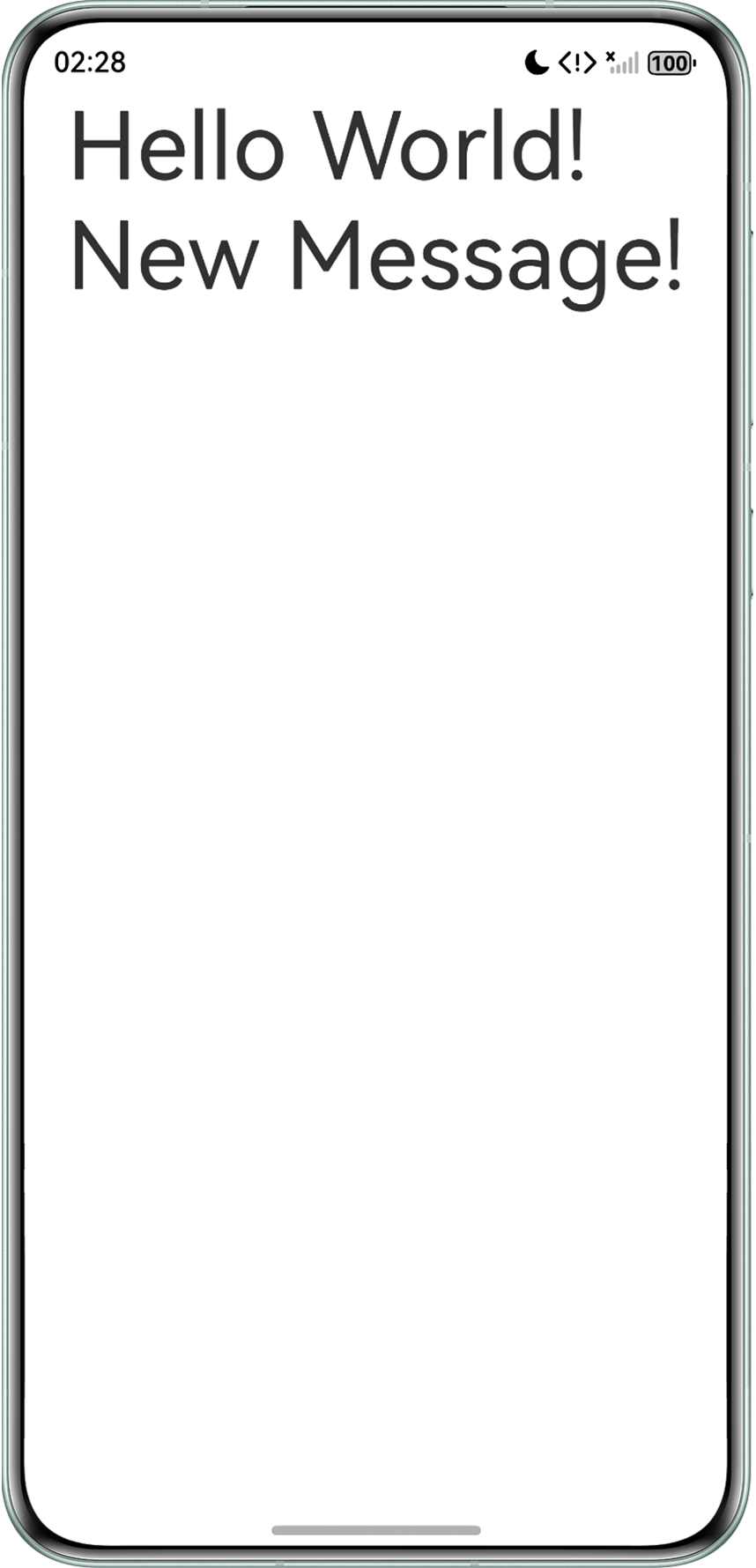
背景知识
@Monitor:作为状态管理V2版本的装饰器,用于增强状态管理框架对状态变量变化的监听能力,当监听的对象是V2装饰器装饰的状态变量时,状态变量的改变可以触发@Monitor装饰的函数执行。该装饰器存在一些官方的使用限制,详见官网:概述、限制条件以及常见问题场景。
解决方案
针对问题现象中的场景,解决方案一览表格如下:
场景 | 场景描述 | 解决方案 |
|---|---|---|
场景一 | 状态管理V1迁移V2时,@Monitor代替@Watch导致动画失效。 | 使用applySync/flushUpdates/flushUIUpdates接口解决@Monitor导致动画失效的问题。 |
场景二 | 没有被@Trace修饰属性也会一起被@Monitor监听。 | 不要用一个@Monitor同时监听没有被@Trace修饰的属性和被@Trace修饰的属性。为避免出现意料之外的情况@Monitor不建议监听普通变量。 |
场景三 | 在onReady中初始化的值会在@Monitor之后被篡改,怎么做到不被篡改? | 设置一个变量判断是否是初始化状态,onReady初始化触发@Monitor函数时,执行return,跳过后续@Monitor函数中修改参数的部分。 |
- 场景一:状态管理V1迁移V2时,@Monitor代替@Watch导致动画失效。
@Monitor与@Watch分别是状态管理V2与状态管理V1的监听装饰器。其底层差异详见官方文档:V1的@Watch和V2的@Monitor差异。使用功能差异详见:@Monitor与@Watch对比。由于@Monitor是异步执行,所以与animateTo存在冲突。为了实现状态管理V2与animateTo等动效的同步刷新,开发者可以使用applySync/flushUpdates/flushUIUpdates接口。完整示例代码如下:
import { UIUtils } from '@kit.ArkUI';


@Entry
@ComponentV2
struct SceneOne {
  @Local x: number = 0;
  @Local y: number = 0;
  @Local animate: boolean = false;


  @Monitor('animate')
  onMsgChange() {
    this.getUIContext().animateTo({
      duration: 2000
    }, () => {
      UIUtils.applySync(() => {
        this.x = 100;
        this.y = 200;
      });
    });
  }


  build() {
    Column() {
      Text('Hello World')
        .fontSize(50)
        .onClick(() => {
          this.animate = true;
        })
        .position({
          x: this.x,
          y: this.y
        });
    }
    .height('100%')
    .width('100%');
  }
}
场景一实现效果:
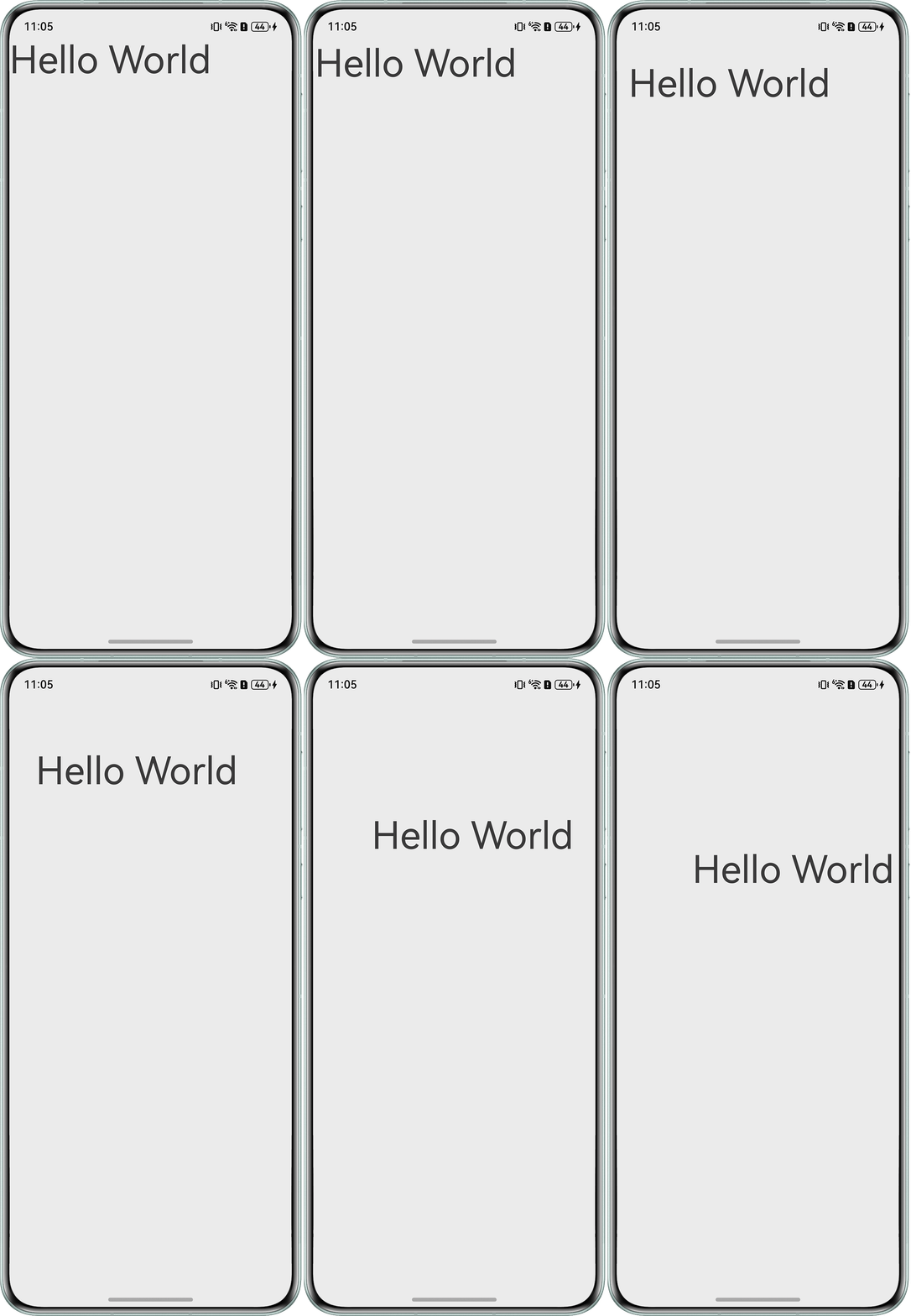
- 场景二:没有被@Trace修饰属性也会一起被@Monitor监听。@Monitor暂无对入参做编译时的校验,当同时入参多个变量,且变量中存在状态变量与普通变量同时修改时,@Monitor会同时监听到普通变量的变化。应当正确传入@Monitor入参,不传入非状态变量,避免造成功能异常或行为表现不符合预期。完整示例代码如下:
@ObservedV2 class Book { @Trace num: number = 0; name: string = '时间简史'; } @Entry @ComponentV2 struct SceneTwo { @Local book: Book = new Book(); // 正常触发监听 @Monitor('book.num') changeNum(monitor: IMonitor) { monitor.dirty.forEach((path: string) => { console.info(`监听${path}属性的变化,变之前的值:${JSON.stringify(monitor.value(path)?.before)},变后的值:${JSON.stringify(monitor.value(path)?.now)}。`); }); } // 不会触发监听 @Monitor('book.name') changeName(monitor: IMonitor) { monitor.dirty.forEach((path: string) => { console.info(`监听${path}属性的变化,变之前的值:${JSON.stringify(monitor.value(path)?.before)},变后的值:${JSON.stringify(monitor.value(path)?.now)}。`); }); } build() { Column() { Text(`Index: ${this.book.num}`) .width(320) .margin(10) .textAlign(TextAlign.Center); Button('change') .width(320) .margin(10) .onClick(() => { this.book.num++; this.book.name += '1'; }); }; } } - 场景三:在onReady中初始化的值会在@Monitor之后被篡改,怎么做到不被篡改?
@Monitor在状态变量初始化完成后生效。而onReady执行时机与@Monitor的初始化监听存在交叉,导致onReady中的赋值初始化操作会触发@Monitor回调,造成非预期的修改。此时只需要设置隔离即可,完整示例代码如下:
@Entry
@ComponentV2
struct SceneThree {
  @Local message: string = '';
  @Local isChange: boolean = true;
  isInitialization: boolean = true; // 设置初始化判断参数


  @Monitor('isChange')
  change() {
    // 是初始化时,跳过后续修改
    if (this.isInitialization) {
      return;
    }
    this.message += 'New Message!';
  }


  build() {
    NavDestination() {
      Column() {
        Text(this.message)
          .fontSize(50)
          .onClick(() => {
            this.isChange = !this.isChange;
            this.isInitialization = false;
          });
      }
      .width('100%');
    }
    .onReady(() => {
      // 模拟从其它NavDestination页面获取的参数,初始化本页面参数
      this.message = 'Hello World!';
      this.isChange = false;
    });
  }
}
场景三实现效果:
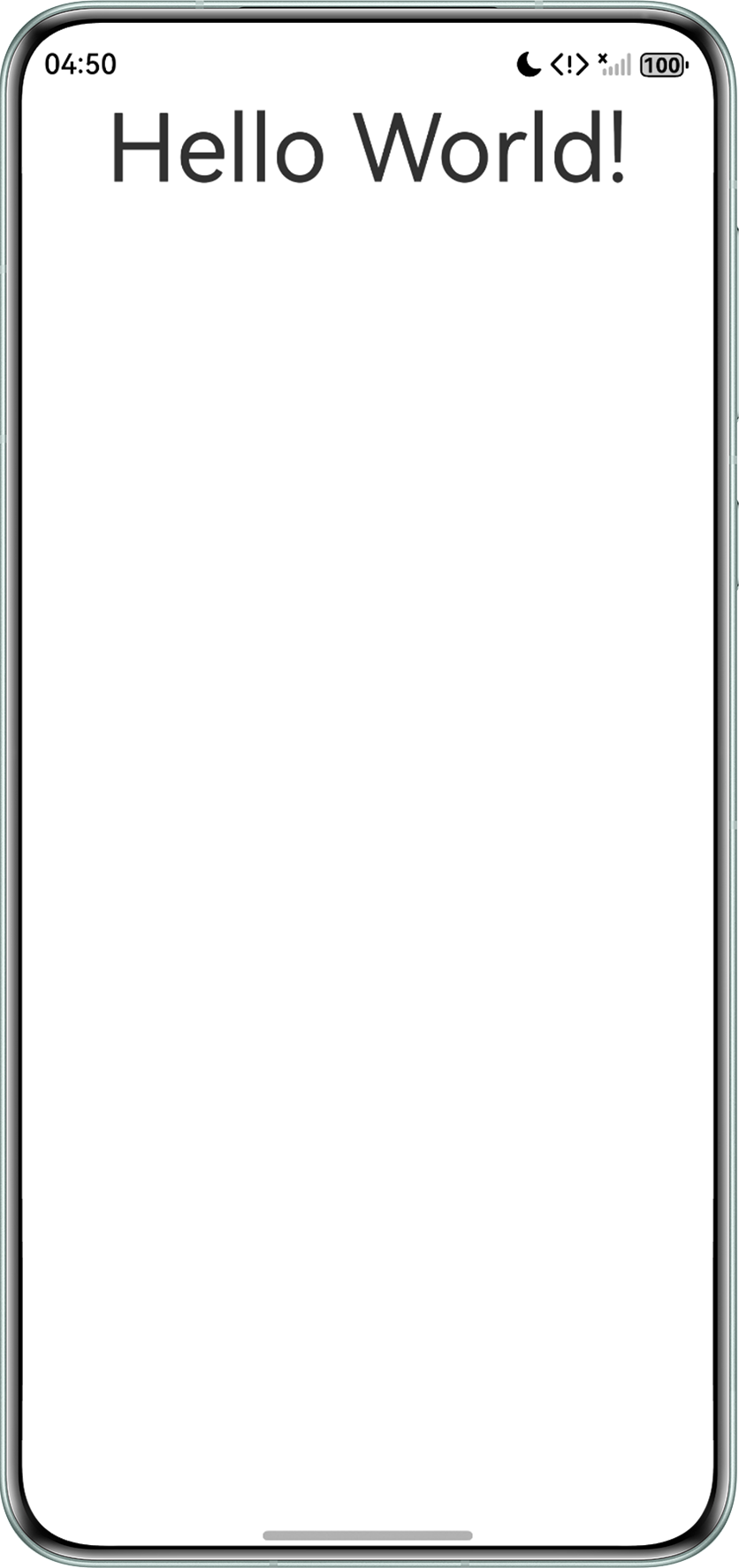
常见FAQ
Q:@Monitor装饰器如何监听AppStorage变化?
A:@Monitor装饰器用于监听被状态管理V2装饰器@Local、@Param、@Provider、@Consumer或@Computed装饰的状态变量。由于AppStorage为状态管理V1的全局储存“中枢”,不能被状态管理V2装饰器装饰,所以@Monitor装饰器不能监听AppStorage变化。
Q:@Monitor监听状态变量,变量初始化时不会触发吗?
A:初始化时不生效。当@Monitor定义在@ComponentV2装饰的自定义组件中时,@Monitor会在状态变量初始化完成之后生效,并在组件销毁时失效。详见常见问题:自定义组件中@Monitor对变量监听的生效及失效时间。
Q:@Monitor监听数组不生效?
A:当@Monitor监听整个数组时,更改数组的某一项不会被监听到。同时无法监听内置类型(Array、Map、Date、Set)的API调用引起的变化。详见官方文档:通用监听能力。
Q:通过@Monitor无法监听类属性的变化?
A:请检查是否出现以下情况导致监听失效:
- 检查类是否被@ObservedV2/@Trace装饰,没有被@Trace装饰的属性无法被@Monitor监听。
- 检查被@ObservedV2/@Trace装饰的类是否通过new操作符创建,没有被new操作符创建的实例无法被@Monitor监听。
Q:@Monitor无法监听class中static修饰的变量吗?
A:@Monitor无法监听class中static修饰的变量,建议使用单例模式或者使用emitter.on等方式代替。