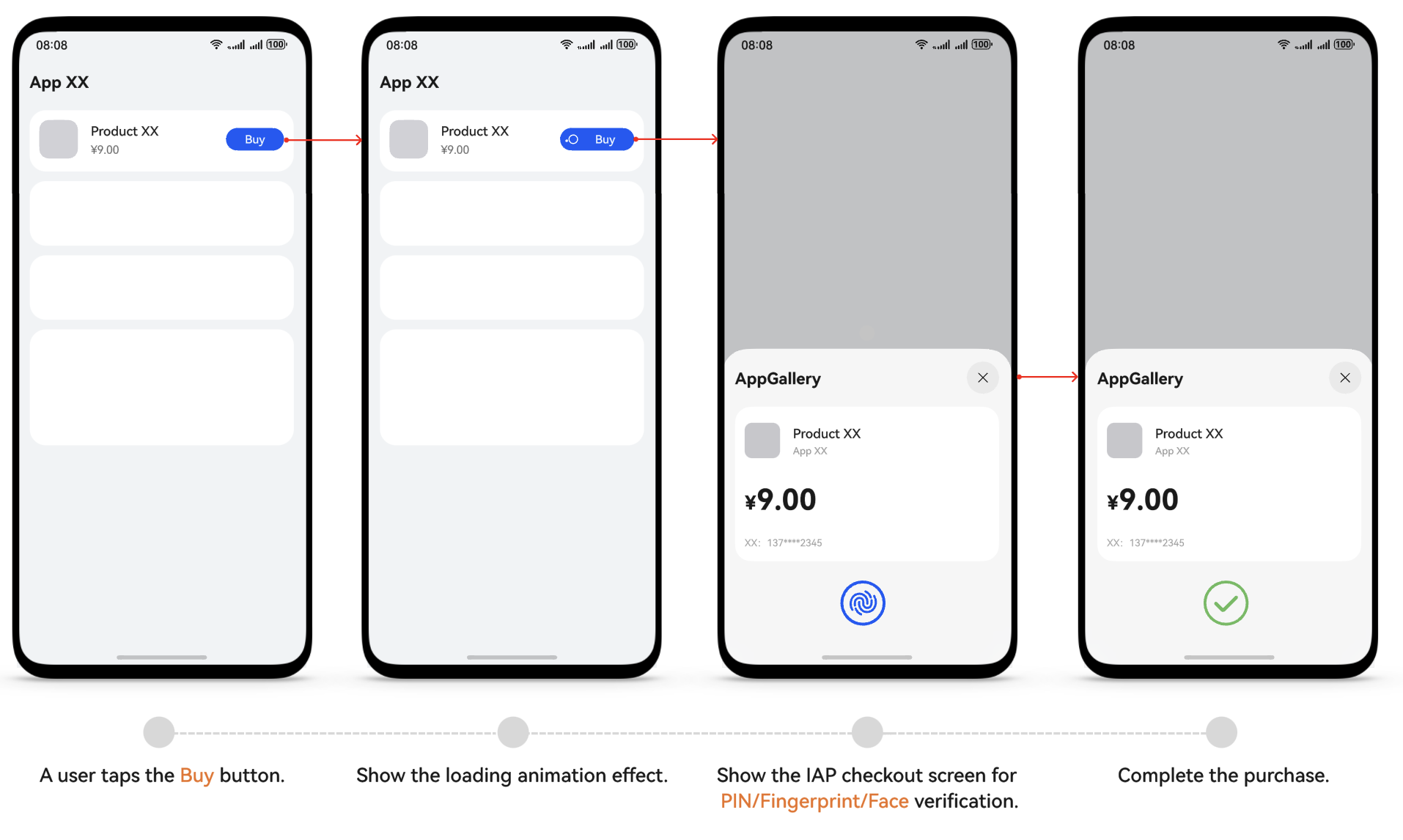
To guarantee a seamless payment process for users, Huawei has outlined specific design guidelines for IAP Kit integration into apps. To guarantee a smooth app launch, make sure to follow these guidelines. Check the UI design guidelines and integration restrictions described below.
UI Design Guidelines
The purchase screen should not show any payment method–related information, including the payment method logo or name (such as Huawei Pay, HarmonyOS Pay, and IAP). The general-purpose button names such as Buy and Subscribe are recommended. Once a user taps the Buy or Subscribe button, the app will show the checkout screen of IAP Kit for the user to complete the purchase.
It is recommended that the loading animation effect appear when the IAP Kit checkout screen is shown upon a product purchase request to ensure a smooth purchase process, improving user experience.