Use Cases
This section describes how to add PointAnnotations to a map to identify locations such as stores and buildings, and provide location details in information windows.
This function allows you to:
-
Set icons, texts, and collision rules.
-
Add tap events.
A PointAnnotation has a default style and can be customized. The following describes some basic functions. For details about other functions, please refer to API Reference.
API Description
The PointAnnotation adding function is mainly provided by PointAnnotationParams, addPointAnnotation, PointAnnotation, on, and off. For more information about the APIs, please refer to API Reference.
| API | Description |
|---|---|
| PointAnnotationParams | PointAnnotation parameters. |
| addPointAnnotation(params: mapCommon.PointAnnotationParams): Promise<PointAnnotation> | Adds a PointAnnotation to a map. |
| PointAnnotation | PointAnnotation. This API supports updating and querying PointAnnotation attributes. |
| on(type: 'pointAnnotationClick', callback: Callback<PointAnnotation>): void | Sets a listener for PointAnnotation tap events. |
| off(type: 'pointAnnotationClick', callback?: Callback<PointAnnotation>): void | Cancels listening for PointAnnotation tap events. |
[h2]Adding a PointAnnotation
-
Import required modules.
import { MapComponent, mapCommon, map } from '@kit.MapKit'; import { AsyncCallback } from '@kit.BasicServicesKit'; -
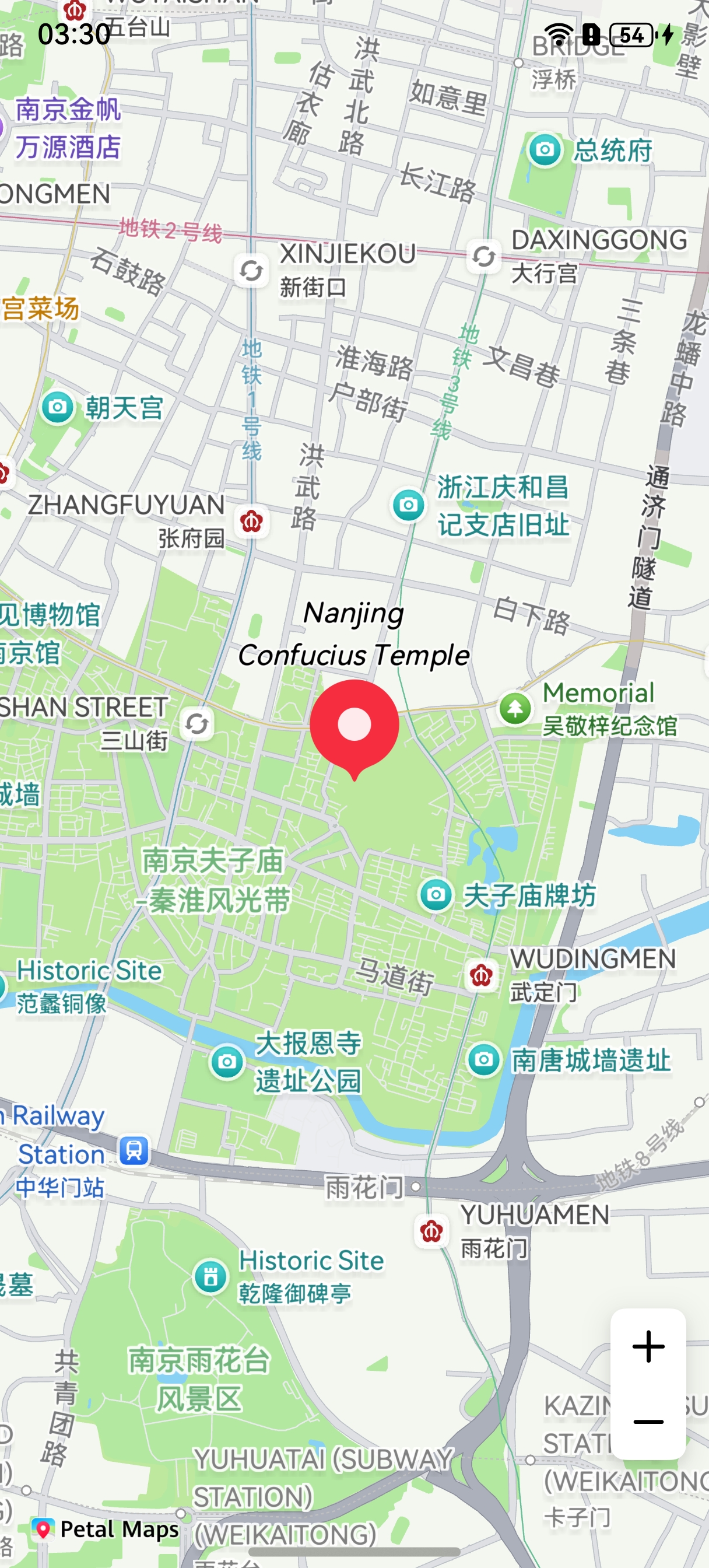
Add a PointAnnotation. Create initialization parameters in the callback method, and create a PointAnnotation.
@Entry
@Component
struct PointAnnotationDemo {
  private mapOptions?: mapCommon.MapOptions;
  private mapController?: map.MapComponentController;
  private callback?: AsyncCallback<map.MapComponentController>;
  private mapEventManager?: map.MapEventManager;
  private pointAnnotation?: map.PointAnnotation;
  aboutToAppear(): void {
    this.mapOptions = {
      position: {
        target: {
          latitude: 32.020750,
          longitude: 118.788765
        },
        zoom: 14
      }
    };
    this.callback = async (err, mapController) => {
      if (!err) {
        this.mapController = mapController;
        this.mapEventManager = this.mapController.getEventManager();
        let pointAnnotationOptions: mapCommon.PointAnnotationParams = {
          // Define the anchor for the icon of a PointAnnotation.
          position: {
            latitude: 32.020750,
            longitude: 118.788765
          },
          // Define whether to support deduplication when the PointAnnotation name is the same as a map POI name.
          repeatable: true,
          // Define the collision rule of the PointAnnotation.
          collisionRule: mapCommon.CollisionRule.NAME,
          // Define PointAnnotation titles. The minimum length of the array is 1 and the maximum length is 3.
          titles: [{
            // Define the title content.
            content: "Nanjing Confucius Temple",
            // Define the title text color.
            color: 0xFF000000,
            // Define the title text font size.
            fontSize: 15,
            // Define the title stroke color.
            strokeColor: 0xFFFFFFFF,
            // Define the title stroke width.
            strokeWidth: 2,
            // Define the title text font style.
            fontStyle: mapCommon.FontStyle.ITALIC
          }],
          // Set an icon for the PointAnnotation. The icon is stored in resources/rawfile.
          icon: "",
          // Define whether to display the icon for the PointAnnotation.
          showIcon: true,
          // Define the horizontal position of the anchor of the PointAnnotation.
          anchorU: 0.5,
          // Define the vertical position of the anchor of the PointAnnotation.
          anchorV: 1,
          // Set the display attribute of the PointAnnotation. If it is set to true, the PointAnnotation remains visible after collision.
          forceVisible: false,
          // Define the collision priority. A larger value indicates a lower priority.
          priority: 3,
          // Define the minimum zoom level for PointAnnotation display.
          minZoom: 2,
          // Define the maximum zoom level for PointAnnotation display.
          maxZoom: 20,
          // Define whether the PointAnnotation is visible.
          visible: true,
          // Define the overlay level attribute of the PointAnnotation.
          zIndex: 10
        }

        // Create a PointAnnotation.
        try {
          this.pointAnnotation = await this.mapController.addPointAnnotation(pointAnnotationOptions);
        } catch (e) {
          console.error(`Failed to create the pointAnnotation. Code: ${e.code}; message: ${e.message}`);
        }
      } else {
        console.error(`Failed to initialize the map. Code: ${err.code}; message: ${err.message}`);
      }
    };
  }
  build() {
    Stack() {
      Column() {
        MapComponent({ mapOptions: this.mapOptions, mapCallback: this.callback });
      }.width('100%')
    }.height('100%')
  }
}
-
Modify the attributes of the PointAnnotation.
// Set the zoom level range for display of the PointAnnotation to 3–14.
this.pointAnnotation.setZoom(3,14);
// Set the collision priority of the PointAnnotation to 10.
this.pointAnnotation.setPriority(10);
[h2]Setting a Listener for PointAnnotation Tap Events
let callback = (pointAnnotation: map.PointAnnotation) => {
  console.info("pointAnnotationClick", `pointAnnotationClick: ${pointAnnotation.getId()}`);
};
this.mapEventManager.on("pointAnnotationClick", callback);
[h2]Setting an Animation for a PointAnnotation
Call the setAnimation method of PointAnnotation to set an animation.
Call the startAnimation method of PointAnnotation to start an animation.
let animation: map.ScaleAnimation = new map.ScaleAnimation(1, 3, 1, 3);
// Set the duration for a single animation cycle.
animation.setDuration(3000);
// Set a listener for animation start events.
let callbackStart = () => {
  console.info("animationStart", `callback`);
};
animation.on("animationStart", callbackStart);
// Set a listener for animation end events.
let callbackEnd = () => {
  console.info("animationEnd", `callback`);
};
animation.on("animationEnd", callbackEnd);
// Set the end state of the animation.
animation.setFillMode(map.AnimationFillMode.BACKWARDS);
// Set the animation replay mode.
animation.setRepeatMode(map.AnimationRepeatMode.REVERSE);
// Set an animation interpolator.
animation.setInterpolator(Curve.Linear);
// Set the number of times the animation is replayed.
animation.setRepeatCount(100);
this.pointAnnotation.setAnimation(animation);
this.pointAnnotation.startAnimation(); 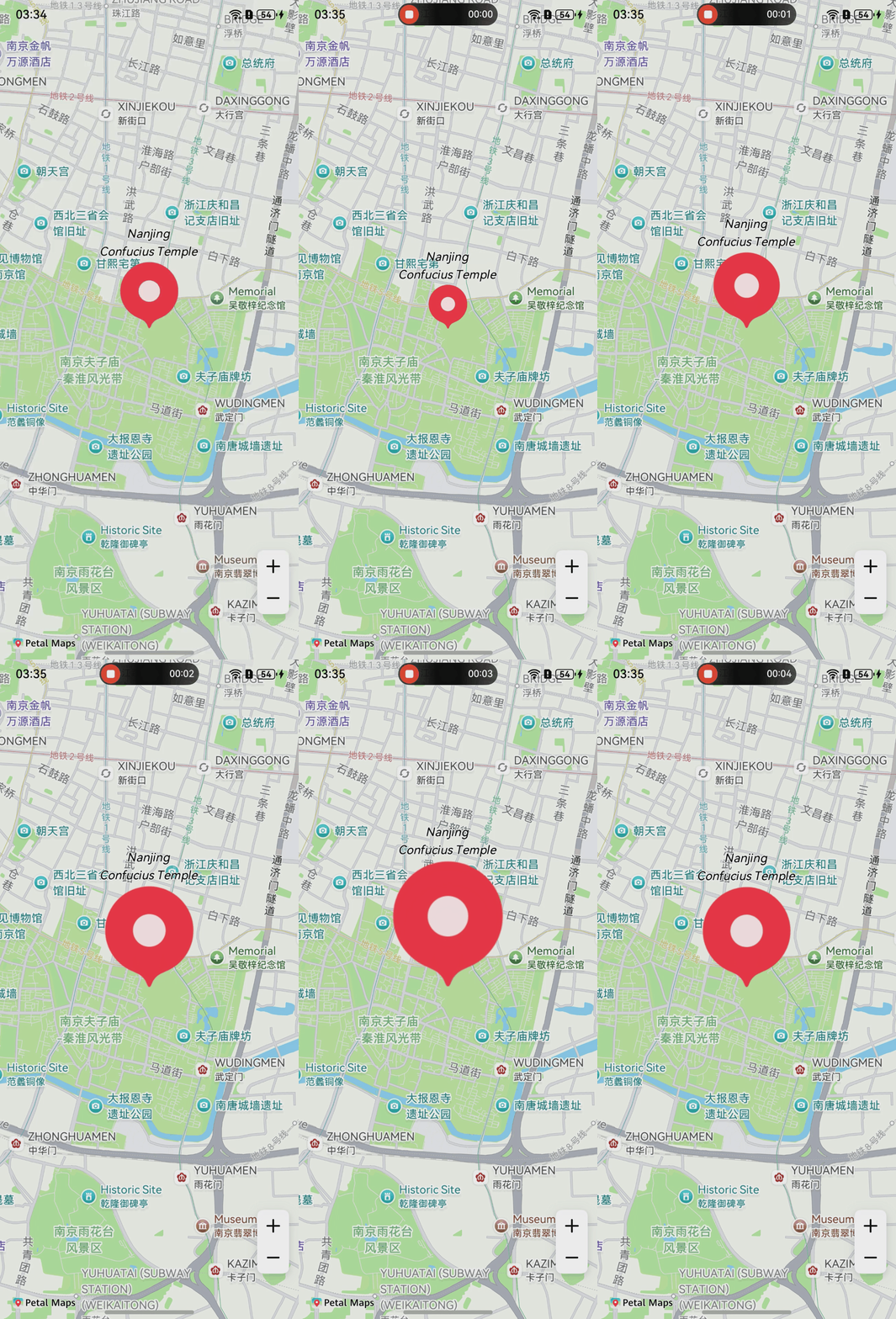
[h2]Setting an Animation for the PointAnnotation Title
Call the setTitleAnimation method of PointAnnotation to set a title animation.
Call the startTitleAnimation method of PointAnnotation to start the title animation.
let animation: map.FontSizeAnimation = new map.FontSizeAnimation(15, 45);
// Set the duration for a single animation cycle.
animation.setDuration(3000);
// Set a listener for animation start events.
let callbackStart = () => {
  console.info("animationStart", `callback`);
};
animation.on("animationStart", callbackStart);
// Set a listener for animation end events.
let callbackEnd = () => {
  console.info("animationEnd", `callback`);
};
animation.on("animationEnd", callbackEnd);
// Set the end state of the animation.
animation.setFillMode(map.AnimationFillMode.FORWARDS);
// Set the animation replay mode.
animation.setRepeatMode(map.AnimationRepeatMode.REVERSE);
// Set an animation interpolator.
animation.setInterpolator(Curve.Linear);
// Set the number of times the animation is replayed.
animation.setRepeatCount(100);
this.pointAnnotation.setTitleAnimation(animation);
this.pointAnnotation.startTitleAnimation();