
Make sure Node.js 18 or later has been installed, and environment variables have been configured.
The default decompression path for ohpm is as follows: <DevEco Studio installation directory>\tools\ohpm or <command line tools installation directory>/command-line-tools/ohpm.
Symptom 1
After ohpm is installed on Windows, the ohpm commands do not work in the CLI.
Solution 1
- On Windows, right-click This PC and choose Properties > Advanced system settings > Environment Variables > Path, click Edit to add the bin directory generated after the ohpm package is decompressed.
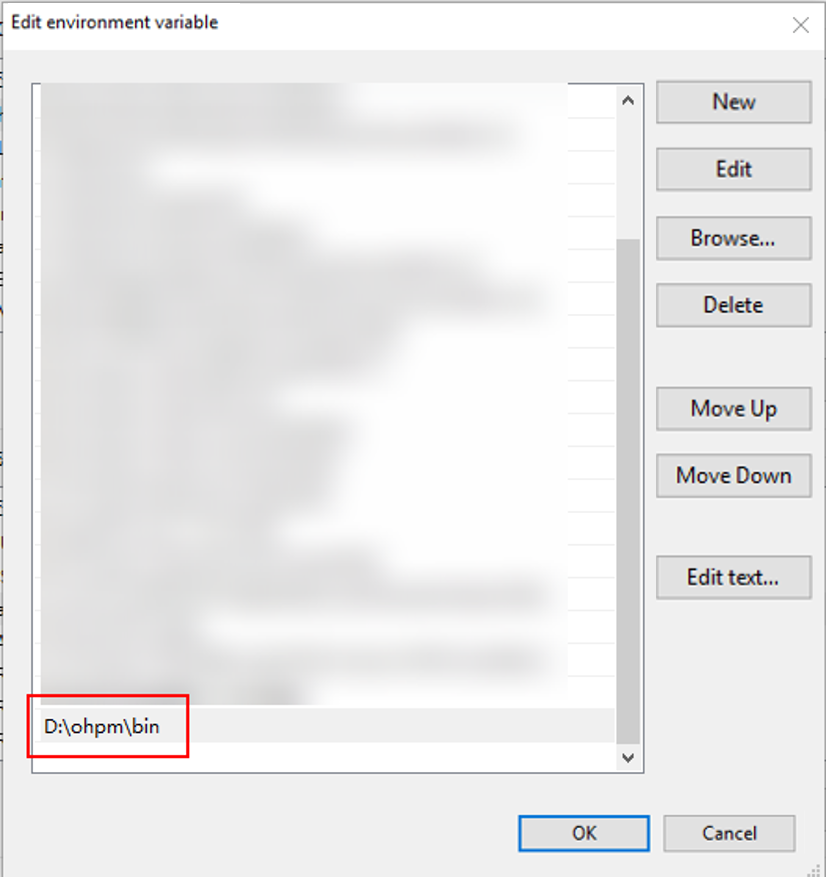
- After the variable is added, restart the CLI and run the ohpm -v command to check the ohpm version. If the terminal outputs the version number information (for example, 1.0.0), the operation is successful.

Symptom 2
After ohpm is installed on Linux or macOS, the ohpm commands do not work in the CLI.
Solution 2
In the configuration file, add the path to the bin folder in the ohpm directory to the PATH environment variable. The following uses the macOS Zsh command line tool as an example.
- Open the terminal and edit the ~/.zshrc file.
vi ~/.zshrc
- At the end of the file, add the following line to add the aforementioned bin directory (/home/tctAdmin/ohpm/bin in this example) to the PATH environment variable:
export PATH="/home/tctAdmin/ohpm/bin:$PATH"
- Save the ~/.zshrc file and exit the editor.
- Run the following command to make the changes take effect, or close the current CLI and open a new CLI:
source ~/.zshrc
- Run the ohpm -v command to check the ohpm version number. If the terminal outputs the version number information (for example, 1.0.0), the operation is successful.
ohpm -v
