You can create a project in DevEco Studio to build an atomic service.
- Open DevEco Studio. On the welcome page, click Create Project.
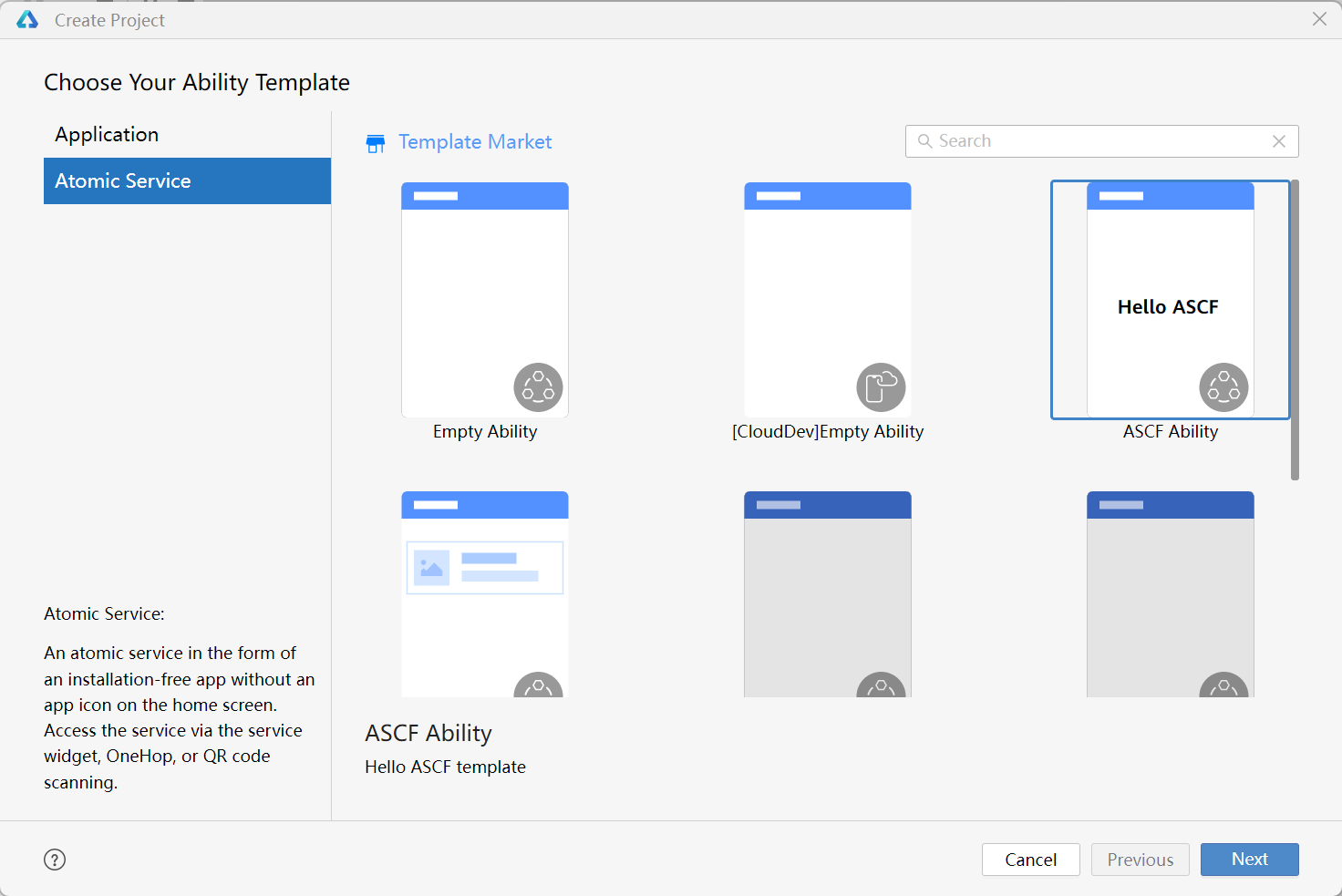
- Choose Atomic Service, select the ASCF Ability template, and click Next.
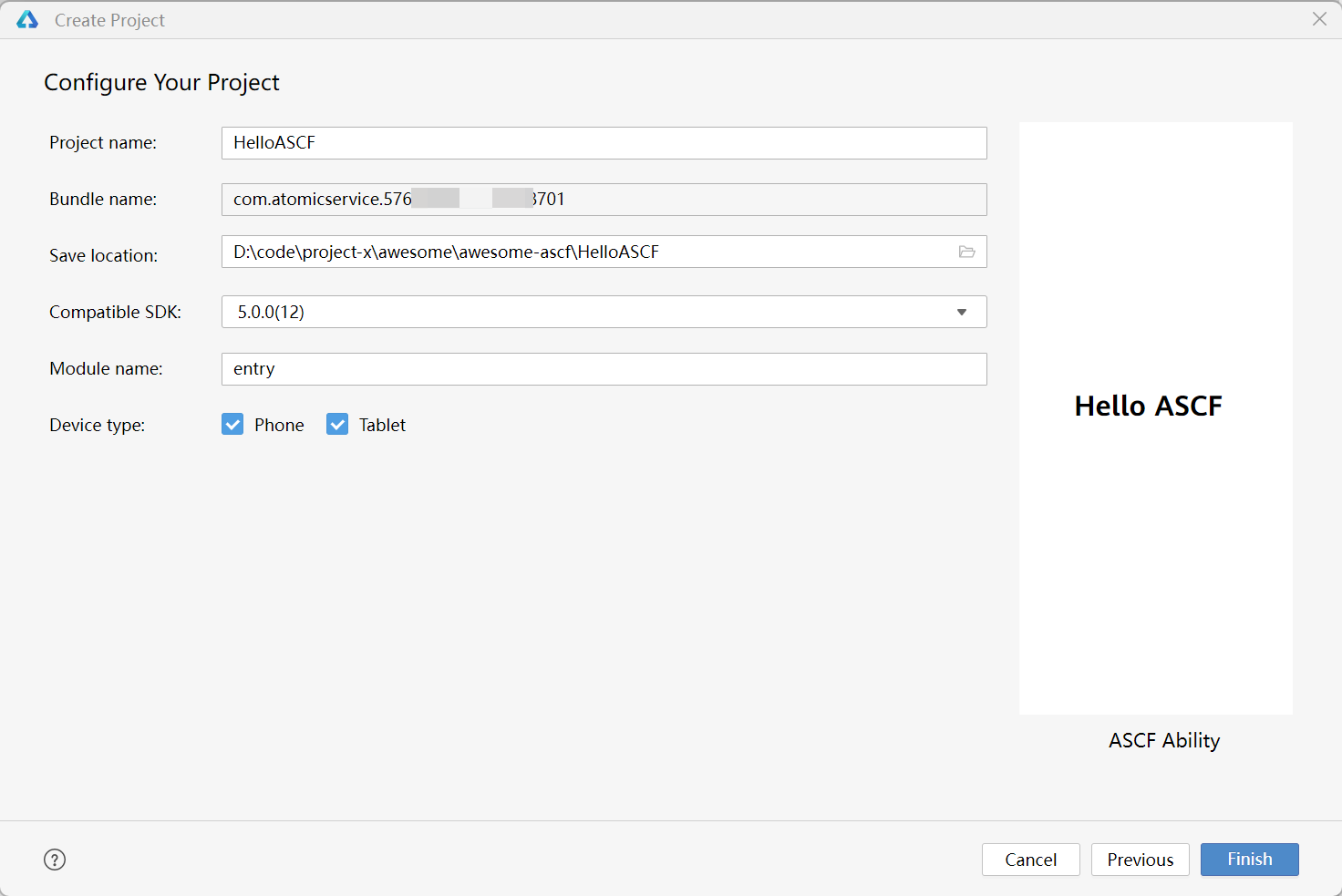
- Configure your project information and click Finish. For details about the parameters, see Creating a Project.
Similar to a common atomic service project, an ASCF project, once created, has the necessary dependencies and build scripts configured by default. The ASCF source code is automatically compiled during the build process.