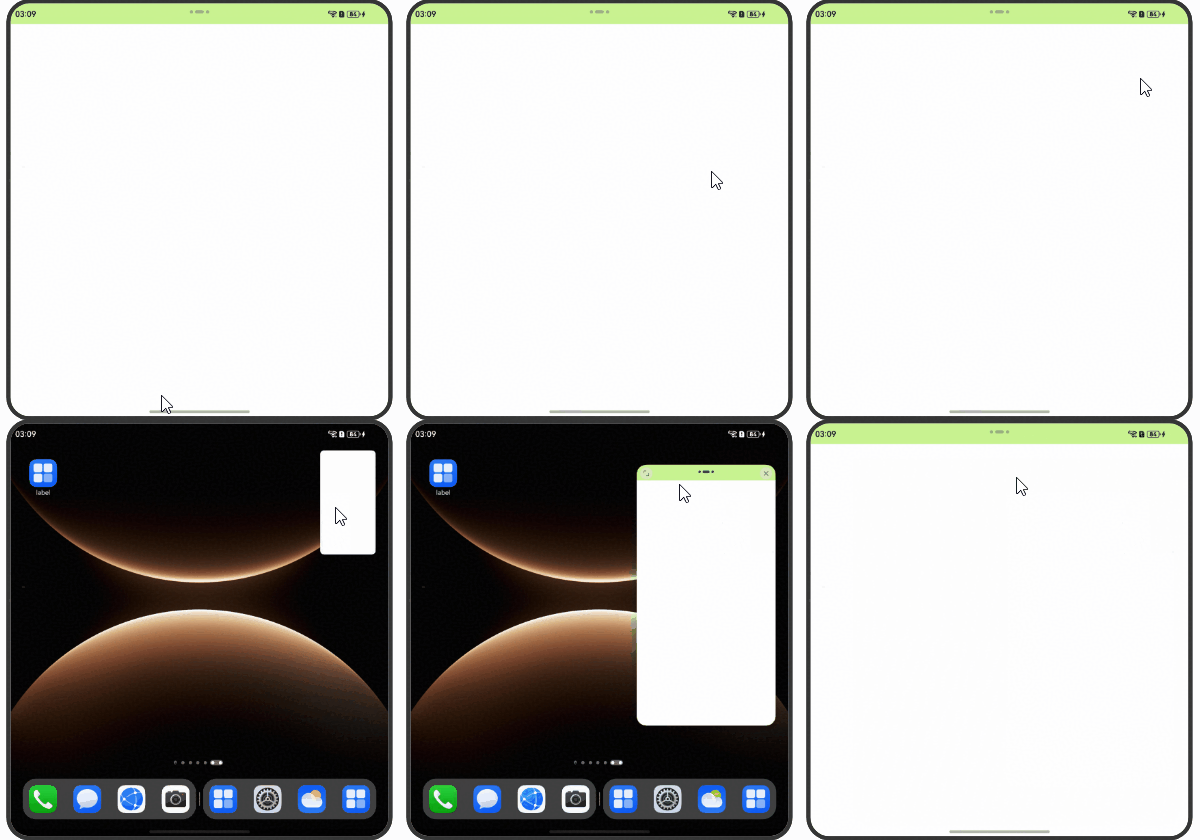
The window-top control bar is the horizontal operation bar  on top of the application window in Multi-Window mode.
The following figure shows the window-top control bar.
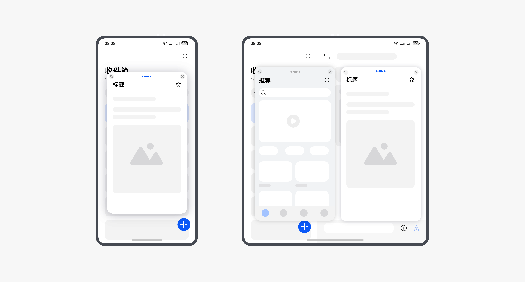
The window-top control bar can be avoided in either of the following ways:
Use the window avoidance capability. Specifically, call setWindowLayoutFullScreen to set not to use an immersive window layout.
In an immersive layout, the app layout does not avoid the status bar, navigation bar, or window-top control bar. In this case, components may overlap with the window-top control bar, resulting in issues such as text blocking and touch event conflicts. In a non-immersive layout, the layout avoids the status bar, navigation bar, and window-top control bar so that components do not overlap with these bars. Therefore, you can set isLayoutFullScreen to false to enable a non-immersive window layout.
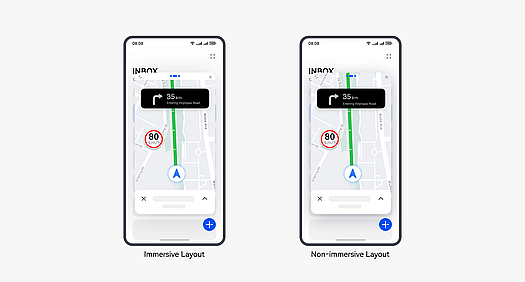
Examples:
// Index.ets
import { BusinessError } from '@kit.BasicServicesKit';
import { window } from '@kit.ArkUI';
import { common } from '@kit.AbilityKit';

@Entry
@Component
struct Index {
  @State message: string = 'Non-immersive layout';
  private windowClass: window.Window | undefined = undefined;

  aboutToAppear(): void {
    try {
      window.getLastWindow(this.getUIContext()?.getHostContext() as common.UIAbilityContext,
        (err: BusinessError, data) => {
          const errCode: number = err.code;
          if (errCode) {
            console.error('Failed to obtain the top window. Cause: ' + JSON.stringify(err));
            return;
          }
          this.windowClass = data;
          console.info('Succeeded in obtaining the top window. Data: ' + JSON.stringify(data));
        });
    } catch (exception) {
      console.error('Failed to obtain the top window. Cause: ' + JSON.stringify(exception));
    }
  }

  private setWindowLayoutFullScreen(isLayoutFullScreen: boolean) {
    if (!this.windowClass) {
      return;
    }
    this.windowClass.setWindowLayoutFullScreen(isLayoutFullScreen).then(() => {
      console.info('Succeeded in setting the window layout to full-screen mode.');
    }).catch((err: BusinessError) => {
      const errCode: number = err.code;
      if (errCode) {
        console.error('Failed to set the window layout to full-screen mode. Cause:' + JSON.stringify(err));
        return;
      }
    });
  }

  build() {
    Stack({ alignContent: Alignment.TopStart }) {
      Column() {
        Text(this.message)
          .fontSize(25)
          .fontWeight(FontWeight.Bold)
          .margin({
            top: '2%',
            bottom: '40%'
          })

        Button() {
          Text('Set the window to an immersive layout')
            .fontSize(18)
            .fontWeight(FontWeight.Normal)
        }
        .type(ButtonType.Normal)
        .borderRadius(15)
        .margin({ top: 20 })
        .stateStyles({
          normal: {
            .backgroundColor('#ff6b89d4')
          },
          pressed: {
            .backgroundColor('#ffc81f2a')
          }
        })
        .width('60%')
        .height('6%')
        .onClick(() => {
          this.setWindowLayoutFullScreen(true);
          this.message ='Immersive Layout';
        })

        Button() {
          Text('Set the window to a non-immersive layout')
            .fontSize(18)
            .fontWeight(FontWeight.Normal)
        }
        .type(ButtonType.Normal)
        .borderRadius(15)
        .margin({ top: 20 })
        .stateStyles({
          normal: {
            .backgroundColor('#ff6b89d4')
          },
          pressed: {
            .backgroundColor('#ffc81f2a')
          }
        })
        .width('60%')
        .height('6%')
        .onClick(() => {
          this.setWindowLayoutFullScreen(false);
          this.message ='Non-immersive Layout';
        })
      }
      .width('100%')
    }
    .backgroundColor('#fceaeaea')
    .height('100%')
  }
}
Enable the application to perform active avoidance. Enable the application to perform active avoidance. Specifically, the application obtains the topRect value of the matrix area to be avoided on top of the screen through getWindowAvoidArea and performs layout avoidance accordingly. In addition, the application can register the on('avoidAreaChange') listener to dynamically adjust the layout when the avoid area changes.
// Index.ets
import { BusinessError } from '@kit.BasicServicesKit';
import { common } from '@kit.AbilityKit';
import { window } from '@kit.ArkUI';

@Entry
@Component
struct Index {
  @State topSafeHeight: number = 0;

  aboutToAppear(): void {
    try {
      let windowClass: window.Window | undefined = undefined;
      window.getLastWindow(this.getUIContext()?.getHostContext() as common.UIAbilityContext,
        (err: BusinessError, data) => {
          const errCode: number = err.code;
          if (errCode) {
            console.error('Failed to obtain the top window. Cause: ' + JSON.stringify(err));
            return;
          }
          windowClass = data;
          windowClass.setWindowLayoutFullScreen(true);
          this.topSafeHeight = this.getUIContext()?.px2vp(
            windowClass.getWindowAvoidArea(window.AvoidAreaType.TYPE_SYSTEM).topRect.height);
          windowClass.on('avoidAreaChange', (data) => {
            if (data.type == window.AvoidAreaType.TYPE_SYSTEM) {
              this.topSafeHeight = this.getUIContext()?.px2vp(data.area.topRect.height)
            }
          })
          console.info('Succeeded in obtaining the top window. Data: ' + JSON.stringify(data));
        });
    } catch (exception) {
      console.error('Failed to obtain the top window. Cause: ' + JSON.stringify(exception));
    }
  }

  build() {
    Stack({ alignContent: Alignment.TopStart }) {
      // Top avoid area
      Row() {
      }
      .height(this.topSafeHeight)
      .width("100%")
      .backgroundColor('#ccbbf375')
      // Dynamically adjust the application layout based on the topSafeHeight.
      // ...
    }
    .height('100%')
  }
}
Figure 1 Proactive layout avoidance by the application