Use Cases
This section describes how to add Markers to specified locations on a map to identify locations such as stores and buildings.
Markers are used to mark any location on the map, such as the user location, vehicle location, and store location. The Marker function provided by Map Kit encapsulates a large number of triggering events, such as tap events, long-press events, and drag events.
Markers have default styles and can be customized. Given the extensive feature set, the following only showcases the use of a few fundamental functions.
Starting from 5.1.1(19), the function of controlling the visibility of the Marker text is supported.
Starting from 6.0.0(20), the function of generating a Marker icon through a custom component is supported.
Starting from 6.1.1(24), the function of listening for Marker long-press events is supported.

API Description
The Marker adding function is mainly provided by MarkerOptions, addMarker, and Marker. For more information about the APIs, please refer to API Reference.
| API | Description |
|---|---|
| MarkerOptions | Marker parameters. |
| addMarker(options: mapCommon.MarkerOptions): Promise<Marker> | Adds a Marker on the map. |
| Marker | Marker. This API supports updating and querying Marker attributes. |
[h2]Adding Markers
-
Import required modules.
import { MapComponent, mapCommon, map } from '@kit.MapKit'; import { AsyncCallback } from '@kit.BasicServicesKit'; -
Add a Marker. Create initialization parameters in the callback method, and create a Marker.
@Entry
@Component
struct MapMarkerDemo {
  // ...
  private mapOptions?: mapCommon.MapOptions;
  private mapController?: map.MapComponentController;
  private callback?: AsyncCallback<map.MapComponentController>;
  private mapEventManager?: map.MapEventManager;
  private marker?: map.Marker;

  aboutToAppear(): void {
    // Map initialization parameters.
    this.mapOptions = {
      position: {
        target: {
          latitude: 31.984410259206815,
          longitude: 118.76625379397866
        },
        zoom: 15
      }
    };
    this.callback = async (err, mapController) => {
      if (!err) {
        this.mapController = mapController;
        this.mapEventManager = this.mapController.getEventManager();
        // Marker initialization parameters.
        let markerOptions: mapCommon.MarkerOptions = {
          position: {
            latitude: 31.984410259206815,
            longitude: 118.76625379397866
          },
          rotation: 0,
          visible: true,
          zIndex: 0,
          alpha: 1,
          anchorU: 0.5,
          anchorV: 1,
          clickable: true,
          draggable: true,
          flat: false
        };
        // Create a Marker.
        try {
          this.marker = await this.mapController.addMarker(markerOptions);
        } catch (e) {
          console.error(`Failed to create the marker. Code: ${e.code}; message: ${e.message}`);
        }
      } else {
        console.error(`Failed to initialize the map. Code: ${err.code}; message: ${err.message}`);
      }
    };
  }

  build() {
    // ...
      Stack() {
        Column() {
          MapComponent({ mapOptions: this.mapOptions, mapCallback: this.callback });
        }.width('100%')
      }.height('100%')

      // ...
  }
}
-
Modify the attributes of the added Marker.
// Set the Marker to be draggable.
this.marker.setDraggable(true);
// Set the Marker anchor.
this.marker.setMarkerAnchor(1.0, 1.0);
[h2]Customizing a Marker
Change the default Marker icon to a custom icon in MarkerOptions.
let markerOptions: mapCommon.MarkerOptions = {
  position: {
    latitude: 31.984410259206815,
    longitude: 118.76625379397866
  },
  rotation: 0,
  visible: true,
  zIndex: 0,
  alpha: 1,
  anchorU: 0.5,
  anchorV: 1,
  clickable: true,
  draggable: true,
  flat: false,
  // The icon is stored in resources/rawfile. Set icon to the relative path of the icon file within the rawfile folder.
  icon: 'test.png'
};
this.marker = await this.mapController.addMarker(markerOptions); 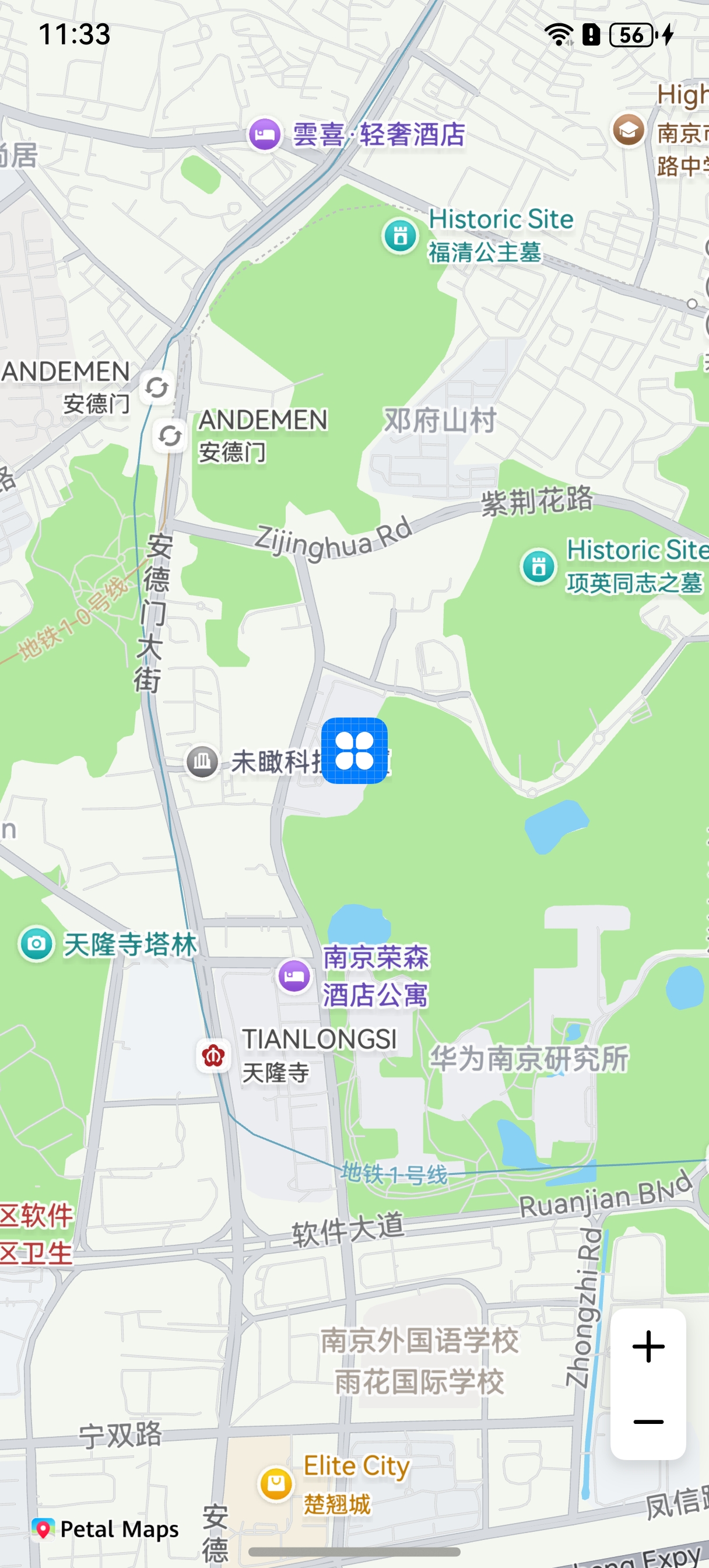
[h2]Controlling the Visibility of the Marker Text
You can use the setAnnotationVisible method to control the visibility of the Marker text and use the isAnnotationVisible method to obtain its visibility status.
// Marker initialization parameters.
let markerOptions: mapCommon.MarkerOptions = {
  position: {
    latitude: 31.984410259206815,
    longitude: 118.76625379397866
  },
  rotation: 0,
  visible: true,
  zIndex: 0,
  alpha: 1,
  anchorU: 0.5,
  anchorV: 1,
  clickable: true,
  draggable: true,
  flat: false,
  annotations: [{
    // Define the title content.
    content: 'text',
    fontStyle: 1,
    strokeWidth: 3,
    fontSize: 15
  }]
};
// Create a Marker.
this.marker = await this.mapController.addMarker(markerOptions);
// Hide the Marker text.
this.marker.setAnnotationVisible(false);
// Check whether the Marker text is visible.
let isAnnotationVisible: boolean = this.marker.isAnnotationVisible();
console.info(`isAnnotationVisible is: ` + isAnnotationVisible);
Figure 1 Before hiding the Marker text
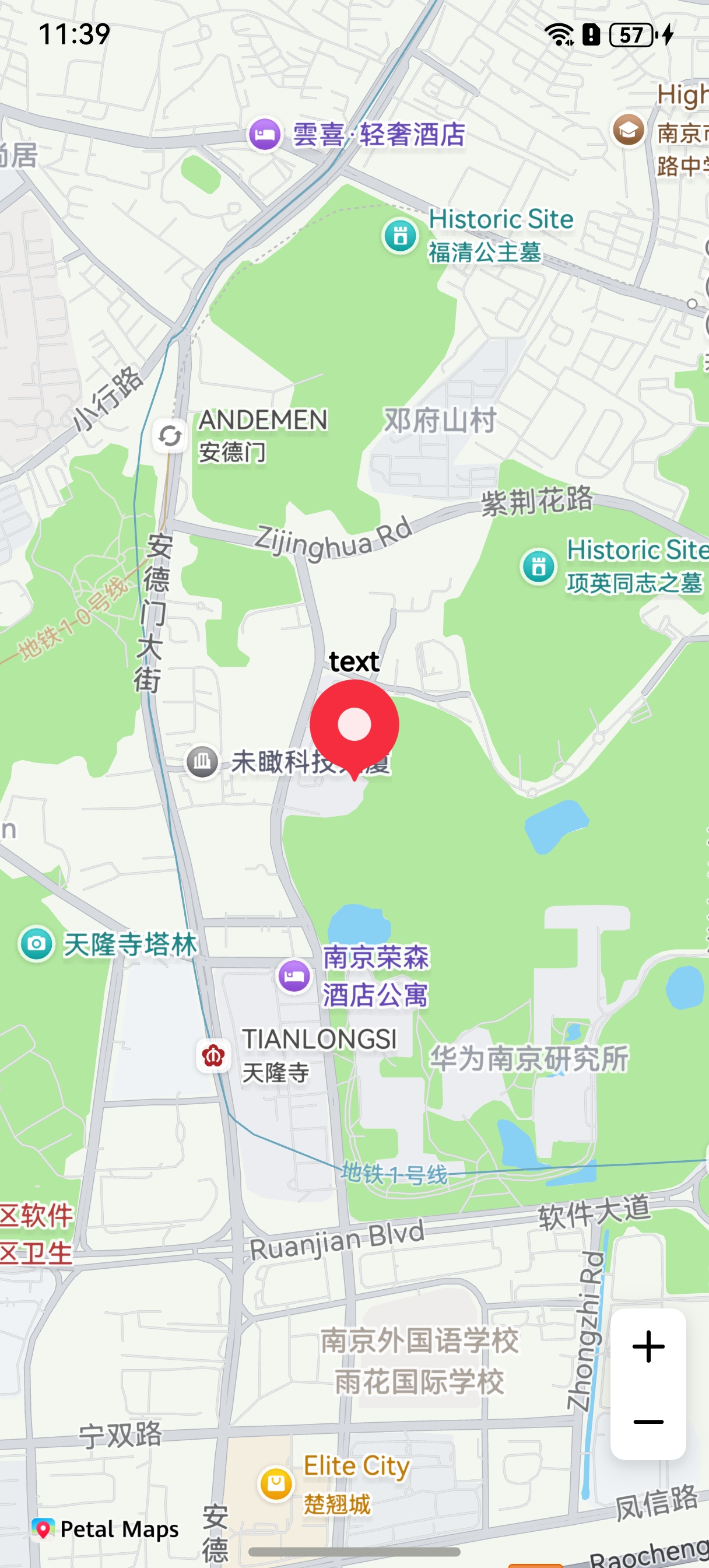
Figure 2 After hiding the Marker text

[h2]Collision Detection
You can configure the Marker's collision rule by setting the collisionRule attribute in MarkerOptions.
let markerOptions: mapCommon.MarkerOptions = {
  position: {
    latitude: 31.984410259206815,
    longitude: 118.76625379397866
  },
  rotation: 0,
  visible: true,
  zIndex: 0,
  alpha: 1,
  anchorU: 0.5,
  anchorV: 1,
  clickable: true,
  draggable: true,
  flat: false,
  // The icon is stored in resources/rawfile. Set icon to the relative path of the icon file within the rawfile folder.
  icon: 'icon.png',
  annotations: [{
    // Define the title content.
    content: 'Test',
    fontStyle: 1,
    strokeWidth: 3,
    fontSize: 15
  }],
  // Configure the collision rule to include icons and their name labels in collision detection.
  collisionRule: mapCommon.CollisionRule.ALL,
  annotationPosition: mapCommon.TextPosition.TOP
};
this.marker = await this.mapController.addMarker(markerOptions); 
[h2]Setting a Listener for Marker Tap Events
let callback = (marker: map.Marker) => {
  console.info(`on-markerClick marker = ${marker.getId()}`);
};
this.mapEventManager.on('markerClick', callback);
[h2]Setting a Listener for Marker Drag Events
To listen for Marker drag events, perform the following steps:
-
Set the drag attribute of a Marker to true.
-
Call the on(type: 'markerDragStart' , callback: Callback<Marker>) method to listen for the Marker drag start event.
-
Call the on(type: 'markerDrag' , callback: Callback<Marker>) method to listen for the Marker drag process.
-
Call the on(type: 'markerDragEnd' , callback: Callback<Marker>) method to listen for the Marker drag end event.
// Set the Marker to be draggable.
this.marker.setDraggable(true);

// Listen for Marker drag start events.
let markerCallback = (marker: map.Marker) => {
  console.info(`on-markerDragStart marker = ${marker.getId()}`);
};
this.mapEventManager.on('markerDragStart', markerCallback);

// Listen for Marker drag events.
let markerDragCallback = (marker: map.Marker) => {
  console.info(`on-markerDrag marker = ${marker.getId()}`);
};
this.mapEventManager.on('markerDrag', markerDragCallback);

// Listen for Marker drag end events.
let markerDragEndCallback = (marker: map.Marker) => {
  console.info(`on-markerDragEnd marker = ${marker.getId()}`);
};
this.mapEventManager.on('markerDragEnd', markerDragEndCallback);
[h2]Setting a Listener for Marker Long-Press Events
let callback = (markerLong: map.Marker) => {
  console.info('markerLongClick', `callback markerLongClick = ${markerLong.getId()}`);
};
this.mapEventManager.onMarkerLongClick(callback);
[h2]Adding an Information Window
// Add an information window.
let markerOptions: mapCommon.MarkerOptions = {
  position: {
    latitude: 31.984410259206815,
    longitude: 118.76625379397866
  }
};
this.marker = await this.mapController?.addMarker(markerOptions);
// Set the title of the information window.
this.marker.setTitle('Nanjing');
// Set the subtitle of the information window.
this.marker.setSnippet('East China');
// Set the Marker to be tappable.
this.marker.setClickable(true);
// Set the anchor location of the information window.
this.marker.setInfoWindowAnchor(1, 1);
// Set the information window to be visible. The information window will be displayed after the Marker is tapped.
this.marker.setInfoWindowVisible(true); 
[h2]Customizing an Information Window
@Entry
@Component
struct MapMarkerDemo {
  // ...
  private mapOptions?: mapCommon.MapOptions;
  private mapController?: map.MapComponentController;
  private callback?: AsyncCallback<map.MapComponentController>;

  aboutToAppear(): void {
    this.mapOptions = {
      position: {
        target: {
          latitude: 32.120750,
          longitude: 118.788765
        },
        zoom: 15
      }
    }

    this.callback = async (err, mapController) => {
      if (!err) {
        this.mapController = mapController;
        let markerOptions: mapCommon.MarkerOptions = {
          position: {
            latitude: 32.120750,
            longitude: 118.788765
          },
          clickable: true,
          // Set the information window title. The information window will be displayed after the Marker is tapped.
          title: 'Custom Information Window'
        };
        // Create a Marker.
        await this.mapController?.addMarker(markerOptions);
      } else {
        console.error(`Failed to initialize the map. Code: ${err.code}; message: ${err.message}`);
      }
    }
  }

  build() {
    // ...
      Stack() {
        Column() {
          MapComponent({
            mapOptions: this.mapOptions,
            mapCallback: this.callback,
            // Customize the information window.
            customInfoWindow: this.customInfoWindow
          })
            .width('100%')
            .height('100%');
        }.width('100%')
      }.height('100%')

      // ...
  }

  // Custom information window BuilderParam.
  @BuilderParam customInfoWindow: ($$: map.MarkerDelegate) => void = this.customInfoWindowBuilder;

  // Custom information window Builder.
  @Builder
  customInfoWindowBuilder($$: map.MarkerDelegate) {
    if ($$.marker) {
      Text($$.marker.getTitle())
        .width('50%')
        .height(50)
        .backgroundColor(Color.Green)
        .textAlign(TextAlign.Center)
        .fontColor(Color.Black)
        .font({ size: 25, weight: 10, style: FontStyle.Italic })
        .border({
          width: 3,
          color: Color.Black,
          radius: 25,
          style: BorderStyle.Dashed
        })
    }
  }
} 
[h2]Setting an Animation for a Marker
Markers support rotation, scaling, panning, transparency, image animation playback, and combined animation effects.
| API | Description |
|---|---|
| AlphaAnimation | Animation class for controlling transparency. |
| RotateAnimation | Animation class for controlling rotation. |
| ScaleAnimation | Animation class for controlling scaling. |
| TranslateAnimation | Animation class for controlling panning. |
| PlayImageAnimation | Animation class for controlling multiple images. |
| AnimationSet | Animation set. |
The sample code for the rotation animation effect is as follows:
import { map, mapCommon, MapComponent } from '@kit.MapKit';
import { AsyncCallback } from '@kit.BasicServicesKit';

// ...
@Entry
@Component
struct MapMarkerDemo {
  // ...
  private mapOptions?: mapCommon.MapOptions;
  private callback?: AsyncCallback<map.MapComponentController>;

  aboutToAppear(): void {
    this.mapOptions = {
      position: {
        target: {
          latitude: 32.020750,
          longitude: 118.788765
        },
        zoom: 11
      }
    }

    this.callback = async (err, mapController) => {
      if (!err) {
        // Build a MarkerOptions object.
        let markerOptions: mapCommon.MarkerOptions = {
          position: {
            latitude: 32.020750,
            longitude: 118.788765
          }
        };
        // Create a Marker.
        let marker: map.Marker = await mapController.addMarker(markerOptions);
        // Build a RotateAnimation object.
        let animation = new map.RotateAnimation(0, 270);
        // Animation execution duration.
        animation.setDuration(2000);

        // Animation end status.
        animation.setFillMode(map.AnimationFillMode.BACKWARDS);

        // Animation replay mode.
        animation.setRepeatMode(map.AnimationRepeatMode.REVERSE);

        // Number of times an animation is replayed.
        animation.setRepeatCount(100);

        // Set a listener for animation start events.
        let callbackStart = () => {
          console.info('animationStart', `callback`);
        };
        animation.on('animationStart', callbackStart);

        // Set a listener for animation end events.
        let callbackEnd = () => {
          console.info('animationEnd', `callback`);
        };
        animation.on('animationEnd', callbackEnd);

        // Set the animation.
        marker.setAnimation(animation);
        // Start the animation.
        marker.startAnimation();
      } else {
        console.error(`Failed to initialize the map. Code: ${err.code}; message: ${err.message}`);
      }
    }
  }

  build() {
    // ...
      Stack() {
        Column() {
          MapComponent({ mapOptions: this.mapOptions, mapCallback: this.callback });
        }.width('100%')
      }.height('100%')

      // ...
  }
}
The following figure illustrates the effects.

[h2]Playing Image Animations
import { map, mapCommon, MapComponent } from '@kit.MapKit';
import { AsyncCallback } from '@kit.BasicServicesKit';
import { image } from '@kit.ImageKit';

// ...
@Entry
@Component
struct MapMarkerDemo {
  // ...
  private mapOptions?: mapCommon.MapOptions;
  private callback?: AsyncCallback<map.MapComponentController>;

  aboutToAppear(): void {
    this.mapOptions = {
      position: {
        target: {
          latitude: 32.020750,
          longitude: 118.788765
        },
        zoom: 11
      }
    }

    this.callback = async (err, mapController) => {
      if (!err) {
        // Build a MarkerOptions object.
        let markerOptions: mapCommon.MarkerOptions = {
          position: {
            latitude: 32.020750,
            longitude: 118.788765
          },
        };
        let images: (ResourceStr | image.PixelMap)[] = [
          // The icon must be stored in the resources/rawfile directory.
          'icon/avocado.png',
          'icon/20231027.png',
          // The icon must be stored in the resources/base/media directory.
          $r('app.media.icon')
        ]
        let mContext = this.getUIContext().getHostContext();
        if (mContext) {
          const fileData: Uint8Array = await mContext?.resourceManager?.getRawFileContent('icon/icon.png');
          let imageSource: image.ImageSource =
            image.createImageSource(fileData.buffer.slice(0, fileData.buffer.byteLength));
          let pixelMap: PixelMap = await imageSource.createPixelMap();
          images.push(pixelMap);
        }
        // Create a Marker.
        let marker: map.Marker = await mapController.addMarker(markerOptions);
        // Build a PlayImageAnimation object.
        let animation: map.PlayImageAnimation = new map.PlayImageAnimation();
        // Add images.
        await animation.addImages(images)
        // Animation execution duration.
        animation.setDuration(3000);

        // Animation end status.
        animation.setFillMode(map.AnimationFillMode.BACKWARDS);

        // Animation replay mode.
        animation.setRepeatMode(map.AnimationRepeatMode.REVERSE);

        // Number of times an animation is replayed.
        animation.setRepeatCount(100);

        // Set a listener for animation start events.
        let callbackStart = () => {
          console.info('animationStart', `callback`);
        };
        animation.on('animationStart', callbackStart);
        // Set a listener for animation end events.
        let callbackEnd = () => {
          console.info('animationEnd', `callback`);
        };
        animation.on('animationEnd', callbackEnd);
        // Set the animation.
        marker.setAnimation(animation);
        // Start the animation.
        marker.startAnimation();
      } else {
        console.error(`Failed to initialize the map. Code: ${err.code}; message: ${err.message}`);
      }
    }
  }

  build() {
    // ...
      Stack() {
        Column() {
          MapComponent({ mapOptions: this.mapOptions, mapCallback: this.callback });
        }.width('100%')
      }.height('100%')

      // ...
  }
}
The following figure illustrates the effects.

[h2]Generating a Marker Icon Through a Custom Component
Generate a Marker icon through a custom component.
import { map, mapCommon, MapComponent } from '@kit.MapKit';
import { AsyncCallback } from '@kit.BasicServicesKit';

// ...
@Entry
@Component
struct MapMarkerDemo {
  // ...
  private mapOptions?: mapCommon.MapOptions;
  private mapController?: map.MapComponentController;
  private callback?: AsyncCallback<map.MapComponentController>;
  private marker?: map.Marker;

  aboutToAppear(): void {
    this.mapOptions = {
      position: {
        target: {
          latitude: 32.120750,
          longitude: 118.788765
        },
        zoom: 14
      },
      scaleControlsEnabled: true
    }
    this.callback = async (err, mapController) => {
      if (!err) {
        this.mapController = mapController;
        // Build a MarkerOptions object.
        let markerOptions: mapCommon.MarkerOptions = {
          position: {
            latitude: 32.120750,
            longitude: 118.788765
          },
          // Custom component.
          iconBuilder: () => {
            this.renderBuilder();
          }
        };
        this.marker = await this.mapController?.addMarker(markerOptions);
      }
    }
  }

  @Builder
  renderBuilder() {
    Stack({ alignContent: Alignment.Center }) {
      // Replace the resource image with your own. Save your resource image in the resources/base/media directory.
      Image($r('app.media.icon'))
        .syncLoad(true)
    }
    .height(50)
    .width(50)
  }

  build() {
    // ...
      Stack() {
        Column() {
          MapComponent({ mapOptions: this.mapOptions, mapCallback: this.callback });
        }.width('100%')
      }.height('100%')

      // ...
  }
}
The following figure illustrates the effects.
