Enable Map Kit first, make necessary preparations, and then proceed with the subsequent development activities.

Starting from HarmonyOS 5.0.2(14), you do not need to configure the public key fingerprint and client ID.
You can enable Map Kit via DevEco Studio 6.0.0 Beta5 or later versions.
Enabling Map Kit
Map Kit can be enabled:
Via DevEco Studio
In AppGallery Connect
Method 1: Enabling Map Kit via DevEco Studio
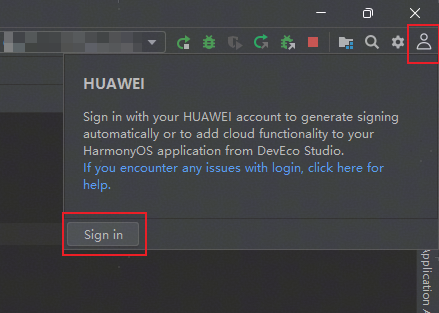
Sign in to DevEco Studio.
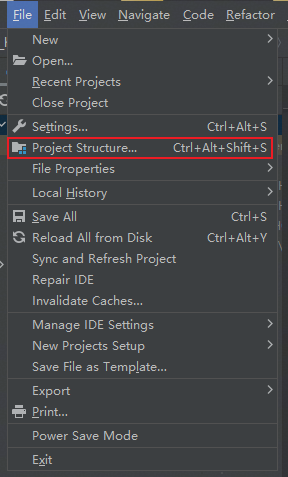
Go to File > Project Structure.
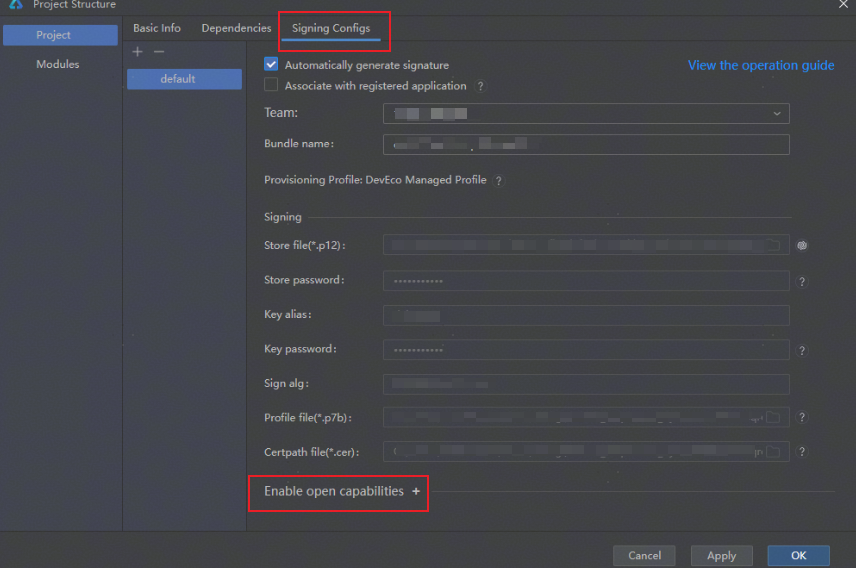
On the Signing Configs page, click Enable open capabilities.
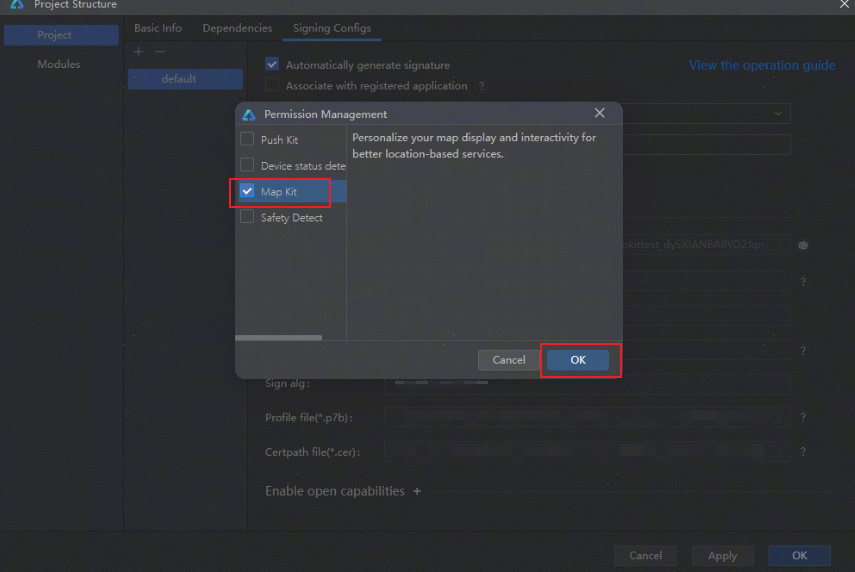
Select Map Kit and click OK.
Click Apply to apply the Map Kit configuration and click OK.
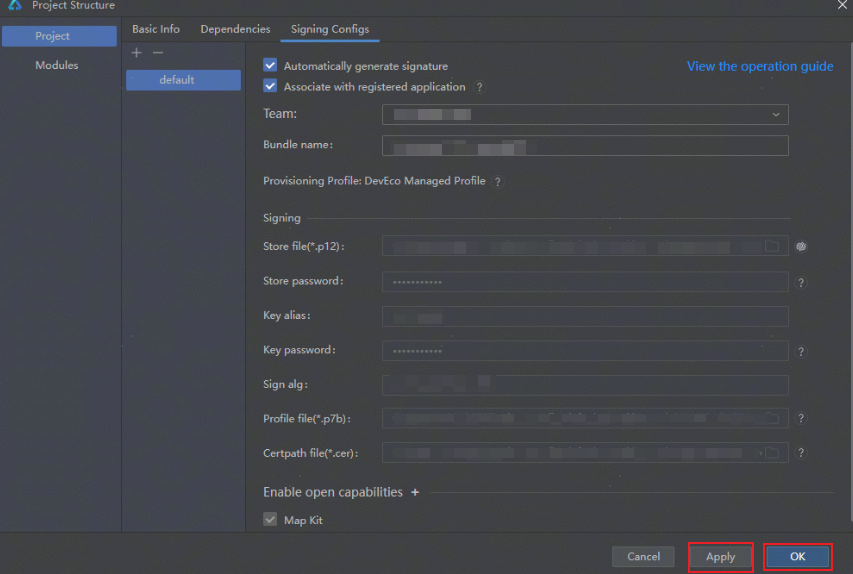
Method 2: Enabling Map Kit in AppGallery Connect
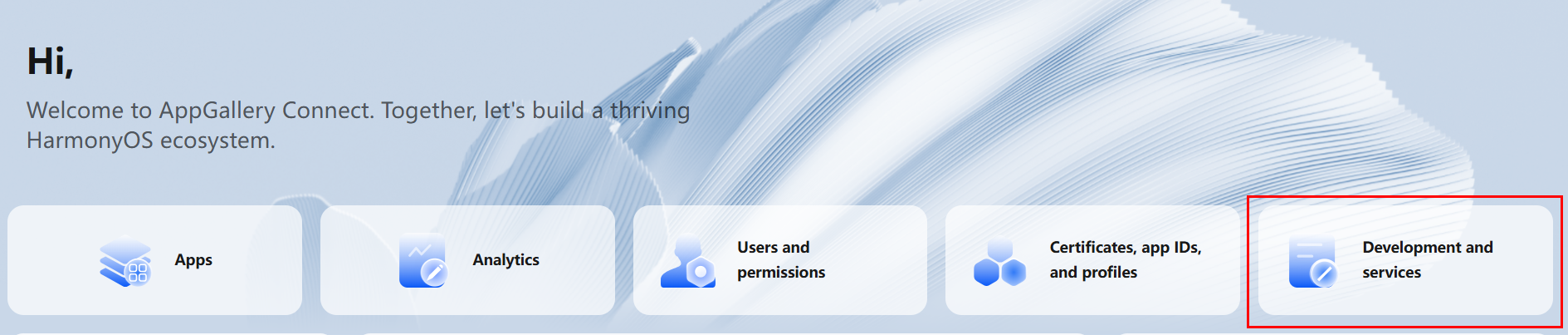
Sign in to AppGallery Connect and click Development and services.
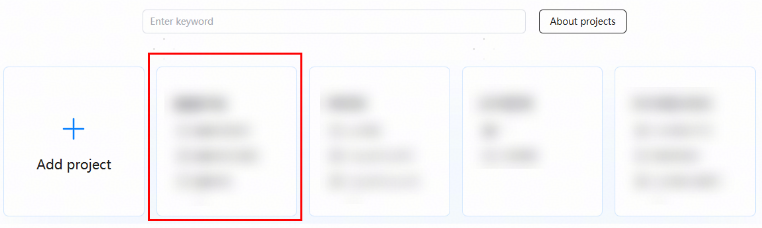
Find your project and click the app for which you want to enable Map Kit.
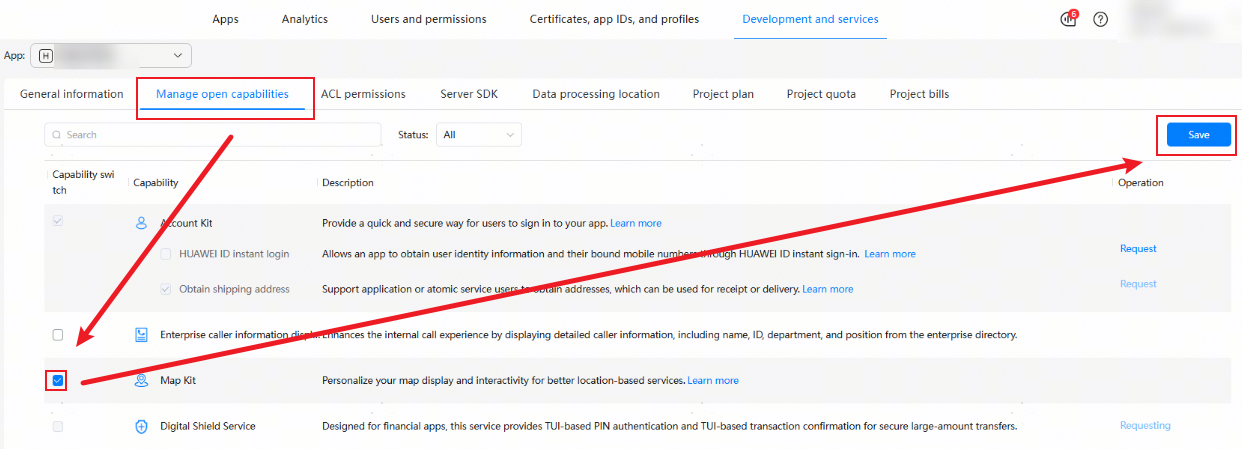
Go to the Manage open capabilities page, select Map Kit and click Save.
Complete signing after Map Kit is enabled.
- During app debugging, you must request a debug certificate, register a device, request a new debug profile after Map Kit is enabled, and sign your app manually.
- Before releasing your app, ensure that Map Kit has been enabled. For details, please refer to Release.

If you want to use the original profile, ensure that Map Kit has been enabled before you request this profile.