LongPressGesture is used to trigger a long press gesture. This gesture requires one or more fingers to be held down for a specified duration, which is 500 ms by default and can be adjusted using the duration parameter.

The initial APIs of this module are supported since API version 7. Newly added APIs will be marked with a superscript to indicate their earliest API version.
Since API version 18, on some devices, the system's two-finger long press gesture may take precedence, causing the application's two-finger long press gesture to be ineffective.
[h2]LongPressGesture
LongPressGesture(value?: { fingers?: number; repeat?: boolean; duration?: number })
Creates a long press gesture. Inherits from GestureInterface<T>.
In components that support drag actions by default, such as Text, TextInput, TextArea, HyperLink, Image, and RichEditor, the long press gesture may conflict with the drag action. If this occurs, the event priority is determined as follows:
If the long press duration is less than 500 milliseconds, the system prioritizes the long press event over the drag event.
If the long press duration reaches or exceeds 500 milliseconds, the system prioritizes the drag event over the long press event.
Atomic service API: This API can be used in atomic services since API version 11.
System capability: SystemCapability.ArkUI.ArkUI.Full
Parameters
| Name | Type | Mandatory | Description |
|---|---|---|---|
| value | { fingers?: number; repeat?: boolean; duration?: number } | No | Parameters for the long press gesture. - fingers: minimum number of fingers to trigger a long press gesture. The value ranges from 1 to 10. Default value: 1. - repeat: whether to continuously trigger the event callback. The value true means to continuously trigger the event callback, and false means the opposite. Default value: false. - duration: minimum hold-down time, in ms. Default value: 500. |
[h2]LongPressGesture15+
LongPressGesture(options?: LongPressGestureHandlerOptions)
Creates a long press gesture. Compared with LongPressGesture, this API adds the isFingerCountLimited parameter to options, which determines whether to enforce the exact number of fingers touching the screen.
In components that support drag actions by default, such as Text, TextInput, TextArea, HyperLink, Image, and RichEditor, the long press gesture may conflict with the drag action. If this occurs, the event priority is determined as follows:
If the long press duration is less than 500 milliseconds, the system prioritizes the long press event over the drag event.
If the long press duration reaches or exceeds 500 milliseconds, the system prioritizes the drag event over the long press event.
Atomic service API: This API can be used in atomic services since API version 15.
System capability: SystemCapability.ArkUI.ArkUI.Full
Parameters
| Name | Type | Mandatory | Description |
|---|---|---|---|
| options | LongPressGestureHandlerOptions | No | Parameters of the long press gesture handler. |
Events

In fingerList of GestureEvent, the index of a finger corresponds to its position, that is, the ID of a finger in fingerList[index] refers to its index. If a finger is pressed first and does not participate in triggering of the current gesture, its position in fingerList is left empty. You are advised to use fingerInfos when possible.
Once a long press gesture is triggered, the information in fingerList and fingerInfo within the GestureEvent object is only updated when fingers are pressed down and not updated when fingers are lifted.
[h2]onAction
onAction(event: (event: GestureEvent) => void)
Registers the callback for successful long press gesture recognition.
Atomic service API: This API can be used in atomic services since API version 11.
System capability: SystemCapability.ArkUI.ArkUI.Full
Parameters
| Name | Type | Mandatory | Description |
|---|---|---|---|
| event | (event: GestureEvent) => void | Yes | Callback for successful long press gesture recognition. |
[h2]onActionEnd
onActionEnd(event: (event: GestureEvent) => void)
Registers the callback for long press gesture completion. This callback is triggered when all fingers are lifted after successful recognition.
Atomic service API: This API can be used in atomic services since API version 11.
System capability: SystemCapability.ArkUI.ArkUI.Full
Parameters
| Name | Type | Mandatory | Description |
|---|---|---|---|
| event | (event: GestureEvent) => void | Yes | Callback for long press gesture completion. |
[h2]onActionCancel
onActionCancel(event: () => void)
Registers the callback for long press gesture cancellation. This callback is triggered when a touch cancellation event occurs after successful long press gesture recognition. No gesture event information is returned.
Atomic service API: This API can be used in atomic services since API version 11.
System capability: SystemCapability.ArkUI.ArkUI.Full
Parameters
| Name | Type | Mandatory | Description |
|---|---|---|---|
| event | () => void | Yes | Callback for long press gesture cancellation. |
[h2]onActionCancel18+
onActionCancel(event: Callback<GestureEvent>)
Registers the callback for long press gesture cancellation. This callback is triggered when a touch cancellation event occurs after successful long press gesture recognition. Gesture event information is returned.
Atomic service API: This API can be used in atomic services since API version 18.
System capability: SystemCapability.ArkUI.ArkUI.Full
Parameters
| Name | Type | Mandatory | Description |
|---|---|---|---|
| event | Callback<GestureEvent> | Yes | Callback for long press gesture cancellation. |
Example
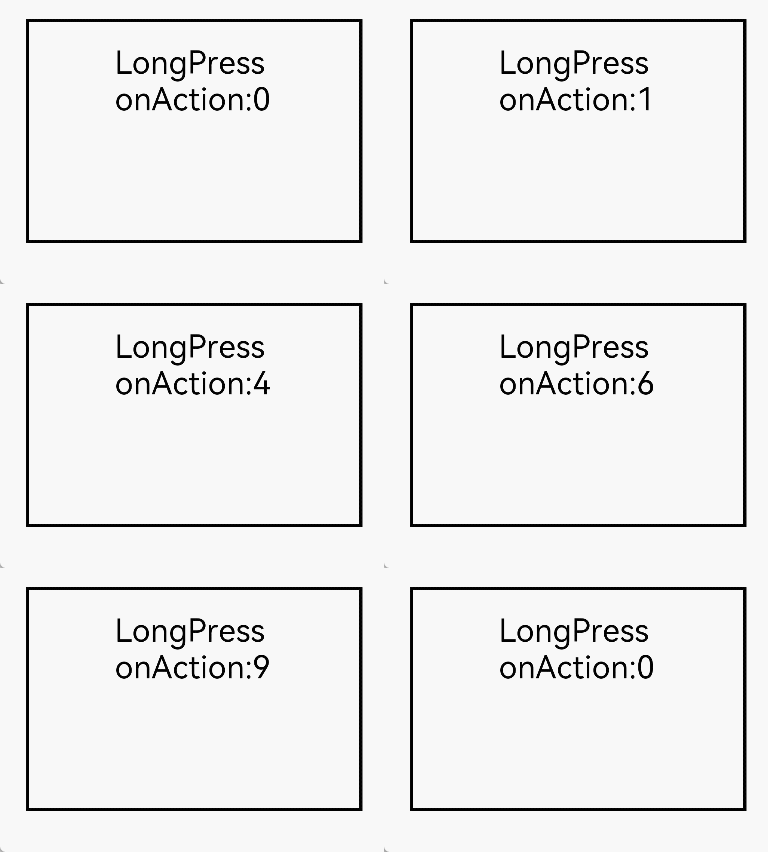
This example demonstrates the recognition of a long press gesture using LongPressGesture. Since API version 22, the allowableMovement attribute in LongPressGestureHandlerOptions can be used to set the maximum movement distance of a gesture to be recognized.
// xxx.ets
@Entry
@Component
struct LongPressGestureExample {
  @State count: number = 0;

  build() {
    Column() {
      Text('LongPress onAction:' + this.count).fontSize(28)
        // This gesture event is triggered when the text is long-pressed with a single finger.
        .gesture(
        // Set the maximum movement distance allowed for gesture recognition by the long press gesture recognizer to 200 px.
        LongPressGesture({ repeat: true, allowableMovement: 200 })
          // Since repeat is set to true, the event callback is continuously triggered during the long press, with the triggering interval specified by duration (500 ms by default).
          .onAction((event: GestureEvent) => {
            if (event && event.repeat) {
              this.count++
            }
          })
            // Triggered when the long press gesture ends.
          .onActionEnd((event: GestureEvent) => {
            this.count = 0
          })
        )
    }
    .height(200)
    .width(300)
    .padding(20)
    .border({ width: 3 })
    .margin(30)
  }
}