The OffscreenCanvas component is used to draw custom graphics.
When the Canvas component or CanvasRenderingContext2D object is used, rendering, animation, and user interaction usually occur on the main thread of the application. Calculations related to canvas animation and rendering may affect application performance. OffscreenCanvas allows for rendering off the screen. This means that some tasks can be run in a separate thread to reduce the load on the main thread.

This component is supported since API version 8. Updates will be marked with a superscript to indicate their earliest API version.
OffscreenCanvas cannot be used in ServiceExtensionAbility. It is recommended that you use the drawing module for offscreen rendering in ServiceExtensionAbility.
[h2]constructor
constructor(width: number, height: number)
Constructs an OffscreenCanvas for creating an offscreen canvas object.
Widget capability: This API can be used in ArkTS widgets since API version 9.
Atomic service API: This API can be used in atomic services since API version 11.
System capability: SystemCapability.ArkUI.ArkUI.Full
Parameters
| Name | Type | Mandatory | Description |
|---|---|---|---|
| width | number | Yes | Width of the offscreen canvas. NaN and Infinity are treated as invalid values. Default unit: vp |
| height | number | Yes | Height of the offscreen canvas. NaN and Infinity are treated as invalid values. Default unit: vp |
[h2]constructor12+
constructor(width: number, height: number, unit: LengthMetricsUnit)
Constructs an OffscreenCanvas for creating an offscreen canvas object. The unit mode is configurable for the OffscreenCanvas object.
Widget capability: This API can be used in ArkTS widgets since API version 12.
Atomic service API: This API can be used in atomic services since API version 12.
Model restriction: This API can be used only in the stage model.
System capability: SystemCapability.ArkUI.ArkUI.Full
Parameters
| Name | Type | Mandatory | Description |
|---|---|---|---|
| width | number | Yes | Width of the offscreen canvas. NaN and Infinity are treated as invalid values. Default unit: vp |
| height | number | Yes | Height of the offscreen canvas. NaN and Infinity are treated as invalid values. Default unit: vp |
| unit | LengthMetricsUnit | Yes | Unit mode of the OffscreenCanvas object. The value cannot be dynamically changed once set. The configuration method is the same as that of CanvasRenderingContext2D. Invalid values NaN and Infinity are treated as the default value. Default value: DEFAULT. |
Attributes
Widget capability: This API can be used in ArkTS widgets since API version 9.
Atomic service API: This API can be used in atomic services since API version 11.
System capability: SystemCapability.ArkUI.ArkUI.Full
The following attributes are supported.
| Name | Type | Read Only | Optional | Description |
|---|---|---|---|---|
| width | number | No | No | Width of the offscreen canvas. Default unit: vp |
| height | number | No | No | Height of the offscreen canvas. Default unit: vp |
[h2]width
// xxx.ets
@Entry
@Component
struct OffscreenCanvasPage {
  private settings: RenderingContextSettings = new RenderingContextSettings(true);
  private context: CanvasRenderingContext2D = new CanvasRenderingContext2D(this.settings);
  private offCanvas: OffscreenCanvas = new OffscreenCanvas(200, 300);

  build() {
    Flex({ direction: FlexDirection.Row, alignItems: ItemAlign.Start, justifyContent: FlexAlign.Start }) {
      Column() {
        Canvas(this.context)
          .width('100%')
          .height('100%')
          .borderWidth(5)
          .borderColor('#057D02')
          .backgroundColor('#FFFFFF')
          .onReady(() => {
            let offContext = this.offCanvas.getContext("2d", this.settings)
            offContext.fillStyle = '#CDCDCD'
            offContext.fillRect(0, 0, this.offCanvas.width, 150)
            let image = this.offCanvas.transferToImageBitmap()
            this.context.setTransform(1, 0, 0, 1, 50, 200)
            this.context.transferFromImageBitmap(image)
          })
      }
    }.width('100%').height('100%')
  }
} 
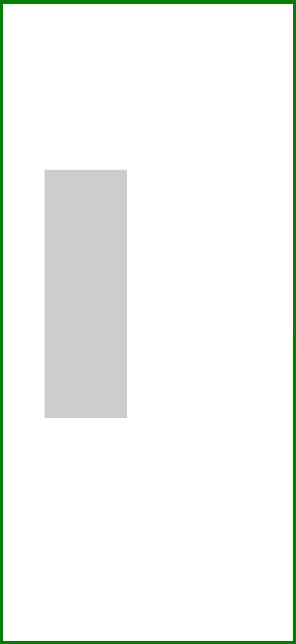
[h2]height
// xxx.ets
@Entry
@Component
struct OffscreenCanvasPage {
  private settings: RenderingContextSettings = new RenderingContextSettings(true);
  private context: CanvasRenderingContext2D = new CanvasRenderingContext2D(this.settings);
  private offCanvas: OffscreenCanvas = new OffscreenCanvas(200, 300);

  build() {
    Flex({ direction: FlexDirection.Row, alignItems: ItemAlign.Start, justifyContent: FlexAlign.Start }) {
      Column() {
        Canvas(this.context)
          .width('100%')
          .height('100%')
          .borderWidth(5)
          .borderColor('#057D02')
          .backgroundColor('#FFFFFF')
          .onReady(() => {
            let offContext = this.offCanvas.getContext("2d", this.settings)
            offContext.fillStyle = '#CDCDCD'
            offContext.fillRect(0, 0, 100, this.offCanvas.height)
            let image = this.offCanvas.transferToImageBitmap()
            this.context.setTransform(1, 0, 0, 1, 50, 200)
            this.context.transferFromImageBitmap(image)
          })
      }
    }.width('100%').height('100%')
  }
} 
[h2]transferToImageBitmap
transferToImageBitmap(): ImageBitmap
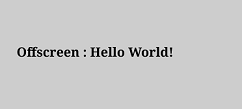
Creates an ImageBitmap object from the most recently rendered image of the offscreen canvas.
Widget capability: This API can be used in ArkTS widgets since API version 9.
Atomic service API: This API can be used in atomic services since API version 11.
System capability: SystemCapability.ArkUI.ArkUI.Full
Return value
| Type | Description |
|---|---|
| ImageBitmap | ImageBitmap object created. |
Example
// xxx.ets
@Entry
@Component
struct OffscreenCanvasPage {
  private settings: RenderingContextSettings = new RenderingContextSettings(true);
  private context: CanvasRenderingContext2D = new CanvasRenderingContext2D(this.settings);
  private offCanvas: OffscreenCanvas = new OffscreenCanvas(400, 600);

  build() {
    Flex({ direction: FlexDirection.Column, alignItems: ItemAlign.Center, justifyContent: FlexAlign.Center }) {
      Canvas(this.context)
        .width('100%')
        .height('100%')
        .borderWidth(5)
        .borderColor('rgb(39,135,217)')
        .backgroundColor('#FFFFFF')
        .onReady(() => {
          let offContext = this.offCanvas.getContext("2d", this.settings)
          offContext.fillStyle = '#CDCDCD'
          offContext.fillRect(0, 0, 400, 600)
          offContext.fillStyle = '#000000'
          offContext.font = '40px serif bold'
          offContext.fillText("Offscreen : Hello World!", 20, 60)
          let image = this.offCanvas.transferToImageBitmap()
          this.context.transferFromImageBitmap(image)
        })
    }
    .width('100%')
    .height('100%')
  }
} 
[h2]getContext10+
getContext(contextType: "2d", options?: RenderingContextSettings): OffscreenCanvasRenderingContext2D
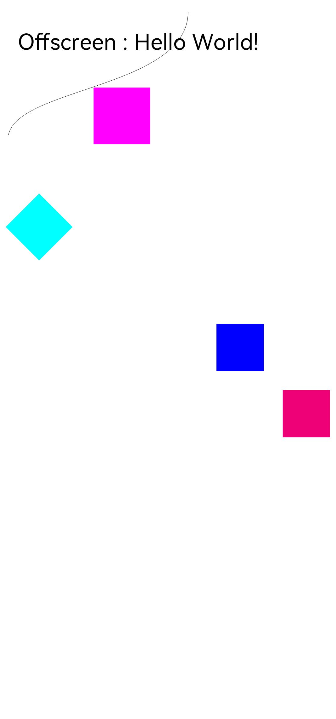
Obtains the drawing context of the offscreen canvas.
Atomic service API: This API can be used in atomic services since API version 11.
Model restriction: This API can be used only in the stage model.
System capability: SystemCapability.ArkUI.ArkUI.Full
Parameters
| Name | Type | Mandatory | Description |
|---|---|---|---|
| contextType | string | Yes | Context type of the offscreen canvas. The value can only be "2d". "2d": creates an OffscreenCanvasRenderingContext2D object that represents a two-dimensional rendering context. The values undefined and null are considered as invalid values, and undefined is returned. |
| options | RenderingContextSettings | No | Parameters of the OffscreenCanvasRenderingContext2D object. For details, see RenderingContextSettings. undefined and null values are processed based on the default value of RenderingContextSettings. Default value: null. |
Return value
| Type | Description |
|---|---|
| OffscreenCanvasRenderingContext2D | Drawing context of the offscreen canvas. If the input parameter contextType of the getContext method is not "2d" (including null or undefined), undefined will be returned. Before using the method, check whether the return value is undefined. |
Example
@Entry
@Component
struct OffscreenCanvasExamplePage {
  private settings: RenderingContextSettings = new RenderingContextSettings(true);
  private context: CanvasRenderingContext2D = new CanvasRenderingContext2D(this.settings);
  private offscreenCanvas: OffscreenCanvas = new OffscreenCanvas(600, 800);

  build() {
    Flex({ direction: FlexDirection.Row, alignItems: ItemAlign.Start, justifyContent: FlexAlign.Start }) {
      Column() {
        Canvas(this.context)
          .width('100%')
          .height('100%')
          .backgroundColor('#FFFFFF')
          .onReady(() => {
            let offContext = this.offscreenCanvas.getContext("2d", this.settings)
            offContext.font = '70px sans-serif'
            offContext.fillText("Offscreen : Hello World!", 20, 60)
            offContext.fillStyle = "#0000ff"
            offContext.fillRect(230, 350, 50, 50)
            offContext.fillStyle = "#EE0077"
            offContext.translate(70, 70)
            offContext.fillRect(230, 350, 50, 50)
            offContext.fillStyle = "#77EE0077"
            offContext.translate(-70, -70)
            offContext.fillStyle = "#00ffff"
            offContext.rotate(45 * Math.PI / 180);
            offContext.fillRect(180, 120, 50, 50);
            offContext.rotate(-45 * Math.PI / 180);
            offContext.beginPath()
            offContext.moveTo(10, 150)
            offContext.bezierCurveTo(20, 100, 200, 100, 200, 20)
            offContext.stroke()
            offContext.fillStyle = '#FF00FF'
            offContext.fillRect(100, 100, 60, 60)
            let imageData = this.offscreenCanvas.transferToImageBitmap()
            this.context.transferFromImageBitmap(imageData)
          })
      }.width('100%').height('100%')
    }
    .width('100%')
    .height('100%')
  }
} 
Concurrent Thread Drawing
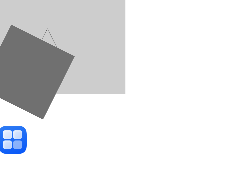
Since API version 11, when an application creates a worker thread, it can use postMessage to pass the OffscreenCanvas instance to the worker thread for drawing, and use onmessage to receive the drawing results sent by the worker thread for display.

After the OffscreenCanvas instance uses getContext to obtain the drawing context, it cannot be passed to other threads through postMessage. Otherwise, an exception is thrown.
After an OffscreenCanvas object is passed to a thread through postMessage, it cannot use the getContext or transferToImageBitmap APIs. Otherwise, an exception is thrown.
After an OffscreenCanvas object is passed to a thread through postMessage, it cannot be passed to any other thread through postMessage. Otherwise, an exception is thrown.
The Previewer of DevEco Studio does not support the display of content drawn in the Worker thread.
Example
import { worker } from '@kit.ArkTS';
import { BusinessError } from '@kit.BasicServicesKit';
import { image } from '@kit.ImageKit';
import { resourceManager } from '@kit.LocalizationKit';
import { common } from '@kit.AbilityKit';

@Entry
@Component
struct OffscreenCanvasExamplePage {
  private settings: RenderingContextSettings = new RenderingContextSettings(true);
  private context: CanvasRenderingContext2D = new CanvasRenderingContext2D(this.settings);
  private myWorker = new worker.ThreadWorker('entry/ets/workers/Worker.ets');
  private imgPixelMap: image.PixelMap | undefined = undefined

  aboutToAppear(): void {
    let context = this.getUIContext().getHostContext() as common.UIAbilityContext;
    const resourceMgr: resourceManager.ResourceManager = context.resourceManager;
    try {
      this.imgPixelMap = resourceMgr.getDrawableDescriptor($r("app.media.startIcon").id).getPixelMap();
    } catch (error) {
      console.error(`resourceMgr getDrawableDescriptor error, error code: ${(error as BusinessError).code}`);
    }
  }

  build() {
    Flex({ direction: FlexDirection.Row, alignItems: ItemAlign.Start, justifyContent: FlexAlign.Start }) {
      Column() {
        Canvas(this.context)
          .width('100%')
          .height('100%')
          .borderWidth(5)
          .borderColor('#057D02')
          .backgroundColor('#FFFFFF')
          .onReady(() => {
            let offCanvas = new OffscreenCanvas(600, 800)
            // Draw an image in the worker thread.
            this.myWorker.postMessage({ myOffCanvas: offCanvas, imgPixelMap: this.imgPixelMap });
            this.myWorker.onmessage = (e): void => {
              if (e.data.myImage) {
                let image: ImageBitmap = e.data.myImage
                this.context.transferFromImageBitmap(image)
              }
            }
          })
      }
      .width('100%')
      .height('100%')
    }
    .width('100%')
    .height('100%')
  }
}
After the main thread sends the OffscreenCanvas instance through postMessage, the worker thread can receive it in onmessage for display.
// entry/src/main/ets/workers/Worker.ets
import { MessageEvents, ThreadWorkerGlobalScope, worker } from '@kit.ArkTS';
import { image } from '@kit.ImageKit';

const workerPort: ThreadWorkerGlobalScope = worker.workerPort;

workerPort.onmessage = (e: MessageEvents) => {
  if (e.data.myOffCanvas) {
    let offCanvas: OffscreenCanvas = e.data.myOffCanvas
    let offContext = offCanvas.getContext("2d")
    offContext.fillStyle = '#CDCDCD'
    offContext.fillRect(0, 0, 200, 150)

    let imgPixelMap: image.PixelMap = e.data.imgPixelMap
    let imgBitmap: ImageBitmap = new ImageBitmap(imgPixelMap)
    offContext.drawImage(imgBitmap, 0, 200)

    let path2d = new Path2D("M250 150 L150 350 L350 350 Z")
    offContext.stroke(path2d)

    let matrix: Matrix2D = new Matrix2D()
    matrix.scaleX = 1
    matrix.scaleY = 1
    matrix.rotateX = -0.5
    matrix.rotateY = 0.5
    matrix.translateX = 10
    matrix.translateY = 10
    offContext.setTransform(matrix)
    offContext.fillStyle = "#707070"
    offContext.fillRect(20, 20, 100, 100)

    let image = offCanvas.transferToImageBitmap()
    workerPort.postMessage({ myImage: image });
  }
}