Use Cases
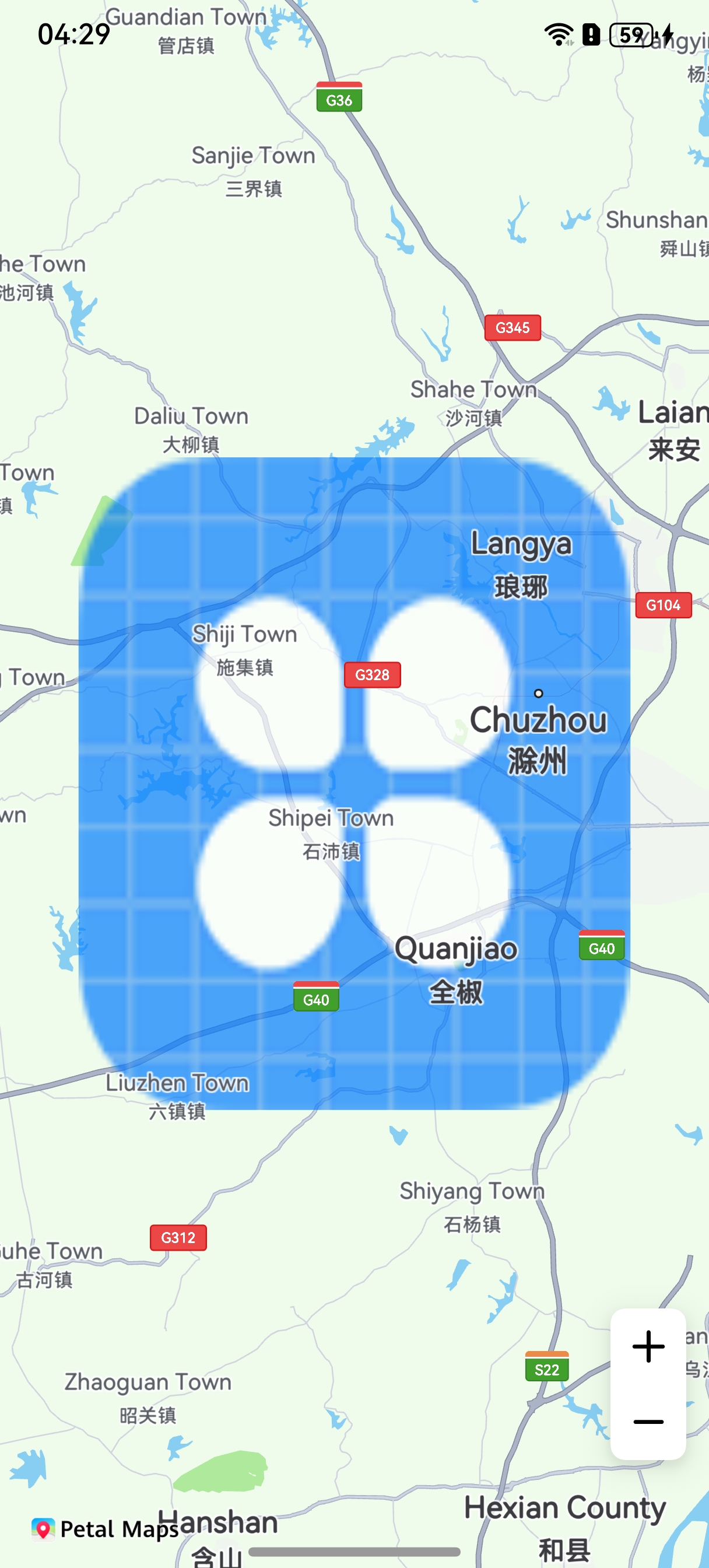
An ImageOverlay is an image fixed on a map. This section describes how to add an ImageOverlay to a map.
An ImageOverlay is a type of image layer displayed on the map surface that does not obscure map text or icon labels. This layer type allows images to automatically adjust their position and size in response to map operations. You can use the ImageOverlayParams class to set an image. The image will dynamically transform along with any panning, zooming, or rotating actions performed on the map.
API Description
The ImageOverlay adding function is mainly provided by ImageOverlayParams, addImageOverlay, and ImageOverlay. For more information about the APIs, please refer to API Reference.
| API | Description |
|---|---|
| ImageOverlayParams | ImageOverlay parameters. |
| addImageOverlay(params: mapCommon.ImageOverlayParams): Promise<ImageOverlay> | Adds an ImageOverlay to a map. |
| ImageOverlay | ImageOverlay. This API supports updating and querying ImageOverlay attributes. |
Development Procedure
-
Import required modules.
import { map, mapCommon, MapComponent } from '@kit.MapKit'; import { AsyncCallback } from '@kit.BasicServicesKit'; -
Add an ImageOverlay.
@Entry @Component struct ImageOverlayDemo { private mapOptions?: mapCommon.MapOptions; private mapController?: map.MapComponentController; private callback?: AsyncCallback<map.MapComponentController>; private mapEventManager?: map.MapEventManager; aboutToAppear(): void { this.mapOptions = { position: { target: { latitude: 32.2, longitude: 118.2 }, zoom: 10 } } this.callback = async (err, mapController) => { if (!err) { this.mapController = mapController; this.mapEventManager = this.mapController.getEventManager(); let imageOverlayParams: mapCommon.ImageOverlayParams = { // Range of the ImageOverlay. bounds: { southwest: { latitude: 32, longitude: 118 }, northeast: { latitude: 32.4, longitude: 118.4 } }, // Image of the ImageOverlay. The icon must be stored in the resources/rawfile directory. image: 'icon/icon.png', transparency: 0.3, zIndex: 101, anchorU: 0.5, anchorV: 0.5, clickable: true, visible: true, bearing: 0 }; // Add an ImageOverlay. try { let imageOverlay = await this.mapController?.addImageOverlay(imageOverlayParams); } catch (e) { console.error(`Failed to create the imageOverlay. Code: ${e.code}; message: ${e.message}`); } } else { console.error(`Failed to initialize the map. Code: ${err.code}; message: ${err.message}`); } } } build() { Stack() { Column() { MapComponent({ mapOptions: this.mapOptions, mapCallback: this.callback, }) .width('100%') .height('100%'); }.width('100%') }.height('100%') } } -
Set a listener for ImageOverlay tap events.
let imageOverlayCallback: Callback<map.ImageOverlay> = (imageOverlay: map.ImageOverlay) => {
  console.info("imageOverlay callback");
}
// Enable the listener for ImageOverlay tap events.
this.mapEventManager.on("imageOverlayClick", imageOverlayCallback);
// Disable the listener for ImageOverlay tap events.
this.mapEventManager.off("imageOverlayClick", imageOverlayCallback);