The Animator module provides APIs for applying animation effects, including defining animations, starting animations, and playing animations in reverse order.

-
The initial APIs of this module are supported since API version 6. Newly added APIs will be marked with a superscript to indicate their earliest API version.
-
This module is supported in ArkTS since API version 9.
-
This module cannot be used in the file declaration of UIAbility. In other words, the APIs of this module cannot be called in the lifecycle of UIAbility. They must be used after a component instance is created.
-
The functions of this module depend on the UI execution context. They cannot be used where the UI context is ambiguous. For details, see UIContext.
-
A custom component usually holds an AnimatorResult object returned by createAnimator to ensure that the animation object is not destructed during the animation. This object captures the custom component object through a callback. Therefore, you need to release the animation object in the aboutToDisappear lifecycle when the custom component is destroyed, to avoid memory leaks caused by circular dependencies. For a detailed example, see ArkTS-based Declarative Development Paradigm.
-
When the Animator object is destructed or the cancel or finish method is actively called, an additional onFrame is triggered, and the return value is the end value of the animation. Therefore, if cancel or finish is called during the animation, the attribute value jumps to the end value within one frame. To pause the animation midway, set onFrame to an empty function before calling finish.
-
For an infinitely looping Animator animation, the loop animation continues even if the global animation rate is set to 0 (animation disabled) in developer options.
Modules to Import
import { Animator as animator, AnimatorOptions, AnimatorResult, SimpleAnimatorOptions } from '@kit.ArkUI'; Animator
Creates an Animator object.
Atomic service API: This API can be used in atomic services since API version 11.
System capability: SystemCapability.ArkUI.ArkUI.Full
[h2]create(deprecated)
create(options: AnimatorOptions): AnimatorResult
Creates an AnimatorResult object for animations.

-
This API is supported since API version 9 and deprecated since API version 18. You are advised to use createAnimator instead.
-
Since API version 10, you can use the createAnimator API in UIContext, which ensures that the object is created in the intended UI instance.
Atomic service API: This API can be used in atomic services since API version 11.
System capability: SystemCapability.ArkUI.ArkUI.Full
Parameters
| Name | Type | Mandatory | Description |
|---|---|---|---|
| options | AnimatorOptions | Yes | Animation options, including the playback duration, interpolation curve, delay, fill mode, play direction, iterations, and interpolation start and end values. |
Return value
| Type | Description |
|---|---|
| AnimatorResult | Animation control object, used to set a callback function during animation. |
Error codes
For details about the error codes, see Universal Error Codes.
| ID | Error Message |
|---|---|
| 401 | Parameter error. Possible causes: 1. Mandatory parameters are left unspecified; 2.Incorrect parameters types; 3. Parameter verification failed. |
Example
See ArkTS-based Declarative Development Paradigm.

For precise UI context management, use the createAnimator API in UIContext to specify the execution context.
import { Animator as animator, AnimatorOptions } from '@kit.ArkUI';

let options: AnimatorOptions = {
  duration: 1500,
  easing: 'friction',
  delay: 0,
  fill: "forwards",
  direction: "normal",
  iterations: 3,
  begin: 200.0,
  end: 400.0
};
animator.create(options); // You are advised to use UIContext.createAnimator(). [h2]create18+
create(options: AnimatorOptions | SimpleAnimatorOptions): AnimatorResult
Creates an AnimatorResult object for animations. Compared withcreate, this API accepts parameters of the SimpleAnimatorOptions type.
Atomic service API: This API can be used in atomic services since API version 18.
Model restriction: This API can be used only in the stage model.
System capability: SystemCapability.ArkUI.ArkUI.Full
Parameters
| Name | Type | Mandatory | Description |
|---|---|---|---|
| options | AnimatorOptions | SimpleAnimatorOptions | Yes | Animation options. AnimatorOptions is used in scenarios where all animation parameters need to be fully customized. SimpleAnimatorOptions is used in simple animation scenarios where only the start and end points need to be specified, with other parameters using default values. |
Return value
| Type | Description |
|---|---|
| AnimatorResult | Animation control object, used to set a callback function during animation. |
Error codes
For details about the error codes, see Universal Error Codes.
| ID | Error Message |
|---|---|
| 401 | Parameter error. Possible causes: 1. Mandatory parameters are left unspecified; 2.Incorrect parameters types; 3. Parameter verification failed. |
Example
See ArkTS-based Declarative Development Paradigm.

For precise UI context management, use the createAnimator API in UIContext to specify the execution context.
import { Animator as animator, SimpleAnimatorOptions } from '@kit.ArkUI';
let options: SimpleAnimatorOptions = new SimpleAnimatorOptions(100, 200).duration(2000);
animator.create(options); // You are advised to use UIContext.createAnimator(). [h2]createAnimator(deprecated)
createAnimator(options: AnimatorOptions): AnimatorResult
Creates an animation. The APIs of this module depend on the UI execution context and cannot be used where the UI context is unclear. You are advised to use the createAnimator API in UIContext to specify the UI context.

- This API is supported since API version 6 and deprecated since API version 9. You are advised to use create instead.
- Since API version 10, you can use the createAnimator API in UIContext to specify the UI context.
System capability: SystemCapability.ArkUI.ArkUI.Full
Parameters
| Name | Type | Mandatory | Description |
|---|---|---|---|
| options | AnimatorOptions | Yes | Animation options, including the playback duration, interpolation curve, delay, fill mode, play direction, iterations, and interpolation start and end values. |
Return value
| Type | Description |
|---|---|
| AnimatorResult | Animation control object, used to set a callback function during animation. |
Example
See ArkTS-based Declarative Development Paradigm.
import { Animator as animator, AnimatorOptions } from '@kit.ArkUI';

let options: AnimatorOptions = { // The explicit type AnimatorOptions does not need to be emphasized in the xxx.js file.
  duration: 1500,
  easing: "friction",
  delay: 0,
  fill: "forwards",
  direction: "normal",
  iterations: 3,
  begin: 200.0,
  end: 400.0,
};
this.animator = animator.createAnimator(options);
AnimatorResult
Defines the AnimatorResult API, which provides animation playback state callbacks and animation control methods.
[h2]Properties
System capability: SystemCapability.ArkUI.ArkUI.Full
| Name | Type | Read-Only | Optional | Description |
|---|---|---|---|---|
| onFrame12+ | (progress: number) => void | No | No | Called when a frame is received. progress: current value of the animation. Value range: [begin, end] defined in AnimatorOptions. Default value range: [0, 1]. Note: When the cancel or finish API is called, an additional onFrame callback is triggered, and the return value is the animation end point value. Atomic service API: This API can be used in atomic services since API version 12. Model restriction: This API can be used only in the stage model. |
| onFinish12+ | () => void | No | No | Called when this animation is finished. Atomic service API: This API can be used in atomic services since API version 12. Model restriction: This API can be used only in the stage model. |
| onCancel12+ | () => void | No | No | Called when this animation is canceled. Atomic service API: This API can be used in atomic services since API version 12. Model restriction: This API can be used only in the stage model. |
| onRepeat12+ | () => void | No | No | Called when this animation repeats. Atomic service API: This API can be used in atomic services since API version 12. Model restriction: This API can be used only in the stage model. |
| onframe(deprecated) | (progress: number) => void | No | No | Called when a frame is received. Note: This API is supported since API version 6 and deprecated since API version 12. You are advised to use onFrame instead. Atomic service API: This API can be used in atomic services since API version 11. |
| onfinish(deprecated) | () => void | No | No | Called when this animation is finished. Note: This API is supported since API version 6 and deprecated since API version 12. You are advised to use onFinish instead. Atomic service API: This API can be used in atomic services since API version 11. |
| oncancel(deprecated) | () => void | No | No | Called when this animation is canceled. Note: This API is supported since API version 6 and deprecated since API version 12. You are advised to use onCancel instead. Atomic service API: This API can be used in atomic services since API version 11. |
| onrepeat(deprecated) | () => void | No | No | Called when this animation repeats. Note: This API is supported since API version 6 and deprecated since API version 12. You are advised to use onRepeat instead. Atomic service API: This API can be used in atomic services since API version 11. |
[h2]reset9+
reset(options: AnimatorOptions): void
Resets the animation parameters of this animator. You are advised to call this API before the animation starts or after it ends (after the onFinish or onCancel callback is triggered). After the reset, call play to restart the animation.
Atomic service API: This API can be used in atomic services since API version 11.
System capability: SystemCapability.ArkUI.ArkUI.Full
Parameters
| Name | Type | Mandatory | Description |
|---|---|---|---|
| options | AnimatorOptions | Yes | Animation options, including the playback duration, interpolation curve, delay, fill mode, play direction, iterations, and interpolation start and end values. |
Error codes
For details about the error codes, see Universal Error Codes and API Call Error Codes.
| ID | Error Message |
|---|---|
| 401 | Parameter error. Possible causes: 1. Mandatory parameters are left unspecified; 2.Incorrect parameters types; 3. Parameter verification failed. |
| 100001 | The specified page is not found or the object property list is not obtained. |
Example
import { AnimatorResult } from '@kit.ArkUI';

@Entry
@Component
struct AnimatorTest {
  private animatorResult: AnimatorResult | undefined = undefined;

  create() {
    this.animatorResult = this.getUIContext().createAnimator({
      duration: 1500,
      easing: "friction",
      delay: 0,
      fill: "forwards",
      direction: "normal",
      iterations: 3,
      begin: 200.0,
      end: 400.0
    })
    this.animatorResult.reset({
      duration: 1500,
      easing: "friction",
      delay: 0,
      fill: "forwards",
      direction: "normal",
      iterations: 5,
      begin: 200.0,
      end: 400.0
    });
  }

  build() {
    // ...
  }
} [h2]reset18+
reset(options: AnimatorOptions | SimpleAnimatorOptions): void
Resets the animation parameters of this animator. Compared with reset, this API additionally supports parameters of the SimpleAnimatorOptions type. You are advised to call this API before the animation starts or after it ends (after the onFinish or onCancel callback is triggered). After the reset, call play to start a new animation.
Atomic service API: This API can be used in atomic services since API version 18.
Model restriction: This API can be used only in the stage model.
System capability: SystemCapability.ArkUI.ArkUI.Full
Parameters
| Name | Type | Mandatory | Description |
|---|---|---|---|
| options | AnimatorOptions | SimpleAnimatorOptions | Yes | Animator options. |
Error codes
For details about the error codes, see Universal Error Codes and API Call Error Codes.
| ID | Error Message |
|---|---|
| 401 | Parameter error. Possible causes: 1. Mandatory parameters are left unspecified; 2.Incorrect parameters types; 3. Parameter verification failed. |
| 100001 | The specified page is not found or the object property list is not obtained. |
Example
See ArkTS-based Declarative Development Paradigm.
import { Animator as animator, AnimatorResult, AnimatorOptions, SimpleAnimatorOptions } from '@kit.ArkUI';

let options: AnimatorOptions = {
  duration: 1500,
  easing: 'ease',
  delay: 0,
  fill: "forwards",
  direction: "normal",
  iterations: 1,
  begin: 100,
  end: 200
};
let optionsNew: SimpleAnimatorOptions = new SimpleAnimatorOptions(100, 200)
  .duration(2000)
  .iterations(3)
  .delay(1000);
let animatorResult: AnimatorResult = animator.create(options);
animatorResult.reset(optionsNew);
[h2]play
play(): void
Plays this animation. Calling this API after the animation is paused can resume playback. The animation retains the previous playback state. For example, if the playback state is set to reverse, the reverse state is retained when the animation is played again. After the animation ends (after the onFinish or onCancel callback is triggered), you can call this API again to replay the animation.
Atomic service API: This API can be used in atomic services since API version 11.
System capability: SystemCapability.ArkUI.ArkUI.Full
Example
See ArkTS-based Declarative Development Paradigm.
// Obtain the AnimatorResult object through this.getUIContext().createAnimator() for the animator first.
animator.play();
[h2]finish
finish(): void
Finishes the animation, triggering the onFinish callback. This API has the same functionality as cancel, but cancel() triggers the onCancel callback. You are advised to use finish to end the animation. Calling this API triggers an additional onFrame callback, whose return value is the animation end point value, which may cause the property value to jump to the end point within one frame. If you want to pause the animation midway, set onFrame to an empty function before calling finish.
Atomic service API: This API can be used in atomic services since API version 11.
System capability: SystemCapability.ArkUI.ArkUI.Full
Example
See ArkTS-based Declarative Development Paradigm.
// Obtain the AnimatorResult object through this.getUIContext().createAnimator() for the animator first.
animator.finish();
[h2]pause
pause(): void
Pauses this animation. After the animation is paused, you can call play to resume the playback, or call finish or cancel to end the animation.
Atomic service API: This API can be used in atomic services since API version 11.
System capability: SystemCapability.ArkUI.ArkUI.Full
Example
See ArkTS-based Declarative Development Paradigm.
// Obtain the AnimatorResult object through this.getUIContext().createAnimator() for the animator first.
animator.pause();
[h2]cancel
cancel(): void
Cancels this animation, triggering the onCancel callback. This API has no functional difference from finish except for the callback triggered. You are advised to use finish to end the animation. Calling this API triggers an additional onFrame callback, whose return value is the animation end point value, which may cause the property value to jump to the end point within one frame.
Atomic service API: This API can be used in atomic services since API version 11.
System capability: SystemCapability.ArkUI.ArkUI.Full
Example
See ArkTS-based Declarative Development Paradigm.
// Obtain the AnimatorResult object through this.getUIContext().createAnimator() for the animator first.
animator.cancel();
[h2]reverse
reverse(): void
Plays this animation in reverse order. This API does not take effect when the interpolating spring curve is used. After reverse is called, the animation continues to play in the reverse direction. You can call pause to pause it or finish to end it.
Atomic service API: This API can be used in atomic services since API version 11.
System capability: SystemCapability.ArkUI.ArkUI.Full
Example
See ArkTS-based Declarative Development Paradigm.
// Obtain the AnimatorResult object through this.getUIContext().createAnimator() for the animator first.
animator.reverse();
[h2]setExpectedFrameRateRange12+
setExpectedFrameRateRange(rateRange: ExpectedFrameRateRange): void
Sets the expected frame rate range, including the minimum, maximum, and expected frame rate values.
Atomic service API: This API can be used in atomic services since API version 12.
Model restriction: This API can be used only in the stage model.
System capability: SystemCapability.ArkUI.ArkUI.Full
Parameters
| Name | Type | Mandatory | Description |
|---|---|---|---|
| rateRange | ExpectedFrameRateRange | Yes | Expected frame rate range. |

After a valid expected frame rate is set, the system collects the configured frame rate and divides the frequency on the rendering pipeline. The actual frame rate may be different from the expected one configured. It is limited by the system capability and screen refresh rate.
Example
import { AnimatorResult } from '@kit.ArkUI';

let expectedFrameRate: ExpectedFrameRateRange = {
  min: 0,
  max: 120,
  expected: 30
}

@Entry
@Component
struct AnimatorTest {
  private backAnimator: AnimatorResult | undefined = undefined;

  create() {
    this.backAnimator = this.getUIContext().createAnimator({
      duration: 2000,
      easing: "ease",
      delay: 0,
      fill: "forwards",
      direction: "normal",
      iterations: 1,
      begin: 100, // Start point of the animation interpolation.
      end: 200 // End point of the animation interpolation.
    })
    this.backAnimator.setExpectedFrameRateRange(expectedFrameRate);
  }

  build() {
    // ...
  }
} [h2]update(deprecated)
update(options: AnimatorOptions): void
Updates the current animator animation parameters.

This API is supported since API version 6 and deprecated since API version 9. You are advised to use reset instead.
System capability: SystemCapability.ArkUI.ArkUI.Full
Parameters
| Name | Type | Mandatory | Description |
|---|---|---|---|
| options | AnimatorOptions | Yes | Animation options, including the playback duration, interpolation curve, delay, fill mode, play direction, iterations, and interpolation start and end values. |
Example
See ArkTS-based Declarative Development Paradigm.
// Obtain the AnimatorResult object through this.getUIContext().createAnimator() for the animator first.
animator.update(options);
AnimatorOptions
Animator options.
Atomic service API: This API can be used in atomic services since API version 11.
System capability: SystemCapability.ArkUI.ArkUI.Full
[h2]Properties
| Name | Type | Read-Only | Optional | Description |
|---|---|---|---|---|
| duration | number | No | No | Duration for playing the animation, in milliseconds. Value range: [0, +∞). Default value: 0 Note: When the interpolating spring curve is used, duration does not take effect and the duration is determined by the spring parameters. |
| easing | string | No | No | Animation interpolation curve. For details about the supported curve types, see Table 1. If the provided string is invalid, "ease" is used. |
| delay | number | No | No | Animation delay duration, in milliseconds. The value 0 means no delay. A negative value means the animation starts ahead of time. If the advance playback duration is greater than the total animation duration (determined by the duration and iterations parameters together), the animation directly transitions to the end point. Default value: 0 |
| fill | 'none' | 'forwards' | 'backwards' | 'both' | No | No | Animation fill mode, which determines whether to apply the keyframe style to the target before the animation execution (during the delay period) and after the animation execution. 'none': No style is applied to the target before or after the animation is executed. 'forwards': The target keeps the state at the end of the animation (defined in the last keyframe) after the animation is executed. 'backwards': During the delay period specified in AnimatorOptions, the animation uses the value defined in the first keyframe. When direction in AnimatorOptions is 'normal' or 'alternate', the animation uses the from keyframe value. When direction in AnimatorOptions is 'reverse' or 'alternate-reverse', the animation uses the to keyframe value. 'both': The animation follows the 'forwards' and 'backwards' rules, extending the animation properties in both directions. |
| direction | 'normal' | 'reverse' | 'alternate' | 'alternate-reverse' | No | No | Animation playback direction. 'normal': plays the animation in forward loop mode. 'reverse': plays the animation in reverse loop mode. 'alternate': plays the animation in alternating loop mode. When the animation is played for an odd number of times, the playback is in forward direction. When the animation is played for an even number of times, the playback is in reverse direction. 'alternate-reverse': plays the animation in reverse alternating loop mode. When the animation is played for an odd number of times, the playback is in reverse direction. When the animation is played for an even number of times, the playback is in forward direction. Default value: 'normal' Note: When the interpolating spring curve is used, direction is fixed to 'normal', and other settings do not take effect. |
| iterations | number | No | No | Number of times that the animation is played. The value 0 means the animation is not played, -1 means infinite playback, and a value greater than 0 means the number of playback times. Note: When the interpolating spring curve is used, iterations is fixed to 1, and other settings do not take effect. Note: Negative values other than -1 are considered invalid, in which case the animation plays once by default. |
| begin | number | No | No | Start point of the animation interpolation. Note: This setting affects the input parameter value of the onFrame callback. Default value: 0 |
| end | number | No | No | End point of the animation interpolation. Note: This setting affects the input parameter value of the onFrame callback. Default value: 1 |
Table 1 Supported curve types
| Type | Description |
|---|---|
| "linear" | The animation speed keeps unchanged. |
| "ease" | The animation starts slowly, accelerates, and then slows down towards the end. The cubic-bezier curve (0.25, 0.1, 0.25, 1.0) is used. |
| "ease-in" | The animation starts at a low speed. The cubic-bezier curve (0.42, 0.0, 1.0, 1.0) is used. |
| "ease-out" | The animation ends at a low speed. The cubic-bezier curve (0.0, 0.0, 0.58, 1.0) is used. |
| "ease-in-out" | The animation starts and ends at a low speed. The cubic-bezier curve (0.42, 0.0, 0.58, 1.0) is used. |
| "fast-out-slow-in" | The animation uses the standard cubic-bezier curve (0.4, 0.0, 0.2, 1.0). |
| "linear-out-slow-in" | The animation uses the deceleration cubic-bezier curve (0.0, 0.0, 0.2, 1.0). |
| "fast-out-linear-in" | The animation uses the acceleration cubic-bezier curve (0.4, 0.0, 1.0, 1.0). |
| "friction" | The animation uses the damping cubic-bezier curve (0.2, 0.0, 0.2, 1.0). |
| "extreme-deceleration" | The animation uses the extreme deceleration cubic-bezier curve (0.0, 0.0, 0.0, 1.0). |
| "rhythm" | The animation uses the rhythm cubic-bezier curve (0.7, 0.0, 0.2, 1.0). |
| "sharp" | The animation uses the sharp cubic-bezier curve (0.33, 0.0, 0.67, 1.0). |
| "smooth" | The animation uses the smooth cubic-bezier curve (0.4, 0.0, 0.4, 1.0). |
| "cubic-bezier(x1, y1, x2, y2)" | The animation uses the cubic Bézier curve, where the values of x1 and x2 must be between 0 and 1. Example: "cubic-bezier(0.42, 0.0, 0.58, 1.0)". |
| "steps(number, step-position)" | The animation uses the steps curve. The number must be set to a positive integer. The step-position parameter is optional. The value can be start or end. The default value is end. Example: "steps(3, start)". |
| interpolating-spring(velocity, mass, stiffness, damping) | The animation uses the interpolating spring curve. The velocity, mass, stiffness, and damping parameters are of the numeric type, and the values of mass, stiffness, and damping must be greater than 0. For details about the parameters, see curves.interpolatingSpring. When an interpolating spring curve is used, settings for the duration, fill, direction, and iterations do not take effect. Rather, the value of duration is subject to the spring settings, fill is fixed at forwards, direction at normal, and iterations at 1. In addition, invoking reverse of animator is not effective. In other words, when using an interpolating spring curve, the animation can play only once in forward mode. Supported since API version 11 and can be used only in ArkTS. |
SimpleAnimatorOptions18+
Defines a simple animation parameter object. Compared with AnimatorOptions, animation parameters such as duration, easing, delay, fill, direction, and iterations have default values and can be left unset.
[h2]constructor18+
constructor(begin: number, end: number)
Creates a SimpleAnimatorOptions instance, specifying the start and end points of the animation interpolation.
Atomic service API: This API can be used in atomic services since API version 18.
Model restriction: This API can be used only in the stage model.
System capability: SystemCapability.ArkUI.ArkUI.Full
Parameters
| Name | Type | Mandatory | Description |
|---|---|---|---|
| begin | number | Yes | Start point of the animation interpolation. Note: This affects the input parameter value of the onFrame callback. Together with the end parameter, it determines the range of the onFrame callback value. |
| end | number | Yes | End point of the animation interpolation. Note: This affects the input parameter value of the onFrame callback. Together with the begin parameter, it determines the range of the onFrame callback value. |
Example
See ArkTS-based Declarative Development Paradigm.
import { AnimatorResult, SimpleAnimatorOptions } from '@kit.ArkUI';

@Entry
@Component
struct AnimatorTest {
  private animatorResult: AnimatorResult | undefined = undefined;
  options: SimpleAnimatorOptions = new SimpleAnimatorOptions(100, 200); // Animation interpolation from 100 to 200, with other animation parameters set to default values.

  create() {
    this.animatorResult = this.getUIContext().createAnimator(this.options);
  }

  build() {
    // ......
  }
} [h2]duration18+
duration(duration: number): SimpleAnimatorOptions
Sets the animation duration.
Atomic service API: This API can be used in atomic services since API version 18.
Model restriction: This API can be used only in the stage model.
System capability: SystemCapability.ArkUI.ArkUI.Full
Parameters
| Name | Type | Mandatory | Description |
|---|---|---|---|
| duration | number | Yes | Animation playback duration, in milliseconds. Default value: 1000 Note: When the interpolating spring curve is used, duration does not take effect and the duration is determined by the spring parameters. |
Return value
| Type | Description |
|---|---|
| SimpleAnimatorOptions | SimpleAnimatorOptions object for animation parameters, which supports chaining to continue configuring animation parameters. |
Example
See ArkTS-based Declarative Development Paradigm.
import { AnimatorResult, SimpleAnimatorOptions } from '@kit.ArkUI';

@Entry
@Component
struct AnimatorTest {
  private animatorResult: AnimatorResult | undefined = undefined;
  options: SimpleAnimatorOptions = new SimpleAnimatorOptions(100, 200).duration(500);

  create() {
    this.animatorResult = this.getUIContext().createAnimator(this.options);
  }

  build() {
    // ......
  }
} [h2]easing18+
easing(curve: string): SimpleAnimatorOptions
Sets the interpolation curve for this animation.
Atomic service API: This API can be used in atomic services since API version 18.
Model restriction: This API can be used only in the stage model.
System capability: SystemCapability.ArkUI.ArkUI.Full
Parameters
| Name | Type | Mandatory | Description |
|---|---|---|---|
| curve | string | Yes | Interpolation curve. For details, see AnimatorOptions. Default value: "ease" |
Return value
| Type | Description |
|---|---|
| SimpleAnimatorOptions | SimpleAnimatorOptions object for animation parameters, which supports chaining to continue configuring animation parameters. |
Example
See ArkTS-based Declarative Development Paradigm.
import { AnimatorResult, SimpleAnimatorOptions } from '@kit.ArkUI';

@Entry
@Component
struct AnimatorTest {
  private animatorResult: AnimatorResult | undefined = undefined;
  options: SimpleAnimatorOptions = new SimpleAnimatorOptions(100, 200).easing("ease-in");

  create() {
    this.animatorResult = this.getUIContext().createAnimator(this.options);
  }

  build() {
    // ......
  }
} [h2]delay18+
delay(delay: number): SimpleAnimatorOptions
Sets the playback delay for the animator animation.
Atomic service API: This API can be used in atomic services since API version 18.
Model restriction: This API can be used only in the stage model.
System capability: SystemCapability.ArkUI.ArkUI.Full
Parameters
| Name | Type | Mandatory | Description |
|---|---|---|---|
| delay | number | Yes | Playback delay, in milliseconds. The value 0 indicates no delay. If the value specified is a negative number, the animation starts playing ahead of its scheduled time. If the amount of time by which the playback is advanced exceeds the total duration of the animation, the animation immediately skips to its end state. Default value: 0 |
Return value
| Type | Description |
|---|---|
| SimpleAnimatorOptions | SimpleAnimatorOptions object for animation parameters, which supports chaining to continue configuring animation parameters. |
Example
See ArkTS-based Declarative Development Paradigm.
import { AnimatorResult, SimpleAnimatorOptions } from '@kit.ArkUI';

@Entry
@Component
struct AnimatorTest {
  private animatorResult: AnimatorResult | undefined = undefined;
  options: SimpleAnimatorOptions = new SimpleAnimatorOptions(100, 200).delay(500);

  create() {
    this.animatorResult = this.getUIContext().createAnimator(this.options);
  }

  build() {
    // ......
  }
} [h2]fill18+
fill(fillMode: FillMode): SimpleAnimatorOptions
Sets the fill mode for the animator animation. When the interpolating spring curve is used, this setting does not take effect, and fill is fixed to FillMode.Forwards.
Atomic service API: This API can be used in atomic services since API version 18.
Model restriction: This API can be used only in the stage model.
System capability: SystemCapability.ArkUI.ArkUI.Full
Parameters
| Name | Type | Mandatory | Description |
|---|---|---|---|
| fillMode | FillMode | Yes | Fill mode, which affects how the animation behaves during the delay period and after it ends. When the interpolating spring curve is used, the fill setting is invalid and is fixed to FillMode.Forwards. Default value: FillMode.Forwards |
Return value
| Type | Description |
|---|---|
| SimpleAnimatorOptions | SimpleAnimatorOptions object for animation parameters, which supports chaining to continue configuring animation parameters. |
Example
See ArkTS-based Declarative Development Paradigm.
import { AnimatorResult, SimpleAnimatorOptions } from '@kit.ArkUI';

@Entry
@Component
struct AnimatorTest {
  private animatorResult: AnimatorResult | undefined = undefined;
  options: SimpleAnimatorOptions = new SimpleAnimatorOptions(100, 200).fill(FillMode.Forwards);

  create() {
    this.animatorResult = this.getUIContext().createAnimator(this.options);
  }

  build() {
    // ......
  }
} [h2]direction18+
direction(direction: PlayMode): SimpleAnimatorOptions
Sets the playback direction for the animator animation. When the interpolating spring curve is used, this setting does not take effect, and direction is fixed to PlayMode.Normal.
Atomic service API: This API can be used in atomic services since API version 18.
Model restriction: This API can be used only in the stage model.
System capability: SystemCapability.ArkUI.ArkUI.Full
Parameters
| Name | Type | Mandatory | Description |
|---|---|---|---|
| direction | PlayMode | Yes | Playback direction of the animator animation. PlayMode.Normal: plays the animation in forward loop mode. PlayMode.Reverse: plays the animation in reverse loop mode. PlayMode.Alternate: plays the animation in alternating loop mode. When the animation is played for an odd number of times, the playback is in forward direction. When the animation is played for an even number of times, the playback is in reverse direction. PlayMode.AlternateReverse: plays the animation in reverse alternating loop mode. When the animation is played for an odd number of times, the playback is in reverse direction. When the animation is played for an even number of times, the playback is in forward direction. Default value: PlayMode.Normal |
Return value
| Type | Description |
|---|---|
| SimpleAnimatorOptions | SimpleAnimatorOptions object for animation parameters, which supports chaining to continue configuring animation parameters. |
Example
See ArkTS-based Declarative Development Paradigm.
import { AnimatorResult, SimpleAnimatorOptions } from '@kit.ArkUI';

@Entry
@Component
struct AnimatorTest {
  private animatorResult: AnimatorResult | undefined = undefined;
  options: SimpleAnimatorOptions = new SimpleAnimatorOptions(100, 200).direction(PlayMode.Alternate);

  create() {
    this.animatorResult = this.getUIContext().createAnimator(this.options);
  }

  build() {
    // ......
  }
} [h2]iterations18+
iterations(iterations: number): SimpleAnimatorOptions
Sets the number of times that this animation is played.
Atomic service API: This API can be used in atomic services since API version 18.
Model restriction: This API can be used only in the stage model.
System capability: SystemCapability.ArkUI.ArkUI.Full
Parameters
| Name | Type | Mandatory | Description |
|---|---|---|---|
| iterations | number | Yes | Number of times that the animation is played. The value 0 means the animation is not played, and -1 means the animation is played for an unlimited number of times. Note: Negative values other than -1 are considered invalid, and the animation plays once by default for invalid values. Default value: 1 When the interpolating spring curve is used, the setting of iterations is invalid and its value is fixed to 1. |
Return value
| Type | Description |
|---|---|
| SimpleAnimatorOptions | SimpleAnimatorOptions object for animation parameters, which supports chaining to continue configuring animation parameters. |
Example
See ArkTS-based Declarative Development Paradigm.
import { AnimatorResult, SimpleAnimatorOptions } from '@kit.ArkUI';

@Entry
@Component
struct AnimatorTest {
  private animatorResult: AnimatorResult | undefined = undefined;
  options: SimpleAnimatorOptions = new SimpleAnimatorOptions(100, 200).iterations(3);

  create() {
    this.animatorResult = this.getUIContext().createAnimator(this.options);
  }

  build() {
    // ......
  }
} [h2]JavaScript-compatible Web-like Development Paradigm
<!-- hml -->
<div class="container">
  <div class="Animation" style="height: {{divHeight}}px; width: {{divWidth}}px; background-color: red;" onclick="Show">
  </div>
</div>
import { Animator as animator, AnimatorResult, AnimatorOptions } from '@kit.ArkUI';
import { BusinessError } from '@kit.BasicServicesKit';
let DataTmp: Record<string, Animator> = {
'divWidth': 200,
'divHeight': 200,
'animator': animator
}
class Tmp {
data: animator = DataTmp
onInit: Function = () => {
}
show: Function = () => {
}
}
class AnimatorState {
divWidth: number = 0
divHeight: number = 0
animator: AnimatorResult | null = null
}
(Fn: (v: Tmp) => void) => {
Fn({
data: DataTmp,
onInit() {
let options: AnimatorOptions = {
duration: 1500,
easing: "friction",
delay: 0,
fill: "forwards",
direction: "normal",
iterations: 2,
begin: 200.0,
end: 400.0
};
let animatorState: AnimatorState = {
divWidth: 200,
divHeight: 200,
animator: null
}
animatorState.animator = animator.create(options);
},
show() {
let resetOptions: AnimatorOptions = {
duration: 1500,
easing: "friction",
delay: 0,
fill: "forwards",
direction: "normal",
iterations: 2,
begin: 0,
end: 400.0,
};
let animatorState: AnimatorState = {
divWidth: 200,
divHeight: 200,
animator: null
}
try {
animatorState.animator = animator.create(resetOptions);
animatorState.animator.reset(resetOptions);
} catch (error) {
let message = (error as BusinessError).message
let code = (error as BusinessError).code
console.error(`Animator reset failed. Code: ${code}, message: ${message}`);
}
let _this = animatorState;
if (animatorState.animator) {
animatorState.animator.onFrame = (value: number) => {
_this.divWidth = value;
_this.divHeight = value;
};
animatorState.animator.play();
}
}
})
} 
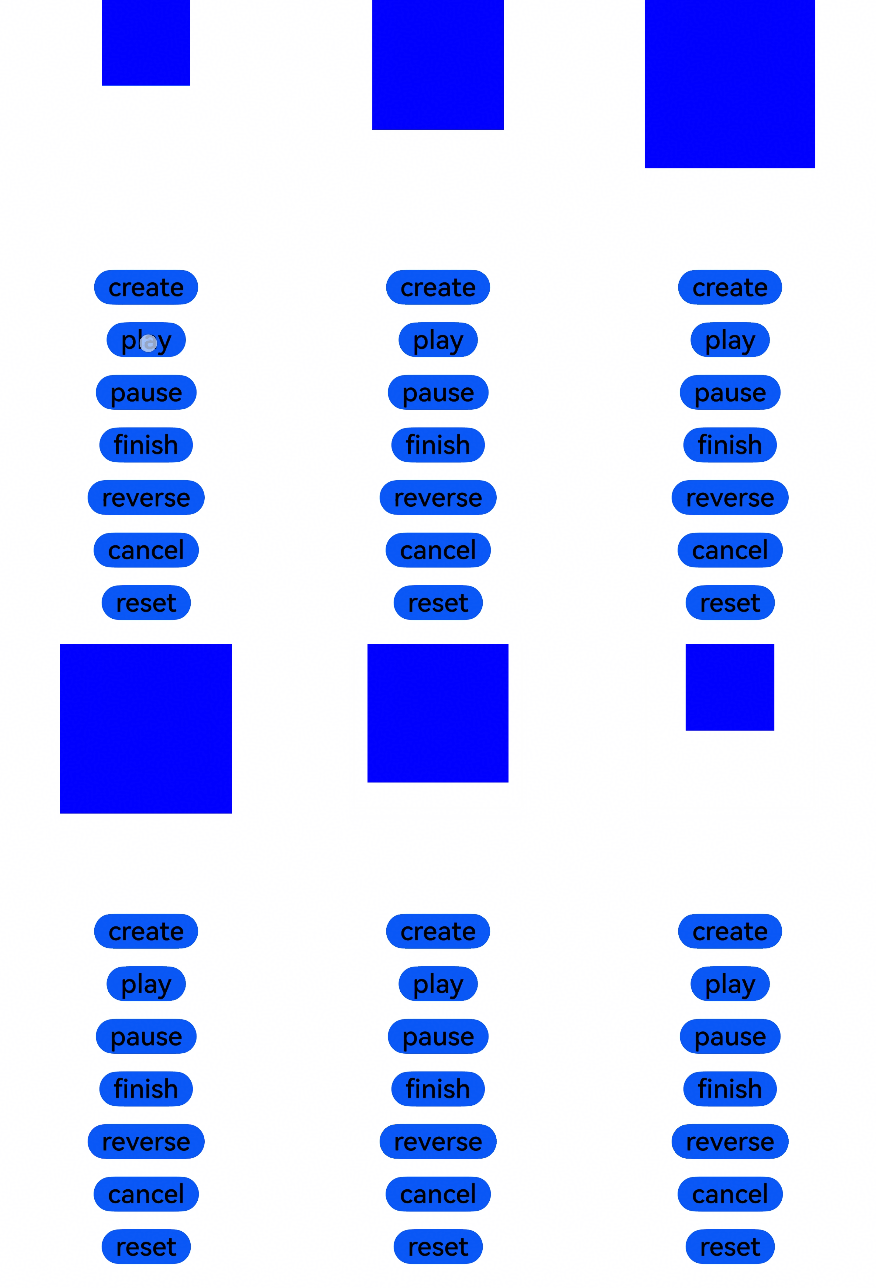
[h2]ArkTS-based Declarative Development Paradigm

For precise UI context management, use the createAnimator API in UIContext to specify the execution context.
import { AnimatorResult } from '@kit.ArkUI';

@Entry
@Component
struct AnimatorTest {
  private TAG: string = '[AnimatorTest]'
  private backAnimator: AnimatorResult | undefined = undefined
  private flag: boolean = false
  @State columnWidth: number = 100
  @State columnHeight: number = 100

  create() {
    this.backAnimator = this.getUIContext().createAnimator({
    // You are advised to use the this.getUIContext().createAnimator() API.
      duration: 2000,
      easing: "ease",
      delay: 0,
      fill: "forwards",
      direction: "normal",
      iterations: 1,
      begin: 100, // Start point of the animation interpolation.
      end: 200 // End point of the animation interpolation.
    })
    this.backAnimator.onFinish = () => {
      this.flag = true;
      console.info(this.TAG, 'backAnimator onFinish');
    }
    this.backAnimator.onRepeat = () => {
      console.info(this.TAG, 'backAnimator repeat');
    }
    this.backAnimator.onCancel = () => {
      console.info(this.TAG, 'backAnimator cancel');
    }
    this.backAnimator.onFrame = (value: number) => {
      this.columnWidth = value;
      this.columnHeight = value;
    }
  }

  aboutToDisappear() {
    // When the custom component disappears, call finish to end incomplete animations and prevent them from continuing.
    // backAnimator references this in onFrame, and this saves backAnimator.
    // set backAnimator stored in the custom component to undefined when the component disappears to avoid memory leak.
    this.backAnimator?.finish();
    this.backAnimator = undefined;
  }

  build() {
    Column() {
      Column() {
        Column()
          .width(this.columnWidth)
          .height(this.columnHeight)
          .backgroundColor(Color.Blue)
      }
      .width('100%')
      .height(300)

      Column() {
        Row() {
          Button('create')
            .fontSize(30)
            .fontColor(Color.Black)
            .onClick(() => {
              this.create()
            })
        }
        .padding(10)

        Row() {
          Button('play')
            .fontSize(30)
            .fontColor(Color.Black)
            .onClick(() => {
              this.flag = false
              if (this.backAnimator) {
                this.backAnimator.play()
              }
            })
        }
        .padding(10)

        Row() {
          Button('pause')
            .fontSize(30)
            .fontColor(Color.Black)
            .onClick(() => {
              if (this.backAnimator) {
                this.backAnimator.pause()
              }
            })
        }
        .padding(10)

        Row() {
          Button('finish')
            .fontSize(30)
            .fontColor(Color.Black)
            .onClick(() => {
              this.flag = true
              if (this.backAnimator) {
                this.backAnimator.finish()
              }
            })
        }
        .padding(10)

        Row() {
          Button('reverse')
            .fontSize(30)
            .fontColor(Color.Black)
            .onClick(() => {
              this.flag = false
              if (this.backAnimator) {
                this.backAnimator.reverse()
              }
            })
        }
        .padding(10)

        Row() {
          Button('cancel')
            .fontSize(30)
            .fontColor(Color.Black)
            .onClick(() => {
              if (this.backAnimator) {
                this.backAnimator.cancel()
              }
            })
        }
        .padding(10)

        Row() {
          Button('reset')
            .fontSize(30)
            .fontColor(Color.Black)
            .onClick(() => {
              if (this.flag) {
                this.flag = false
                if (this.backAnimator) {
                  this.backAnimator.reset({
                    duration: 3000,
                    easing: "ease-in",
                    delay: 0,
                    fill: "forwards",
                    direction: "alternate",
                    iterations: 3,
                    begin: 100,
                    end: 300
                  })
                }
              } else {
                console.info(this.TAG, 'Animation not ended')
              }
            })
        }
        .padding(10)
      }
    }
  }
} 
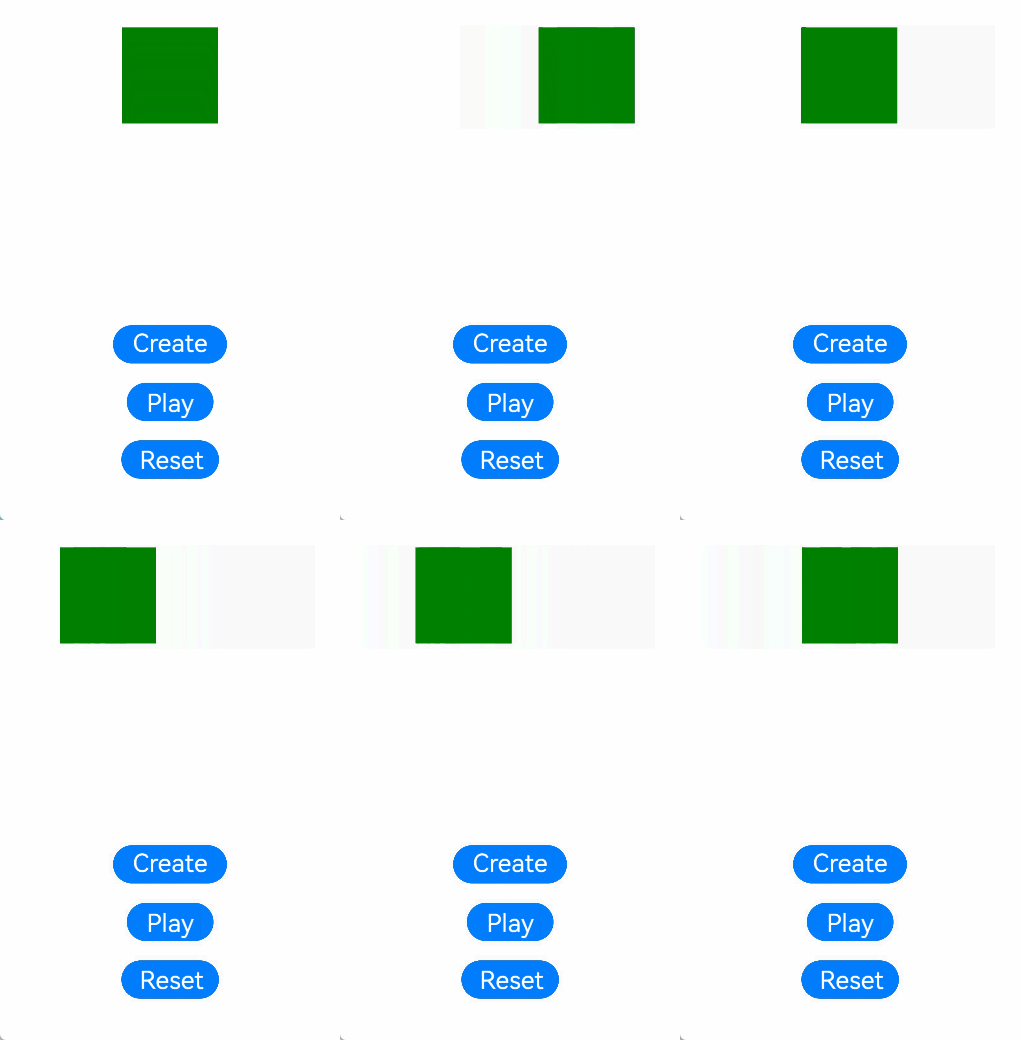
[h2]Example: Implementing a Translation Animation with Simple Parameters
import { AnimatorResult, SimpleAnimatorOptions } from '@kit.ArkUI';

@Entry
@Component
struct AnimatorTest {
  private TAG: string = '[AnimatorTest]'
  private backAnimator: AnimatorResult | undefined = undefined
  private flag: boolean = false
  @State translateX: number = 0

  create() {
    this.backAnimator = this.getUIContext()?.createAnimator(
      new SimpleAnimatorOptions(0, 100)
    )
    this.backAnimator.onFinish = () => {
      this.flag = true
      console.info(this.TAG, 'backAnimator onFinish')
    }
    this.backAnimator.onFrame = (value: number) => {
      this.translateX = value
    }
  }

  aboutToDisappear() {
    // When the custom component disappears, call finish to end incomplete animations and prevent them from continuing.
    // backAnimator references this in onFrame, and this saves backAnimator.
    // set backAnimator stored in the custom component to undefined when the component disappears to avoid memory leak.
    this.backAnimator?.finish();
    this.backAnimator = undefined;
  }

  build() {
    Column() {
      Column() {
        Column()
          .width(100)
          .height(100)
          .translate({x: this.translateX})
          .backgroundColor(Color.Green)
      }
      .width('100%')
      .height(300)

      Column() {
        Column() {
          Button('create')
            .fontSize(30)
            .fontColor(Color.White)
            .onClick(() => {
              this.create()
            })
        }
        .padding(10)

        Column() {
          Button('play')
            .fontSize(30)
            .fontColor(Color.White)
            .onClick(() => {
              this.flag = false
              if(this.backAnimator){
                this.backAnimator.play()
              }
            })
        }
        .padding(10)

        Column() {
          Button('reset')
            .fontSize(30)
            .fontColor(Color.White)
            .onClick(() => {
              if (this.flag) {
                this.flag = false
                if(this.backAnimator){
                  this.backAnimator.reset(
                    new SimpleAnimatorOptions(0, -100)
                      .duration(2000)
                      .easing("ease-in")
                      .fill(FillMode.Forwards)
                      .direction(PlayMode.Alternate)
                      .iterations(2)
                  )
                }
              } else {
                console.info(this.TAG, 'Animation not ended')
              }
            })
        }
        .padding(10)
      }
    }
  }
}