Use Cases
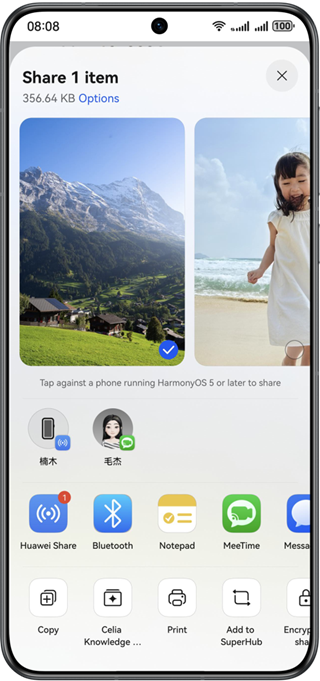
The sharing panel is displayed in modal mode on a phone, as shown in the following figure.
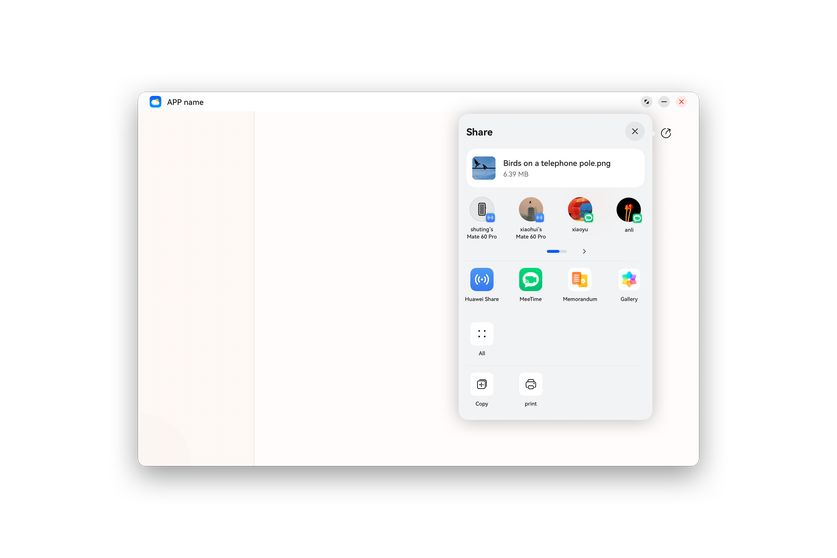
The sharing panel is displayed in a pop-up window on a 2-in-1 device, as shown in the following figure.
The host app can share a piece of text, a file, or a memo to other apps.
The host app can also share multiple items, such as texts and images, to other apps.
Service Process
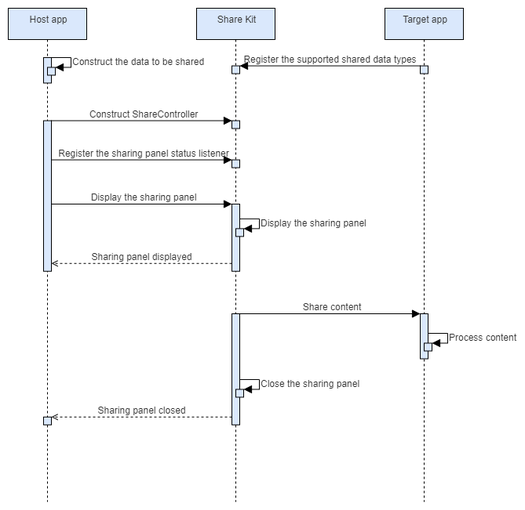
The process is as follows:
The host app constructs the data to be shared and ShareController, and registers the sharing panel status listener. The listener registration is optional.
The host app starts the sharing panel.
The user selects a target device or app.
The target app processes the shared data and closes the sharing panel.
Design Specifications
When integrating your host app with Share Kit, you need to choose proper display modes for different types of shared content. For details, please refer to Sharing Design Guide.