Use Cases
A MassPointOverlay can be added for bulk display of point data. The MassPointOverlay can process a wide range of points, from dozens to hundreds of thousands. This section describes how to draw a MassPointOverlay on a map.
Starting from 6.0.0(20), the MassPointOverlay function is supported.
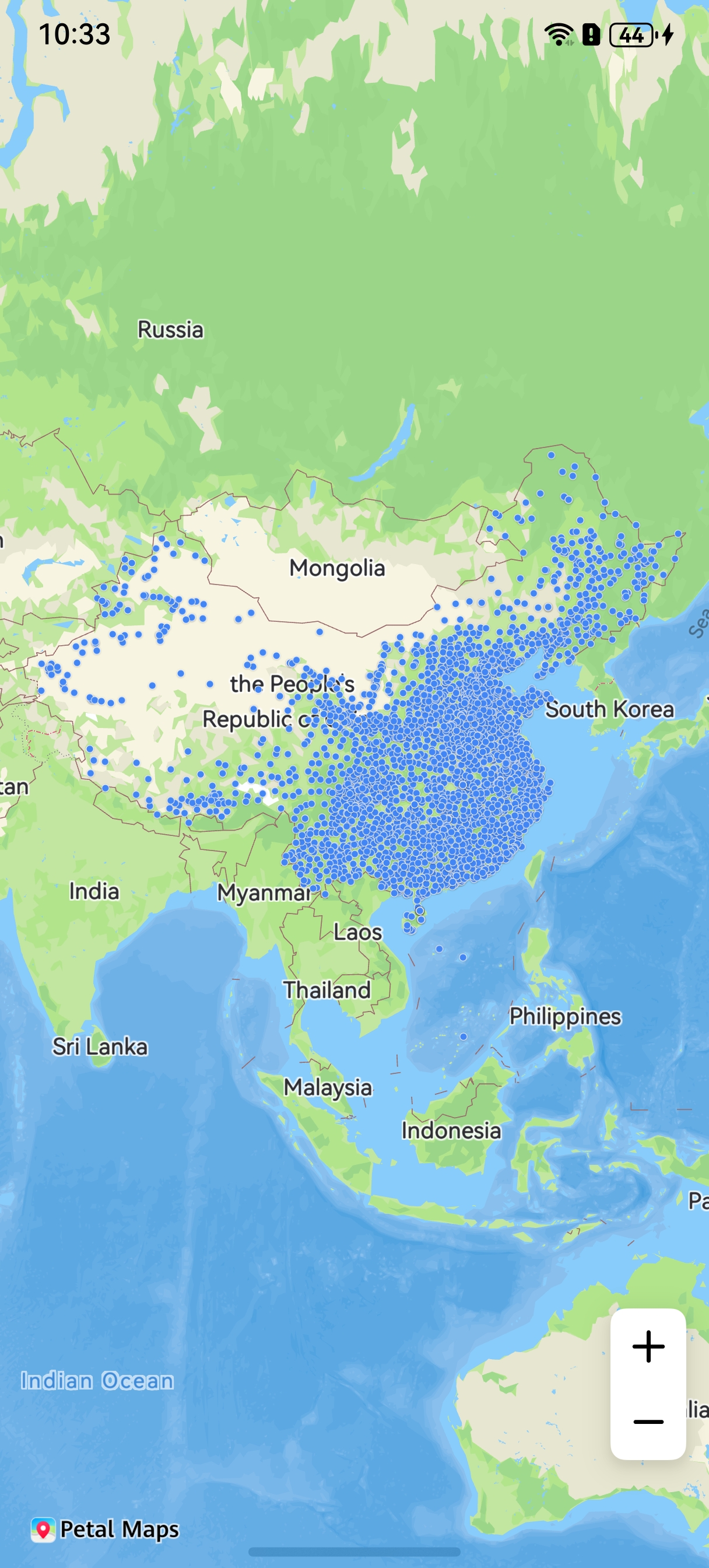
API Description
The MassPointOverlay functions are mainly provided by MassPointOverlayParams, addMassPointOverlay, and MassPointOverlay. For more information about the APIs, please refer to API Reference.
| API | Description |
|---|---|
| MassPointOverlayParams | MassPointOverlay parameters. |
| addMassPointOverlay(params: mapCommon.MassPointOverlayParams): Promise<MassPointOverlay> | Adds a MassPointOverlay. |
| MassPointOverlay | MassPointOverlay object. |
[h2]Adding a MassPointOverlay
-
Import required modules.
import { mapCommon, map, MapComponent } from '@kit.MapKit'; import { AsyncCallback } from '@kit.BasicServicesKit'; -
Draw a MassPointOverlay.
@Entry
@Component
struct MapMassPointDemo {
  // ...
  private TAG = 'OHMapSDK_MassPointOverlayDemo';
  private mapOptions?: mapCommon.MapOptions;
  private mapController?: map.MapComponentController;
  private callback?: AsyncCallback<map.MapComponentController>;
  private massPointOverlay?: map.MassPointOverlay;
  @State currentTimestamp: number = 0;
  @State mapHeight: string = '65%'
  @State mapWidth: string = '100%'

  aboutToAppear(): void {
    this.mapOptions = {
      position: {
        target: {
          latitude: 32.11111,
          longitude: 118.11111
        },
        zoom: 9
      },
      scaleControlsEnabled: true
    }
    this.callback = async (err, mapController) => {
      if (!err) {
        this.mapController = mapController;
        let items: mapCommon.MassPointItem[] = [];
        for (let i = 0; i < 1000; i++) {
          // Save mass points to items.
          items.push({
            itemId: 'test' + i,
            position: {
              longitude: 118.11111 + Math.random() * 1 - 0.5,
              latitude: 32.11111 + Math.random() * 1 - 0.5
            },
            snippet: 'test' + i,
            title: 'test' + i
          })
        }
        let params: mapCommon.MassPointOverlayParams = {
          id: 'test',
          items: items,
          // The icon is stored in resources/rawfile. Set icon to the relative path of the icon file within the rawfile folder.
          icon: 'icon/maps_blue_dot.png'
        }
        try {
          this.massPointOverlay = await this.mapController?.addMassPointOverlay(params);
        } catch (e) {
          console.error(this.TAG, `code:${e.code}, message:${e.message}`);
        }
      } else {
        console.error(`Failed to initialize the map. Code: ${err.code}; message: ${err.message}`);
      }
    }
  }

  build() {
    // ...
      Stack() {
        Column() {
          MapComponent({ mapOptions: this.mapOptions, mapCallback: this.callback })
            .width(this.mapWidth)
            .height(this.mapHeight);
        }.width('100%')
      }.height('100%')

      // ...
  }
}
[h2]MassPointOverlay Tap Events
// Initialize the listening event manager of the map component.
let mapEventManager = this.mapController?.getEventManager();
let massCallback: map.MassPointOverlayCallback = (overlay, item) => {
  console.info(`overlayId:${overlay.getId()},item :${JSON.stringify(item)}`);
}
// Start listening for MassPointOverlay tap events.
mapEventManager?.on('massPointOverlayClick', massCallback);
// Stop specific listening for MassPointOverlay tap events by passing the corresponding callback.
mapEventManager?.off('massPointOverlayClick', massCallback);
// Stop all listening for MassPointOverlay tap events. No callback needs to be passed.
mapEventManager?.off('massPointOverlayClick');