The Hyperlink component implements a link from a location in the component to another location.

- This component is supported since API version 7. Updates will be marked with a superscript to indicate their earliest API version.
- This component must be used with the system browser.
Required Permissions
If Internet access is required, you must apply for the ohos.permission.INTERNET permission. For details about how to apply for a permission, see Declaring Permissions.
APIs
Hyperlink(address: string | Resource, content?: string | Resource)
Atomic service API: This API can be used in atomic services since API version 11.
System capability: SystemCapability.ArkUI.ArkUI.Full
Parameters
| Name | Type | Mandatory | Description |
|---|---|---|---|
| address | string | Resource | Yes | Web page to which the hyperlink is redirected. |
| content | string | Resource | No | Text displayed in the hyperlink. Default value: ''. If this parameter is not passed and the component does not have child components, the value of the address parameter is displayed by default. NOTE If this component has child components, the hyperlink text is not displayed. |
[h2]color
color(value: Color | number | string | Resource)
Sets the color of the hyperlink text.
Atomic service API: This API can be used in atomic services since API version 11.
System capability: SystemCapability.ArkUI.ArkUI.Full
Parameters
Example
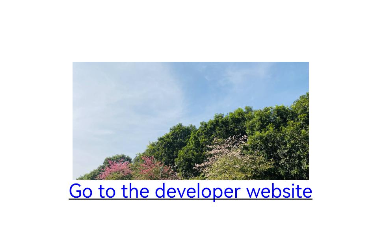
This example shows how to create hyperlinks with both images and text that can be clicked to navigate to a specified URL.
@Entry
@Component
struct HyperlinkExample {
  build() {
    Column() {
      Column() {
        Hyperlink('https://example.com/') {
          // Replace $r('app.media.bg') with the image resource file you use.
          Image($r('app.media.bg'))
            .width(200)
            .height(100)
        }
      }

      Column() {
        Hyperlink('https://example.com/', 'Go to the developer website') {
        }
        .color(Color.Blue)
      }
    }.width('100%').height('100%').justifyContent(FlexAlign.Center)
  }
}