When multiple steps are required to complete a task, you can use the <stepper> component to navigate your users through the whole process. For details, see stepper.
Creating a <stepper> Component
Create a <stepper> component in the .hml file under pages/index.
<!-- xxx.hml -->
<div class="container">
 <stepper>
   <stepper-item>
     <text>Step 1</text>
   </stepper-item>
   <stepper-item>
     <text>Step 2</text>
   </stepper-item>
 </stepper>
</div>
/* xxx.css */
.container {
width:100%;
height:100%;
flex-direction: column;
justify-content: center;
align-items: center;
background-color: #F1F3F5;
}
text{
width: 100%;
height: 100%;
text-align: center;
} 
Setting the Index
Set index to the index value of the step that you want to display by default.
<!-- xxx.hml -->
<div class="container">
 <stepper index="2">
   <stepper-item>
     <text>stepper-item1</text>
   </stepper-item>
   <stepper-item>
     <text>stepper-item2</text>
   </stepper-item>
   <stepper-item>
     <text>stepper-item3</text>
   </stepper-item>
  </stepper>
</div>
/* xxx.css */
.container {
width:100%;
height:100%;
flex-direction: column;
background-color: #F1F3F5;
}
text{
width: 100%;
height: 100%;
text-align: center;
} 
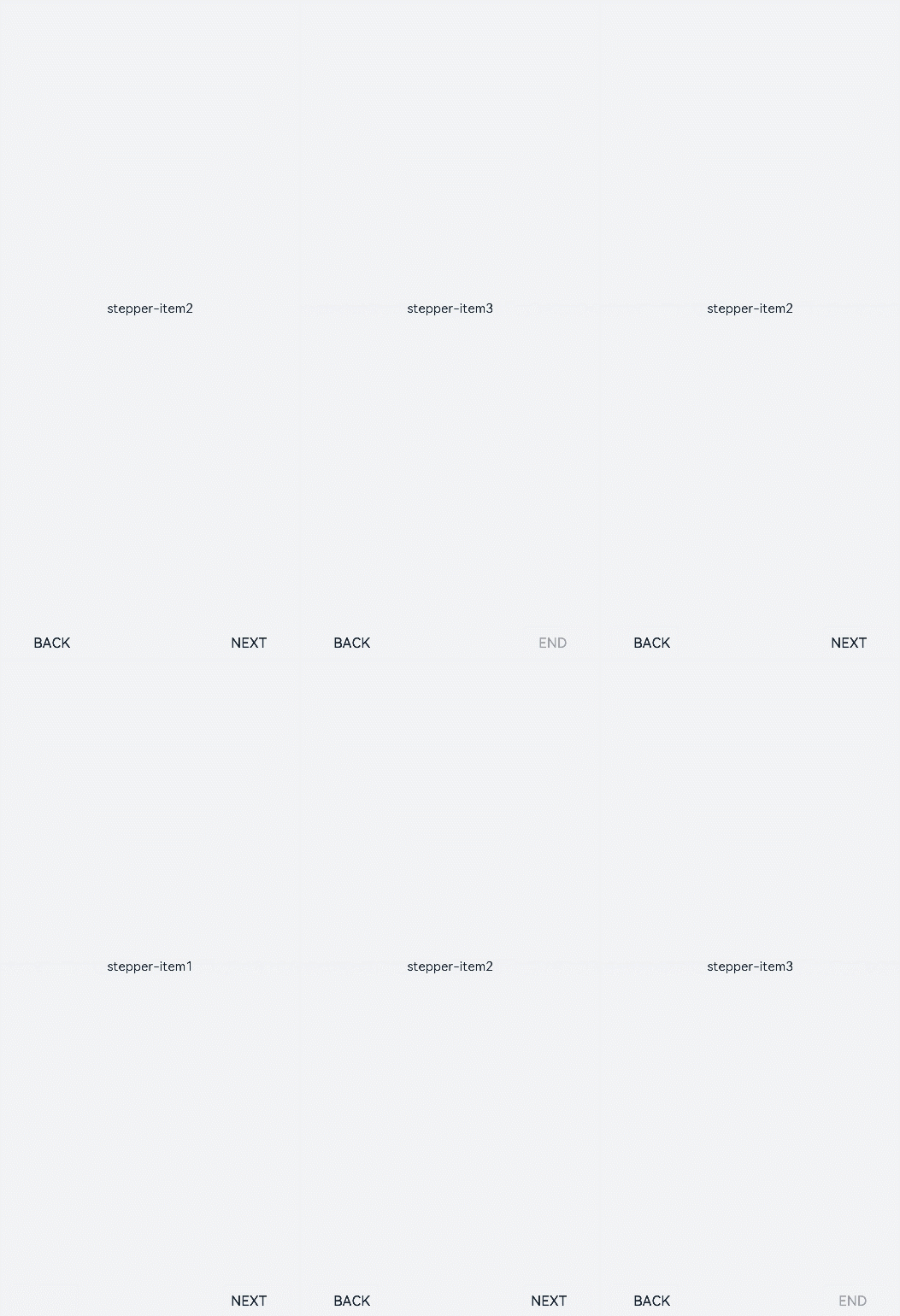
Set the label attribute to customize the button text for the <stepper-item>.
<!-- xxx.hml -->
<div class="container">
 <stepper index="1">
   <stepper-item label="{{label_1}}">
     <text>stepper-item1</text>
   </stepper-item>
   <stepper-item label="{{label_2}}">
     <text>stepper-item2</text>
   </stepper-item>
   <stepper-item label="{{label_3}}">
     <text>stepper-item3</text>
   </stepper-item>
   <stepper-item>
     <text>stepper-item4</text>
   </stepper-item>
 </stepper>
</div>
/* xxx.css */
.container {
width:100%;
height:100%;
flex-direction: column;
background-color: #F1F3F5;
}
text{
width: 100%;
height: 100%;
text-align: center;
} // xxx.js
export default {
data: {
label_1:{
nextLabel: 'NEXT',
status: 'normal'
},
label_2:{
prevLabel: 'BACK',
nextLabel: 'NEXT',
status: 'normal'
},
label_3:{
prevLabel: 'BACK',
nextLabel: 'END',
status: 'disabled'
},
},
} 
Setting Styles
By default, the <stepper> component fills entire space of its container. The sample code below shows how to set the border and background color using the border and background-color attributes.
<!-- xxx.hml -->
<div class="container" >
  <div class="stepperContent">
    <stepper class="stepperClass">
      <stepper-item>
        <text>stepper-item1</text>
      </stepper-item>
    </stepper>
  </div>
</div>
/* xxx.css */
.container {
width:100%;
height:100%;
flex-direction: column;
align-items: center;
justify-content: center;
background-color:#F1F3F5;
}
.stepperContent{
width: 300px;
height: 300px;
}
.stepperClass{
border:1px solid silver ;
background-color: white;
}
text{
width: 100%;
height: 100%;
text-align: center;
} 
Adding Events
The <stepper> component supports the finish, change, next, back, and skip events.
-
When the change and next or back events exist at the same time, the next or back event is executed before the change event.
-
Before resetting the index attribute, you must remove the current value. Otherwise, the value change cannot be detected.
<!-- xxx.hml -->
<div class="container"  style="background-color:#F1F3F5;">
  <div >
    <stepper onfinish="stepperFinish" onchange="stepperChange" onnext="stepperNext" onback="stepperBack" onskip="stepperSkip" id="stepperId" index="{{index}}">
      <stepper-item>
        <text>stepper-item1</text>
        <button value="skip" onclick="skipClick"></button>
      </stepper-item>
      <stepper-item>
         <text>stepper-item2</text>
         <button value="skip" onclick="skipClick"></button>
      </stepper-item>
      <stepper-item>
        <text>stepper-item3</text>
      </stepper-item>
    </stepper>
  </div>
</div>
/* xxx.css */
.doc-page {
width:100%;
height:100%;
flex-direction: column;
align-items: center;
justify-content: center;
}
stepper-item{
width: 100%;
flex-direction: column;
align-self: center;
justify-content: center;
}
text{
margin-top: 45%;
justify-content: center;
align-self: center;
margin-bottom: 50px;
}
button{
width: 80%;
height: 60px;
margin-top: 20px;
} // xxx.js
import promptAction from '@ohos.promptAction';
export default {
data: {
index:0,
},
stepperSkip(){
this.index=2;
},
skipClick(){
this.$element('stepperId').setNextButtonStatus({status: 'skip', label: 'SKIP'});
},
stepperFinish(){
promptAction.showToast({
message: 'All Finished'
})
},
stepperChange(e){
console.info("stepperChange"+e.index)
promptAction.showToast({
// index indicates the sequence number of the current step.
message: 'Previous step: '+e.prevIndex+"-------Current step:"+e.index
})
},
stepperNext(e){
console.info("stepperNext"+e.index)
promptAction.showToast({
// pendingIndex indicates the sequence number of the step to be redirected to.
message: 'Current step:'+e.index+"-------Next step:"+e.pendingIndex
})
var index = {pendingIndex:e.pendingIndex }
return index;
},
stepperBack(e){
console.info("stepperBack"+e.index)
var index = {pendingIndex: e.pendingIndex }
return index;
}
} 