Overview
In the mobile ecosystem, users often need to complete a task (for example, browsing, placing an order, payment, and sharing) that spans multiple apps. Manually switching between apps at each step frequently interrupts user experience. To address this issue, the system provides the inter-app redirection capability, which delivers a seamless "one-tap access" experience through a unified link protocol and system-level routing. This significantly enhances user efficiency and satisfaction, ultimately boosting app conversion rates and user retention.
Common scenarios include:
- Taping a product link in a news app to directly access the product details page in an e-commerce app.
- Sharing content links on social media that allow users to jump directly to the specific content page of the original app.
- Scanning a QR code offline to open an event or membership page within an app.
- Using calendar invitation links to add events directly to the system calendar.
Based on the certainty of the target app, inter-app redirection can be categorized into two main types.
- Launching a specific app: The system directly redirects to a specified app and its specific page. For example, app A redirects to the product details page of app B.
- Launching apps of a specific type: The system recommends apps that can handle the task based on the functional intent, allowing users to choose. For example, when navigating, users can select any installed map app.
This topic will delve into the principles and implementation solutions of various redirection methods, combining typical scenarios.
[h2]Social Sharing Redirection
When users come across interesting content (such as articles, images, or videos) in a social app, they often want to share it with friends. When friends receive the shared link and tap it, they are directly taken to the specific content page of the original app, bypassing the need for a cumbersome search process. An example is provided below.
- User A sees an article in a social app and shares it with user B.
- When tapping the link, user B is directly taken to the article within the social app, rather than the home page of that app.
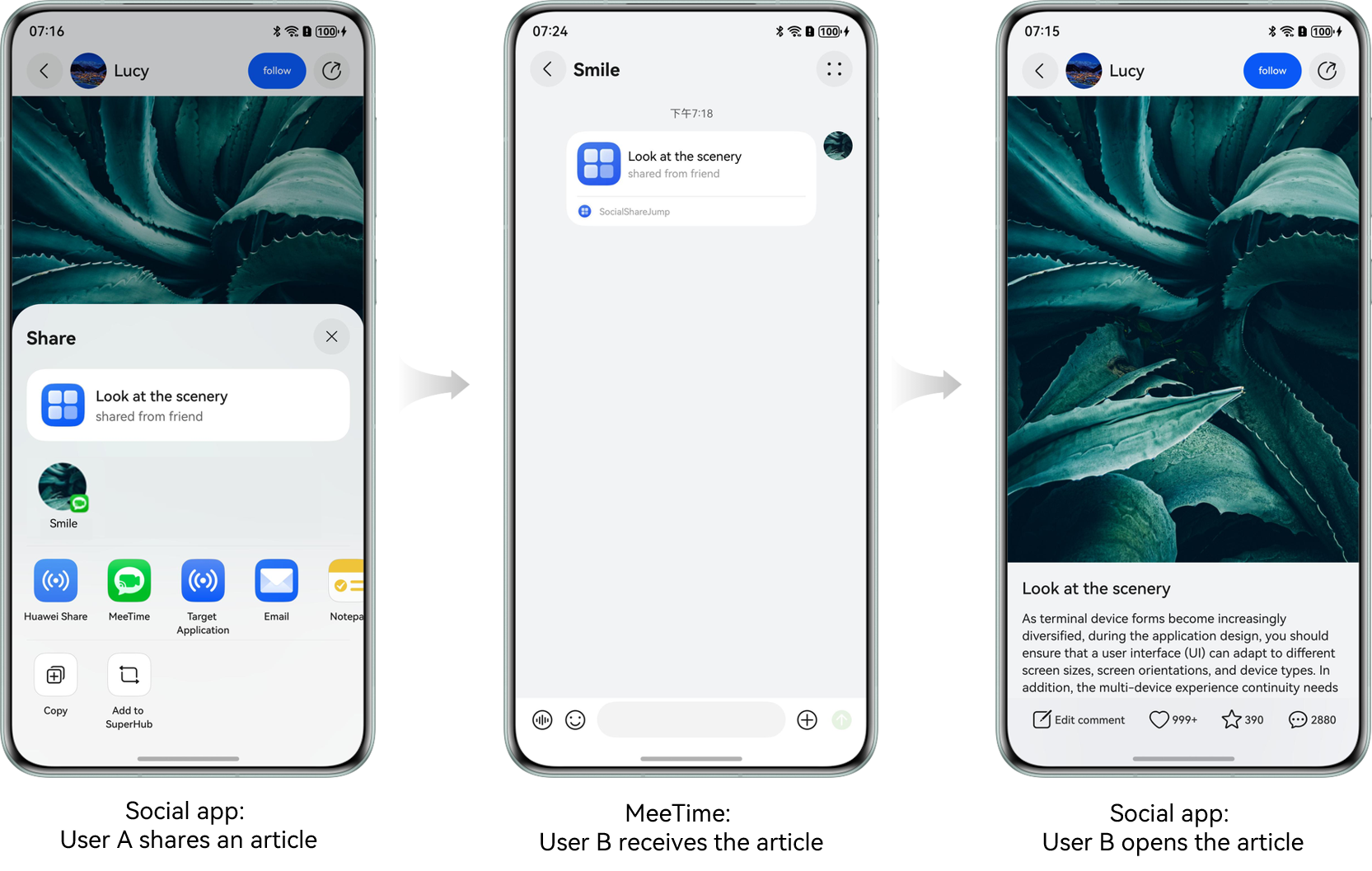
By using the system sharing panel to share links that include App Linking, users can directly access the original content with a single tap. For more details, see Social Sharing Redirection.
[h2]Ad Redirection
When users see ads in a web browser, social media, or other channels and tap the ads, they expect to be taken directly to specific pages within an app, such as product details pages, event pages, or coupon collection pages. An example is provided below.
- A user sees an e-commerce promotion ad when starting a video app.
- After tapping the ad, the e-commerce app is directly opened, and the user is redirected to the promotion event page. This eliminates the need for users to search or navigate within the app, significantly improving the order conversion rate.
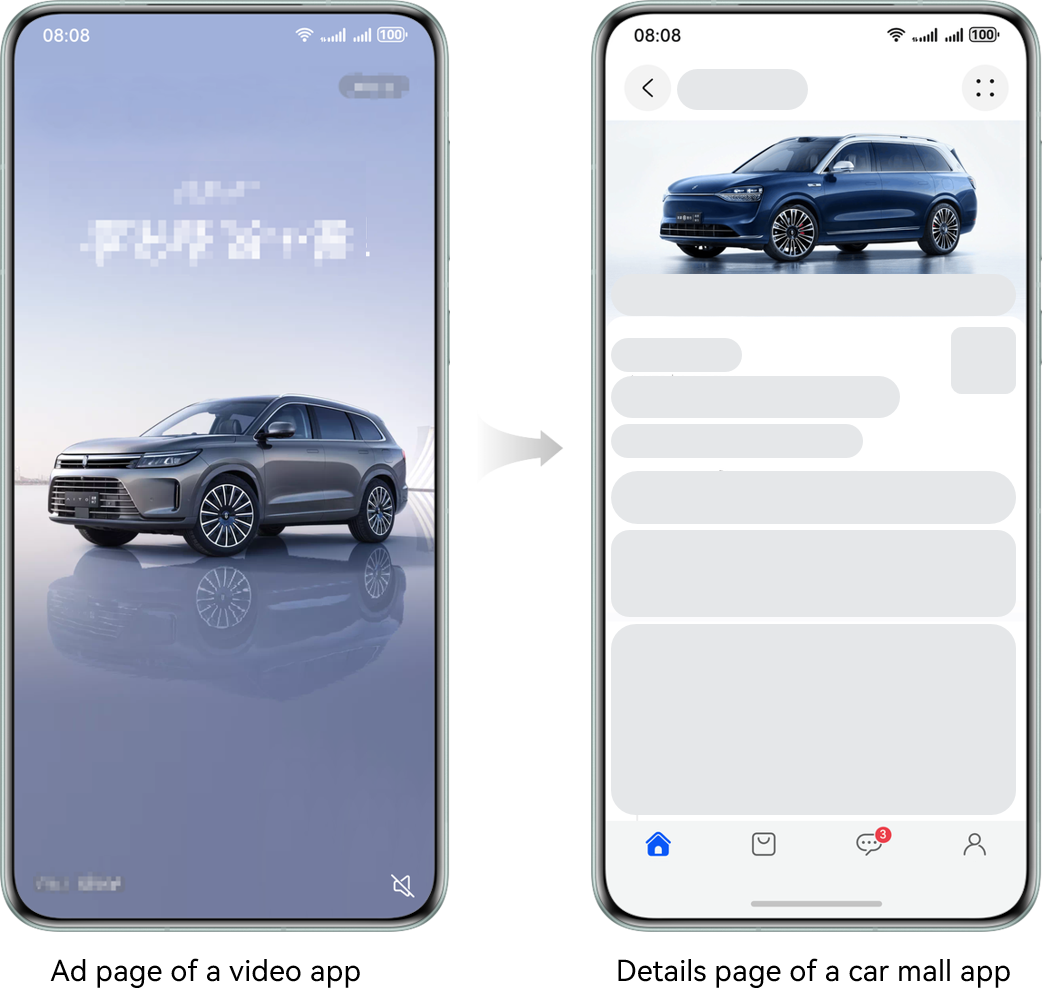
Use App Linking to implement precise redirection from an ad link to a specific app page, improving the marketing conversion rate. For more details, see Ad Redirection.
[h2]Special Text Recognition Redirection
Apps can recognize special text (for example, addresses, phone numbers, or dates) in chat content, emails, or documents. When tapped, these texts directly invoke the corresponding system applications to perform actions. An example is provided below.
- A user receives a text containing the phone number on the chat screen.
- The system automatically recognizes the phone number as a clickable link.
- Users can tap the link to open the dialing screen.
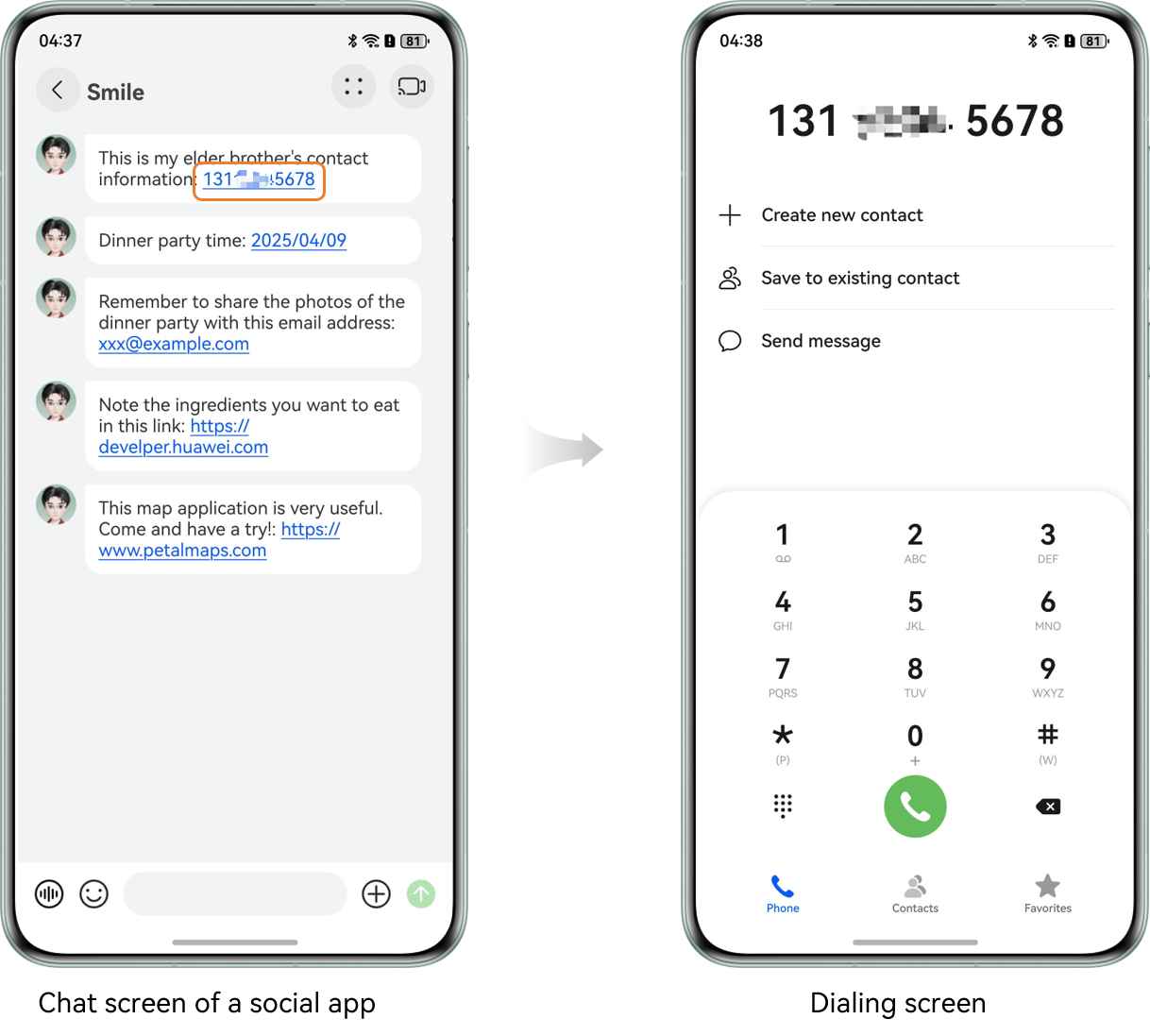
By leveraging the system's text recognition capabilities to identify special text, apps can directly redirect users from text to functionality. For more details, see Special Text Recognition Redirection.
[h2]Launching a Specific Application
Launching a specific app refers to scenarios where the target app is explicitly specified for redirection. The system provides two main implementation modes:
App Linking and Deep Linking
- App Linking: implements secure and reliable navigation by using domain name verification and HTTPS. If the target app is not installed, the web page will be opened to provide better user experience.
- Deep Linking: The implementation is relatively simple, but there is a risk of malicious spoofing. If the target app is not installed, user experience is often poor, with a higher likelihood of encountering errors.
Compared with Deep Linking, App Linking has the following advantages:
- Security: App Linking ensures only legitimate apps are launched through device-cloud security authentication and domain name verification.
- Direct experience: No secondary confirmation is required; users are directly redirected to the specified page within the app.
- Direct access to AppGallery: redirection to an app download page through direct access to AppGallery. If the app is not installed, users are redirected to the app's details page on AppGallery.
- Deferred link: redirection to an app details page using the deferred link capability. The original redirection intent can be restored after the app is installed.
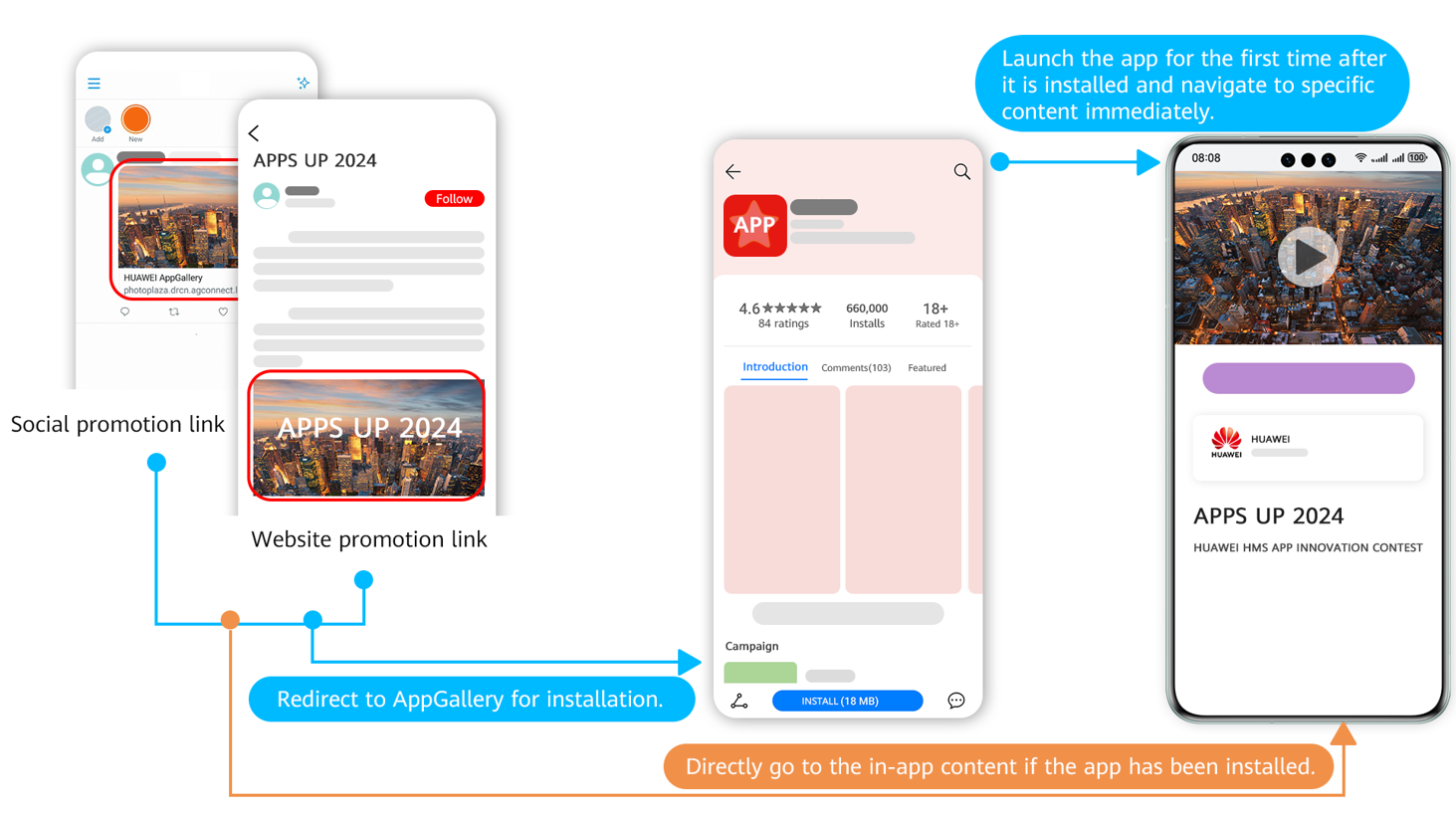
You are advised to use App Linking for security and user experience purposes. Compared with Deep Linking, App Linking provides higher security, prevents spoofing risks, and improves the overall user experience during app redirection.
System Application Redirection
The system provides certain capabilities and APIs that allow you to quickly implement redirection to system apps while ensuring secure access. Examples include redirection to Settings, AppGallery, Wallet, Phone, Calendar, and Contacts. For details, see Starting a System Application.
[h2]Launching Applications of a Specific Type
In some scenarios, you want to implement functionality based on user intent rather than a specific app. For example, users may want to use any installed map app for navigation.
In this case, you do not need to specify a particular app. Instead, the system queries all apps that meet the conditions on the device based on user intent, allowing users to choose one to execute the subsequent logic. For example, user A shares a geographical location with user B. After user B taps the message, the system displays all map navigation apps installed on the device, allowing user B to choose which app to use for subsequent operations. For details, see Starting an Application of the Specified Type.