If the style of each component needs to be set individually, a large amount of repetitive style code will appear during development. While you can copy and paste, to keep the code concise and easier to maintain, we provide the @Styles decorator, which allows you to extract common styles for reuse.
@Styles eliminates repetitive style setup by allowing you to apply preconfigured styles with a single method invocation.

The APIs of this module are supported since API version 9.
This decorator can be used in ArkTS widgets since API version 9.
This decorator can be used in atomic services since API version 11.
How to Use
-
Currently, @Styles supports only universal attributes and universal events.
-
@Styles can be defined either within a component or globally. When it is defined globally, the function keyword must precede the method name. When it is defined within a component, the function keyword does not need to be added. For details, see Using Component-Local and Global @Styles.
-
The priority of @Styles defined inside a component declaration is higher than that of @Styles defined outside a component declaration. The framework preferentially searches for @Styles within the current component.

@Styles can be used only in the current file and cannot be exported for cross-file reuse.
For styles requiring cross-file reuse, you are advised to use AttributeModifier.
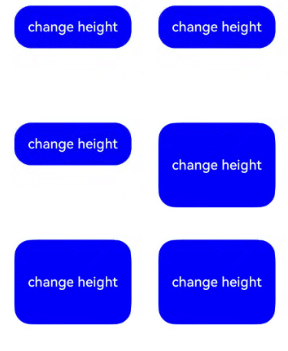
@Styles defined within a component can access the component's constants and state variables through this, and can change the values of state variables through events in @Styles. The following is an example:
@Entry
@Component
struct FancyUse {
  @State heightValue: number = 50;

  @Styles
  fancy() {
    .height(this.heightValue)
    .backgroundColor(Color.Blue)
    .onClick(() => {
      this.heightValue = 100;
    })
  }

  build() {
    Column() {
      // Provide style settings for Button through fancy.
      Button('change height')
        .fancy()
    }
    .height('100%')
    .width('100%')
  }
} 
Constraints
- @Styles does not support passing parameters. A compilation error will be thrown if parameters are provided.
  // Incorrect: @Styles does not support parameters. A compilation error will be thrown.
  @Styles
  function globalFancy (value: number) {
    .width(value)
  }
// Correct usage.
@Styles
function globalFancy () {
.width(100)
} - Logical components are not supported inside @Styles methods. Properties within logic components do not take effect.
  // Incorrect usage.
  @Styles
  function backgroundColorStyle() {
    if (true) {
      .backgroundColor(Color.Red)
    }
  }
// Correct usage.
@Styles
function backgroundColorStyle() {
.backgroundColor(Color.Red)
} [h2]Using Component-Local and Global @Styles
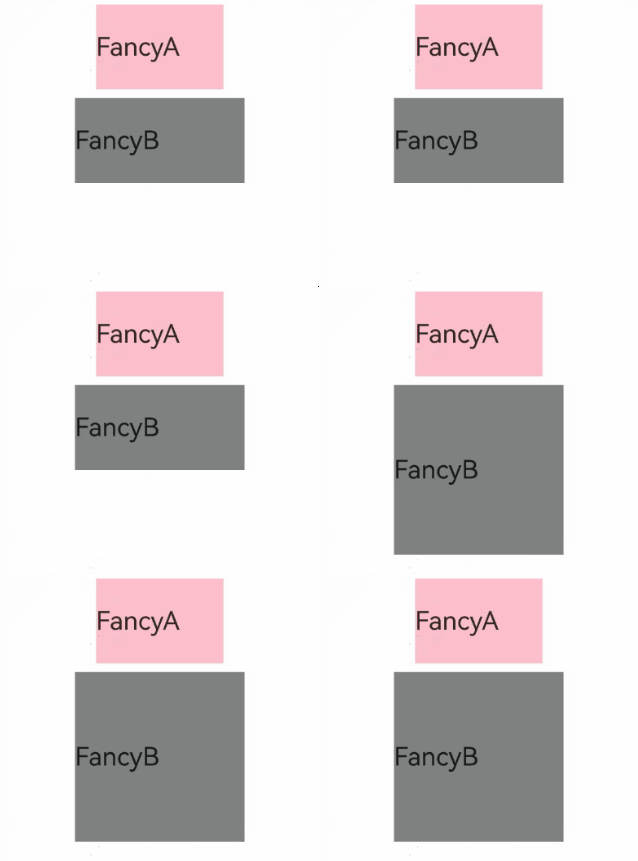
// Styles encapsulated by @Styles defined globally.
@Styles
function globalFancy1() {
  .width(150)
  .height(100)
  .backgroundColor(Color.Pink)
}

@Entry
@Component
struct GlobalFancy {
  @State heightValue: number = 100;

  // Styles encapsulated by @Styles defined within the component.
  @Styles
  fancy() {
    .width(200)
    .height(this.heightValue)
    .backgroundColor(Color.Gray)
    .onClick(() => {
      this.heightValue = 200;
    })
  }

  build() {
    Column({ space: 10 }) {
      // Use styles encapsulated by global @Styles.
      Text('FancyA')
        .globalFancy1()
        .fontSize(30)
      // Use styles encapsulated by @Styles within the component.
      Text('FancyB')
        .fancy()
        .fontSize(30)
    }
    .width('100%')
  }
}