[h2]Scenario
Before using Network Boost Kit capabilities, check whether you have obtained corresponding permissions for your app. If your app has not been granted some permissions, you need to declare these permissions.
Specifically, Network Boost Kit requires the following permissions:
ohos.permission.GET_NETWORK_INFO: allows your app to request device network information.
ohos.permission.INTERNET: allows your app to access the Internet.
ohos.permission.LINKTURBO: allows your app to use the multi-network concurrency capability for network acceleration. APIs related to network handover require this permission. Request it only when necessary.
You must manually configure the preceding permissions before using the kit. For details, please refer to Procedure.
The ohos.permission.LINKTURBO permission is a restricted ACL permission that requires special configuration and request. For details, please refer to Configuring Signature Information and Requesting a Restricted ACL Permission.
[h2]Procedure
Configure the required permissions in the module.json5 file in entry/src/main. The sample code is as follows:
{
  "module": {
    "requestPermissions": [
      {
        "name": "ohos.permission.GET_NETWORK_INFO"
      },
      {
        "name": "ohos.permission.INTERNET"
      },
      {
        "name": "ohos.permission.LINKTURBO"
      }
    ]
  }
}
[h2]Preparations for C API Development
In addition to the aforementioned permission configuration, when using the C API, you also need to set the dynamic library path and header file path in CMakeLists.txt, and then link to them.
If the compilation target is entry, add the following commands:
target_include_directories(entry PUBLIC ${HMOS_SDK_NATIVE}/sysroot/usr/include)
target_link_directories(entry PUBLIC ${HMOS_SDK_NATIVE}/sysroot/usr/lib/aarch64-linux-ohos)
target_link_libraries(entry PUBLIC libnetwork_boost.so) # Link to **libnetwork_boost.so** and other depended SO files.
Configuring Signature Information
In the debugging phase, you need to request a debug certificate, register a device, and request a debug profile file and add permission information in AppGallery Connect, and then configure a debug signature. You can also use DevEco Studio to automatically sign your app. During the automatic signing process, DevEco Studio requests restricted permissions from AppGallery Connect. For details, please refer to Signing Your App/Service Automatically.
In the release phase, for versions earlier than API version 26.0.0 Beta1, you need to request a release certificate, request a release profile, and then configure signature information. For API version 26.0.0 Beta1 and later, the process has been simplified and you do not need to perform the preceding operations.
Requesting a Restricted ACL Permission
When requesting a debug profile file and add permission information or requesting a release profile, the fourth step is mandatory. Set Permissions to request to Restricted ACL permissions and click Select.

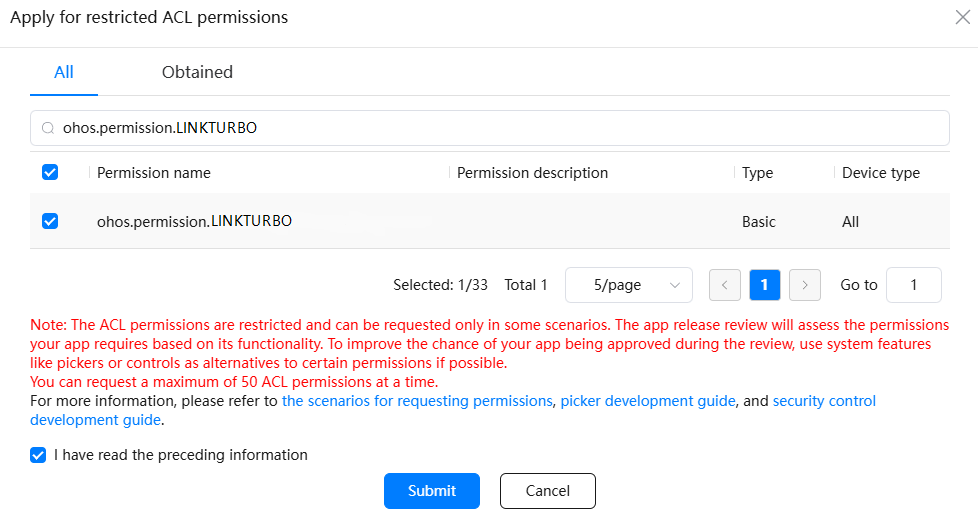
Enter ohos.permission.LINKTURBO in the search box, find and select the required permission, and click Submit.
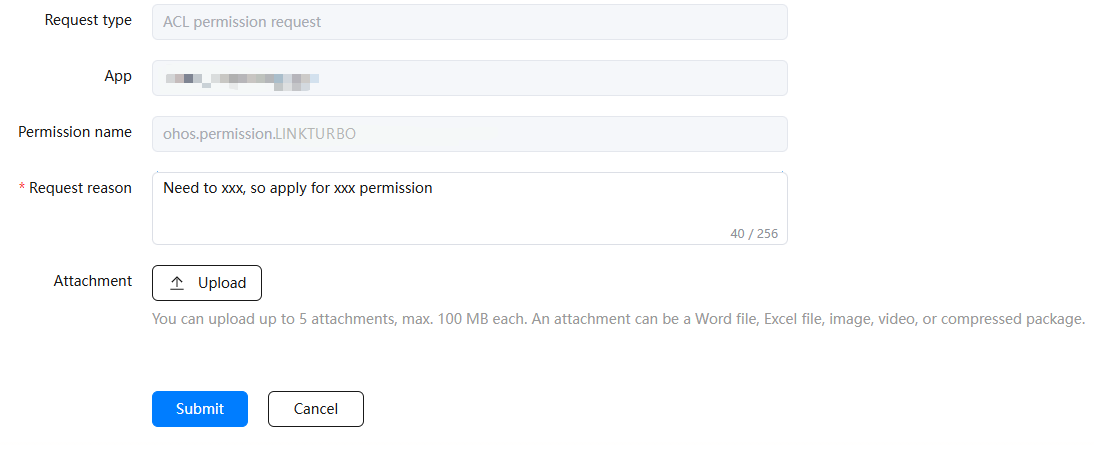
Enter the request reason based on your actual service requirements and submit the request. The request will be replied within one working day. You can view the request status in the interaction center.
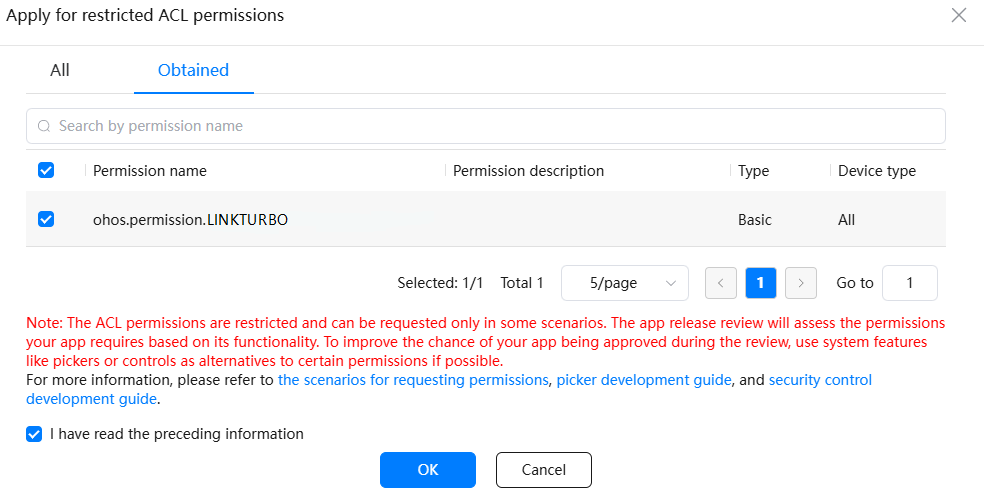
After the permission request is approved, view the permission on the Obtained tab page. Select the permission and click OK.
Select the permission and click Add to generate a new profile. Download the profile and use it to replace the old one by referring to Signing Your App/Atomic Service Manually.
Add the ohos.permission.LINKTURBO permission to the requestPermissions node in the module.json5 file of the entry module in your project.
"requestPermissions": [{
  "name": "ohos.permission.LINKTURBO"
}]