The developer mode, configurable in Settings on HarmonyOS devices, provides options designed to assist in the development, testing, and optimization of HarmonyOS apps. It provides additional features (such as API capabilities) and debugging options beyond the commercial release versions. In this mode, you can configure various options, such as USB/wireless debugging, DFX stability options, and overdraw, to help you analyze and debug apps.
Enabling Developer Mode
On the phone or tablet, check whether Developer options exists in Settings > System. If it does not exist, choose Settings > Device name, tap the software version number seven times in quick succession until a message is displayed asking you whether to enable developer options. Tap the confirm button and enter the PIN (if set). The device will automatically restart. Wait until the restart is complete.
Disabling Developer Mode
On the HarmonyOS phone or tablet, go to Settings > System > Developer options and disable Developer options. When prompted, touch the confirm button. The device will automatically restart.
Common Developer Options
- Charging temperature limit: prevents the device from overheating during charging by strictly controlling the charging temperature.
- System rollback: allows you to roll back the device from HarmonyOS NEXT to HarmonyOS.
Debugging Options
- USB debugging: allows you to debug the device by running commands on the computer connected through a USB cable. When this feature is enabled and authorization granted, the HarmonyOS device can connect to the computer for debugging. You can copy data between the computer and device, install or uninstall debug apps on the device, and read log data.
- Wireless debugging: allows you to debug the device by running commands on the computer connected through Wi-Fi. When this feature is enabled, you can view the IP address and port number of the device, and run the hdc commands or use DevEco Studio to connect the device. Ensure that the device and computer are connected to the same Wi-Fi network. If you connect to the device for the first time, authorization from the device is required.
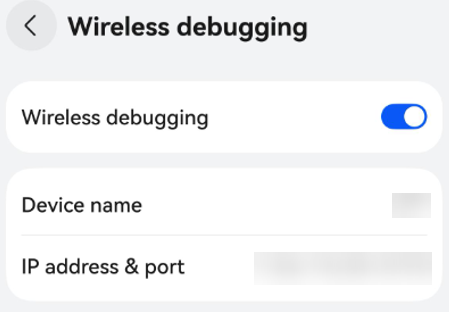
- Remove all trusted devices: revokes USB/wireless debugging access permissions for all previously authorized computers.
The DFX stability options include the following:
- System tracing: captures system traces to a local file for easier local fault locating and reporting.
- Screen freezing information log: generates stability logs when a fault occurs to provide more detailed log information.
- System resource leak log: generates memory-related logs when a fault occurs to locate resource leak issues.
Other debugging options are as follows:
- InsightIntent debugging: enables you to verify the intent framework on the device. Some verification mechanisms can be disabled, and the recently used intents can be displayed.
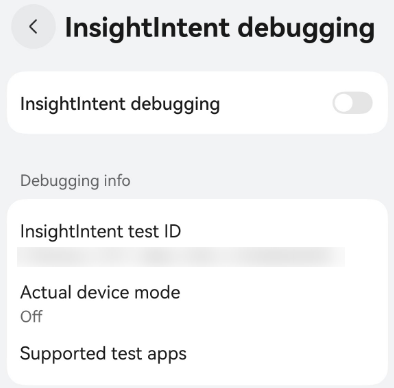
- Show refresh rate: shows the refresh rate level and the real-time frame rate of RenderService in the upper left corner of the screen, providing a better understanding of device performance and screen performance for targeted optimization or adjustment.
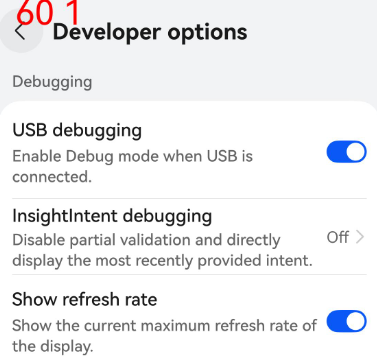
- Disable charging: disables USB charging, which is enabled by default. The default settings can be restored by removing and inserting the USB cable.
Network
- Network Navigator: enables you to select a preset or custom network simulation scenario for network verification, improving the application testing and verification efficiency. For details, see Network Navigator.
Input
- Show touches: shows a dot that follows the finger movement when the user touches the screen, displaying the user's touch actions.
- Pointer location: shows a crosshair on the screen to indicate the pointer (tap) location. A bar is displayed at the top of the screen to track the coordinates of the crosshair. When you move the pointer, the coordinates in the bar follow the position of the crosshair, and the pointer path is drawn on the screen.
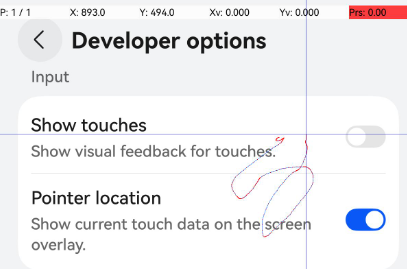
Drawing
- Display edges: displays the app's clipping boundaries, margins, and other UI structures on the device, enabling you to inspect the component layout, blank spaces, and component overlap issues.
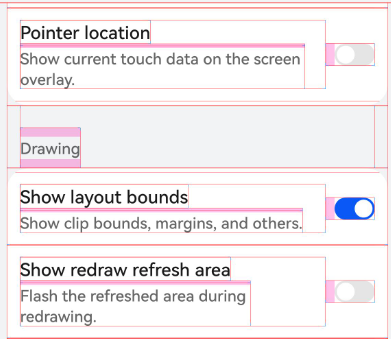
- Show redraw refresh area: highlights the screen area that is redrawn due to tapping, scrolling, or system-initiated refreshes.
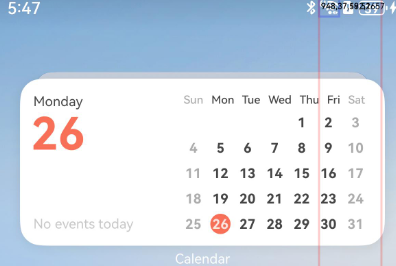
- Cache hit detection: identifies, by color, UI elements that do not hit the RenderGroup cache, which is useful in improving the performance of property animations.
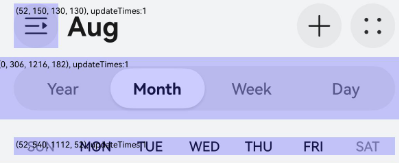
- Overdraw detection: displays color coding on the device to visualize how many times the same pixels are drawn in the same frame, showing where the app may be rendering unnecessarily. The degree of excessive drawing can be represented by color.
- Transition animation scale: sets the playback speed of transition animations, making it easy for you to check performance at different speeds. The smaller the scale, the faster the speed.