This document is intended for novices at developing HarmonyOS applications. By building a simple application with page navigation (as shown below), you will better understand the project directory and the typical HarmonyOS application development process.
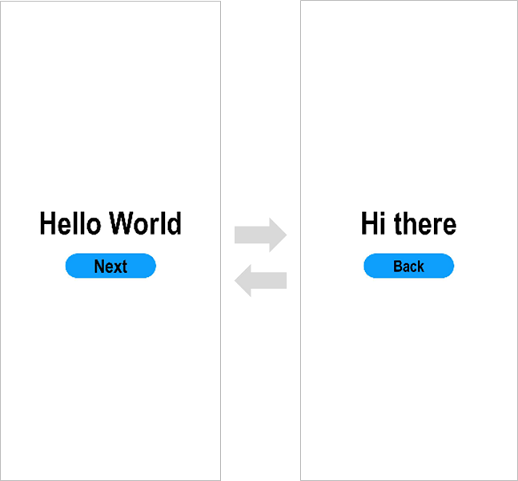
Before you begin, there are two basic concepts that will help you better understand HarmonyOS: UI framework and application model.
[h2]UI Framework
HarmonyOS provides a UI development framework, known as ArkUI. ArkUI provides a full array of capabilities you may need for application UI development, ranging from components to layout calculation, animation, UI interaction, and rendering capabilities.
ArkUI comes with two development paradigms: ArkTS-based declarative development paradigm (declarative development paradigm for short) and JavaScript-compatible web-like development paradigm (web-like development paradigm for short). You can choose whichever development paradigm that aligns with your practice.
| Development Paradigm | Programming Language | UI Update Mode | Application Scenario | Intended Audience |
|---|---|---|---|---|
| Declarative development paradigm | ArkTS | Data-driven | Applications involving technological sophistication and teamwork | Mobile application and system application developers |
| Web-like development paradigm | JavaScript | Data-driven | Applications with simple UIs and service widgets | Frontend web developers |
For details about UI framework development, see ArkUI.
[h2]Application Model
An application model is the abstraction of capabilities required by an application. It provides components and mechanisms required for running the application. You can develop applications based on a unified model, making application development simpler and more efficient.
With the evolution of the system, HarmonyOS has provided two application models:
Feature Ability (FA) model: This model is supported since HarmonyOS API version 7 and is no longer recommended.
Stage model: This model is supported since HarmonyOS API version 9. It is the mainstream model with a long evolution plan. In this model, classes such as AbilityStage and WindowStage are provided as the stage of components and windows. That's why it is named stage model. For details about stage model development, see Stage Model Development Overview. The examples in this topic are all based on the stage model.
To help you better understand the preceding basic concepts and application development process, Quick Start walks you through an example of building your first ArkTS application with two pages in the stage model.
Tools
Download and install the latest DevEco Studio. For details, see Downloading and Installing DevEco Studio. For more tool usage guides, see Tools.
When you finish tool preparation and basic concept learning, you can set out to build your first ArkTS application in the stage model.