Use OffscreenCanvasRenderingContext2D to draw shapes, images, and text offscreen onto a canvas. Rendering offscreen onto a canvas is a process where content to draw onto the canvas is first drawn in the buffer, and then converted into a picture, and finally the picture is drawn on the canvas. Since off-screen rendering utilizes the CPU, its performance is relatively slow. Therefore, it should be avoided in scenarios where drawing speed is a critical requirement.

This component is supported since API version 8. Updates will be marked with a superscript to indicate their earliest API version.
OffscreenCanvasRenderingContext2D cannot be used in ServiceExtensionAbility. It is recommended that you use the drawing module for offscreen rendering in ServiceExtensionAbility.
The following path-related APIs apply only to paths created within OffscreenCanvasRenderingContext2D and do not affect paths defined in CanvasRenderingContext2D or Path2D: beginPath, moveTo, lineTo, closePath, bezierCurveTo, quadraticCurveTo, arc, arcTo, ellipse, rect, and roundRect.
[h2]constructor
constructor(width: number, height: number, settings?: RenderingContextSettings)
Creates an offscreen canvas object. You can configure the canvas width, canvas height, and parameters of the OffscreenCanvasRenderingContext2D object.
Widget capability: This API can be used in ArkTS widgets since API version 9.
Atomic service API: This API can be used in atomic services since API version 11.
System capability: SystemCapability.ArkUI.ArkUI.Full
Parameters
| Name | Type | Mandatory | Description |
|---|---|---|---|
| width | number | Yes | Width of the offscreen canvas. The default unit is vp. Invalid values NaN and Infinity are treated as invalid. |
| height | number | Yes | Height of the offscreen canvas. The default unit is vp. Invalid values NaN and Infinity are treated as invalid. |
| settings | RenderingContextSettings | No | Settings of the OffscreenCanvasRenderingContext2D object. The value undefined is treated as the default value of RenderingContextSettings. Default value: null |
[h2]constructor12+
constructor(width: number, height: number, settings?: RenderingContextSettings, unit?: LengthMetricsUnit)
Creates an offscreen canvas object. You can configure the canvas width, canvas height, and parameters and their unit of the OffscreenCanvasRenderingContext2D object.
Widget capability: This API can be used in ArkTS widgets since API version 12.
Atomic service API: This API can be used in atomic services since API version 12.
System capability: SystemCapability.ArkUI.ArkUI.Full
Parameters
| Name | Type | Mandatory | Description |
|---|---|---|---|
| width | number | Yes | Width of the offscreen canvas. The default unit is vp. Invalid values NaN and Infinity are treated as invalid. |
| height | number | Yes | Height of the offscreen canvas. The default unit is vp. Invalid values NaN and Infinity are treated as invalid. |
| settings | RenderingContextSettings | No | Settings of the OffscreenCanvasRenderingContext2D object. The value undefined is treated as the default value of RenderingContextSettings. Default value: null |
| unit | LengthMetricsUnit | No | Unit of the OffscreenCanvasRenderingContext2D object. The value cannot be dynamically changed once set. The configuration method is the same as that of CanvasRenderingContext2D. Invalid values undefined, NaN and Infinity are treated as the default value. Default value: DEFAULT |
Attributes

For fillStyle, shadowColor, and strokeStyle, the value format of the string type is 'rgb(255, 255, 255)', 'rgba(255, 255, 255, 1.0)', '#FFFFFF'.
[h2]fillStyle
Sets the fill color for rendering. This attribute is write-only. You can set its value through an assignment statement, but cannot obtain its current value through a read operation. If you attempt to read its current value, undefined will be returned.
Widget capability: This API can be used in ArkTS widgets since API version 9.
Atomic service API: This API can be used in atomic services since API version 11.
System capability: SystemCapability.ArkUI.ArkUI.Full
| Type | Read Only | Optional | Description |
|---|---|---|---|
| string | number10+ | CanvasGradient | CanvasPattern | No | No | - When the type is string, this attribute indicates the color of the fill area. For details about the color format, see the description for the string type in ResourceColor. - When the type is number, this attribute indicates the color of the fill area. Fully transparent colors are not supported. For details about the color format, see the description for the number type in ResourceColor. - When the type is CanvasGradient, this attribute indicates a gradient object, which is created using the createLinearGradient API. - When the type is CanvasPattern, this attribute indicates a pattern, which is created using the createPattern API. Default value: '#000000' (black) Invalid values do not take effect. |
// xxx.ets
@Entry
@Component
struct FillStyleExample {
  private settings: RenderingContextSettings = new RenderingContextSettings(true);
  private context: CanvasRenderingContext2D = new CanvasRenderingContext2D(this.settings);
  private offCanvas: OffscreenCanvas = new OffscreenCanvas(600, 600);

  build() {
    Flex({ direction: FlexDirection.Column, alignItems: ItemAlign.Center, justifyContent: FlexAlign.Center }) {
      Canvas(this.context)
        .width('100%')
        .height('100%')
        .backgroundColor('#ffff00')
        .onReady(() => {
          let offContext = this.offCanvas.getContext("2d", this.settings)
          // Use string to set the fillStyle attribute.
          offContext.fillStyle = '#0000ff'
          offContext.fillRect(20, 20, 150, 100)
          let image = this.offCanvas.transferToImageBitmap()
          this.context.transferFromImageBitmap(image)
        })
    }
    .width('100%')
    .height('100%')
  }
}
// xxx.ets
@Entry
@Component
struct FillStyleExample {
private settings: RenderingContextSettings = new RenderingContextSettings(true);
private context: CanvasRenderingContext2D = new CanvasRenderingContext2D(this.settings);
private offCanvas: OffscreenCanvas = new OffscreenCanvas(600, 600);
build() {
Flex({ direction: FlexDirection.Column, alignItems: ItemAlign.Center, justifyContent: FlexAlign.Center }) {
Canvas(this.context)
.width('100%')
.height('100%')
.backgroundColor('#ffff00')
.onReady(() => {
let offContext = this.offCanvas.getContext("2d", this.settings)
// Use number to set the fillStyle property.
offContext.fillStyle = 0x0000FF
offContext.fillRect(20, 20, 150, 100)
let image = this.offCanvas.transferToImageBitmap()
this.context.transferFromImageBitmap(image)
})
}
.width('100%')
.height('100%')
}
} 
[h2]lineWidth
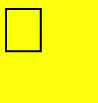
Sets the line width. This attribute is write-only. You can set its value through an assignment statement, but cannot obtain its current value through a read operation. If you attempt to read its current value, undefined will be returned.
Widget capability: This API can be used in ArkTS widgets since API version 9.
Atomic service API: This API can be used in atomic services since API version 11.
System capability: SystemCapability.ArkUI.ArkUI.Full
| Type | Read Only | Optional | Description |
|---|---|---|---|
| number | No | No | Default value: 1 (px) Default unit: vp The value of lineWidth cannot be 0 or a negative number. The value 0, a negative number, and NaN are treated as the default value. If the value is Infinity, the APIs related to the lineWidth attribute cannot be called for drawing. |
// xxx.ets
@Entry
@Component
struct LineWidthExample {
  private settings: RenderingContextSettings = new RenderingContextSettings(true);
  private context: CanvasRenderingContext2D = new CanvasRenderingContext2D(this.settings);
  private offCanvas: OffscreenCanvas = new OffscreenCanvas(600, 600);

  build() {
    Flex({ direction: FlexDirection.Column, alignItems: ItemAlign.Center, justifyContent: FlexAlign.Center }) {
      Canvas(this.context)
        .width('100%')
        .height('100%')
        .backgroundColor('#ffff00')
        .onReady(() => {
          let offContext = this.offCanvas.getContext("2d", this.settings)
          // Set the lineWidth attribute.
          offContext.lineWidth = 5
          offContext.strokeRect(25, 25, 85, 105)
          let image = this.offCanvas.transferToImageBitmap()
          this.context.transferFromImageBitmap(image)
        })
    }
    .width('100%')
    .height('100%')
  }
} 
[h2]strokeStyle
Sets the line color. This attribute is write-only. You can set its value through an assignment statement, but cannot obtain its current value through a read operation. If you attempt to read its current value, undefined will be returned.
Widget capability: This API can be used in ArkTS widgets since API version 9.
Atomic service API: This API can be used in atomic services since API version 11.
System capability: SystemCapability.ArkUI.ArkUI.Full
| Type | Read Only | Optional | Description |
|---|---|---|---|
| string | number10+ | CanvasGradient | CanvasPattern | No | No | - When the type is string, this attribute indicates the stroke color. For details about the color format, see the description for the string type in ResourceColor. - When the type is number, this attribute indicates the stroke color. Fully transparent colors are not supported. For details about the color format, see the description for the number type in ResourceColor. - When the type is CanvasGradient, this attribute indicates a gradient object, which is created using the createLinearGradient API. - When the type is CanvasPattern, this attribute indicates a pattern, which is created using the createPattern API. Default value: '#000000' (black) Invalid values do not take effect. |
// xxx.ets
@Entry
@Component
struct StrokeStyleExample {
  private settings: RenderingContextSettings = new RenderingContextSettings(true);
  private context: CanvasRenderingContext2D = new CanvasRenderingContext2D(this.settings);
  private offCanvas: OffscreenCanvas = new OffscreenCanvas(600, 600);

  build() {
    Flex({ direction: FlexDirection.Column, alignItems: ItemAlign.Center, justifyContent: FlexAlign.Center }) {
      Canvas(this.context)
        .width('100%')
        .height('100%')
        .backgroundColor('#ffff00')
        .onReady(() => {
          let offContext = this.offCanvas.getContext("2d", this.settings)
          offContext.lineWidth = 10
          // Use string to set the strokeStyle attribute.
          offContext.strokeStyle = '#0000ff'
          offContext.strokeRect(25, 25, 155, 105)
          let image = this.offCanvas.transferToImageBitmap()
          this.context.transferFromImageBitmap(image)
        })
    }
    .width('100%')
    .height('100%')
  }
}
// xxx.ets
@Entry
@Component
struct StrokeStyleExample {
private settings: RenderingContextSettings = new RenderingContextSettings(true);
private context: CanvasRenderingContext2D = new CanvasRenderingContext2D(this.settings);
private offCanvas: OffscreenCanvas = new OffscreenCanvas(600, 600);
build() {
Flex({ direction: FlexDirection.Column, alignItems: ItemAlign.Center, justifyContent: FlexAlign.Center }) {
Canvas(this.context)
.width('100%')
.height('100%')
.backgroundColor('#ffff00')
.onReady(() => {
let offContext = this.offCanvas.getContext("2d", this.settings)
offContext.lineWidth = 10
// Use number to set the strokeStyle attribute.
offContext.strokeStyle = 0x0000ff
offContext.strokeRect(25, 25, 155, 105)
let image = this.offCanvas.transferToImageBitmap()
this.context.transferFromImageBitmap(image)
})
}
.width('100%')
.height('100%')
}
} 
[h2]lineCap
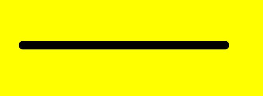
Sets the line caps. This attribute is write-only. You can set its value through an assignment statement, but cannot obtain its current value through a read operation. If you attempt to read its current value, undefined will be returned.
Widget capability: This API can be used in ArkTS widgets since API version 9.
Atomic service API: This API can be used in atomic services since API version 11.
System capability: SystemCapability.ArkUI.ArkUI.Full
| Type | Read Only | Optional | Description |
|---|---|---|---|
| CanvasLineCap | No | No | Default value: 'butt' |
// xxx.ets
@Entry
@Component
struct LineCapExample {
  private settings: RenderingContextSettings = new RenderingContextSettings(true);
  private context: CanvasRenderingContext2D = new CanvasRenderingContext2D(this.settings);
  private offCanvas: OffscreenCanvas = new OffscreenCanvas(600, 600);

  build() {
    Flex({ direction: FlexDirection.Column, alignItems: ItemAlign.Center, justifyContent: FlexAlign.Center }) {
      Canvas(this.context)
        .width('100%')
        .height('100%')
        .backgroundColor('#ffff00')
        .onReady(() => {
          let offContext = this.offCanvas.getContext("2d", this.settings)
          offContext.lineWidth = 8
          offContext.beginPath()
          // Set the lineCap attribute.
          offContext.lineCap = 'round'
          offContext.moveTo(30, 50)
          offContext.lineTo(220, 50)
          offContext.stroke()
          let image = this.offCanvas.transferToImageBitmap()
          this.context.transferFromImageBitmap(image)
        })
    }
    .width('100%')
    .height('100%')
  }
} 
[h2]lineJoin
Sets the line join. This attribute is write-only. You can set its value through an assignment statement, but cannot obtain its current value through a read operation. If you attempt to read its current value, undefined will be returned.
Widget capability: This API can be used in ArkTS widgets since API version 9.
Atomic service API: This API can be used in atomic services since API version 11.
System capability: SystemCapability.ArkUI.ArkUI.Full
| Type | Read Only | Optional | Description |
|---|---|---|---|
| CanvasLineJoin | No | No | Default value: 'miter' |
// xxx.ets
@Entry
@Component
struct LineJoinExample {
  private settings: RenderingContextSettings = new RenderingContextSettings(true);
  private context: CanvasRenderingContext2D = new CanvasRenderingContext2D(this.settings);
  private offCanvas: OffscreenCanvas = new OffscreenCanvas(600, 600);

  build() {
    Flex({ direction: FlexDirection.Column, alignItems: ItemAlign.Center, justifyContent: FlexAlign.Center }) {
      Canvas(this.context)
        .width('100%')
        .height('100%')
        .backgroundColor('#ffff00')
        .onReady(() => {
          let offContext = this.offCanvas.getContext("2d", this.settings)
          offContext.beginPath()
          offContext.lineWidth = 8
          // Set the lineJoin attribute.
          offContext.lineJoin = 'miter'
          offContext.moveTo(30, 30)
          offContext.lineTo(120, 60)
          offContext.lineTo(30, 110)
          offContext.stroke()
          let image = this.offCanvas.transferToImageBitmap()
          this.context.transferFromImageBitmap(image)
      })
    }
    .width('100%')
    .height('100%')
  }
} 
[h2]miterLimit
Sets the miter limit, which specifies the distance between the inner and outer angles at line joins. This attribute takes effect only when lineJoin is set to miter. This attribute is write-only. You can set its value through an assignment statement, but cannot obtain its current value through a read operation. If you attempt to read its current value, undefined will be returned.
Widget capability: This API can be used in ArkTS widgets since API version 9.
Atomic service API: This API can be used in atomic services since API version 11.
System capability: SystemCapability.ArkUI.ArkUI.Full
| Type | Read Only | Optional | Description |
|---|---|---|---|
| number | No | No | Default value: 10px Unit: px The value of miterLimit cannot be 0 or a negative number. The value 0, a negative number, and NaN are treated as the default value. If the value is Infinity, the APIs related to the miterLimit attribute cannot be called for drawing. |
// xxx.ets
@Entry
@Component
struct MiterLimit {
  private settings: RenderingContextSettings = new RenderingContextSettings(true);
  private context: CanvasRenderingContext2D = new CanvasRenderingContext2D(this.settings);
  private offCanvas: OffscreenCanvas = new OffscreenCanvas(600, 600);

  build() {
    Flex({ direction: FlexDirection.Column, alignItems: ItemAlign.Center, justifyContent: FlexAlign.Center }) {
      Canvas(this.context)
        .width('100%')
        .height('100%')
        .backgroundColor('#ffff00')
        .onReady(() => {
          let offContext = this.offCanvas.getContext("2d", this.settings)
          offContext.lineWidth = 8
          offContext.lineJoin = 'miter'
          // Set the miterLimit attribute.
          offContext.miterLimit = 3
          offContext.moveTo(30, 30)
          offContext.lineTo(60, 35)
          offContext.lineTo(30, 37)
          offContext.stroke()
          let image = this.offCanvas.transferToImageBitmap()
          this.context.transferFromImageBitmap(image)
      })
    }
    .width('100%')
    .height('100%')
  }
} 
[h2]font
Sets the text font. This attribute is write-only. You can set its value through an assignment statement, but cannot obtain its current value through a read operation. If you attempt to read its current value, undefined will be returned.
Syntax: ctx.font = 'font-style font-weight font-size font-family'
- (Optional) font-style: font style. Available values are normal and italic.
- (Optional) font-weight: font weight. Available values are as follows: normal, bold, bolder, lighter, 100, 200, 300, 400, 500, 600, 700, 800, 900.
- (Optional) font-size: font size and line height. The unit can be px or vp and must be specified.
- (Optional) font-family: font family. Available values are sans-serif, serif, and monospace.
From API version 20, this API can be used to set the registered custom font. This API can be used only in the main thread. It cannot be used in the worker thread. The previewer of DevEco Studio does not support custom fonts. You can register a custom font in either of the following ways:
Register a custom font by calling the asynchronous API this.uiContext.getFont().registerFont of ArkUI. Immediate rendering after calling this API may result in the custom font not taking effect.
Directly call the fontCollection.loadFontSync API of the font engine to register the custom font. In this case, the fontCollection instance must be text.FontCollection.getGlobalInstance() because the component loads fonts from this instance by default. If you use another instance, the custom font may not take effect.
Widget capability: This API can be used in ArkTS widgets since API version 9.
Atomic service API: This API can be used in atomic services since API version 11.
System capability: SystemCapability.ArkUI.ArkUI.Full
| Type | Read Only | Optional | Description |
|---|---|---|---|
| string | No | No | Default value: 'normal normal 14px sans-serif' |
import { text } from '@kit.ArkGraphics2D';

@Entry
@Component
struct FontDemo {
  private settings: RenderingContextSettings = new RenderingContextSettings(true);
  private context: CanvasRenderingContext2D = new CanvasRenderingContext2D(this.settings);
  private offCanvas: OffscreenCanvas = new OffscreenCanvas(600, 600);

  build() {
    Flex({ direction: FlexDirection.Column, alignItems: ItemAlign.Center, justifyContent: FlexAlign.Center }) {
      Canvas(this.context)
        .width('100%')
        .height('100%')
        .backgroundColor('rgb(213,213,213)')
        .onReady(() => {
          let offContext = this.offCanvas.getContext("2d", this.settings);
          // Normal font style, normal weight, font size of 30 px, and font family of sans-serif
          offContext.font = 'normal normal 30px sans-serif'
          offContext.fillText("Hello px", 20, 60)
          // Italic style, bold, font size of 30 vp, and font family of monospace
          offContext.font = 'italic bold 30vp monospace'
          offContext.fillText("Hello vp", 20, 100)
          // Load the custom font file HarmonyOS_Sans_Thin_Italic.ttf in the rawfile directory.
          let fontCollection = text.FontCollection.getGlobalInstance();
          fontCollection.loadFontSync('HarmonyOS_Sans_Thin_Italic', $rawfile("HarmonyOS_Sans_Thin_Italic.ttf"))
          // Bold, font size of 30 vp, and font family of HarmonyOS_Sans_Thin_Italic
          offContext.font = "bold 30vp HarmonyOS_Sans_Thin_Italic"
          offContext.fillText("Hello customFont", 20, 140)
          let image = this.offCanvas.transferToImageBitmap();
          this.context.transferFromImageBitmap(image)
        })
    }
    .width('100%')
    .height('100%')
  }
} 
[h2]textAlign
Sets the text alignment type. This attribute is write-only. You can set its value through an assignment statement, but cannot obtain its current value through a read operation. If you attempt to read its current value, undefined will be returned.
Widget capability: This API can be used in ArkTS widgets since API version 9.
Atomic service API: This API can be used in atomic services since API version 11.
System capability: SystemCapability.ArkUI.ArkUI.Full
| Type | Read Only | Optional | Description |
|---|---|---|---|
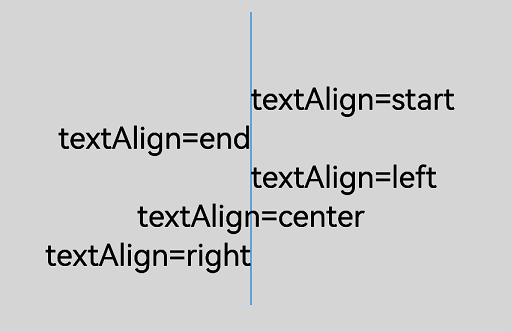
| CanvasTextAlign | No | No | In the ltr layout mode, the value 'start' equals 'left'. In the rtl layout mode, the value 'start' equals 'right'. Default value: 'left' |
// xxx.ets
@Entry
@Component
struct CanvasExample {
  private settings: RenderingContextSettings = new RenderingContextSettings(true);
  private context: CanvasRenderingContext2D = new CanvasRenderingContext2D(this.settings);
  private offCanvas: OffscreenCanvas = new OffscreenCanvas(600, 600);

  build() {
    Flex({ direction: FlexDirection.Column, alignItems: ItemAlign.Center, justifyContent: FlexAlign.Center }) {
      Canvas(this.context)
        .width('100%')
        .height('100%')
        .backgroundColor('rgb(213,213,213)')
        .onReady(() => {
          let offContext = this.offCanvas.getContext("2d", this.settings)
          offContext.strokeStyle = 'rgb(39,135,217)'
          offContext.moveTo(140, 10)
          offContext.lineTo(140, 160)
          offContext.stroke()

          offContext.font = '50px sans-serif'

          // Set the textAlign attribute to start.
          offContext.textAlign = 'start'
          offContext.fillText('textAlign=start', 140, 60)
          // Set the textAlign attribute to end.
          offContext.textAlign = 'end'
          offContext.fillText('textAlign=end', 140, 80)
          // Set the textAlign attribute to left.
          offContext.textAlign = 'left'
          offContext.fillText('textAlign=left', 140, 100)
          // Set the textAlign attribute to center.
          offContext.textAlign = 'center'
          offContext.fillText('textAlign=center', 140, 120)
          // Set the textAlign attribute to right.
          offContext.textAlign = 'right'
          offContext.fillText('textAlign=right', 140, 140)
          let image = this.offCanvas.transferToImageBitmap()
          this.context.transferFromImageBitmap(image)
        })
    }
    .width('100%')
    .height('100%')
  }
} 
[h2]textBaseline
Sets the horizontal alignment baseline for text rendering. This attribute is write-only. You can set its value through an assignment statement, but cannot obtain its current value through a read operation. If you attempt to read its current value, undefined will be returned.
Widget capability: This API can be used in ArkTS widgets since API version 9.
Atomic service API: This API can be used in atomic services since API version 11.
System capability: SystemCapability.ArkUI.ArkUI.Full
| Type | Read Only | Optional | Description |
|---|---|---|---|
| CanvasTextBaseline | No | No | Default value: 'alphabetic' |
// xxx.ets
@Entry
@Component
struct TextBaseline {
  private settings: RenderingContextSettings = new RenderingContextSettings(true);
  private context: CanvasRenderingContext2D = new CanvasRenderingContext2D(this.settings);
  private offCanvas: OffscreenCanvas = new OffscreenCanvas(600, 600);

  build() {
    Flex({ direction: FlexDirection.Column, alignItems: ItemAlign.Center, justifyContent: FlexAlign.Center }) {
      Canvas(this.context)
        .width('100%')
        .height('100%')
        .backgroundColor('rgb(213,213,213)')
        .onReady(() => {
          let offContext = this.offCanvas.getContext("2d", this.settings)
          offContext.strokeStyle = '#0000ff'
          offContext.moveTo(0, 120)
          offContext.lineTo(400, 120)
          offContext.stroke()

          offContext.font = '20px sans-serif'

          // Set the textBaseline attribute to top.
          offContext.textBaseline = 'top'
          offContext.fillText('Top', 10, 120)
          // Set the textBaseline attribute to bottom.
          offContext.textBaseline = 'bottom'
          offContext.fillText('Bottom', 55, 120)
          // Set the textBaseline attribute to middle.
          offContext.textBaseline = 'middle'
          offContext.fillText('Middle', 125, 120)
          // Set the textBaseline attribute to alphabetic.
          offContext.textBaseline = 'alphabetic'
          offContext.fillText('Alphabetic', 195, 120)
          // Set the textBaseline attribute to hanging.
          offContext.textBaseline = 'hanging'
          offContext.fillText('Hanging', 295, 120)
          let image = this.offCanvas.transferToImageBitmap()
          this.context.transferFromImageBitmap(image)
      })
    }
    .width('100%')
    .height('100%')
  }
} 
[h2]globalAlpha
Sets the opacity. This attribute is write-only. You can set its value through an assignment statement, but cannot obtain its current value through a read operation. If you attempt to read its current value, undefined will be returned.
Widget capability: This API can be used in ArkTS widgets since API version 9.
Atomic service API: This API can be used in atomic services since API version 11.
System capability: SystemCapability.ArkUI.ArkUI.Full
| Type | Read Only | Optional | Description |
|---|---|---|---|
| number | No | No | The value range is [0.0, 1.0]. 0.0 indicates completely transparent, and 1.0 indicates completely opaque. If the set value is less than 0.0, 0.0 will be used. If the set value is greater than 1.0, 1.0 will be used. In versions earlier than API version 18, if **NaN **or Infinity is set, rendering APIs cannot be called for rendering after this API. Since API version 18, NaN or Infinity causes the current API to have no effect, and other drawing APIs with valid arguments continue to render correctly. Default value: 1.0 |
// xxx.ets
@Entry
@Component
struct GlobalAlpha {
  private settings: RenderingContextSettings = new RenderingContextSettings(true);
  private context: CanvasRenderingContext2D = new CanvasRenderingContext2D(this.settings);
  private offCanvas: OffscreenCanvas = new OffscreenCanvas(600, 600);

  build() {
    Flex({ direction: FlexDirection.Column, alignItems: ItemAlign.Center, justifyContent: FlexAlign.Center }) {
      Canvas(this.context)
        .width('100%')
        .height('100%')
        .backgroundColor('#ffff00')
        .onReady(() => {
          let offContext = this.offCanvas.getContext("2d", this.settings)
          offContext.fillStyle = 'rgb(0,0,255)'
          offContext.fillRect(0, 0, 50, 50)
          // Set the globalAlpha attribute.
          offContext.globalAlpha = 0.4
          offContext.fillStyle = 'rgb(0,0,255)'
          offContext.fillRect(50, 50, 50, 50)
          let image = this.offCanvas.transferToImageBitmap()
          this.context.transferFromImageBitmap(image)
      })
    }
    .width('100%')
    .height('100%')
  }
} 
[h2]lineDashOffset
Sets the dashed line offset of the canvas. The value is of the float type. This attribute takes effect only when setLineDash is set. This attribute is write-only. You can set its value through an assignment statement, but cannot obtain its current value through a read operation. If you attempt to read its current value, undefined will be returned.
Widget capability: This API can be used in ArkTS widgets since API version 9.
Atomic service API: This API can be used in atomic services since API version 11.
System capability: SystemCapability.ArkUI.ArkUI.Full
| Type | Read Only | Optional | Description |
|---|---|---|---|
| number | No | No | Default value: 0.0 Unit: vp Invalid values NaN and Infinity are treated as the default value. |
// xxx.ets
@Entry
@Component
struct LineDashOffset {
  private settings: RenderingContextSettings = new RenderingContextSettings(true);
  private context: CanvasRenderingContext2D = new CanvasRenderingContext2D(this.settings);
  private offCanvas: OffscreenCanvas = new OffscreenCanvas(600, 600);

  build() {
    Flex({ direction: FlexDirection.Column, alignItems: ItemAlign.Center, justifyContent: FlexAlign.Center }) {
      Canvas(this.context)
        .width('100%')
        .height('100%')
        .backgroundColor('#ffff00')
        .onReady(() => {
          let offContext = this.offCanvas.getContext("2d", this.settings)
          offContext.arc(100, 75, 50, 0, 6.28)
          offContext.setLineDash([10, 20])
          // Set the lineDashOffset attribute.
          offContext.lineDashOffset = 10.0
          offContext.stroke()
          let image = this.offCanvas.transferToImageBitmap()
          this.context.transferFromImageBitmap(image)
      })
    }
    .width('100%')
    .height('100%')
  }
} 
[h2]globalCompositeOperation
Sets the composite operation. This attribute is write-only. You can set its value through an assignment statement, but cannot obtain its current value through a read operation. If you attempt to read its current value, undefined will be returned.
Widget capability: This API can be used in ArkTS widgets since API version 9.
Atomic service API: This API can be used in atomic services since API version 11.
System capability: SystemCapability.ArkUI.ArkUI.Full
| Type | Read Only | Optional | Description |
|---|---|---|---|
| string | No | No | Available values are as follows: 'source-over', 'source-atop', 'source-in', 'source-out', 'destination-over', 'destination-atop', 'destination-in', 'destination-out', 'lighter', 'copy', and 'xor'. Default value: 'source-over' |
| Name | Description |
|---|---|
| source-over | Displays the new drawing above the existing drawing. This attribute is used by default. |
| source-atop | Displays the new drawing on the top of the existing drawing. |
| source-in | Displays the new drawing inside the existing drawing. |
| source-out | Displays part of the new drawing that is outside of the existing drawing. |
| destination-over | Displays the existing drawing above the new drawing. |
| destination-atop | Displays the existing drawing on the top of the new drawing. |
| destination-in | Displays the existing drawing inside the new drawing. |
| destination-out | Displays the existing drawing outside the new drawing. |
| lighter | Displays both the new and existing drawing. |
| copy | Displays the new drawing and neglects the existing drawing. |
| xor | Combines the new drawing and existing drawing using the XOR operation. |
// xxx.ets
@Entry
@Component
struct GlobalCompositeOperation {
  private settings: RenderingContextSettings = new RenderingContextSettings(true);
  private context1: CanvasRenderingContext2D = new CanvasRenderingContext2D(this.settings);
  private context2: CanvasRenderingContext2D = new CanvasRenderingContext2D(this.settings);
  private context3: CanvasRenderingContext2D = new CanvasRenderingContext2D(this.settings);
  private context4: CanvasRenderingContext2D = new CanvasRenderingContext2D(this.settings);
  private context5: CanvasRenderingContext2D = new CanvasRenderingContext2D(this.settings);
  private context6: CanvasRenderingContext2D = new CanvasRenderingContext2D(this.settings);

  build() {
    Column() {
      Row() {
        // 1. source-over: The new drawing is overlaid on the existing drawing. This attribute is used by default.
        Canvas(this.context1)
          .width('45%')
          .borderWidth(1)
          .margin(5)
          .onReady(() => {
            let ctx1 = this.context1;
            let offContext = new OffscreenCanvasRenderingContext2D(ctx1.width, ctx1.height, this.settings);
            offContext.fillStyle = 'rgb(39,135,217)';
            offContext.fillRect(25, 25, 75, 75); // Original image
            offContext.globalCompositeOperation = 'source-over'; // Default value, which can be omitted.
            offContext.fillStyle = 'rgb(23,169,141)';
            offContext.fillRect(75, 75, 75, 75); // Display the new drawing above the existing drawing.
            let image = offContext.transferToImageBitmap();
            this.context1.transferFromImageBitmap(image);
          })
        // 2. destination-out: The new image erases the existing image. (This is the core logic of the eraser.)
        Canvas(this.context2)
          .width('45%')
          .borderWidth(1)
          .margin(5)
          .onReady(() => {
            let ctx2 = this.context2;
            let offContext = new OffscreenCanvasRenderingContext2D(ctx2.width, ctx2.height, this.settings);
            // Draw the background first.
            offContext.fillStyle = 'rgb(39,135,217)';
            offContext.fillRect(0, 0, ctx2.width, ctx2.height);
            // Set the composite operation to destination-out.
            offContext.globalCompositeOperation = 'destination-out';
            // Draw a circle as the eraser.
            offContext.beginPath();
            offContext.arc(ctx2.width / 2, ctx2.height / 2, 60, 0, Math.PI * 2);
            offContext.fill(); // Erase the background of the circle.
            let image = offContext.transferToImageBitmap();
            this.context2.transferFromImageBitmap(image);
          })
      }
      .height('30%')

      Row() {
        // 3. source-in: Only the overlapping part between the new image and the original image is retained (clipping or masking).
        Canvas(this.context3)
          .width('45%')
          .borderWidth(1)
          .margin(5)
          .onReady(() => {
            let ctx3 = this.context3;
            let offContext = new OffscreenCanvasRenderingContext2D(ctx3.width, ctx3.height, this.settings);
            // Draw the original image (circle mask) first.
            offContext.beginPath();
            offContext.arc(ctx3.width / 2, ctx3.height / 2, 80, 0, Math.PI * 2);
            offContext.fillStyle = '#fff';
            offContext.fill();
            // Set the composite operation.
            offContext.globalCompositeOperation = 'source-in';
            // Draw a new shape (gradient rectangle).
            const gradient = offContext.createLinearGradient(0, 0, ctx3.width, ctx3.height);
            gradient.addColorStop(0, 'rgb(23,169,141)');
            gradient.addColorStop(1, 'rgb(39,135,217)');
            offContext.fillStyle = gradient;
            offContext.fillRect(0, 0, 200, 200); // Display gradient only in the circular area.
            let image = offContext.transferToImageBitmap();
            this.context3.transferFromImageBitmap(image);
          })
        // 4. lighter: The new shape is overlaid on the original shape (the luminance is added, and the color filtering effect is achieved).
        Canvas(this.context4)
          .width('45%')
          .borderWidth(1)
          .margin(5)
          .onReady(() => {
            let ctx4 = this.context4;
            let offContext = new OffscreenCanvasRenderingContext2D(ctx4.width, ctx4.height, this.settings);
            // Original shape (a semi-transparent red circle)
            offContext.beginPath();
            offContext.arc(70, 100, 50, 0, Math.PI * 2);
            offContext.fillStyle = 'rgba(234, 67, 53, 0.7)';
            offContext.fill();
            // Set the composite operation.
            offContext.globalCompositeOperation = 'lighter';
            // New shape (a semi-transparent blue circle)
            offContext.beginPath();
            offContext.arc(110, 100, 50, 0, Math.PI * 2);
            offContext.fillStyle = 'rgba(66, 133, 244, 0.7)';
            offContext.fill(); // The overlapping area turns purple (luminance blending).
            let image = offContext.transferToImageBitmap();
            this.context4.transferFromImageBitmap(image);
          })
      }
      .height('30%')

      Row() {
        // 5. destination-atop: retains the overlapping part of the original and new images and removes other parts.
        Canvas(this.context5)
          .width('45%')
          .borderWidth(1)
          .margin(5)
          .onReady(() => {
            let ctx5 = this.context5;
            let offContext = new OffscreenCanvasRenderingContext2D(ctx5.width, ctx5.height, this.settings);
            // Original graphics (green rectangle)
            offContext.fillStyle = 'rgb(23,169,141)';
            offContext.fillRect(0, 0, ctx5.width, ctx5.height);
            // Set the composite operation.
            offContext.globalCompositeOperation = 'destination-atop';
            // New shape (small circle)
            offContext.beginPath();
            offContext.arc(ctx5.width / 2, ctx5.height / 2, 60, 0, Math.PI * 2);
            offContext.fillStyle = '#000';
            offContext.fill(); // Only the overlapping part of the rectangle and circle is retained.
            let image = offContext.transferToImageBitmap();
            this.context5.transferFromImageBitmap(image);
          })
        // 6. Text mask (advanced usage of source-in)
        Canvas(this.context6)
          .width('45%')
          .borderWidth(1)
          .margin(5)
          .onReady(() => {
            let ctx6 = this.context6;
            let offContext = new OffscreenCanvasRenderingContext2D(ctx6.width, ctx6.height, this.settings);
            // Draw text first (as a mask).
            offContext.font = 'bold 40vp';
            offContext.textAlign = 'center';
            offContext.textBaseline = 'middle';
            offContext.fillText('CANVAS', ctx6.width / 2, ctx6.height / 2);
            // Set the composite operation.
            offContext.globalCompositeOperation = 'source-in';
            // Draw the gradient background (displayed only in the text area).
            let textGradient = offContext.createLinearGradient(50, 0, 300, 100);
            textGradient.addColorStop(0.0, 'rgb(39,135,217)');
            textGradient.addColorStop(0.5, 'rgb(255,238,240)');
            textGradient.addColorStop(1.0, 'rgb(23,169,141)');
            offContext.fillStyle = textGradient;
            offContext.fillRect(0, 0, 200, 200); // The gradient fills only the text area.
            let image = offContext.transferToImageBitmap();
            this.context6.transferFromImageBitmap(image);
          })
      }
      .height('30%')
    }
    .width('100%')
    .height('100%')
  }
} 
[h2]shadowBlur
Sets the blur level for drawing shadows. This attribute is write-only. You can set its value through an assignment statement, but cannot obtain its current value through a read operation. If you attempt to read its current value, undefined will be returned.
Widget capability: This API can be used in ArkTS widgets since API version 9.
Atomic service API: This API can be used in atomic services since API version 11.
System capability: SystemCapability.ArkUI.ArkUI.Full
| Type | Read Only | Optional | Description |
|---|---|---|---|
| number | No | No | Blur level. A larger value produces a greater blur effect. The value is of float type and must be greater than or equal to 0. Default value: 0.0 Unit: px The value of shadowBlur cannot be a negative number. A negative number, NaN, and Infinity are treated as the default value. |
// xxx.ets
@Entry
@Component
struct ShadowBlur {
  private settings: RenderingContextSettings = new RenderingContextSettings(true);
  private context: CanvasRenderingContext2D = new CanvasRenderingContext2D(this.settings);
  private offCanvas: OffscreenCanvas = new OffscreenCanvas(600, 600);

  build() {
    Flex({ direction: FlexDirection.Column, alignItems: ItemAlign.Center, justifyContent: FlexAlign.Center }) {
      Canvas(this.context)
        .width('100%')
        .height('100%')
        .backgroundColor('rgb(213,213,213)')
        .onReady(() => {
          let offContext = this.offCanvas.getContext("2d", this.settings)
          // Set the shadowBlur property.
          offContext.shadowBlur = 30
          offContext.shadowColor = 'rgb(0,0,0)'
          offContext.fillStyle = 'rgb(39,135,217)'
          offContext.fillRect(20, 20, 100, 80)
          let image = this.offCanvas.transferToImageBitmap()
          this.context.transferFromImageBitmap(image)
      })
    }
    .width('100%')
    .height('100%')
  }
} 
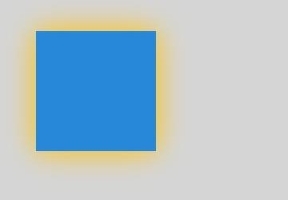
[h2]shadowColor
Sets the shadow color. This attribute is write-only. You can set its value through an assignment statement, but cannot obtain its current value through a read operation. If you attempt to read its current value, undefined will be returned.
Widget capability: This API can be used in ArkTS widgets since API version 9.
Atomic service API: This API can be used in atomic services since API version 11.
System capability: SystemCapability.ArkUI.ArkUI.Full
| Type | Read Only | Optional | Description |
|---|---|---|---|
| string | No | No | For details about the color notation, see the description for the string type in ResourceColor. Default value: transparent black |
// xxx.ets
@Entry
@Component
struct ShadowColor {
  private settings: RenderingContextSettings = new RenderingContextSettings(true);
  private context: CanvasRenderingContext2D = new CanvasRenderingContext2D(this.settings);
  private offCanvas: OffscreenCanvas = new OffscreenCanvas(600, 600);

  build() {
    Flex({ direction: FlexDirection.Column, alignItems: ItemAlign.Center, justifyContent: FlexAlign.Center }) {
      Canvas(this.context)
        .width('100%')
        .height('100%')
        .backgroundColor('rgb(213,213,213)')
        .onReady(() => {
          let offContext = this.offCanvas.getContext("2d", this.settings)
          offContext.shadowBlur = 30
          // Set the shadowColor attribute.
          offContext.shadowColor = 'rgb(255,192,0)'
          offContext.fillStyle = 'rgb(39,135,217)'
          offContext.fillRect(30, 30, 100, 100)
          let image = this.offCanvas.transferToImageBitmap()
          this.context.transferFromImageBitmap(image)
      })
    }
    .width('100%')
    .height('100%')
  }
} 
[h2]shadowOffsetX
Sets the horizontal offset between the drawn shadow and the original object. This attribute is write-only. You can set its value through an assignment statement, but cannot obtain its current value through a read operation. If you attempt to read its current value, undefined will be returned.
Widget capability: This API can be used in ArkTS widgets since API version 9.
Atomic service API: This API can be used in atomic services since API version 11.
System capability: SystemCapability.ArkUI.ArkUI.Full
| Type | Read Only | Optional | Description |
|---|---|---|---|
| number | No | No | Default value: 0.0 Default unit: vp Invalid values NaN and Infinity are treated as the default value. |
// xxx.ets
@Entry
@Component
struct ShadowOffsetX {
  private settings: RenderingContextSettings = new RenderingContextSettings(true);
  private context: CanvasRenderingContext2D = new CanvasRenderingContext2D(this.settings);
  private offCanvas: OffscreenCanvas = new OffscreenCanvas(600, 600);

  build() {
    Flex({ direction: FlexDirection.Column, alignItems: ItemAlign.Center, justifyContent: FlexAlign.Center }) {
      Canvas(this.context)
        .width('100%')
        .height('100%')
        .backgroundColor('#ffff00')
        .onReady(() => {
          let offContext = this.offCanvas.getContext("2d", this.settings)
          offContext.shadowBlur = 10
          // Set the shadowOffsetX attribute.
          offContext.shadowOffsetX = 20
          offContext.shadowColor = 'rgb(0,0,0)'
          offContext.fillStyle = 'rgb(255,0,0)'
          offContext.fillRect(20, 20, 100, 80)
          let image = this.offCanvas.transferToImageBitmap()
          this.context.transferFromImageBitmap(image)
      })
    }
    .width('100%')
    .height('100%')
  }
} 
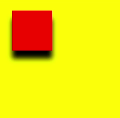
[h2]shadowOffsetY
Sets the vertical offset between the drawn shadow and the original object. This attribute is write-only. You can set its value through an assignment statement, but cannot obtain its current value through a read operation. If you attempt to read its current value, undefined will be returned.
Widget capability: This API can be used in ArkTS widgets since API version 9.
Atomic service API: This API can be used in atomic services since API version 11.
System capability: SystemCapability.ArkUI.ArkUI.Full
| Type | Read Only | Optional | Description |
|---|---|---|---|
| number | No | No | Default value: 0.0 Default unit: vp Invalid values NaN and Infinity are treated as the default value. |
// xxx.ets
@Entry
@Component
struct ShadowOffsetY {
  private settings: RenderingContextSettings = new RenderingContextSettings(true);
  private context: CanvasRenderingContext2D = new CanvasRenderingContext2D(this.settings);
  private offCanvas: OffscreenCanvas = new OffscreenCanvas(600, 600);

  build() {
    Flex({ direction: FlexDirection.Column, alignItems: ItemAlign.Center, justifyContent: FlexAlign.Center }) {
      Canvas(this.context)
        .width('100%')
        .height('100%')
        .backgroundColor('#ffff00')
        .onReady(() => {
          let offContext = this.offCanvas.getContext("2d", this.settings)
          offContext.shadowBlur = 10
          // Set the shadowOffsetY attribute.
          offContext.shadowOffsetY = 20
          offContext.shadowColor = 'rgb(0,0,0)'
          offContext.fillStyle = 'rgb(255,0,0)'
          offContext.fillRect(30, 30, 100, 100)
          let image = this.offCanvas.transferToImageBitmap()
          this.context.transferFromImageBitmap(image)
      })
    }
    .width('100%')
    .height('100%')
  }
} 
[h2]imageSmoothingEnabled
Indicates whether to apply image smoothing adjustments when drawing images. The value true means to enable smoothing, and false means to disable it. This attribute is write-only. You can set its value through an assignment statement, but cannot obtain its current value through a read operation. If you attempt to read its current value, undefined will be returned.
Widget capability: This API can be used in ArkTS widgets since API version 9.
Atomic service API: This API can be used in atomic services since API version 11.
System capability: SystemCapability.ArkUI.ArkUI.Full
| Type | Read Only | Optional | Description |
|---|---|---|---|
| boolean | No | No | Default value: true |

The resources used in this example are not located in the src > main > resource directory. Starting from DevEco Studio 6.0.0 Beta2, the resources that are located outside the resources directory are not packaged by default when a project or module is created. To package these resources, go to buildOption in the module's build-profile.json5 file > resOptions > copyCodeResource, and set enable to true. For details, see the description of copyCodeResource in resOptions.
// xxx.ets
@Entry
@Component
struct ImageSmoothingEnabled {
  private settings: RenderingContextSettings = new RenderingContextSettings(true);
  private context: CanvasRenderingContext2D = new CanvasRenderingContext2D(this.settings);
  // Replace "common/images/icon.jpg" with the image resource file you use.
  private img:ImageBitmap = new ImageBitmap("common/images/icon.jpg");
  private offCanvas: OffscreenCanvas = new OffscreenCanvas(600, 600);

  build() {
    Flex({ direction: FlexDirection.Column, alignItems: ItemAlign.Center, justifyContent: FlexAlign.Center }) {
      Canvas(this.context)
        .width('100%')
        .height('100%')
        .backgroundColor('#ffff00')
        .onReady(() => {
          let offContext = this.offCanvas.getContext("2d", this.settings)
          // Set the imageSmoothingEnabled attribute.
          offContext.imageSmoothingEnabled = false
          offContext.drawImage(this.img, 0, 0, 400, 200)
          let image = this.offCanvas.transferToImageBitmap()
          this.context.transferFromImageBitmap(image)
      })
    }
    .width('100%')
    .height('100%')
  }
} 
[h2]imageSmoothingQuality
Sets the image smoothing quality when imageSmoothingEnabled is set to true. This attribute is write-only. You can set its value through an assignment statement, but cannot obtain its current value through a read operation. If you attempt to read its current value, undefined will be returned.
Widget capability: This API can be used in ArkTS widgets since API version 9.
Atomic service API: This API can be used in atomic services since API version 11.
System capability: SystemCapability.ArkUI.ArkUI.Full
| Type | Read Only | Optional | Description |
|---|---|---|---|
| ImageSmoothingQuality | No | No | Default value: "low" |

The resources used in this example are not located in the src > main > resource directory. Starting from DevEco Studio 6.0.0 Beta2, the resources that are located outside the resources directory are not packaged by default when a project or module is created. To package these resources, go to buildOption in the module's build-profile.json5 file > resOptions > copyCodeResource, and set enable to true. For details, see the description of copyCodeResource in resOptions.
  // xxx.ets
  @Entry
  @Component
  struct ImageSmoothingQualityDemoOff {
    private settings: RenderingContextSettings = new RenderingContextSettings(true);
    private context: CanvasRenderingContext2D = new CanvasRenderingContext2D(this.
settings);
    private offCanvas: OffscreenCanvas = new OffscreenCanvas(600, 600);
    // Replace "common/images/example.jpg" with the image resource file you use.
    private img:ImageBitmap = new ImageBitmap("common/images/example.jpg");

    build() {
      Flex({ direction: FlexDirection.Column, alignItems: ItemAlign.Center,
justifyContent: FlexAlign.Center }) {
        Canvas(this.context)
          .width('100%')
          .height('100%')
          .backgroundColor('#ffff00')
          .onReady(() => {
            let offContext = this.offCanvas.getContext("2d", this.settings)
            let offctx = offContext
            offctx.imageSmoothingEnabled = true
            // Set the imageSmoothingQuality attribute.
            offctx.imageSmoothingQuality = 'high'
            offctx.drawImage(this.img, 0, 0, 400, 200)

            let image = this.offCanvas.transferToImageBitmap()
            this.context.transferFromImageBitmap(image)
          })
      }
      .width('100%')
      .height('100%')
    }
} 
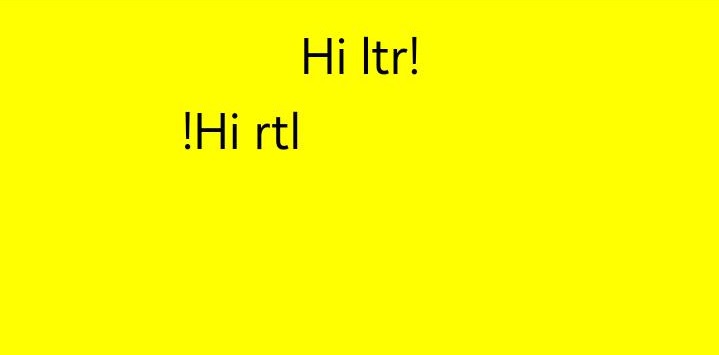
[h2]direction
Sets the text direction. This attribute is write-only. You can set its value through an assignment statement, but cannot obtain its current value through a read operation. If you attempt to read its current value, undefined will be returned.
Widget capability: This API can be used in ArkTS widgets since API version 9.
Atomic service API: This API can be used in atomic services since API version 11.
System capability: SystemCapability.ArkUI.ArkUI.Full
| Type | Read Only | Optional | Description |
|---|---|---|---|
| CanvasDirection | No | No | Default value: "inherit" |
  // xxx.ets
  @Entry
  @Component
  struct DirectionDemoOff {
    private settings: RenderingContextSettings = new RenderingContextSettings(true);
    private context: CanvasRenderingContext2D = new CanvasRenderingContext2D(this.
settings);
    private offCanvas: OffscreenCanvas = new OffscreenCanvas(600, 600);

    build() {
      Flex({ direction: FlexDirection.Column, alignItems: ItemAlign.Center,
justifyContent: FlexAlign.Center }) {
        Canvas(this.context)
          .width('100%')
          .height('100%')
          .backgroundColor('#ffff00')
          .onReady(() => {
            let offContext = this.offCanvas.getContext("2d", this.settings)
            let offctx = offContext
            offctx.font = '48px serif';
            offctx.textAlign = 'start'
            offctx.fillText("Hi ltr!", 200, 50);

            // Set the direction attribute.
            offctx.direction = "rtl";
            offctx.fillText("Hi rtl!", 200, 100);

            let image = offctx.transferToImageBitmap()
            this.context.transferFromImageBitmap(image)
          })
      }
      .width('100%')
      .height('100%')
    }
} 
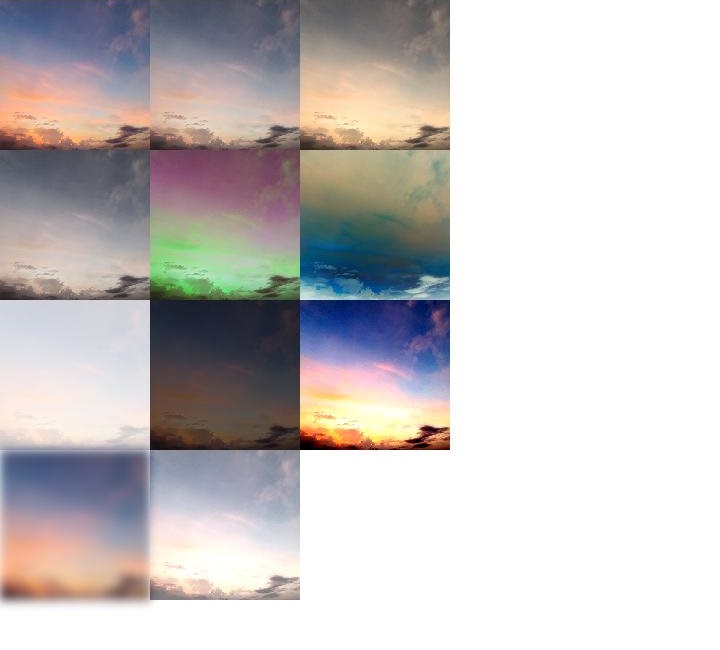
[h2]filter
Sets the filter of an image. You can combine any number of filters. This attribute is write-only. You can set its value through an assignment statement, but cannot obtain its current value through a read operation. If you attempt to read its current value, undefined will be returned.
Widget capability: This API can be used in ArkTS widgets since API version 9.
Atomic service API: This API can be used in atomic services since API version 11.
System capability: SystemCapability.ArkUI.ArkUI.Full
| Type | Read Only | Optional | Description |
|---|---|---|---|
| string | No | No | Available values are as follows: - 'none': no filter effect. - 'blur(<length>)': applies the Gaussian blur for the image. The value must be greater than or equal to 0. The unit can be px, vp, or rem. The default value is blur(0px). - 'brightness([<number>|<percentage>])': applies a linear multiplier to the image to adjust its brightness. The value can be a number or a percentage, and must be greater than or equal to 0. The default value is brightness(1). - 'contrast([<number>|<percentage>])': adjusts the contrast of the image. The value can be a number or a percentage, and must be greater than or equal to 0. The default value is contrast(1). - 'grayscale([<number>|<percentage>])': converts the image to grayscale. The value can be a number or a percentage, and must be within the range of [0, 1]. The default value is grayscale(0). - 'hue-rotate(<angle>)': applies hue rotation to the image. The value ranges from 0deg to 360deg. The default value is hue-rotate(0deg). - 'invert([<number>|<percentage>])': inverts the input image. The value can be a number or a percentage, and must be within the range of [0, 1]. The default value is invert(0). - 'opacity([<number>|<percentage>])': adjusts the opacity of the image. The value can be a number or a percentage, and must be within the range of [0, 1]. The default value is opacity(1). - 'saturate([<number>|<percentage>])': adjusts the saturation of the image. The value can be a number or a percentage, and must be greater than or equal to 0. The default value is saturate(1). - 'sepia([<number>|<percentage>])': converts the image to sepia. The value can be a number or a percentage, and must be within the range of [0, 1]. The default value is sepia(0). |

The resources used in this example are not located in the src > main > resource directory. Starting from DevEco Studio 6.0.0 Beta2, the resources that are located outside the resources directory are not packaged by default when a project or module is created. To package these resources, go to buildOption in the module's build-profile.json5 file > resOptions > copyCodeResource, and set enable to true. For details, see the description of copyCodeResource in resOptions.
  // xxx.ets
  @Entry
  @Component
  struct FilterDemoOff {
    private settings: RenderingContextSettings = new RenderingContextSettings(true);
    private context: CanvasRenderingContext2D = new CanvasRenderingContext2D(this.settings);
    private offCanvas: OffscreenCanvas = new OffscreenCanvas(600, 600);
    // Replace "common/images/example.jpg" with the image resource file you use.
    private img: ImageBitmap = new ImageBitmap("common/images/example.jpg");

    build() {
      Flex({ direction: FlexDirection.Column, alignItems: ItemAlign.Center, justifyContent: FlexAlign.Center }) {
        Canvas(this.context)
          .width('100%')
          .height('100%')
          .onReady(() => {
            let offContext = this.offCanvas.getContext("2d", this.settings)
            let img = this.img

            offContext.drawImage(img, 0, 0, 100, 100);

            offContext.filter = 'grayscale(50%)';
            offContext.drawImage(img, 100, 0, 100, 100);

            offContext.filter = 'sepia(60%)';
            offContext.drawImage(img, 200, 0, 100, 100);

            offContext.filter = 'saturate(30%)';
            offContext.drawImage(img, 0, 100, 100, 100);

            offContext.filter = 'hue-rotate(90deg)';
            offContext.drawImage(img, 100, 100, 100, 100);

            offContext.filter = 'invert(100%)';
            offContext.drawImage(img, 200, 100, 100, 100);

            offContext.filter = 'opacity(25%)';
            offContext.drawImage(img, 0, 200, 100, 100);

            offContext.filter = 'brightness(0.4)';
            offContext.drawImage(img, 100, 200, 100, 100);

            offContext.filter = 'contrast(200%)';
            offContext.drawImage(img, 200, 200, 100, 100);

            offContext.filter = 'blur(5px)';
            offContext.drawImage(img, 0, 300, 100, 100);

            // Applying multiple filters
            offContext.filter = 'opacity(50%) contrast(200%) grayscale(50%)';
            offContext.drawImage(img, 100, 300, 100, 100);

            let image = this.offCanvas.transferToImageBitmap()
            this.context.transferFromImageBitmap(image)
          })
      }
      .width('100%')
      .height('100%')
    }
} 
[h2]letterSpacing18+
Sets the letter spacing. This attribute is write-only. You can set its value through an assignment statement, but cannot obtain its current value through a read operation. If you attempt to read its current value, undefined will be returned.
Atomic service API: This API can be used in atomic services since API version 18.
System capability: SystemCapability.ArkUI.ArkUI.Full
| Type | Read Only | Optional | Description |
|---|---|---|---|
| string | LengthMetrics | No | No | Spacing between characters. When the LengthMetrics type is used: The spacing is set according to the specified unit. The FP, PERCENT, and LPX units are not supported and will be treated as invalid. Negative and fractional values are supported. When set to a fraction, the spacing is not rounded. When the string type is used: Percentage values are not supported and will be treated as invalid. Negative and fractional values are supported. When set to a fraction, the spacing is not rounded. If no unit is specified (for example, letterSpacing = '10') and LengthMetricsUnit is not set, the default unit is vp. If LengthMetricsUnit is set to px, the default unit is px. If the value of letterSpacing is specified with a unit (for example, letterSpacing='10vp'), the letter spacing is set based on the specified unit. Default value: 0 (Invalid values are treated as the default value.) Note: LengthMetrics is recommended for better performance. |
  // xxx.ets
  import { LengthMetrics, LengthUnit } from '@kit.ArkUI';

  @Entry
  @Component
  struct letterSpacingDemo {
    private settings: RenderingContextSettings = new RenderingContextSettings(true);
    private context: CanvasRenderingContext2D = new CanvasRenderingContext2D(this.settings);
    private offCanvas: OffscreenCanvas = new OffscreenCanvas(600, 600);

    build() {
      Flex({ direction: FlexDirection.Column, alignItems: ItemAlign.Center, justifyContent: FlexAlign.Center }) {
        Canvas(this.context)
          .width('100%')
          .height('100%')
          .backgroundColor('rgb(213,213,213)')
          .onReady(() => {
            let offContext = this.offCanvas.getContext("2d", this.settings)
            offContext.font = '30vp'
            // Use string to set the direction attribute.
            offContext.letterSpacing = '10vp'
            offContext.fillText('hello world', 30, 50)
            // Use the LengthMetrics object to set the direction attribute.
            offContext.letterSpacing = new LengthMetrics(10, LengthUnit.VP)
            offContext.fillText('hello world', 30, 100)
            let image = this.offCanvas.transferToImageBitmap()
            this.context.transferFromImageBitmap(image)
          })
      }
      .width('100%')
      .height('100%')
    }
} 
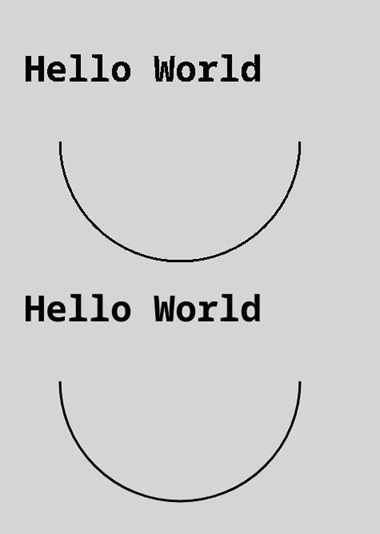
[h2]antialias24+
Sets whether to enable anti-aliasing for drawing graphics and text. Setting this API overrides the anti-aliasing effect in RenderingContextSettings. If this API is not specified, the default value is undefined and the anti-aliasing effect in RenderingContextSettings is used.
Model restriction: This API can be used only in the stage model.
Atomic service API: This API can be used in atomic services since API version 24.
System capability: SystemCapability.ArkUI.ArkUI.Full
| Type | Read Only | Optional | Description |
|---|---|---|---|
| boolean | No | No | Whether to enable anti-aliasing for drawing graphics and text. true: Anti-aliasing is enabled. false: Anti-aliasing is disabled. When the value is undefined, the anti-aliasing effect in RenderingContextSettings is used. |
Example
// xxx.ets
@Entry
@Component
struct AntialiasDemoOff {
  private settings: RenderingContextSettings = new RenderingContextSettings(true);
  private context: CanvasRenderingContext2D = new CanvasRenderingContext2D(this.settings);
  private offCanvas: OffscreenCanvas = new OffscreenCanvas(600, 600);

  build() {
    Flex({ direction: FlexDirection.Column, alignItems: ItemAlign.Center, justifyContent: FlexAlign.Center }) {
      Canvas(this.context)
        .width('100%')
        .height('100%')
        .backgroundColor('rgb(213,213,213)')
        .onReady(() => {
          let offContext = this.offCanvas.getContext("2d", this.settings);
          let anti = offContext.antialias;
          console.info(`current antialias is ${anti}`);
          // Set antialias to false.
          offContext.antialias = false;
          offContext.strokeStyle = 'rgb(0,0,0)';
          offContext.lineWidth = 2;
          offContext.beginPath();
          offContext.arc(150, 150, 100, 0, Math.PI);
          offContext.stroke();
          offContext.font = 'normal bold 30vp monospace';
          offContext.fillText("Hello World", 20, 100);
          anti = offContext.antialias;
          console.info(`current antialias is ${anti}`);

          // Set antialias to true.
          offContext.antialias = true;
          offContext.beginPath();
          offContext.arc(150, 350, 100, 0, Math.PI);
          offContext.stroke();
          offContext.font = 'normal bold 30vp monospace';
          offContext.fillText("Hello World", 20, 300);
          anti = offContext.antialias;
          console.info(`current antialias is ${anti}`);
          let image = this.offCanvas.transferToImageBitmap();
          this.context.transferFromImageBitmap(image);
        })
    }
    .width('100%')
    .height('100%')
  }
} 
[h2]fillRect
fillRect(x: number, y: number, w: number, h: number): void
Fills a rectangle on the canvas.
Widget capability: This API can be used in ArkTS widgets since API version 9.
Atomic service API: This API can be used in atomic services since API version 11.
System capability: SystemCapability.ArkUI.ArkUI.Full
Parameters
| Name | Type | Mandatory | Description |
|---|---|---|---|
| x | number | Yes | X-coordinate of the upper left corner of the rectangle. The values undefined, null, NaN, and Infinity are treated as invalid values and will not be rendered. Default unit: vp |
| y | number | Yes | Y-coordinate of the upper left corner of the rectangle. The values undefined, null, NaN, and Infinity are treated as invalid values and will not be rendered. Default unit: vp |
| w | number | Yes | Width of the rectangle. The values undefined, null, NaN, and Infinity are treated as invalid values and will not be rendered. Default unit: vp |
| h | number | Yes | Height of the rectangle. The values undefined, null, NaN, and Infinity are treated as invalid values and will not be rendered. Default unit: vp |
Example
// xxx.ets
@Entry
@Component
struct FillRect {
  private settings: RenderingContextSettings = new RenderingContextSettings(true);
  private context: CanvasRenderingContext2D = new CanvasRenderingContext2D(this.settings);
  private offCanvas: OffscreenCanvas = new OffscreenCanvas(600, 600);

  build() {
    Flex({ direction: FlexDirection.Column, alignItems: ItemAlign.Center, justifyContent: FlexAlign.Center }) {
      Canvas(this.context)
        .width('100%')
        .height('100%')
        .backgroundColor('rgb(213,213,213)')
        .onReady(() => {
          let offContext = this.offCanvas.getContext("2d", this.settings)
          offContext.fillRect(30, 30, 100, 100)
          let image = this.offCanvas.transferToImageBitmap()
          this.context.transferFromImageBitmap(image)
       })
      }
    .width('100%')
    .height('100%')
  }
} 
[h2]strokeRect
strokeRect(x: number, y: number, w: number, h: number): void
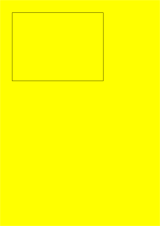
Draws an outlined rectangle on the canvas.
Widget capability: This API can be used in ArkTS widgets since API version 9.
Atomic service API: This API can be used in atomic services since API version 11.
System capability: SystemCapability.ArkUI.ArkUI.Full
Parameters
| Name | Type | Mandatory | Description |
|---|---|---|---|
| x | number | Yes | X-coordinate of the upper left corner of the rectangle. The values undefined, null, NaN, and Infinity are treated as invalid values and will not be rendered. Default unit: vp |
| y | number | Yes | Y-coordinate of the upper left corner of the rectangle. The values undefined, null, NaN, and Infinity are treated as invalid values and will not be rendered. Default unit: vp |
| width | number | Yes | Width of the rectangle. The values undefined, null, NaN, and Infinity are treated as invalid values and will not be rendered. Default unit: vp |
| height | number | Yes | Height of the rectangle. The values undefined, null, NaN, and Infinity are treated as invalid values and will not be rendered. Default unit: vp |
Example
// xxx.ets
@Entry
@Component
struct StrokeRect {
  private settings: RenderingContextSettings = new RenderingContextSettings(true);
  private context: CanvasRenderingContext2D = new CanvasRenderingContext2D(this.settings);
  private offCanvas: OffscreenCanvas = new OffscreenCanvas(600, 600);

  build() {
    Flex({ direction: FlexDirection.Column, alignItems: ItemAlign.Center, justifyContent: FlexAlign.Center }) {
      Canvas(this.context)
        .width('100%')
        .height('100%')
        .backgroundColor('#ffff00')
        .onReady(() => {
          let offContext = this.offCanvas.getContext("2d", this.settings)
          offContext.strokeRect(30, 30, 200, 150)
          let image = this.offCanvas.transferToImageBitmap()
          this.context.transferFromImageBitmap(image)
      })
    }
    .width('100%')
    .height('100%')
  }
} 
[h2]clearRect
clearRect(x: number, y: number, w: number, h: number): void
Clears the content in a rectangle on the canvas.
Widget capability: This API can be used in ArkTS widgets since API version 9.
Atomic service API: This API can be used in atomic services since API version 11.
System capability: SystemCapability.ArkUI.ArkUI.Full
Parameters
| Name | Type | Mandatory | Description |
|---|---|---|---|
| x | number | Yes | X-coordinate of the upper left corner of the rectangle. The values undefined, null, NaN, and Infinity are treated as invalid values and will not be rendered. Default unit: vp |
| y | number | Yes | Y-coordinate of the upper left corner of the rectangle. The values undefined, null, NaN, and Infinity are treated as invalid values and will not be rendered. Default unit: vp |
| width | number | Yes | Width of the rectangle. The values undefined, null, NaN, and Infinity are treated as invalid values and will not be rendered. Default unit: vp |
| height | number | Yes | Height of the rectangle. The values undefined, null, NaN, and Infinity are treated as invalid values and will not be rendered. Default unit: vp |
Example
// xxx.ets
@Entry
@Component
struct ClearRect {
  private settings: RenderingContextSettings = new RenderingContextSettings(true);
  private context: CanvasRenderingContext2D = new CanvasRenderingContext2D(this.settings);
  private offCanvas: OffscreenCanvas = new OffscreenCanvas(600, 600);

  build() {
    Flex({ direction: FlexDirection.Column, alignItems: ItemAlign.Center, justifyContent: FlexAlign.Center }) {
      Canvas(this.context)
        .width('100%')
        .height('100%')
        .backgroundColor('#ffff00')
        .onReady(() => {
          let offContext = this.offCanvas.getContext("2d", this.settings)
          offContext.fillStyle = 'rgb(0,0,255)'
          offContext.fillRect(20, 20, 200, 200)
          offContext.clearRect(30, 30, 150, 100)
          let image = this.offCanvas.transferToImageBitmap()
          this.context.transferFromImageBitmap(image)
        })
    }
    .width('100%')
    .height('100%')
  }
} 
[h2]fillText
fillText(text: string, x: number, y: number, maxWidth?: number): void
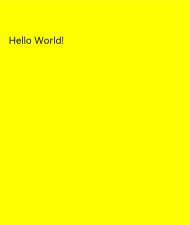
Draws filled text on the canvas.
Widget capability: This API can be used in ArkTS widgets since API version 9.
Atomic service API: This API can be used in atomic services since API version 11.
System capability: SystemCapability.ArkUI.ArkUI.Full
Parameters
| Name | Type | Mandatory | Description |
|---|---|---|---|
| text | string | Yes | Text to draw. Values undefined and null are treated as invalid and will not be rendered. |
| x | number | Yes | X-coordinate of the start point for text rendering. The values undefined, null, NaN, and Infinity are treated as invalid values and will not be rendered. Default unit: vp |
| y | number | Yes | Y-coordinate of the start point for text rendering. The values undefined, null, NaN, and Infinity are treated as invalid values and will not be rendered. Default unit: vp |
| maxWidth | number | No | Maximum width allowed for the text. The value null is treated as an invalid value and will not be rendered. Values undefined, NaN, and Infinity are treated as the default value. Default unit: vp Default value: no width restriction |
Example
// xxx.ets
@Entry
@Component
struct FillText {
  private settings: RenderingContextSettings = new RenderingContextSettings(true);
  private context: CanvasRenderingContext2D = new CanvasRenderingContext2D(this.settings);
  private offCanvas: OffscreenCanvas = new OffscreenCanvas(600, 600);

  build() {
    Flex({ direction: FlexDirection.Column, alignItems: ItemAlign.Center, justifyContent: FlexAlign.Center }) {
      Canvas(this.context)
        .width('100%')
        .height('100%')
        .backgroundColor('#ffff00')
        .onReady(() => {
          let offContext = this.offCanvas.getContext("2d", this.settings)
          offContext.font = '30px sans-serif'
          offContext.fillText("Hello World!", 20, 100)
          let image = this.offCanvas.transferToImageBitmap()
          this.context.transferFromImageBitmap(image)
      })
    }
    .width('100%')
    .height('100%')
  }
} 
[h2]strokeText
strokeText(text: string, x: number, y: number, maxWidth?: number): void
Draws a text stroke on the canvas.
Widget capability: This API can be used in ArkTS widgets since API version 9.
Atomic service API: This API can be used in atomic services since API version 11.
System capability: SystemCapability.ArkUI.ArkUI.Full
Parameters
| Name | Type | Mandatory | Description |
|---|---|---|---|
| text | string | Yes | Text to draw. Values undefined and null are treated as invalid and will not be rendered. |
| x | number | Yes | X-coordinate of the start point for text rendering. The values undefined, null, NaN, and Infinity are treated as invalid values and will not be rendered. Default unit: vp |
| y | number | Yes | Y-coordinate of the start point for text rendering. The values undefined, null, NaN, and Infinity are treated as invalid values and will not be rendered. Default unit: vp |
| maxWidth | number | No | Maximum width of the text. The value null is treated as an invalid value and will not be rendered. Values undefined, NaN, and Infinity are treated as the default value. Default unit: vp Default value: no width restriction |
Example
// xxx.ets
@Entry
@Component
struct StrokeText {
  private settings: RenderingContextSettings = new RenderingContextSettings(true);
  private context: CanvasRenderingContext2D = new CanvasRenderingContext2D(this.settings);
  private offCanvas: OffscreenCanvas = new OffscreenCanvas(600, 600);

  build() {
    Flex({ direction: FlexDirection.Column, alignItems: ItemAlign.Center, justifyContent: FlexAlign.Center }) {
      Canvas(this.context)
        .width('100%')
        .height('100%')
        .backgroundColor('#ffff00')
        .onReady(() => {
          let offContext = this.offCanvas.getContext("2d", this.settings)
          offContext.font = '55px sans-serif'
          offContext.strokeText("Hello World!", 20, 60)
          let image = this.offCanvas.transferToImageBitmap()
          this.context.transferFromImageBitmap(image)
      })
    }
    .width('100%')
    .height('100%')
  }
} 
[h2]measureText
measureText(text: string): TextMetrics
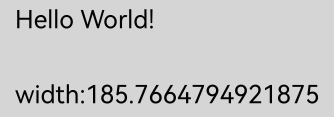
Returns a TextMetrics object used to obtain the width of specified text.
Widget capability: This API can be used in ArkTS widgets since API version 9.
Atomic service API: This API can be used in atomic services since API version 11.
System capability: SystemCapability.ArkUI.ArkUI.Full
Parameters
| Name | Type | Mandatory | Description |
|---|---|---|---|
| text | string | Yes | Text to be measured. |
Return value
| Type | Description |
|---|---|
| TextMetrics | TextMetrics object. If the input value is undefined or null, the value is calculated based on "undefined" or "null". |
Example
// xxx.ets
@Entry
@Component
struct MeasureText {
  private settings: RenderingContextSettings = new RenderingContextSettings(true);
  private context: CanvasRenderingContext2D = new CanvasRenderingContext2D(this.settings);
  private offCanvas: OffscreenCanvas = new OffscreenCanvas(600, 600);

  build() {
    Flex({ direction: FlexDirection.Column, alignItems: ItemAlign.Center, justifyContent: FlexAlign.Center }) {
      Canvas(this.context)
        .width('100%')
        .height('100%')
        .backgroundColor('rgb(213,213,213)')
        .onReady(() => {
          let offContext = this.offCanvas.getContext("2d", this.settings)
          offContext.font = '50px sans-serif'
          offContext.fillText("Hello World!", 20, 100)
          offContext.fillText("width:" + offContext.measureText("Hello World!").width, 20, 200)
          let image = this.offCanvas.transferToImageBitmap()
          this.context.transferFromImageBitmap(image)
      })
    }
    .width('100%')
    .height('100%')
  }
} 
[h2]stroke
stroke(): void
Strokes (outlines) this path.
Widget capability: This API can be used in ArkTS widgets since API version 9.
Atomic service API: This API can be used in atomic services since API version 11.
System capability: SystemCapability.ArkUI.ArkUI.Full
Example
// xxx.ets
@Entry
@Component
struct Stroke {
  private settings: RenderingContextSettings = new RenderingContextSettings(true);
  private context: CanvasRenderingContext2D = new CanvasRenderingContext2D(this.settings);
  private offCanvas: OffscreenCanvas = new OffscreenCanvas(600, 600);

  build() {
    Flex({ direction: FlexDirection.Column, alignItems: ItemAlign.Center, justifyContent: FlexAlign.Center }) {
      Canvas(this.context)
        .width('100%')
        .height('100%')
        .backgroundColor('#ffff00')
        .onReady(() => {
          let offContext = this.offCanvas.getContext("2d", this.settings)
          offContext.moveTo(125, 25)
          offContext.lineTo(125, 105)
          offContext.lineTo(175, 105)
          offContext.lineTo(175, 25)
          offContext.strokeStyle = 'rgb(255,0,0)'
          offContext.stroke()
          let image = this.offCanvas.transferToImageBitmap()
          this.context.transferFromImageBitmap(image)
        })
    }
    .width('100%')
    .height('100%')
  }
} 
[h2]stroke
stroke(path: Path2D): void
Strokes (outlines) a specified path.
Widget capability: This API can be used in ArkTS widgets since API version 9.
Atomic service API: This API can be used in atomic services since API version 11.
System capability: SystemCapability.ArkUI.ArkUI.Full
Parameters
| Name | Type | Mandatory | Description |
|---|---|---|---|
| path | Path2D | Yes | Path2D path to draw. Values undefined and null are treated as invalid and will not be rendered. |
Example
// xxx.ets
@Entry
@Component
struct Stroke {
  private settings: RenderingContextSettings = new RenderingContextSettings(true);
  private context: CanvasRenderingContext2D = new CanvasRenderingContext2D(this.settings);
  private offCanvas: OffscreenCanvas = new OffscreenCanvas(600, 600);
  private path2Da: Path2D = new Path2D();

  build() {
    Flex({ direction: FlexDirection.Column, alignItems: ItemAlign.Center, justifyContent: FlexAlign.Center }) {
      Canvas(this.context)
        .width('100%')
        .height('100%')
        .backgroundColor('#ffff00')
        .onReady(() => {
          let offContext = this.offCanvas.getContext("2d", this.settings)
          this.path2Da.moveTo(25, 25)
          this.path2Da.lineTo(25, 105)
          this.path2Da.lineTo(75, 105)
          this.path2Da.lineTo(75, 25)
          offContext.strokeStyle = 'rgb(0,0,255)'
          offContext.stroke(this.path2Da)
          let image = this.offCanvas.transferToImageBitmap()
          this.context.transferFromImageBitmap(image)
        })
    }
    .width('100%')
    .height('100%')
  }
} 
[h2]beginPath
beginPath(): void
Creates a drawing path.
Widget capability: This API can be used in ArkTS widgets since API version 9.
Atomic service API: This API can be used in atomic services since API version 11.
System capability: SystemCapability.ArkUI.ArkUI.Full
Example
// xxx.ets
@Entry
@Component
struct BeginPath {
  private settings: RenderingContextSettings = new RenderingContextSettings(true);
  private context: CanvasRenderingContext2D = new CanvasRenderingContext2D(this.settings);
  private offCanvas: OffscreenCanvas = new OffscreenCanvas(600, 600);

  build() {
    Flex({ direction: FlexDirection.Column, alignItems: ItemAlign.Center, justifyContent: FlexAlign.Center }) {
      Canvas(this.context)
        .width('100%')
        .height('100%')
        .backgroundColor('rgb(213,213,213)')
        .onReady(() => {
          let offContext = this.offCanvas.getContext("2d", this.settings)
          offContext.beginPath()
          offContext.lineWidth = 6
          offContext.strokeStyle = '#0000ff'
          offContext.moveTo(15, 80)
          offContext.lineTo(280, 160)
          offContext.stroke()
          let image = this.offCanvas.transferToImageBitmap()
          this.context.transferFromImageBitmap(image)
        })
    }
    .width('100%')
    .height('100%')
  }
} 
[h2]moveTo
moveTo(x: number, y: number): void
Moves a drawing path from the current position to a target position on the canvas.
Widget capability: This API can be used in ArkTS widgets since API version 9.
Atomic service API: This API can be used in atomic services since API version 11.
System capability: SystemCapability.ArkUI.ArkUI.Full
Parameters
| Name | Type | Mandatory | Description |
|---|---|---|---|
| x | number | Yes | X-coordinate of the target position. In versions earlier than API version 18, values NaN and Infinity prevent the entire path from rendering, and null or undefined values cause the current API to have no effect. Since API version 18, NaN, Infinity, null, or undefined causes the current API to have no effect, and other path APIs with valid arguments continue to render correctly. Default unit: vp |
| y | number | Yes | Y-coordinate of the target position. In versions earlier than API version 18, values NaN and Infinity prevent the entire path from rendering, and null or undefined values cause the current API to have no effect. Since API version 18, NaN, Infinity, null, or undefined causes the current API to have no effect, and other path APIs with valid arguments continue to render correctly. Default unit: vp |

In versions earlier than API version 18, if the moveTo API is not called or invalid parameters are passed to it, the path starts from (0,0).
Starting from API version 18, if the moveTo API is not executed or invalid parameters are passed to it, the path will begin at the start point of the first valid call to lineTo, arcTo, bezierCurveTo, or quadraticCurveTo.
Example
// xxx.ets
@Entry
@Component
struct MoveTo {
  private settings: RenderingContextSettings = new RenderingContextSettings(true);
  private context: CanvasRenderingContext2D = new CanvasRenderingContext2D(this.settings);
  private offCanvas: OffscreenCanvas = new OffscreenCanvas(600, 600);

  build() {
    Flex({ direction: FlexDirection.Column, alignItems: ItemAlign.Center, justifyContent: FlexAlign.Center }) {
      Canvas(this.context)
        .width('100%')
        .height('100%')
        .backgroundColor('#ffff00')
        .onReady(() => {
          let offContext = this.offCanvas.getContext("2d", this.settings)
          offContext.beginPath()
          offContext.moveTo(10, 10)
          offContext.lineTo(280, 160)
          offContext.stroke()
          let image = this.offCanvas.transferToImageBitmap()
          this.context.transferFromImageBitmap(image)
        })
    }
    .width('100%')
    .height('100%')
  }
} 
[h2]lineTo
lineTo(x: number, y: number): void
Connects the current point to a target position using a line.
Widget capability: This API can be used in ArkTS widgets since API version 9.
Atomic service API: This API can be used in atomic services since API version 11.
System capability: SystemCapability.ArkUI.ArkUI.Full
Parameters
| Name | Type | Mandatory | Description |
|---|---|---|---|
| x | number | Yes | X-coordinate of the target position. In versions earlier than API version 18, values NaN and Infinity prevent the entire path from rendering, and null or undefined values cause the current API to have no effect. Since API version 18, NaN, Infinity, null, or undefined causes the current API to have no effect, and other path APIs with valid arguments continue to render correctly. Default unit: vp |
| y | number | Yes | Y-coordinate of the target position. In versions earlier than API version 18, values NaN and Infinity prevent the entire path from rendering, and null or undefined values cause the current API to have no effect. Since API version 18, NaN, Infinity, null, or undefined causes the current API to have no effect, and other path APIs with valid arguments continue to render correctly. Default unit: vp |
Example
// xxx.ets
@Entry
@Component
struct LineTo {
  private settings: RenderingContextSettings = new RenderingContextSettings(true);
  private context: CanvasRenderingContext2D = new CanvasRenderingContext2D(this.settings);
  private offCanvas: OffscreenCanvas = new OffscreenCanvas(600, 600);

  build() {
    Flex({ direction: FlexDirection.Column, alignItems: ItemAlign.Center, justifyContent: FlexAlign.Center }) {
      Canvas(this.context)
        .width('100%')
        .height('100%')
        .backgroundColor('#ffff00')
        .onReady(() => {
          let offContext = this.offCanvas.getContext("2d", this.settings)
          offContext.beginPath()
          offContext.moveTo(10, 10)
          offContext.lineTo(280, 160)
          offContext.stroke()
          let image = this.offCanvas.transferToImageBitmap()
          this.context.transferFromImageBitmap(image)
        })
    }
    .width('100%')
    .height('100%')
  }
} 
[h2]closePath
closePath(): void
Draws a closed path.
Widget capability: This API can be used in ArkTS widgets since API version 9.
Atomic service API: This API can be used in atomic services since API version 11.
System capability: SystemCapability.ArkUI.ArkUI.Full
Example
// xxx.ets
@Entry
@Component
struct ClosePath {
  private settings: RenderingContextSettings = new RenderingContextSettings(true);
  private context: CanvasRenderingContext2D = new CanvasRenderingContext2D(this.settings);
  private offCanvas: OffscreenCanvas = new OffscreenCanvas(600, 600);

  build() {
    Flex({ direction: FlexDirection.Column, alignItems: ItemAlign.Center, justifyContent: FlexAlign.Center }) {
      Canvas(this.context)
        .width('100%')
        .height('100%')
        .backgroundColor('#ffff00')
        .onReady(() => {
            let offContext = this.offCanvas.getContext("2d", this.settings)
            offContext.beginPath()
            offContext.moveTo(30, 30)
            offContext.lineTo(110, 30)
            offContext.lineTo(70, 90)
            offContext.closePath()
            offContext.stroke()
            let image = this.offCanvas.transferToImageBitmap()
            this.context.transferFromImageBitmap(image)
        })
    }
    .width('100%')
    .height('100%')
  }
} 
[h2]createPattern
createPattern(image: ImageBitmap, repetition: string | null): CanvasPattern | null
Creates a pattern for image filling based on a specified source image and repetition mode.
Widget capability: This API can be used in ArkTS widgets since API version 9.
Atomic service API: This API can be used in atomic services since API version 11.
System capability: SystemCapability.ArkUI.ArkUI.Full
Parameters
| Name | Type | Mandatory | Description |
|---|---|---|---|
| image | ImageBitmap | Yes | Source image. For details, see ImageBitmap. Values undefined and null are treated as invalid. |
| repetition | string | null | Yes | Repetition mode. 'repeat': The image is repeated along both the x-axis and y-axis. 'repeat-x': The image is repeated along the x-axis. 'repeat-y': The image is repeated along the y-axis. 'no-repeat': The image is not repeated. 'clamp': Coordinates outside the original bounds are clamped to the edge of the image. 'mirror': The image is mirrored with each repetition along the x-axis and y-axis. Values undefined and null are treated as invalid. |
Return value
| Type | Description |
|---|---|
| CanvasPattern | null | Pattern for image filling based on a specified source image and repetition mode. |
Example

The resources used in this example are not located in the src > main > resource directory. Starting from DevEco Studio 6.0.0 Beta2, the resources that are located outside the resources directory are not packaged by default when a project or module is created. To package these resources, go to buildOption in the module's build-profile.json5 file > resOptions > copyCodeResource, and set enable to true. For details, see the description of copyCodeResource in resOptions.
// xxx.ets
@Entry
@Component
struct CreatePattern {
  private settings: RenderingContextSettings = new RenderingContextSettings(true);
  private context: CanvasRenderingContext2D = new CanvasRenderingContext2D(this.settings);
  // Replace "common/images/example.jpg" with the image resource file you use.
  private img:ImageBitmap = new ImageBitmap("common/images/example.jpg");
  private offCanvas: OffscreenCanvas = new OffscreenCanvas(600, 600);

  build() {
    Flex({ direction: FlexDirection.Column, alignItems: ItemAlign.Center, justifyContent: FlexAlign.Center }) {
      Canvas(this.context)
        .width('100%')
        .height('100%')
        .backgroundColor('rgb(213,213,213)')
        .onReady(() => {
          let offContext = this.offCanvas.getContext("2d", this.settings)
          let pattern = offContext.createPattern(this.img, 'repeat')
          offContext.fillStyle = pattern as CanvasPattern
          offContext.fillRect(0, 0, 200, 200)
          let image = this.offCanvas.transferToImageBitmap()
          this.context.transferFromImageBitmap(image)
        })
    }
    .width('100%')
    .height('100%')
  }
} 
[h2]bezierCurveTo
bezierCurveTo(cp1x: number, cp1y: number, cp2x: number, cp2y: number, x: number, y: number): void
Creates a path for a cubic Bezier curve.
Widget capability: This API can be used in ArkTS widgets since API version 9.
Atomic service API: This API can be used in atomic services since API version 11.
System capability: SystemCapability.ArkUI.ArkUI.Full
Parameters
| Name | Type | Mandatory | Description |
|---|---|---|---|
| cp1x | number | Yes | X-coordinate of the first parameter of the Bezier curve. In versions earlier than API version 18, values NaN and Infinity prevent the entire path from rendering, and null or undefined values cause the current API to have no effect. Since API version 18, NaN, Infinity, null, or undefined causes the current API to have no effect, and other path APIs with valid arguments continue to render correctly. Default unit: vp |
| cp1y | number | Yes | Y-coordinate of the first parameter of the Bezier curve. In versions earlier than API version 18, values NaN and Infinity prevent the entire path from rendering, and null or undefined values cause the current API to have no effect. Since API version 18, NaN, Infinity, null, or undefined causes the current API to have no effect, and other path APIs with valid arguments continue to render correctly. Default unit: vp |
| cp2x | number | Yes | X-coordinate of the second parameter of the Bezier curve. In versions earlier than API version 18, values NaN and Infinity prevent the entire path from rendering, and null or undefined values cause the current API to have no effect. Since API version 18, NaN, Infinity, null, or undefined causes the current API to have no effect, and other path APIs with valid arguments continue to render correctly. Default unit: vp |
| cp2y | number | Yes | Y-coordinate of the second parameter of the Bezier curve. In versions earlier than API version 18, values NaN and Infinity prevent the entire path from rendering, and null or undefined values cause the current API to have no effect. Since API version 18, NaN, Infinity, null, or undefined causes the current API to have no effect, and other path APIs with valid arguments continue to render correctly. Default unit: vp |
| x | number | Yes | X-coordinate of the end point on the Bezier curve. In versions earlier than API version 18, values NaN and Infinity prevent the entire path from rendering, and null or undefined values cause the current API to have no effect. Since API version 18, NaN, Infinity, null, or undefined causes the current API to have no effect, and other path APIs with valid arguments continue to render correctly. Default unit: vp |
| y | number | Yes | Y-coordinate of the end point on the Bezier curve. In versions earlier than API version 18, values NaN and Infinity prevent the entire path from rendering, and null or undefined values cause the current API to have no effect. Since API version 18, NaN, Infinity, null, or undefined causes the current API to have no effect, and other path APIs with valid arguments continue to render correctly. Default unit: vp |
Example
// xxx.ets
import { Point } from '@kit.TestKit';

@Entry
@Component
struct BezierCurveTo {
  private settings: RenderingContextSettings = new RenderingContextSettings(true);
  private context: CanvasRenderingContext2D = new CanvasRenderingContext2D(this.settings);
  private offCanvas: OffscreenCanvas = new OffscreenCanvas(600, 600);
  private start: Point = { x: 50, y: 50 };
  private end: Point = { x: 250, y: 100 };
  private cp1: Point = { x: 200, y: 30 };
  private cp2: Point = { x: 130, y: 80 };

  build() {
    Flex({ direction: FlexDirection.Column, alignItems: ItemAlign.Center, justifyContent: FlexAlign.Center }) {
      Canvas(this.context)
        .width('100%')
        .height('100%')
        .backgroundColor('rgb(213,213,213)')
        .onReady(() => {
          let offContext = this.offCanvas.getContext("2d", this.settings)
          // Cubic Bezier curve
          offContext.beginPath();
          offContext.moveTo(this.start.x, this.start.y);
          offContext.bezierCurveTo(this.cp1.x, this.cp1.y, this.cp2.x, this.cp2.y, this.end.x, this.end.y);
          offContext.stroke();

          // Start point and end point.
          offContext.fillStyle = 'rgb(39,135,217)';
          offContext.beginPath();
          offContext.arc(this.start.x, this.start.y, 5, 0, 2 * Math.PI); // Start point
          offContext.arc(this.end.x, this.end.y, 5, 0, 2 * Math.PI); // End point
          offContext.fill();

          // Control points
          offContext.fillStyle = 'rgb(23,169,141)';
          offContext.beginPath();
          offContext.arc(this.cp1.x, this.cp1.y, 5, 0, 2 * Math.PI); // Control point 1
          offContext.arc(this.cp2.x, this.cp2.y, 5, 0, 2 * Math.PI); // Control point 2
          offContext.fill();
          let image = this.offCanvas.transferToImageBitmap();
          this.context.transferFromImageBitmap(image);
        })
    }
    .width('100%')
    .height('100%')
  }
} 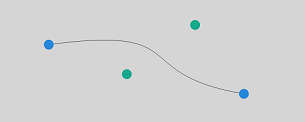
[h2]quadraticCurveTo
quadraticCurveTo(cpx: number, cpy: number, x: number, y: number): void
Create a path for a quadratic Bezier curve.
Widget capability: This API can be used in ArkTS widgets since API version 9.
Atomic service API: This API can be used in atomic services since API version 11.
System capability: SystemCapability.ArkUI.ArkUI.Full
Parameters
| Name | Type | Mandatory | Description |
|---|---|---|---|
| cpx | number | Yes | X-coordinate of the Bezier curve parameter. In versions earlier than API version 18, values NaN and Infinity prevent the entire path from rendering, and null or undefined values cause the current API to have no effect. Since API version 18, NaN, Infinity, null, or undefined causes the current API to have no effect, and other path APIs with valid arguments continue to render correctly. Default unit: vp |
| cpy | number | Yes | Y-coordinate of the Bezier curve parameter. In versions earlier than API version 18, values NaN and Infinity prevent the entire path from rendering, and null or undefined values cause the current API to have no effect. Since API version 18, NaN, Infinity, null, or undefined causes the current API to have no effect, and other path APIs with valid arguments continue to render correctly. Default unit: vp |
| x | number | Yes | X-coordinate of the end point on the Bezier curve. In versions earlier than API version 18, values NaN and Infinity prevent the entire path from rendering, and null or undefined values cause the current API to have no effect. Since API version 18, NaN, Infinity, null, or undefined causes the current API to have no effect, and other path APIs with valid arguments continue to render correctly. Default unit: vp |
| y | number | Yes | Y-coordinate of the end point on the Bezier curve. In versions earlier than API version 18, values NaN and Infinity prevent the entire path from rendering, and null or undefined values cause the current API to have no effect. Since API version 18, NaN, Infinity, null, or undefined causes the current API to have no effect, and other path APIs with valid arguments continue to render correctly. Default unit: vp |
Example
// xxx.ets
import { Point } from '@kit.TestKit';

@Entry
@Component
struct QuadraticCurveTo {
  private settings: RenderingContextSettings = new RenderingContextSettings(true);
  private context: CanvasRenderingContext2D = new CanvasRenderingContext2D(this.settings);
  private offCanvas: OffscreenCanvas = new OffscreenCanvas(600, 600);
  private start: Point = { x: 50, y: 20 };
  private end: Point = { x: 50, y: 100 };
  private cp: Point = { x: 230, y: 30 };

  build() {
    Flex({ direction: FlexDirection.Column, alignItems: ItemAlign.Center, justifyContent: FlexAlign.Center }) {
      Canvas(this.context)
        .width('100%')
        .height('100%')
        .backgroundColor('rgb(213,213,213)')
        .onReady(() => {
          let offContext = this.offCanvas.getContext("2d", this.settings);
          // Quadratic Bezier curve
          offContext.beginPath();
          offContext.moveTo(this.start.x, this.start.y);
          offContext.quadraticCurveTo(this.cp.x, this.cp.y, this.end.x, this.end.y);
          offContext.stroke();

          // Start point and end point
          offContext.fillStyle = 'rgb(39,135,217)';
          offContext.beginPath();
          offContext.arc(this.start.x, this.start.y, 5, 0, 2 * Math.PI); // Start point
          offContext.arc(this.end.x, this.end.y, 5, 0, 2 * Math.PI); // End point
          offContext.fill();

          // Control points
          offContext.fillStyle = 'rgb(23,169,141)';
          offContext.beginPath();
          offContext.arc(this.cp.x, this.cp.y, 5, 0, 2 * Math.PI);
          offContext.fill();

          let image = this.offCanvas.transferToImageBitmap();
          this.context.transferFromImageBitmap(image);
        })
    }
    .width('100%')
    .height('100%')
  }
} 
[h2]arc
arc(x: number, y: number, radius: number, startAngle: number, endAngle: number, counterclockwise?: boolean): void
Draws an arc on the canvas.
Widget capability: This API can be used in ArkTS widgets since API version 9.
Atomic service API: This API can be used in atomic services since API version 11.
System capability: SystemCapability.ArkUI.ArkUI.Full
Parameters
| Name | Type | Mandatory | Description |
|---|---|---|---|
| x | number | Yes | X-coordinate of the center point of the arc. In versions earlier than API version 18, values NaN and Infinity prevent the entire path from rendering, and null or undefined values cause the current API to have no effect. Since API version 18, NaN, Infinity, null, or undefined causes the current API to have no effect, and other path APIs with valid arguments continue to render correctly. Default unit: vp |
| y | number | Yes | Y-coordinate of the center point of the arc. In versions earlier than API version 18, values NaN and Infinity prevent the entire path from rendering, and null or undefined values cause the current API to have no effect. Since API version 18, NaN, Infinity, null, or undefined causes the current API to have no effect, and other path APIs with valid arguments continue to render correctly. Default unit: vp |
| radius | number | Yes | Radius of the arc. In versions earlier than API version 18, values NaN and Infinity prevent the entire path from rendering, and null or undefined values cause the current API to have no effect. Since API version 18, NaN, Infinity, null, or undefined causes the current API to have no effect, and other path APIs with valid arguments continue to render correctly. Default unit: vp |
| startAngle | number | Yes | Start radian of the arc. In versions earlier than API version 18, values NaN and Infinity prevent the entire path from rendering, and null or undefined values cause the current API to have no effect. Since API version 18, NaN, Infinity, null, or undefined causes the current API to have no effect, and other path APIs with valid arguments continue to render correctly. Default unit: radian |
| endAngle | number | Yes | End radian of the arc. In versions earlier than API version 18, values NaN and Infinity prevent the entire path from rendering, and null or undefined values cause the current API to have no effect. Since API version 18, NaN, Infinity, null, or undefined causes the current API to have no effect, and other path APIs with valid arguments continue to render correctly. Default unit: radian |
| counterclockwise | boolean | No | Whether to draw the arc counterclockwise. true: Draw the arc counterclockwise. false: Draw the arc clockwise. The default value is false. If this parameter is set to null or undefined, the default value is used. |
Example
// xxx.ets
@Entry
@Component
struct Arc {
  private settings: RenderingContextSettings = new RenderingContextSettings(true);
  private context: CanvasRenderingContext2D = new CanvasRenderingContext2D(this.settings);
  private offCanvas: OffscreenCanvas = new OffscreenCanvas(600, 600);

  build() {
    Flex({ direction: FlexDirection.Column, alignItems: ItemAlign.Center, justifyContent: FlexAlign.Center }) {
      Canvas(this.context)
        .width('100%')
        .height('100%')
        .backgroundColor('#ffff00')
        .onReady(() => {
          let offContext = this.offCanvas.getContext("2d", this.settings)
          offContext.beginPath()
          offContext.arc(100, 75, 50, 0, 6.28)
          offContext.stroke()
          let image = this.offCanvas.transferToImageBitmap()
          this.context.transferFromImageBitmap(image)
        })
    }
    .width('100%')
    .height('100%')
  }
} 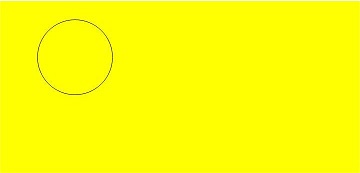
[h2]arcTo
arcTo(x1: number, y1: number, x2: number, y2: number, radius: number): void
Creates a circular arc using the given control points and radius.
Widget capability: This API can be used in ArkTS widgets since API version 9.
Atomic service API: This API can be used in atomic services since API version 11.
System capability: SystemCapability.ArkUI.ArkUI.Full
Parameters
| Name | Type | Mandatory | Description |
|---|---|---|---|
| x1 | number | Yes | X-coordinate of the first control point. In versions earlier than API version 18, values NaN and Infinity prevent the entire path from rendering, and null or undefined values cause the current API to have no effect. Since API version 18, NaN, Infinity, null, or undefined causes the current API to have no effect, and other path APIs with valid arguments continue to render correctly. Default unit: vp |
| y1 | number | Yes | Y-coordinate of the first control point. In versions earlier than API version 18, values NaN and Infinity prevent the entire path from rendering, and null or undefined values cause the current API to have no effect. Since API version 18, NaN, Infinity, null, or undefined causes the current API to have no effect, and other path APIs with valid arguments continue to render correctly. Default unit: vp |
| x2 | number | Yes | X-coordinate of the second control point. In versions earlier than API version 18, values NaN and Infinity prevent the entire path from rendering, and null or undefined values cause the current API to have no effect. Since API version 18, NaN, Infinity, null, or undefined causes the current API to have no effect, and other path APIs with valid arguments continue to render correctly. Default unit: vp |
| y2 | number | Yes | Y-coordinate of the second control point. In versions earlier than API version 18, values NaN and Infinity prevent the entire path from rendering, and null or undefined values cause the current API to have no effect. Since API version 18, NaN, Infinity, null, or undefined causes the current API to have no effect, and other path APIs with valid arguments continue to render correctly. Default unit: vp |
| radius | number | Yes | Radius of the arc. In versions earlier than API version 18, values NaN and Infinity prevent the entire path from rendering, and null or undefined values cause the current API to have no effect. Since API version 18, NaN, Infinity, null, or undefined causes the current API to have no effect, and other path APIs with valid arguments continue to render correctly. Default unit: vp |
Example
// xxx.ets
@Entry
@Component
struct ArcTo {
  private settings: RenderingContextSettings = new RenderingContextSettings(true);
  private context: CanvasRenderingContext2D = new CanvasRenderingContext2D(this.settings);
  private offCanvas: OffscreenCanvas = new OffscreenCanvas(600, 600);

  build() {
    Flex({ direction: FlexDirection.Column, alignItems: ItemAlign.Center, justifyContent: FlexAlign.Center }) {
      Canvas(this.context)
        .width('100%')
        .height('100%')
        .backgroundColor('#ffff00')
        .onReady(() => {
          let offContext = this.offCanvas.getContext("2d", this.settings)

          // Tangent
          offContext.beginPath()
          offContext.strokeStyle = '#808080'
          offContext.lineWidth = 1.5;
          offContext.moveTo(360, 20);
          offContext.lineTo(360, 170);
          offContext.lineTo(110, 170);
          offContext.stroke();

          // Arc
          offContext.beginPath()
          offContext.strokeStyle = '#000000'
          offContext.lineWidth = 3;
          offContext.moveTo(360, 20)
          offContext.arcTo(360, 170, 110, 170, 150)
          offContext.stroke()

          // Start point
          offContext.beginPath();
          offContext.fillStyle = '#00ff00';
          offContext.arc(360, 20, 4, 0, 2 * Math.PI);
          offContext.fill();

          // Control points
          offContext.beginPath();
          offContext.fillStyle = '#ff0000';
          offContext.arc(360, 170, 4, 0, 2 * Math.PI);
          offContext.arc(110, 170, 4, 0, 2 * Math.PI);
          offContext.fill();

          let image = this.offCanvas.transferToImageBitmap()
          this.context.transferFromImageBitmap(image)
        })
    }
    .width('100%')
    .height('100%')
  }
} 
In this example, the arc created by arcTo() is black, and the two tangents of the arc are gray. The control points are marked in red, and the start point is indicated in green.
You can visualize two tangents: One tangent extends from the start point to the first control point, and the other tangent extends from the first control point to the second control point. The arcTo() API creates an arc between these two tangents, ensuring that the arc is tangent to both lines at the points of contact.
[h2]ellipse
ellipse(x: number, y: number, radiusX: number, radiusY: number, rotation: number, startAngle: number, endAngle: number, counterclockwise?: boolean): void
Draws an ellipse in the specified rectangular region on the canvas.
Widget capability: This API can be used in ArkTS widgets since API version 9.
Atomic service API: This API can be used in atomic services since API version 11.
System capability: SystemCapability.ArkUI.ArkUI.Full
Parameters
| Name | Type | Mandatory | Description |
|---|---|---|---|
| x | number | Yes | X-coordinate of the ellipse center. In versions earlier than API version 18, values NaN and Infinity prevent the entire path from rendering, and null or undefined values cause the current API to have no effect. Since API version 18, NaN, Infinity, null, or undefined causes the current API to have no effect, and other path APIs with valid arguments continue to render correctly. Default unit: vp |
| y | number | Yes | Y-coordinate of the ellipse center. In versions earlier than API version 18, values NaN and Infinity prevent the entire path from rendering, and null or undefined values cause the current API to have no effect. Since API version 18, NaN, Infinity, null, or undefined causes the current API to have no effect, and other path APIs with valid arguments continue to render correctly. Default unit: vp |
| radiusX | number | Yes | Radius of the ellipse on the x-axis. In versions earlier than API version 18, values NaN and Infinity prevent the entire path from rendering, and null or undefined values cause the current API to have no effect. Since API version 18, NaN, Infinity, null, or undefined causes the current API to have no effect, and other path APIs with valid arguments continue to render correctly. Default unit: vp |
| radiusY | number | Yes | Radius of the ellipse on the y-axis. In versions earlier than API version 18, values NaN and Infinity prevent the entire path from rendering, and null or undefined values cause the current API to have no effect. Since API version 18, NaN, Infinity, null, or undefined causes the current API to have no effect, and other path APIs with valid arguments continue to render correctly. Default unit: vp |
| rotation | number | Yes | Rotation angle of the ellipse. In versions earlier than API version 18, values NaN and Infinity prevent the entire path from rendering, and null or undefined values cause the current API to have no effect. Since API version 18, NaN, Infinity, null, or undefined causes the current API to have no effect, and other path APIs with valid arguments continue to render correctly. Unit: radian |
| startAngle | number | Yes | Angle of the start point for drawing the ellipse. In versions earlier than API version 18, values NaN and Infinity prevent the entire path from rendering, and null or undefined values cause the current API to have no effect. Since API version 18, NaN, Infinity, null, or undefined causes the current API to have no effect, and other path APIs with valid arguments continue to render correctly. Unit: radian |
| endAngle | number | Yes | Angle of the end point for drawing the ellipse. In versions earlier than API version 18, values NaN and Infinity prevent the entire path from rendering, and null or undefined values cause the current API to have no effect. Since API version 18, NaN, Infinity, null, or undefined causes the current API to have no effect, and other path APIs with valid arguments continue to render correctly. Unit: radian |
| counterclockwise | boolean | No | Whether to draw the ellipse counterclockwise. true: Draw the ellipse counterclockwise. false: Draw the ellipse clockwise. The default value is false. If this parameter is set to null or undefined, the default value is used. |
Example
// xxx.ets
@Entry
@Component
struct CanvasExample {
  private settings: RenderingContextSettings = new RenderingContextSettings(true);
  private context: CanvasRenderingContext2D = new CanvasRenderingContext2D(this.settings);
  private offCanvas: OffscreenCanvas = new OffscreenCanvas(600, 600);
  build() {
    Flex({ direction: FlexDirection.Column, alignItems: ItemAlign.Center, justifyContent: FlexAlign.Center }) {
      Canvas(this.context)
        .width('100%')
        .height('100%')
        .backgroundColor('#ffff00')
        .onReady(() => {
          let offContext = this.offCanvas.getContext("2d", this.settings)
          offContext.beginPath()
          offContext.ellipse(200, 200, 50, 100, Math.PI * 0.25, Math.PI * 0.5, Math.PI * 2, false)
          offContext.stroke()
          offContext.beginPath()
          offContext.ellipse(200, 300, 50, 100, Math.PI * 0.25, Math.PI * 0.5, Math.PI * 2, true)
          offContext.stroke()
          let image = this.offCanvas.transferToImageBitmap()
          this.context.transferFromImageBitmap(image)
        })
    }
    .width('100%')
    .height('100%')
  }
} 
[h2]rect
rect(x: number, y: number, w: number, h: number): void
Creates a rectangle on the canvas.
Widget capability: This API can be used in ArkTS widgets since API version 9.
Atomic service API: This API can be used in atomic services since API version 11.
System capability: SystemCapability.ArkUI.ArkUI.Full
Parameters
| Name | Type | Mandatory | Description |
|---|---|---|---|
| x | number | Yes | X-coordinate of the upper left corner of the rectangle. In versions earlier than API version 18, values NaN and Infinity prevent the entire path from rendering, and null or undefined values cause the current API to have no effect. Since API version 18, NaN, Infinity, null, or undefined causes the current API to have no effect, and other path APIs with valid arguments continue to render correctly. Default unit: vp |
| y | number | Yes | Y-coordinate of the upper left corner of the rectangle. In versions earlier than API version 18, values NaN and Infinity prevent the entire path from rendering, and null or undefined values cause the current API to have no effect. Since API version 18, NaN, Infinity, null, or undefined causes the current API to have no effect, and other path APIs with valid arguments continue to render correctly. Default unit: vp |
| w | number | Yes | Width of the rectangle. In versions earlier than API version 18, values NaN and Infinity prevent the entire path from rendering, and null or undefined values cause the current API to have no effect. Since API version 18, NaN, Infinity, null, or undefined causes the current API to have no effect, and other path APIs with valid arguments continue to render correctly. Default unit: vp |
| h | number | Yes | Height of the rectangle. In versions earlier than API version 18, values NaN and Infinity prevent the entire path from rendering, and null or undefined values cause the current API to have no effect. Since API version 18, NaN, Infinity, null, or undefined causes the current API to have no effect, and other path APIs with valid arguments continue to render correctly. Default unit: vp |
Example
// xxx.ets
@Entry
@Component
struct CanvasExample {
  private settings: RenderingContextSettings = new RenderingContextSettings(true);
  private context: CanvasRenderingContext2D = new CanvasRenderingContext2D(this.settings);
  private offCanvas: OffscreenCanvas = new OffscreenCanvas(600, 600);

  build() {
    Flex({ direction: FlexDirection.Column, alignItems: ItemAlign.Center, justifyContent: FlexAlign.Center }) {
      Canvas(this.context)
        .width('100%')
        .height('100%')
        .backgroundColor('#ffff00')
        .onReady(() => {
          let offContext = this.offCanvas.getContext("2d", this.settings)
          offContext.rect(20, 20, 100, 100) // Create a 100*100 rectangle at (20, 20)
          offContext.stroke()
          let image = this.offCanvas.transferToImageBitmap()
          this.context.transferFromImageBitmap(image)
        })
    }
    .width('100%')
    .height('100%')
  }
} 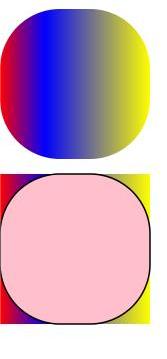
[h2]roundRect20+
roundRect(x: number, y: number, w: number, h: number, radii?: number | Array<number>): void
Creates a rounded rectangle path. This API does not directly render content. To draw the rounded rectangle on the canvas, use fill or stroke.
Widget capability: This API can be used in ArkTS widgets since API version 20.
Atomic service API: This API can be used in atomic services since API version 20.
System capability: SystemCapability.ArkUI.ArkUI.Full
Parameters
| Name | Type | Mandatory | Description |
|---|---|---|---|
| x | number | Yes | X-coordinate of the upper left corner of the rectangle. The value null is treated as 0, and undefined is treated as an invalid value, indicating no rendering. To draw a complete rectangle, the value range is [0, Canvas width). Default unit: vp |
| y | number | Yes | Y-coordinate of the upper left corner of the rectangle. The value null is treated as 0, and undefined is treated as an invalid value, indicating no rendering. To draw a complete rectangle, the value range is [0, Canvas height). Default unit: vp |
| w | number | Yes | Width of the rectangle. A negative value indicates that the rectangle is drawn from right to left. The value null is treated as 0, and undefined is treated as an invalid value, indicating no rendering. To draw a complete rectangle, the value range is [-x, Canvas width - x]. Default unit: vp |
| h | number | Yes | Height of the rectangle. A negative value indicates upward drawing. The value null is treated as 0, and undefined is treated as an invalid value, indicating no rendering. To draw a complete rectangle, the value range is [-y, Canvas height - y]. Default unit: vp |
| radii | number | Array<number> | No | Number or list of arc radii used for the rectangle corners. If the parameter type is number, it applies to the arc radius of all rectangle corners. If the parameter type is Array<number>, the array contains 1 to 4 numbers, interpreted as follows: 1. [Arc radius of all rectangle corners] 2. [Arc radius of the upper left and lower right rectangle corners, and arc radius of the upper right and lower left rectangle corners] 3. [Arc radius of the upper left rectangle corner, arc radius of the upper right and lower left rectangle corners, and arc radius of the lower right rectangle corner] 4. [Arc radius of the upper left rectangle corner, arc radius of the upper right rectangle corner, arc radius of the lower right rectangle corner, and arc radius of the lower left rectangle corner] If radii contains a negative number or the number of lists is not within [1,4], error code 103701 is reported. Default value: 0. Values null and undefined are treated as the default value. If the arc radius exceeds the width and height of the rectangle, it will be proportionally scaled down to match the corresponding dimension. Default unit: vp |
Error codes
For details about the following error codes, see Canvas Error Codes.
| ID | Error Message | Possible Causes |
|---|---|---|
| 103701 | Parameter error. | 1. The param radii is a list that has zero or more than four elements; 2. The param radii contains negative value. |
Example
The following example shows how to draw six rounded rectangles:
-
Create a rounded rectangle with the start point at (10 vp, 10 vp), width and height of 100 vp, and arc radius of 10 vp for the four rectangle corners, and fill the rectangle.
-
Create a rounded rectangle with the start point at (120 vp, 10 vp), width and height of 100 vp, and arc radius of 10 vp for the four rectangle corners, and fill the rectangle.
-
Create a rounded rectangle with the start point at (10 vp, 120 vp), width and height of 100 vp, arc radius of 10 vp for the upper-left and lower-right rectangle corners, arc radius of 20 vp for the upper-right and lower-left rectangle corners, and stroke the rectangle.
-
Create a rounded rectangle with the start point at (120 vp, 120 vp), width and height of 100 vp, arc radius of 10 vp for the upper-left rectangle corner, arc radius of 20 vp for the upper-right and lower-left rectangle corners, arc radius of 30 vp for the lower-right rectangle corner, and stroke the rectangle.
-
Create a rounded rectangle with the start point at (10 vp, 230 vp), width and height of 100 vp, and the radius of the upper-left, upper-right, lower-right, and lower-left rounded corners of 10 vp, 20 vp, 30 vp, and 40 vp, respectively. Then, stroke the rectangle.
-
Create a rounded rectangle with the start point at (220 vp, 330 vp), width and height of -100 vp, and the radius of the upper-left, upper-right, lower-right, and lower-left rounded corners of 10 vp, 20 vp, 30 vp, and 40 vp, respectively. Then, stroke the rectangle.
// xxx.ets
import { BusinessError } from '@kit.BasicServicesKit';

@Entry
@Component
struct CanvasExample {
  private settings: RenderingContextSettings = new RenderingContextSettings(true);
  private context: CanvasRenderingContext2D = new CanvasRenderingContext2D(this.settings);
  private offCanvas: OffscreenCanvas = new OffscreenCanvas(600, 600);

  build() {
    Flex({ direction: FlexDirection.Column, alignItems: ItemAlign.Center, justifyContent: FlexAlign.Center }) {
      Canvas(this.context)
        .width('100%')
        .height('100%')
        .backgroundColor('#D5D5D5')
        .onReady(() => {
          let offContext = this.offCanvas.getContext("2d", this.settings)
          try {
            offContext.fillStyle = '#707070'
            offContext.beginPath()
            // Create a rounded rectangle with the start point at (10 vp, 10 vp), width and height of 100 vp, and arc radius of 10 vp for the four rectangle corners.
            offContext.roundRect(10, 10, 100, 100, 10)
            // Create a rounded rectangle with the start point at (120 vp, 10 vp), width and height of 100 vp, and arc radius of 10 vp for the four rectangle corners.
            offContext.roundRect(120, 10, 100, 100, [10])
            offContext.fill()
            offContext.beginPath()
            // Create a rounded rectangle with the start point at (10 vp, 120 vp), width and height of 100 vp, arc radius of 10 vp for the upper-left and lower-right rectangle corners, and arc radius of 20 vp for the upper-right and lower-left rectangle corners.
            offContext.roundRect(10, 120, 100, 100, [10, 20])
            // Create a rounded rectangle with the start point at (120 vp, 120 vp), width and height of 100 vp, arc radius of 10 vp for the upper-left rectangle corner, arc radius of 20 vp for the upper-right and lower-left rectangle corners, arc radius of 30 vp for the lower-right rectangle corner.
            offContext.roundRect(120, 120, 100, 100, [10, 20, 30])
            // Create a rounded rectangle with the start point at (10 vp, 230 vp), width and height of 100 vp, and the radius of the upper-left, upper-right, lower-right, and lower-left rounded corners of 10 vp, 20 vp, 30 vp, and 40 vp, respectively.
            offContext.roundRect(10, 230, 100, 100, [10, 20, 30, 40])
            // Create a rounded rectangle with the start point at (220 vp, 330 vp), width and height of -100 vp, and the radius of the upper-left, upper-right, lower-right, and lower-left rounded corners of 10 vp, 20 vp, 30 vp, and 40 vp, respectively.
            offContext.roundRect(220, 330, -100, -100, [10, 20, 30, 40])
            offContext.stroke()
          } catch (error) {
            let e: BusinessError = error as BusinessError;
            console.error(`Failed to create roundRect. Code: ${e.code}, message: ${e.message}`);
          }
          // Creates an ImageBitmap object from the most recently rendered image of the offscreen canvas.
          let image = this.offCanvas.transferToImageBitmap()
          // Display the created ImageBitmap object on the canvas.
          this.context.transferFromImageBitmap(image)
        })
    }
    .width('100%')
    .height('100%')
  }
} 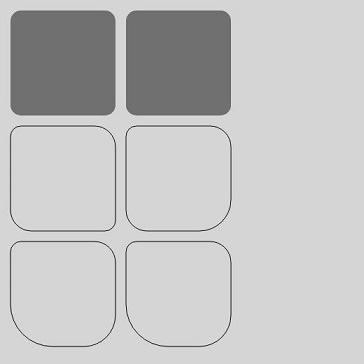
[h2]fill
fill(fillRule?: CanvasFillRule): void
Fills the current path.
Widget capability: This API can be used in ArkTS widgets since API version 9.
Atomic service API: This API can be used in atomic services since API version 11.
System capability: SystemCapability.ArkUI.ArkUI.Full
Parameters
| Name | Type | Mandatory | Description |
|---|---|---|---|
| fillRule | CanvasFillRule | No | Rule by which to determine whether a point is inside or outside the area to fill. The options are "nonzero" and "evenodd". The undefined and null values are treated as the default value. Default value: "nonzero" |
// xxx.ets
@Entry
@Component
struct Fill {
  private settings: RenderingContextSettings = new RenderingContextSettings(true);
  private context: CanvasRenderingContext2D = new CanvasRenderingContext2D(this.settings);
  private offCanvas: OffscreenCanvas = new OffscreenCanvas(600, 600);

  build() {
    Flex({ direction: FlexDirection.Column, alignItems: ItemAlign.Center, justifyContent: FlexAlign.Center }) {
      Canvas(this.context)
        .width('100%')
        .height('100%')
        .backgroundColor('#ffff00')
        .onReady(() => {
          let offContext = this.offCanvas.getContext("2d", this.settings)
          offContext.fillStyle = '#000000'
          offContext.rect(20, 20, 100, 100) // Create a 100*100 rectangle at (20, 20)
          offContext.fill()
          let image = this.offCanvas.transferToImageBitmap()
          this.context.transferFromImageBitmap(image)
        })
    }
    .width('100%')
    .height('100%')
  }
} 
[h2]fill
fill(path: Path2D, fillRule?: CanvasFillRule): void
Fills a specified path.
Widget capability: This API can be used in ArkTS widgets since API version 9.
Atomic service API: This API can be used in atomic services since API version 11.
System capability: SystemCapability.ArkUI.ArkUI.Full
Parameters
| Name | Type | Mandatory | Description |
|---|---|---|---|
| path | Path2D | Yes | A Path2D path to fill. Values undefined and null are treated as invalid. |
| fillRule | CanvasFillRule | No | Rule by which to determine whether a point is inside or outside the area to fill. The options are "nonzero" and "evenodd". The undefined and null values are treated as the default value. Default value: "nonzero" |
Example
// xxx.ets
@Entry
@Component
struct Fill {
  private settings: RenderingContextSettings = new RenderingContextSettings(true);
  private context: CanvasRenderingContext2D = new CanvasRenderingContext2D(this.settings);
  private offCanvas: OffscreenCanvas = new OffscreenCanvas(600, 600);

  build() {
    Flex({ direction: FlexDirection.Column, alignItems: ItemAlign.Center, justifyContent: FlexAlign.Center }) {
      Canvas(this.context)
        .width('100%')
        .height('100%')
        .backgroundColor('#ffff00')
        .onReady(() => {
          let offContext = this.offCanvas.getContext("2d", this.settings)
          let region = new Path2D()
          region.moveTo(30, 90)
          region.lineTo(110, 20)
          region.lineTo(240, 130)
          region.lineTo(60, 130)
          region.lineTo(190, 20)
          region.lineTo(270, 90)
          region.closePath()
          // Fill path
          offContext.fillStyle = '#00ff00'
          offContext.fill(region, "evenodd")
          let image = this.offCanvas.transferToImageBitmap()
          this.context.transferFromImageBitmap(image)
        })
    }
    .width('100%')
    .height('100%')
  }
} 
[h2]clip
clip(fillRule?: CanvasFillRule): void
Sets the current path to a clipping path.
Widget capability: This API can be used in ArkTS widgets since API version 9.
Atomic service API: This API can be used in atomic services since API version 11.
System capability: SystemCapability.ArkUI.ArkUI.Full
Parameters
| Name | Type | Mandatory | Description |
|---|---|---|---|
| fillRule | CanvasFillRule | No | Rule by which to determine whether a point is inside or outside the area to clip. The options are "nonzero" and "evenodd". The undefined and null values are treated as the default value. Default value: "nonzero" |
Example
// xxx.ets
@Entry
@Component
struct Clip {
  private settings: RenderingContextSettings = new RenderingContextSettings(true);
  private context: CanvasRenderingContext2D = new CanvasRenderingContext2D(this.settings);
  private offCanvas: OffscreenCanvas = new OffscreenCanvas(600, 600);

  build() {
    Flex({ direction: FlexDirection.Column, alignItems: ItemAlign.Center, justifyContent: FlexAlign.Center }) {
      Canvas(this.context)
        .width('100%')
        .height('100%')
        .backgroundColor('#ffff00')
        .onReady(() => {
          let offContext = this.offCanvas.getContext("2d", this.settings)
          offContext.rect(0, 0, 100, 200)
          offContext.stroke()
          offContext.clip()
          offContext.fillStyle = "rgb(255,0,0)"
          offContext.fillRect(0, 0, 200, 200)
          let image = this.offCanvas.transferToImageBitmap()
          this.context.transferFromImageBitmap(image)
        })
    }
    .width('100%')
    .height('100%')
  }
} 
[h2]clip
clip(path: Path2D, fillRule?: CanvasFillRule): void
Sets a specified path as the clipping path.
Widget capability: This API can be used in ArkTS widgets since API version 9.
Atomic service API: This API can be used in atomic services since API version 11.
System capability: SystemCapability.ArkUI.ArkUI.Full
Parameters
| Name | Type | Mandatory | Description |
|---|---|---|---|
| path | Path2D | Yes | Path2D path to clip. Values undefined and null are treated as invalid. |
| fillRule | CanvasFillRule | No | Rule by which to determine whether a point is inside or outside the area to clip. The options are "nonzero" and "evenodd". The undefined and null values are treated as the default value. Default value: "nonzero" |
Example
// xxx.ets
@Entry
@Component
struct Clip {
  private settings: RenderingContextSettings = new RenderingContextSettings(true);
  private context: CanvasRenderingContext2D = new CanvasRenderingContext2D(this.settings);
  private offCanvas: OffscreenCanvas = new OffscreenCanvas(600, 600);

  build() {
    Flex({ direction: FlexDirection.Column, alignItems: ItemAlign.Center, justifyContent: FlexAlign.Center }) {
      Canvas(this.context)
        .width('100%')
        .height('100%')
        .backgroundColor('#ffff00')
        .onReady(() => {
          let offContext = this.offCanvas.getContext("2d", this.settings)
          let region = new Path2D()
          region.moveTo(30, 90)
          region.lineTo(110, 20)
          region.lineTo(240, 130)
          region.lineTo(60, 130)
          region.lineTo(190, 20)
          region.lineTo(270, 90)
          region.closePath()
          offContext.clip(region,"evenodd")
          offContext.fillStyle = "rgb(0,255,0)"
          offContext.fillRect(0, 0, 600, 600)
          let image = this.offCanvas.transferToImageBitmap()
          this.context.transferFromImageBitmap(image)
        })
    }
    .width('100%')
    .height('100%')
  }
} 
[h2]reset12+
reset(): void
Resets this OffscreenCanvasRenderingContext2D object to its default state and clears the background buffer, drawing state stack, defined paths, and styles.
Atomic service API: This API can be used in atomic services since API version 12.
System capability: SystemCapability.ArkUI.ArkUI.Full
Example
// xxx.ets
@Entry
@Component
struct Reset {
  private settings: RenderingContextSettings = new RenderingContextSettings(true);
  private context: CanvasRenderingContext2D = new CanvasRenderingContext2D(this.settings);
  private offCanvas: OffscreenCanvas = new OffscreenCanvas(600, 600);

  build() {
    Flex({ direction: FlexDirection.Column, alignItems: ItemAlign.Center, justifyContent: FlexAlign.Center }) {
      Canvas(this.context)
        .width('100%')
        .height('100%')
        .backgroundColor('#ffff00')
        .onReady(() => {
          let offContext = this.offCanvas.getContext("2d", this.settings)
          offContext.fillStyle = '#0000ff'
          offContext.fillRect(20, 20, 150, 100)
          offContext.reset()
          offContext.fillRect(20, 150, 150, 100)
          let image = this.offCanvas.transferToImageBitmap()
          this.context.transferFromImageBitmap(image)
        })
    }
    .width('100%')
    .height('100%')
  }
} 
[h2]saveLayer12+
saveLayer(): void
Saves this layer.
Atomic service API: This API can be used in atomic services since API version 12.
System capability: SystemCapability.ArkUI.ArkUI.Full
Example
// xxx.ets
@Entry
@Component
struct saveLayer {
  private settings: RenderingContextSettings = new RenderingContextSettings(true);
  private context: CanvasRenderingContext2D = new CanvasRenderingContext2D(this.settings);
  private offCanvas: OffscreenCanvas = new OffscreenCanvas(600, 600);

  build() {
    Flex({ direction: FlexDirection.Column, alignItems: ItemAlign.Center, justifyContent: FlexAlign.Center }) {
      Canvas(this.context)
        .width('100%')
        .height('100%')
        .backgroundColor('#ffff00')
        .onReady(() => {
          let offContext = this.offCanvas.getContext("2d", this.settings)
          offContext.fillStyle = "#0000ff"
          offContext.fillRect(50, 100, 300, 100)
          offContext.fillStyle = "#00ffff"
          offContext.fillRect(50, 150, 300, 100)
          offContext.globalCompositeOperation = 'destination-over'
          offContext.saveLayer()
          offContext.globalCompositeOperation = 'source-over'
          offContext.fillStyle = "#ff0000"
          offContext.fillRect(100, 50, 100, 300)
          offContext.fillStyle = "#00ff00"
          offContext.fillRect(150, 50, 100, 300)
          offContext.restoreLayer()
          let image = this.offCanvas.transferToImageBitmap()
          this.context.transferFromImageBitmap(image)
        })
    }
    .width('100%')
    .height('100%')
  }
} 
[h2]restoreLayer12+
restoreLayer(): void
Restores the image transformation and cropping state to the state before saveLayer, and then draws the layer onto the canvas. For the sample code, see the code for saveLayer.
Atomic service API: This API can be used in atomic services since API version 12.
System capability: SystemCapability.ArkUI.ArkUI.Full
[h2]resetTransform
resetTransform(): void
Resets the current transform to the identity matrix.
Widget capability: This API can be used in ArkTS widgets since API version 9.
Atomic service API: This API can be used in atomic services since API version 11.
System capability: SystemCapability.ArkUI.ArkUI.Full
Example
// xxx.ets
@Entry
@Component
struct ResetTransform {
  private settings: RenderingContextSettings = new RenderingContextSettings(true);
  private context: CanvasRenderingContext2D = new CanvasRenderingContext2D(this.settings);
  private offCanvas: OffscreenCanvas = new OffscreenCanvas(600, 600);

  build() {
    Flex({ direction: FlexDirection.Column, alignItems: ItemAlign.Center, justifyContent: FlexAlign.Center }) {
      Canvas(this.context)
        .width('100%')
        .height('100%')
        .backgroundColor('#ffff00')
        .onReady(() => {
          let offContext = this.offCanvas.getContext("2d", this.settings)
          offContext.setTransform(1,0.5, -0.5, 1, 10, 10)
          offContext.fillStyle = 'rgb(0,0,255)'
          offContext.fillRect(0, 0, 100, 100)
          offContext.resetTransform()
          offContext.fillStyle = 'rgb(255,0,0)'
          offContext.fillRect(0, 0, 100, 100)
          let image = this.offCanvas.transferToImageBitmap()
          this.context.transferFromImageBitmap(image)
        })
    }
    .width('100%')
    .height('100%')
  }
} 
[h2]rotate
rotate(angle: number): void
Rotates a canvas clockwise around its coordinate axes.
Widget capability: This API can be used in ArkTS widgets since API version 9.
Atomic service API: This API can be used in atomic services since API version 11.
System capability: SystemCapability.ArkUI.ArkUI.Full
Parameters
| Name | Type | Mandatory | Description |
|---|---|---|---|
| angle | number | Yes | Clockwise rotation angle. You can convert degrees to radians using the following formula: degree * Math.PI/180. In versions earlier than API version 18, values NaN and Infinity cause the failure to call the drawing APIs following this API for rendering. Values null and undefined cause the current API to have no effect. Since API version 18, NaN, Infinity, null, or undefined causes the current API to have no effect, and other drawing APIs with valid arguments continue to render correctly. Unit: radian |
Example
// xxx.ets
@Entry
@Component
struct Rotate {
  private settings: RenderingContextSettings = new RenderingContextSettings(true);
  private context: CanvasRenderingContext2D = new CanvasRenderingContext2D(this.settings);
  private offCanvas: OffscreenCanvas = new OffscreenCanvas(600, 600);

  build() {
    Flex({ direction: FlexDirection.Column, alignItems: ItemAlign.Center, justifyContent: FlexAlign.Center }) {
      Canvas(this.context)
        .width('100%')
        .height('100%')
        .backgroundColor('#ffff00')
        .onReady(() => {
          let offContext = this.offCanvas.getContext("2d", this.settings)
          offContext.rotate(45 * Math.PI / 180)
          offContext.fillRect(70, 20, 50, 50)
          let image = this.offCanvas.transferToImageBitmap()
          this.context.transferFromImageBitmap(image)
        })
    }
    .width('100%')
    .height('100%')
  }
} 
[h2]scale
scale(x: number, y: number): void
Scales the canvas based on scale factors.
Widget capability: This API can be used in ArkTS widgets since API version 9.
Atomic service API: This API can be used in atomic services since API version 11.
System capability: SystemCapability.ArkUI.ArkUI.Full
Parameters
| Name | Type | Mandatory | Description |
|---|---|---|---|
| x | number | Yes | Horizontal scale factor. In versions earlier than API version 18, values NaN and Infinity cause the failure to call the drawing APIs following this API for rendering. Values null and undefined cause the current API to have no effect. Since API version 18, NaN, Infinity, null, or undefined causes the current API to have no effect, and other drawing APIs with valid arguments continue to render correctly. |
| y | number | Yes | Vertical scale factor. In versions earlier than API version 18, values NaN and Infinity cause the failure to call the drawing APIs following this API for rendering. Values null and undefined cause the current API to have no effect. Since API version 18, NaN, Infinity, null, or undefined causes the current API to have no effect, and other drawing APIs with valid arguments continue to render correctly. |
Example
// xxx.ets
@Entry
@Component
struct Scale {
  private settings: RenderingContextSettings = new RenderingContextSettings(true);
  private context: CanvasRenderingContext2D = new CanvasRenderingContext2D(this.settings);
  private offCanvas: OffscreenCanvas = new OffscreenCanvas(600, 600);

  build() {
    Flex({ direction: FlexDirection.Column, alignItems: ItemAlign.Center, justifyContent: FlexAlign.Center }) {
      Canvas(this.context)
        .width('100%')
        .height('100%')
        .backgroundColor('#ffff00')
        .onReady(() => {
          let offContext = this.offCanvas.getContext("2d", this.settings)
          offContext.lineWidth = 3
          offContext.strokeRect(30, 30, 50, 50)
          offContext.scale(2, 2) // Scale to 200%
          offContext.strokeRect(30, 30, 50, 50)
          let image = this.offCanvas.transferToImageBitmap()
          this.context.transferFromImageBitmap(image)
        })
    }
    .width('100%')
    .height('100%')
  }
} 
[h2]transform
transform(a: number, b: number, c: number, d: number, e: number, f: number): void
Defines a transformation matrix. To transform a graph, you only need to set parameters of the matrix. The coordinates of the graph are multiplied by the matrix values to obtain new coordinates of the transformed graph. You can use the matrix to implement multiple transform effects.
Widget capability: This API can be used in ArkTS widgets since API version 9.
Atomic service API: This API can be used in atomic services since API version 11.
System capability: SystemCapability.ArkUI.ArkUI.Full

The coordinates of each point in the graph after transformation can be calculated using the following formula:
The following formulas calculate the coordinates of a transformed graph. x and y represent the coordinates before transformation, and x' and y' represent the coordinates after transformation.
-
x' = a * x + c * y + e
-
y' = b * x + d * y + f
Parameters
| Name | Type | Mandatory | Description |
|---|---|---|---|
| a | number | Yes | scaleX: horizontal scaling value. A negative value is supported. In versions earlier than API version 18, values NaN and Infinity cause the failure to call the drawing APIs following this API for rendering. Values null and undefined cause the current API to have no effect. Since API version 18, NaN, Infinity, null, or undefined causes the current API to have no effect, and other drawing APIs with valid arguments continue to render correctly. |
| b | number | Yes | skewY: vertical skewing value. A negative value is supported. In versions earlier than API version 18, values NaN and Infinity cause the failure to call the drawing APIs following this API for rendering. Values null and undefined cause the current API to have no effect. Since API version 18, NaN, Infinity, null, or undefined causes the current API to have no effect, and other drawing APIs with valid arguments continue to render correctly. |
| c | number | Yes | skewX: horizontal skewing value. A negative value is supported. In versions earlier than API version 18, values NaN and Infinity cause the failure to call the drawing APIs following this API for rendering. Values null and undefined cause the current API to have no effect. Since API version 18, NaN, Infinity, null, or undefined causes the current API to have no effect, and other drawing APIs with valid arguments continue to render correctly. |
| d | number | Yes | scaleY: vertical scaling value. A negative value is supported. In versions earlier than API version 18, values NaN and Infinity cause the failure to call the drawing APIs following this API for rendering. Values null and undefined cause the current API to have no effect. Since API version 18, NaN, Infinity, null, or undefined causes the current API to have no effect, and other drawing APIs with valid arguments continue to render correctly. |
| e | number | Yes | translateX: horizontal translation distance. A negative value is supported. In versions earlier than API version 18, values NaN and Infinity cause the failure to call the drawing APIs following this API for rendering. Values null and undefined cause the current API to have no effect. Since API version 18, NaN, Infinity, null, or undefined causes the current API to have no effect, and other drawing APIs with valid arguments continue to render correctly. Default unit: vp |
| f | number | Yes | translateY: vertical translation distance. A negative value is supported. In versions earlier than API version 18, values NaN and Infinity cause the failure to call the drawing APIs following this API for rendering. Values null and undefined cause the current API to have no effect. Since API version 18, NaN, Infinity, null, or undefined causes the current API to have no effect, and other drawing APIs with valid arguments continue to render correctly. Default unit: vp |
Example
// xxx.ets
@Entry
@Component
struct Transform {
  private settings: RenderingContextSettings = new RenderingContextSettings(true);
  private context: CanvasRenderingContext2D = new CanvasRenderingContext2D(this.settings);
  private offCanvas: OffscreenCanvas = new OffscreenCanvas(600, 600);

  build() {
    Flex({ direction: FlexDirection.Column, alignItems: ItemAlign.Center, justifyContent: FlexAlign.Center }) {
      Canvas(this.context)
        .width('100%')
        .height('100%')
        .backgroundColor('rgb(213,213,213)')
        .onReady(() => {
          let offContext = this.offCanvas.getContext("2d", this.settings)
          offContext.fillStyle = 'rgb(112,112,112)'
          offContext.fillRect(0, 0, 100, 100)
          offContext.transform(1, 0.5, -0.5, 1, 10, 10)
          offContext.fillStyle = 'rgb(0,74,175)'
          offContext.fillRect(0, 0, 100, 100)
          offContext.transform(1, 0.5, -0.5, 1, 10, 10)
          offContext.fillStyle = 'rgb(39,135,217)'
          offContext.fillRect(0, 0, 100, 100)
          let image = this.offCanvas.transferToImageBitmap()
          this.context.transferFromImageBitmap(image)
        })
    }
    .width('100%')
    .height('100%')
  }
} 
[h2]setTransform
setTransform(a: number, b: number, c: number, d: number, e: number, f: number): void
Resets the existing transformation matrix and creates a new transformation matrix by using the same parameters as the transform() API.
Widget capability: This API can be used in ArkTS widgets since API version 9.
Atomic service API: This API can be used in atomic services since API version 11.
System capability: SystemCapability.ArkUI.ArkUI.Full

The coordinates of each point in the graph after transformation can be calculated using the following formula:
The following formulas calculate the coordinates of a transformed graph. x and y represent the coordinates before transformation, and x' and y' represent the coordinates after transformation.
-
x' = a * x + c * y + e
-
y' = b * x + d * y + f
Parameters
| Name | Type | Mandatory | Description |
|---|---|---|---|
| a | number | Yes | scaleX: horizontal scaling value. A negative value is supported. In versions earlier than API version 18, values NaN and Infinity cause the failure to call the drawing APIs following this API for rendering. Values null and undefined cause the current API to have no effect. Since API version 18, NaN, Infinity, null, or undefined causes the current API to have no effect, and other drawing APIs with valid arguments continue to render correctly. |
| b | number | Yes | skewY: vertical skewing value. A negative value is supported. In versions earlier than API version 18, values NaN and Infinity cause the failure to call the drawing APIs following this API for rendering. Values null and undefined cause the current API to have no effect. Since API version 18, NaN, Infinity, null, or undefined causes the current API to have no effect, and other drawing APIs with valid arguments continue to render correctly. |
| c | number | Yes | skewX: horizontal skewing value. A negative value is supported. In versions earlier than API version 18, values NaN and Infinity cause the failure to call the drawing APIs following this API for rendering. Values null and undefined cause the current API to have no effect. Since API version 18, NaN, Infinity, null, or undefined causes the current API to have no effect, and other drawing APIs with valid arguments continue to render correctly. |
| d | number | Yes | scaleY: vertical scaling value. A negative value is supported. In versions earlier than API version 18, values NaN and Infinity cause the failure to call the drawing APIs following this API for rendering. Values null and undefined cause the current API to have no effect. Since API version 18, NaN, Infinity, null, or undefined causes the current API to have no effect, and other drawing APIs with valid arguments continue to render correctly. |
| e | number | Yes | translateX: horizontal translation distance. A negative value is supported. In versions earlier than API version 18, values NaN and Infinity cause the failure to call the drawing APIs following this API for rendering. Values null and undefined cause the current API to have no effect. Since API version 18, NaN, Infinity, null, or undefined causes the current API to have no effect, and other drawing APIs with valid arguments continue to render correctly. Default unit: vp |
| f | number | Yes | translateY: vertical translation distance. A negative value is supported. In versions earlier than API version 18, values NaN and Infinity cause the failure to call the drawing APIs following this API for rendering. Values null and undefined cause the current API to have no effect. Since API version 18, NaN, Infinity, null, or undefined causes the current API to have no effect, and other drawing APIs with valid arguments continue to render correctly. Default unit: vp |
Example
// xxx.ets
@Entry
@Component
struct SetTransform {
  private settings: RenderingContextSettings = new RenderingContextSettings(true);
  private context: CanvasRenderingContext2D = new CanvasRenderingContext2D(this.settings);
  private offCanvas: OffscreenCanvas = new OffscreenCanvas(600, 600);

  build() {
    Flex({ direction: FlexDirection.Column, alignItems: ItemAlign.Center, justifyContent: FlexAlign.Center }) {
      Canvas(this.context)
        .width('100%')
        .height('100%')
        .backgroundColor('#ffff00')
        .onReady(() => {
          let offContext = this.offCanvas.getContext("2d", this.settings)
          offContext.fillStyle = 'rgb(255,0,0)'
          offContext.fillRect(0, 0, 100, 100)
          offContext.setTransform(1,0.5, -0.5, 1, 10, 10)
          offContext.fillStyle = 'rgb(0,0,255)'
          offContext.fillRect(0, 0, 100, 100)
          let image = this.offCanvas.transferToImageBitmap()
          this.context.transferFromImageBitmap(image)
        })
    }
    .width('100%')
    .height('100%')
  }
} 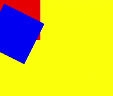
[h2]setTransform
setTransform(transform?: Matrix2D): void
Resets the current transformation and creates a new transformation matrix based on the specified Matrix2D object.
Widget capability: This API can be used in ArkTS widgets since API version 9.
Atomic service API: This API can be used in atomic services since API version 11.
System capability: SystemCapability.ArkUI.ArkUI.Full
Parameters
| Name | Type | Mandatory | Description |
|---|---|---|---|
| transform | Matrix2D | No | Transformation matrix. Values undefined and null are treated as invalid. Default value: null |
Example
// xxx.ets
 @Entry
 @Component
 struct TransFormDemo {
   private settings: RenderingContextSettings = new RenderingContextSettings(true);
   private context1: CanvasRenderingContext2D = new CanvasRenderingContext2D(this.settings);
   private offcontext1: OffscreenCanvasRenderingContext2D = new OffscreenCanvasRenderingContext2D(600, 200, this.settings);
   private context2: CanvasRenderingContext2D = new CanvasRenderingContext2D(this.settings);
   private offcontext2: OffscreenCanvasRenderingContext2D = new OffscreenCanvasRenderingContext2D(600, 200, this.settings);

   build() {
     Flex({ direction: FlexDirection.Column, alignItems: ItemAlign.Center, justifyContent: FlexAlign.Center }) {
       Text('context1');
       Canvas(this.context1)
         .width('230vp')
         .height('160vp')
         .backgroundColor('#ffff00')
         .onReady(() => {
           this.offcontext1.fillRect(100, 20, 50, 50);
           this.offcontext1.setTransform(1, 0.5, -0.5, 1, 10, 10);
           this.offcontext1.fillRect(100, 20, 50, 50);
           let image = this.offcontext1.transferToImageBitmap();
           this.context1.transferFromImageBitmap(image);
         })
       Text('context2');
       Canvas(this.context2)
         .width('230vp')
         .height('160vp')
         .backgroundColor('#0ffff0')
         .onReady(() => {
           this.offcontext2.fillRect(100, 20, 50, 50);
           let storedTransform = this.offcontext1.getTransform();
           this.offcontext2.setTransform(storedTransform);
           this.offcontext2.fillRect(100, 20, 50, 50);
           let image = this.offcontext2.transferToImageBitmap();
           this.context2.transferFromImageBitmap(image);
         })
     }
     .width('100%')
     .height('100%')
   }
} 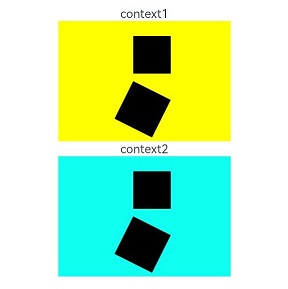
[h2]getTransform
getTransform(): Matrix2D
Obtains the current transformation matrix being applied to the context.
Widget capability: This API can be used in ArkTS widgets since API version 9.
Atomic service API: This API can be used in atomic services since API version 11.
System capability: SystemCapability.ArkUI.ArkUI.Full
Return value
| Type | Description |
|---|---|
| Matrix2D | Current transformation matrix applied to the context. |
Example
// xxx.ets
@Entry
@Component
struct TransFormDemo {
  private settings: RenderingContextSettings = new RenderingContextSettings(true);
  private context1: CanvasRenderingContext2D = new CanvasRenderingContext2D(this.settings);
  private offcontext1: OffscreenCanvasRenderingContext2D =
    new OffscreenCanvasRenderingContext2D(600, 100, this.settings);
  private context2: CanvasRenderingContext2D = new CanvasRenderingContext2D(this.settings);
  private offcontext2: OffscreenCanvasRenderingContext2D =
    new OffscreenCanvasRenderingContext2D(600, 100, this.settings);

  build() {
    Flex({ direction: FlexDirection.Column, alignItems: ItemAlign.Center, justifyContent: FlexAlign.Center }) {
      Text('context1');
      Canvas(this.context1)
        .width('230vp')
        .height('120vp')
        .backgroundColor('#ffff00')
        .onReady(() => {
          this.offcontext1.fillRect(50, 50, 50, 50);
          this.offcontext1.setTransform(1.2, Math.PI / 8, Math.PI / 6, 0.5, 30, -25);
          this.offcontext1.fillRect(50, 50, 50, 50);
          let image = this.offcontext1.transferToImageBitmap();
          this.context1.transferFromImageBitmap(image);
        })
      Text('context2');
      Canvas(this.context2)
        .width('230vp')
        .height('120vp')
        .backgroundColor('#0ffff0')
        .onReady(() => {
          this.offcontext2.fillRect(50, 50, 50, 50);
          let storedTransform = this.offcontext1.getTransform();
          console.info(`Matrix [scaleX = ${storedTransform.scaleX}, scaleY = ${storedTransform.scaleY}, rotateX = ${storedTransform.rotateX}, rotateY = ${storedTransform.rotateY}, translateX = ${storedTransform.translateX}, translateY = ${storedTransform.translateY}]`)
          this.offcontext2.setTransform(storedTransform);
          this.offcontext2.fillRect(50, 50, 50, 50);
          let image = this.offcontext2.transferToImageBitmap();
          this.context2.transferFromImageBitmap(image);
        })
    }
    .width('100%')
    .height('100%')
  }
} 
[h2]translate
translate(x: number, y: number): void
Moves the origin of the coordinate system.
Widget capability: This API can be used in ArkTS widgets since API version 9.
Atomic service API: This API can be used in atomic services since API version 11.
System capability: SystemCapability.ArkUI.ArkUI.Full
Parameters
| Name | Type | Mandatory | Description |
|---|---|---|---|
| x | number | Yes | Distance to translate on the x-axis. In versions earlier than API version 18, values NaN and Infinity cause the failure to call the drawing APIs following this API for rendering. Values null and undefined cause the current API to have no effect. Since API version 18, NaN, Infinity, null, or undefined causes the current API to have no effect, and other drawing APIs with valid arguments continue to render correctly. Default unit: vp |
| y | number | Yes | Sets the vertical translation distance. In versions earlier than API version 18, values NaN and Infinity cause the failure to call the drawing APIs following this API for rendering. Values null and undefined cause the current API to have no effect. Since API version 18, NaN, Infinity, null, or undefined causes the current API to have no effect, and other drawing APIs with valid arguments continue to render correctly. Default unit: vp |
Example
// xxx.ets
@Entry
@Component
struct Translate {
  private settings: RenderingContextSettings = new RenderingContextSettings(true);
  private context: CanvasRenderingContext2D = new CanvasRenderingContext2D(this.settings);
  private offCanvas: OffscreenCanvas = new OffscreenCanvas(600, 600);

  build() {
    Flex({ direction: FlexDirection.Column, alignItems: ItemAlign.Center, justifyContent: FlexAlign.Center }) {
      Canvas(this.context)
        .width('100%')
        .height('100%')
        .backgroundColor('#ffff00')
        .onReady(() => {
          let offContext = this.offCanvas.getContext("2d", this.settings)
          offContext.fillRect(10, 10, 50, 50)
          offContext.translate(70, 70)
          offContext.fillRect(10, 10, 50, 50)
          let image = this.offCanvas.transferToImageBitmap()
          this.context.transferFromImageBitmap(image)
        })
    }
    .width('100%')
    .height('100%')
  }
} 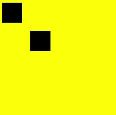
[h2]drawImage
drawImage(image: ImageBitmap | PixelMap, dx: number, dy: number): void
Draws an image on the canvas.
Widget capability: This API can be used in ArkTS widgets since API version 9, except that PixelMap objects are not supported.
Atomic service API: This API can be used in atomic services since API version 11.
System capability: SystemCapability.ArkUI.ArkUI.Full
Parameters
| Name | Type | Mandatory | Description |
|---|---|---|---|
| image | ImageBitmap | PixelMap | Yes | Image resource. For details, see ImageBitmap or PixelMap. Values undefined and null are treated as invalid and will not be rendered. |
| dx | number | Yes | X-coordinate of the upper left corner of the drawing area on the canvas. The values undefined and null are treated as 0, and NaN and Infinity are treated as invalid and are not rendered. Default unit: vp |
| dy | number | Yes | Y-coordinate of the upper left corner of the drawing area on the canvas. The values undefined and null are treated as 0, and NaN and Infinity are treated as invalid and are not rendered. Default unit: vp |
Example

The resources used in this example are not located in the src > main > resource directory. Starting from DevEco Studio 6.0.0 Beta2, the resources that are located outside the resources directory are not packaged by default when a project or module is created. To package these resources, go to buildOption in the module's build-profile.json5 file > resOptions > copyCodeResource, and set enable to true. For details, see the description of copyCodeResource in resOptions.
// xxx.ets
@Entry
@Component
struct DrawImage {
  private settings: RenderingContextSettings = new RenderingContextSettings(true);
  private context: CanvasRenderingContext2D = new CanvasRenderingContext2D(this.settings);
  // Replace "common/images/example.jpg" with the image resource file you use.
  private img: ImageBitmap = new ImageBitmap("common/images/example.jpg");
  private offCanvas: OffscreenCanvas = new OffscreenCanvas(600, 600);

  build() {
    Flex({ direction: FlexDirection.Column, alignItems: ItemAlign.Center, justifyContent: FlexAlign.Center }) {
      Canvas(this.context)
        .width('100%')
        .height('100%')
        .backgroundColor('#D5D5D5')
        .onReady(() => {
          let offContext = this.offCanvas.getContext("2d", this.settings)
          offContext.drawImage(this.img, 0, 0)
          let image = this.offCanvas.transferToImageBitmap()
          this.context.transferFromImageBitmap(image)
        })
    }
    .width('100%')
    .height('100%')
  }
} 
[h2]drawImage
drawImage(image: ImageBitmap | PixelMap, dx: number, dy: number, dw: number, dh: number): void
Draws an image by stretching or compressing it to the specified dimensions.
Widget capability: This API can be used in ArkTS widgets since API version 9, except that PixelMap objects are not supported.
Atomic service API: This API can be used in atomic services since API version 11.
System capability: SystemCapability.ArkUI.ArkUI.Full
Parameters
| Name | Type | Mandatory | Description |
|---|---|---|---|
| image | ImageBitmap | PixelMap | Yes | Image resource. For details, see ImageBitmap or PixelMap. Values undefined and null are treated as invalid and will not be rendered. |
| dx | number | Yes | X-coordinate of the upper left corner of the drawing area on the canvas. The values undefined and null are treated as 0, and NaN and Infinity are treated as invalid and are not rendered. Default unit: vp |
| dy | number | Yes | Y-coordinate of the upper left corner of the drawing area on the canvas. The values undefined and null are treated as 0, and NaN and Infinity are treated as invalid and are not rendered. Default unit: vp |
| dw | number | Yes | Width of the drawing area. Negative values, undefined, and null are treated as 0, and NaN and Infinity are treated as invalid and are not rendered. Default unit: vp |
| dh | number | Yes | Height of the drawing area. Negative values, undefined, and null are treated as 0, and NaN and Infinity are treated as invalid and are not rendered. Default unit: vp |
Example

The resources used in this example are not located in the src > main > resource directory. Starting from DevEco Studio 6.0.0 Beta2, the resources that are located outside the resources directory are not packaged by default when a project or module is created. To package these resources, go to buildOption in the module's build-profile.json5 file > resOptions > copyCodeResource, and set enable to true. For details, see the description of copyCodeResource in resOptions.
// xxx.ets
@Entry
@Component
struct DrawImage {
  private settings: RenderingContextSettings = new RenderingContextSettings(true);
  private context: CanvasRenderingContext2D = new CanvasRenderingContext2D(this.settings);
  // Replace "common/images/example.jpg" with the image resource file you use.
  private img: ImageBitmap = new ImageBitmap("common/images/example.jpg");
  private offCanvas: OffscreenCanvas = new OffscreenCanvas(600, 600);

  build() {
    Flex({ direction: FlexDirection.Column, alignItems: ItemAlign.Center, justifyContent: FlexAlign.Center }) {
      Canvas(this.context)
        .width('100%')
        .height('100%')
        .backgroundColor('#D5D5D5')
        .onReady(() => {
          let offContext = this.offCanvas.getContext("2d", this.settings)
          offContext.drawImage(this.img, 0, 0, 300, 300)
          let image = this.offCanvas.transferToImageBitmap()
          this.context.transferFromImageBitmap(image)
        })
    }
    .width('100%')
    .height('100%')
  }
} 
[h2]drawImage
drawImage(image: ImageBitmap | PixelMap, sx: number, sy: number, sw: number, sh: number, dx: number, dy: number, dw: number, dh: number): void
Draws a cropped portion of an image by stretching or compressing it to the specified dimensions.
Widget capability: This API can be used in ArkTS widgets since API version 9, except that PixelMap objects are not supported.
Atomic service API: This API can be used in atomic services since API version 11.
System capability: SystemCapability.ArkUI.ArkUI.Full
Parameters
| Name | Type | Mandatory | Description |
|---|---|---|---|
| image | ImageBitmap | PixelMap | Yes | Image resource. For details, see ImageBitmap or PixelMap. Values undefined and null are treated as invalid and will not be rendered. |
| sx | number | Yes | X-coordinate of the upper left corner of the rectangle used to crop the source image. The values undefined and null are treated as 0, and NaN and Infinity are treated as invalid and are not rendered. If the type of image is ImageBitmap, the default unit is vp. If the type of image is PixelMap, the default unit is px in versions earlier than API version 18 and vp in API version 18 and later. |
| sy | number | Yes | Y-coordinate of the upper left corner of the rectangle used to crop the source image. The values undefined and null are treated as 0, and NaN and Infinity are treated as invalid and are not rendered. If the type of image is ImageBitmap, the default unit is vp. If the type of image is PixelMap, the default unit is px in versions earlier than API version 18 and vp in API version 18 and later. |
| sw | number | Yes | Target width by which the source image is cropped. Negative values, undefined, and null are treated as 0, and NaN and Infinity are treated as invalid and are not rendered. If the type of image is ImageBitmap, the default unit is vp. If the type of image is PixelMap, the default unit is px in versions earlier than API version 18 and vp in API version 18 and later. |
| sh | number | Yes | Height of the source image to be cropped. Negative values, undefined, and null are treated as 0, and NaN and Infinity are treated as invalid and are not rendered. If the type of image is ImageBitmap, the default unit is vp. If the type of image is PixelMap, the default unit is px in versions earlier than API version 18 and vp in API version 18 and later. |
| dx | number | Yes | X-coordinate of the upper left corner of the drawing area on the canvas. The values undefined and null are treated as 0, and NaN and Infinity are treated as invalid and are not rendered. Default unit: vp |
| dy | number | Yes | Y-coordinate of the upper left corner of the drawing area on the canvas. The values undefined and null are treated as 0, and NaN and Infinity are treated as invalid and are not rendered. Default unit: vp |
| dw | number | Yes | Width of the drawing area. Negative values, undefined, and null are treated as 0, and NaN and Infinity are treated as invalid and are not rendered. Default unit: vp |
| dh | number | Yes | Height of the drawing area. Negative values, undefined, and null are treated as 0, and NaN and Infinity are treated as invalid and are not rendered. Default unit: vp |
Example

The resources used in this example are not located in the src > main > resource directory. Starting from DevEco Studio 6.0.0 Beta2, the resources that are located outside the resources directory are not packaged by default when a project or module is created. To package these resources, go to buildOption in the module's build-profile.json5 file > resOptions > copyCodeResource, and set enable to true. For details, see the description of copyCodeResource in resOptions.
// xxx.ets
@Entry
@Component
struct DrawImage {
  private settings: RenderingContextSettings = new RenderingContextSettings(true);
  private context: CanvasRenderingContext2D = new CanvasRenderingContext2D(this.settings);
  // Replace "common/images/example.jpg" with the image resource file you use.
  private img: ImageBitmap = new ImageBitmap("common/images/example.jpg");
  private offCanvas: OffscreenCanvas = new OffscreenCanvas(600, 600);

  build() {
    Flex({ direction: FlexDirection.Column, alignItems: ItemAlign.Center, justifyContent: FlexAlign.Center }) {
      Canvas(this.context)
        .width('100%')
        .height('100%')
        .backgroundColor('#D5D5D5')
        .onReady(() => {
          let offContext = this.offCanvas.getContext("2d", this.settings)
          offContext.drawImage(this.img, 0, 0, 500, 500, 0, 0, 400, 300)
          let image = this.offCanvas.transferToImageBitmap()
          this.context.transferFromImageBitmap(image)
        })
    }
    .width('100%')
    .height('100%')
  }
} 
[h2]createImageData
createImageData(sw: number, sh: number): ImageData
Creates an ImageData object with the same width and height of this ImageData object. This API involves time-consuming memory copy. Therefore, avoid frequent calls to it. The example is the same as that of putImageData.
Widget capability: This API can be used in ArkTS widgets since API version 9.
Atomic service API: This API can be used in atomic services since API version 11.
System capability: SystemCapability.ArkUI.ArkUI.Full
Parameters
| Name | Type | Mandatory | Description |
|---|---|---|---|
| sw | number | Yes | Width of the ImageData object. Invalid values undefined, null, NaN, and Infinity are treated as 0. Default unit: vp |
| sh | number | Yes | Height of the ImageData object. Invalid values undefined, null, NaN, and Infinity are treated as 0. Default unit: vp |
Return value
| Type | Description |
|---|---|
| ImageData | ImageData object created. |
[h2]createImageData
createImageData(imageData: ImageData): ImageData
Creates an ImageData object by copying an existing ImageData object (without copying the image data). This API involves time-consuming memory copy. Therefore, avoid frequent calls to it. The example is the same as that of putImageData.
Widget capability: This API can be used in ArkTS widgets since API version 9.
Parameters
| Name | Type | Mandatory | Description |
|---|---|---|---|
| imageData | ImageData | Yes | ImageData object to copy. Values undefined and null are treated as ImageData with width and height set to 0. |
Return value
| Type | Description |
|---|---|
| ImageData | ImageData object created. |
[h2]getPixelMap
getPixelMap(sx: number, sy: number, sw: number, sh: number): PixelMap
Obtains the PixelMap object created with the pixels within the specified area on the canvas. This API involves time-consuming memory copy. Therefore, avoid frequent calls to it.
Atomic service API: This API can be used in atomic services since API version 11.
System capability: SystemCapability.ArkUI.ArkUI.Full
Parameters
| Name | Type | Mandatory | Description |
|---|---|---|---|
| sx | number | Yes | X-coordinate of the upper left corner of the output area. Invalid values undefined, null, NaN, and Infinity are treated as 0. Default unit: vp |
| sy | number | Yes | Y-coordinate of the upper left corner of the output area. Invalid values undefined, null, NaN, and Infinity are treated as 0. Default unit: vp |
| sw | number | Yes | Width of the output area. Invalid values undefined, null, NaN, and Infinity are treated as 0. Default unit: vp |
| sh | number | Yes | Height of the output area. Invalid values undefined, null, NaN, and Infinity are treated as 0. Default unit: vp |
Return value
| Type | Description |
|---|---|
| PixelMap | PixelMap object created. |
Example

-
DevEco Studio Previewer does not support displaying content drawn using setPixelMap.
-
The resources used in this example are not located in the src > main > resource directory. Starting from DevEco Studio 6.0.0 Beta2, the resources that are located outside the resources directory are not packaged by default when a project or module is created. To package these resources, go to buildOption in the module's build-profile.json5 file > resOptions > copyCodeResource, and set enable to true. For details, see the description of copyCodeResource in resOptions.
// xxx.ets
@Entry
@Component
struct GetPixelMap {
  private settings: RenderingContextSettings = new RenderingContextSettings(true);
  private context: CanvasRenderingContext2D = new CanvasRenderingContext2D(this.settings);
  // Replace "common/images/example.jpg" with the image resource file you use.
  private img: ImageBitmap = new ImageBitmap("common/images/example.jpg");
  private offCanvas: OffscreenCanvas = new OffscreenCanvas(600, 600);

  build() {
    Flex({ direction: FlexDirection.Column, alignItems: ItemAlign.Center, justifyContent: FlexAlign.Center }) {
      Canvas(this.context)
        .width('100%')
        .height('100%')
        .backgroundColor('#ffff00')
        .onReady(() => {
          let offContext = this.offCanvas.getContext("2d", this.settings)
          offContext.drawImage(this.img, 100, 100, 130, 130)
          let pixelmap = offContext.getPixelMap(150, 150, 130, 130)
          offContext.setPixelMap(pixelmap)
          let image = this.offCanvas.transferToImageBitmap()
          this.context.transferFromImageBitmap(image)
        })
    }
    .width('100%')
    .height('100%')
  }
} 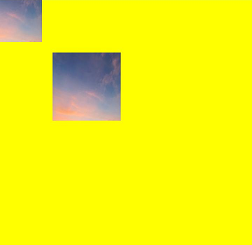
[h2]setPixelMap
setPixelMap(value?: PixelMap): void
Draws the input PixelMap object on the canvas. The example is the same as that of getPixelMap.
Atomic service API: This API can be used in atomic services since API version 11.
System capability: SystemCapability.ArkUI.ArkUI.Full
Parameters
| Name | Type | Mandatory | Description |
|---|---|---|---|
| value | PixelMap | No | PixelMap object that contains pixel values. The values undefined and null are treated as invalid values and will not be rendered. Default value: null |
[h2]getImageData
getImageData(sx: number, sy: number, sw: number, sh: number): ImageData
Obtains the ImageData object created with the pixels within the specified area on the canvas. This API involves time-consuming memory copy. Therefore, avoid frequent calls to it.
Widget capability: This API can be used in ArkTS widgets since API version 9.
Atomic service API: This API can be used in atomic services since API version 11.
System capability: SystemCapability.ArkUI.ArkUI.Full
Parameters
| Name | Type | Mandatory | Description |
|---|---|---|---|
| sx | number | Yes | X-coordinate of the upper left corner of the output area. Invalid values undefined, null, NaN, and Infinity are treated as 0. Default unit: vp |
| sy | number | Yes | Y-coordinate of the upper left corner of the output area. Invalid values undefined, null, NaN, and Infinity are treated as 0. Default unit: vp |
| sw | number | Yes | Width of the output area. Invalid values undefined, null, NaN, and Infinity are treated as 0. Default unit: vp |
| sh | number | Yes | Height of the output area. Invalid values undefined, null, NaN, and Infinity are treated as 0. Default unit: vp |
Return value
| Type | Description |
|---|---|
| ImageData | ImageData object created. |
Example

The resources used in this example are not located in the src > main > resource directory. Starting from DevEco Studio 6.0.0 Beta2, the resources that are located outside the resources directory are not packaged by default when a project or module is created. To package these resources, go to buildOption in the module's build-profile.json5 file > resOptions > copyCodeResource, and set enable to true. For details, see the description of copyCodeResource in resOptions.
// xxx.ets
@Entry
@Component
struct GetImageData {
  private settings: RenderingContextSettings = new RenderingContextSettings(true);
  private context: CanvasRenderingContext2D = new CanvasRenderingContext2D(this.settings);
  private offCanvas: OffscreenCanvas = new OffscreenCanvas(600, 600);
  // Replace "/common/images/1234.png" with the image resource file you use.
  private img:ImageBitmap = new ImageBitmap("/common/images/1234.png");

  build() {
    Flex({ direction: FlexDirection.Column, alignItems: ItemAlign.Center, justifyContent: FlexAlign.Center }) {
      Canvas(this.context)
        .width('100%')
        .height('100%')
        .backgroundColor('#ffff00')
        .onReady(() => {
          let offContext = this.offCanvas.getContext("2d", this.settings)
          offContext.drawImage(this.img, 0, 0, 130, 130)
          let imageData = offContext.getImageData(50,50,130,130)
          offContext.putImageData(imageData, 150, 150)
          let image = this.offCanvas.transferToImageBitmap()
          this.context.transferFromImageBitmap(image)
        })
    }
    .width('100%')
    .height('100%')
  }
} 
[h2]putImageData
putImageData(imageData: ImageData, dx: number | string, dy: number | string): void
Puts an ImageData object onto a rectangular area on the canvas.
Widget capability: This API can be used in ArkTS widgets since API version 9.
Atomic service API: This API can be used in atomic services since API version 11.
System capability: SystemCapability.ArkUI.ArkUI.Full
Parameters
| Name | Type | Mandatory | Description |
|---|---|---|---|
| imageData | ImageData | Yes | ImageData object with pixels to put onto the canvas. Values undefined and null are treated as invalid and will not be rendered. |
| dx | number | string10+ | Yes | X-axis offset of the rectangular area on the canvas. Invalid values undefined, null, NaN, and Infinity are treated as 0. Default unit: vp |
| dy | number | string10+ | Yes | Y-axis offset of the rectangular area on the canvas. Invalid values undefined, null, NaN, and Infinity are treated as 0. Default unit: vp |
Example
// xxx.ets
@Entry
@Component
struct PutImageData {
  private settings: RenderingContextSettings = new RenderingContextSettings(true);
  private context: CanvasRenderingContext2D = new CanvasRenderingContext2D(this.settings);
  private offCanvas: OffscreenCanvas = new OffscreenCanvas(600, 600);

  build() {
    Flex({ direction: FlexDirection.Column, alignItems: ItemAlign.Center, justifyContent: FlexAlign.Center }) {
      Canvas(this.context)
        .width('100%')
        .height('100%')
        .backgroundColor('rgb(213,213,213)')
        .onReady(() => {
          let offContext = this.offCanvas.getContext("2d", this.settings)
          let imageDataNum = offContext.createImageData(100, 100)
          let imageData = offContext.createImageData(imageDataNum)
          for (let i = 0; i < imageData.data.length; i += 4) {
            imageData.data[i + 0] = 112
            imageData.data[i + 1] = 112
            imageData.data[i + 2] = 112
            imageData.data[i + 3] = 255
          }
          offContext.putImageData(imageData, 10, 10)
          let image = this.offCanvas.transferToImageBitmap()
          this.context.transferFromImageBitmap(image)
        })
    }
    .width('100%')
    .height('100%')
  }
} 
[h2]putImageData
putImageData(imageData: ImageData, dx: number | string, dy: number | string, dirtyX: number | string, dirtyY: number | string, dirtyWidth?: number | string, dirtyHeight: number | string): void
Fills the new rectangular area with the ImageData data after cropping.
Widget capability: This API can be used in ArkTS widgets since API version 9.
Atomic service API: This API can be used in atomic services since API version 11.
System capability: SystemCapability.ArkUI.ArkUI.Full
Parameters
| Name | Type | Mandatory | Description |
|---|---|---|---|
| imageData | ImageData | Yes | ImageData object with pixels to put onto the canvas. Values undefined and null are treated as invalid and will not be rendered. |
| dx | number | string10+ | Yes | X-axis offset of the rectangular area on the canvas. Invalid values undefined, null, NaN, and Infinity are treated as 0. Default unit: vp |
| dy | number | string10+ | Yes | Y-axis offset of the rectangular area on the canvas. Invalid values undefined, null, NaN, and Infinity are treated as 0. Default unit: vp |
| dirtyX | number | string10+ | Yes | X-axis offset of the upper left corner of the rectangular area relative to that of the source image. Invalid values undefined, null, NaN, and Infinity are treated as 0. Default unit: vp |
| dirtyY | number | string10+ | Yes | Y-axis offset of the upper left corner of the rectangular area relative to that of the source image. Invalid values undefined, null, NaN, and Infinity are treated as 0. Default unit: vp |
| dirtyWidth | number | string10+ | Yes | Width of the rectangular area to crop the source image. Invalid values undefined, null, NaN, and Infinity are treated as 0. Default unit: vp |
| dirtyHeight | number | string10+ | Yes | Height of the rectangular area to crop the source image. Invalid values undefined, null, NaN, and Infinity are treated as 0. Default unit: vp |
Example
// xxx.ets
@Entry
@Component
struct PutImageData {
  private settings: RenderingContextSettings = new RenderingContextSettings(true);
  private context: CanvasRenderingContext2D = new CanvasRenderingContext2D(this.settings);
  private offCanvas: OffscreenCanvas = new OffscreenCanvas(600, 600);

  build() {
    Flex({ direction: FlexDirection.Column, alignItems: ItemAlign.Center, justifyContent: FlexAlign.Center }) {
      Canvas(this.context)
        .width('100%')
        .height('100%')
        .backgroundColor('rgb(213,213,213)')
        .onReady(() => {
          let offContext = this.offCanvas.getContext("2d", this.settings)
          let imageDataNum = offContext.createImageData(100, 100)
          let imageData = offContext.createImageData(imageDataNum)
          for (let i = 0; i < imageData.data.length; i += 4) {
            imageData.data[i + 0] = 112
            imageData.data[i + 1] = 112
            imageData.data[i + 2] = 112
            imageData.data[i + 3] = 255
          }
          offContext.putImageData(imageData, 10, 10, 0, 0, 100, 50)
          let image = this.offCanvas.transferToImageBitmap()
          this.context.transferFromImageBitmap(image)
        })
    }
    .width('100%')
    .height('100%')
  }
} 
[h2]setLineDash
setLineDash(segments: number[]): void
Sets the dash line style.
Widget capability: This API can be used in ArkTS widgets since API version 9.
Atomic service API: This API can be used in atomic services since API version 11.
Parameters
| Name | Type | Mandatory | Description |
|---|---|---|---|
| segments | number[] | Yes | An array of numbers that specify distances to alternately draw a line and a gap. Values undefined and null are treated as invalid. Default unit: vp |
Example
// xxx.ets
@Entry
@Component
struct SetLineDash {
  private settings: RenderingContextSettings = new RenderingContextSettings(true);
  private context: CanvasRenderingContext2D = new CanvasRenderingContext2D(this.settings);
  private offCanvas: OffscreenCanvas = new OffscreenCanvas(600, 600);

  build() {
    Flex({ direction: FlexDirection.Column, alignItems: ItemAlign.Center, justifyContent: FlexAlign.Center }) {
      Canvas(this.context)
        .width('100%')
        .height('100%')
        .backgroundColor('#D5D5D5')
        .onReady(() => {
          let offContext = this.offCanvas.getContext("2d", this.settings)
          offContext.arc(100, 75, 50, 0, 6.28)
          offContext.setLineDash([10, 20])
          offContext.stroke()
          let image = this.offCanvas.transferToImageBitmap()
          this.context.transferFromImageBitmap(image)
        })
    }
    .width('100%')
    .height('100%')
  }
} 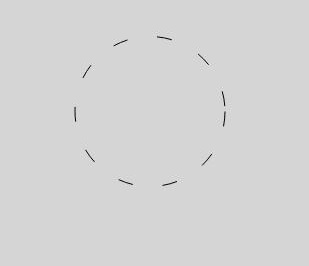
[h2]getLineDash
getLineDash(): number[]
Obtains the dash line style.
Widget capability: This API can be used in ArkTS widgets since API version 9.
Atomic service API: This API can be used in atomic services since API version 11.
Return value
| Type | Description |
|---|---|
| number[] | Interval of alternate line segments and the length of spacing. Values undefined and null are treated as invalid. Default unit: vp |
Example
// xxx.ets
@Entry
@Component
struct OffscreenCanvasGetLineDash {
  @State message: string = 'Hello World';
  private settings: RenderingContextSettings = new RenderingContextSettings(true);
  private context: CanvasRenderingContext2D = new CanvasRenderingContext2D(this.settings);
  private offCanvas: OffscreenCanvas = new OffscreenCanvas(600, 600);

  build() {
    Row() {
      Column() {
        Text(this.message)
          .fontSize(50)
          .fontWeight(FontWeight.Bold)
        Canvas(this.context)
          .width('100%')
          .height('100%')
          .backgroundColor('#D5D5D5')
          .onReady(() => {
            let offContext = this.offCanvas.getContext("2d", this.settings)
            offContext.arc(100, 75, 50, 0, 6.28)
            offContext.setLineDash([10, 20])
            offContext.stroke()
            let res = offContext.getLineDash()
            this.message = JSON.stringify(res)
            let image = this.offCanvas.transferToImageBitmap()
            this.context.transferFromImageBitmap(image)
          })
      }
      .width('100%')
    }
    .height('100%')
  }
} 
[h2]toDataURL
toDataURL(type?: string, quality?: any): string
Creates a data URL that contains a representation of an image. This API involves time-consuming memory copy. Therefore, avoid frequent calls to it.
Widget capability: This API can be used in ArkTS widgets since API version 9.
Atomic service API: This API can be used in atomic services since API version 11.
System capability: SystemCapability.ArkUI.ArkUI.Full
Parameters
| Name | Type | Mandatory | Description |
|---|---|---|---|
| type | string | No | Image format. The options are image/png, image/jpeg, and image/webp. The undefined and null values are treated as the default value. Default value: image/png |
| quality | any | No | Image quality, which ranges from 0 to 1, when the image format is image/jpeg or image/webp. If the set value is beyond the value range, the default value 0.92 is used. Invalid values undefined, null, NaN, and Infinity are treated as the default value. Default value: 0.92 |
Return value
| Type | Description |
|---|---|
| string | Image URL. |
Example
// xxx.ets
@Entry
@Component
struct ToDataURL {
  private settings: RenderingContextSettings = new RenderingContextSettings(true);
  private context: CanvasRenderingContext2D = new CanvasRenderingContext2D(this.settings);
  private offCanvas: OffscreenCanvas = new OffscreenCanvas(100, 100);
  @State dataURL: string = "";

  build() {
    Flex({ direction: FlexDirection.Column, alignItems: ItemAlign.Center, justifyContent: FlexAlign.Center }) {
      Canvas(this.context)
        .width(100)
        .height(100)
        .onReady(() => {
          let offContext = this.offCanvas.getContext("2d", this.settings)
          offContext.fillRect(0, 0, 100, 100)
          this.dataURL = offContext.toDataURL()
        })
      Text(this.dataURL)
    }
    .width('100%')
    .height('100%')
    .backgroundColor('#ffff00')
  }
} 
[h2]transferToImageBitmap
transferToImageBitmap(): ImageBitmap
Creates an ImageBitmap object from the most recently rendered image of the offscreen canvas.
Widget capability: This API can be used in ArkTS widgets since API version 9.
Atomic service API: This API can be used in atomic services since API version 11.
System capability: SystemCapability.ArkUI.ArkUI.Full
Return value
| Type | Description |
|---|---|
| ImageBitmap | Pixel data rendered on the offscreen canvas. |
Example
// xxx.ets
@Entry
@Component
struct PutImageData {
  private settings: RenderingContextSettings = new RenderingContextSettings(true);
  private context: CanvasRenderingContext2D = new CanvasRenderingContext2D(this.settings);
  private offCanvas: OffscreenCanvas = new OffscreenCanvas(600, 600);

  build() {
    Flex({ direction: FlexDirection.Column, alignItems: ItemAlign.Center, justifyContent: FlexAlign.Center }) {
      Canvas(this.context)
        .width('100%')
        .height('100%')
        .backgroundColor('rgb(213,213,213)')
        .onReady(() => {
          let offContext = this.offCanvas.getContext("2d", this.settings)
          let imageData = offContext.createImageData(100, 100)
          for (let i = 0; i < imageData.data.length; i += 4) {
            imageData.data[i + 0] = 112
            imageData.data[i + 1] = 112
            imageData.data[i + 2] = 112
            imageData.data[i + 3] = 255
          }
          offContext.putImageData(imageData, 10, 10)
          let image = this.offCanvas.transferToImageBitmap()
          this.context.transferFromImageBitmap(image)
        })
    }
    .width('100%')
    .height('100%')
  }
} 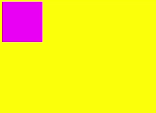
[h2]restore
restore(): void
Restores the saved drawing context.

When the number of calls to restore() does not exceed the number of calls to save(), this API pops the saved drawing state from the stack and restores the properties, clipping path, and transformation matrix of the CanvasRenderingContext2D object.
If the number of calls to restore() exceeds the number of calls to save(), this API does nothing.
If there is no saved state, this API does nothing.
Widget capability: This API can be used in ArkTS widgets since API version 9.
Atomic service API: This API can be used in atomic services since API version 11.
System capability: SystemCapability.ArkUI.ArkUI.Full
Example
// xxx.ets
@Entry
@Component
struct CanvasExample {
  private settings: RenderingContextSettings = new RenderingContextSettings(true);
  private context: CanvasRenderingContext2D = new CanvasRenderingContext2D(this.settings);
  private offCanvas: OffscreenCanvas = new OffscreenCanvas(600, 600);

  build() {
    Flex({ direction: FlexDirection.Column, alignItems: ItemAlign.Center, justifyContent: FlexAlign.Center }) {
      Canvas(this.context)
        .width('100%')
        .height('100%')
        .backgroundColor('#ffff00')
        .onReady(() => {
          let offContext = this.offCanvas.getContext("2d", this.settings)
          offContext.save() // save the default state
          offContext.fillStyle = "#00ff00"
          offContext.fillRect(20, 20, 100, 100)
          offContext.restore() // restore to the default state
          offContext.fillRect(150, 75, 100, 100)
          let image = this.offCanvas.transferToImageBitmap()
          this.context.transferFromImageBitmap(image)
        })
    }
    .width('100%')
    .height('100%')
  }
} 
[h2]save
save(): void
Saves the current drawing context.
Widget capability: This API can be used in ArkTS widgets since API version 9.
Atomic service API: This API can be used in atomic services since API version 11.
System capability: SystemCapability.ArkUI.ArkUI.Full
Example
// xxx.ets
@Entry
@Component
struct CanvasExample {
  private settings: RenderingContextSettings = new RenderingContextSettings(true);
  private context: CanvasRenderingContext2D = new CanvasRenderingContext2D(this.settings);
  private offCanvas: OffscreenCanvas = new OffscreenCanvas(600, 600);

  build() {
    Flex({ direction: FlexDirection.Column, alignItems: ItemAlign.Center, justifyContent: FlexAlign.Center }) {
      Canvas(this.context)
        .width('100%')
        .height('100%')
        .backgroundColor('#ffff00')
        .onReady(() => {
          let offContext = this.offCanvas.getContext("2d", this.settings)
          offContext.save() // save the default state
          offContext.fillStyle = "#00ff00"
          offContext.fillRect(20, 20, 100, 100)
          offContext.restore() // restore to the default state
          offContext.fillRect(150, 75, 100, 100)
          let image = this.offCanvas.transferToImageBitmap()
          this.context.transferFromImageBitmap(image)
        })
    }
    .width('100%')
    .height('100%')
  }
} 
[h2]createLinearGradient
createLinearGradient(x0: number, y0: number, x1: number, y1: number): CanvasGradient
Creates a linear gradient.
Widget capability: This API can be used in ArkTS widgets since API version 9.
Atomic service API: This API can be used in atomic services since API version 11.
System capability: SystemCapability.ArkUI.ArkUI.Full
Parameters
| Name | Type | Mandatory | Description |
|---|---|---|---|
| x0 | number | Yes | X-coordinate of the start point. If the value is undefined or null, this API will return undefined. Values NaN and Infinity are treated as invalid. Default unit: vp |
| y0 | number | Yes | Y-coordinate of the start point. If the value is undefined or null, this API will return undefined. Values NaN and Infinity are treated as invalid. Default unit: vp |
| x1 | number | Yes | X-coordinate of the end point. If the value is undefined or null, this API will return undefined. Values NaN and Infinity are treated as invalid. Default unit: vp |
| y1 | number | Yes | Y-coordinate of the end point. If the value is undefined or null, this API will return undefined. Values NaN and Infinity are treated as invalid. Default unit: vp |
Return value
| Type | Description |
|---|---|
| CanvasGradient | New CanvasGradient object used to create a gradient on the offscreen canvas. |
Example
// xxx.ets
@Entry
@Component
struct CreateLinearGradient {
  private settings: RenderingContextSettings = new RenderingContextSettings(true);
  private context: CanvasRenderingContext2D = new CanvasRenderingContext2D(this.settings);
  private offCanvas: OffscreenCanvas = new OffscreenCanvas(600, 600);

  build() {
    Flex({ direction: FlexDirection.Column, alignItems: ItemAlign.Center, justifyContent: FlexAlign.Center }) {
      Canvas(this.context)
        .width('100%')
        .height('100%')
        .backgroundColor('rgb(213,213,213)')
        .onReady(() => {
          let offContext = this.offCanvas.getContext("2d", this.settings)
          let grad = offContext.createLinearGradient(50,0, 300,100)
          grad.addColorStop(0.0, 'rgb(39,135,217)')
          grad.addColorStop(0.5, 'rgb(255,238,240)')
          grad.addColorStop(1.0, 'rgb(23,169,141)')
          offContext.fillStyle = grad
          offContext.fillRect(0, 0, 400, 400)
          let image = this.offCanvas.transferToImageBitmap()
          this.context.transferFromImageBitmap(image)
        })
    }
    .width('100%')
    .height('100%')
  }
} 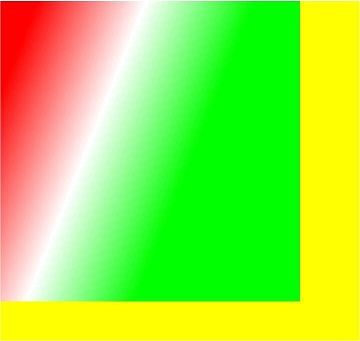
[h2]createRadialGradient
createRadialGradient(x0: number, y0: number, r0: number, x1: number, y1: number, r1: number): CanvasGradient
Creates a radial gradient.
Widget capability: This API can be used in ArkTS widgets since API version 9.
Atomic service API: This API can be used in atomic services since API version 11.
System capability: SystemCapability.ArkUI.ArkUI.Full
Parameters
| Name | Type | Mandatory | Description |
|---|---|---|---|
| x0 | number | Yes | X-coordinate of the center of the start circle. If the value is undefined or null, this API will return undefined. Values NaN and Infinity are treated as invalid. Default unit: vp |
| y0 | number | Yes | Y-coordinate of the center of the start circle. If the value is undefined or null, this API will return undefined. Values NaN and Infinity are treated as invalid. Default unit: vp |
| r0 | number | Yes | Radius of the start circle, which must be a non-negative finite number. If the value is undefined or null, this API will return undefined. Values NaN and Infinity are treated as invalid. Default unit: vp |
| x1 | number | Yes | X-coordinate of the center of the end circle. If the value is undefined or null, this API will return undefined. Values NaN and Infinity are treated as invalid. Default unit: vp |
| y1 | number | Yes | Y-coordinate of the center of the end circle. If the value is undefined or null, this API will return undefined. Values NaN and Infinity are treated as invalid. Default unit: vp |
| r1 | number | Yes | Radius of the end circle, which must be a non-negative finite number. If the value is undefined or null, this API will return undefined. Values NaN and Infinity are treated as invalid. Default unit: vp |
Return value
| Type | Description |
|---|---|
| CanvasGradient | New CanvasGradient object used to create a gradient on the offscreen canvas. |
Example
// xxx.ets
@Entry
@Component
struct CreateRadialGradient {
  private settings: RenderingContextSettings = new RenderingContextSettings(true);
  private context: CanvasRenderingContext2D = new CanvasRenderingContext2D(this.settings);
  private offCanvas: OffscreenCanvas = new OffscreenCanvas(600, 600);

  build() {
    Flex({ direction: FlexDirection.Column, alignItems: ItemAlign.Center, justifyContent: FlexAlign.Center }) {
      Canvas(this.context)
        .width('100%')
        .height('100%')
        .backgroundColor('rgb(213,213,213)')
        .onReady(() => {
          let offContext = this.offCanvas.getContext("2d", this.settings)
          let grad = offContext.createRadialGradient(200,200,50, 200,200,200)
          grad.addColorStop(0.0, 'rgb(39,135,217)')
          grad.addColorStop(0.5, 'rgb(255,238,240)')
          grad.addColorStop(1.0, 'rgb(112,112,112)')
          offContext.fillStyle = grad
          offContext.fillRect(0, 0, 440, 440)
          let image = this.offCanvas.transferToImageBitmap()
          this.context.transferFromImageBitmap(image)
        })
    }
    .width('100%')
    .height('100%')
  }
} 
[h2]createConicGradient10+
createConicGradient(startAngle: number, x: number, y: number): CanvasGradient
Creates a conic gradient.
Atomic service API: This API can be used in atomic services since API version 11.
System capability: SystemCapability.ArkUI.ArkUI.Full
Parameters
| Name | Type | Mandatory | Description |
|---|---|---|---|
| startAngle | number | Yes | Angle at which the gradient starts. The angle measurement starts horizontally from the right side of the center and moves clockwise. Invalid values undefined and null are treated as 0. NaN and Infinity are treated as invalid. Unit: radian |
| x | number | Yes | X-coordinate of the center of the conic gradient. Invalid values undefined and null are treated as 0. NaN and Infinity are treated as invalid. Default unit: vp |
| y | number | Yes | Y-coordinate of the center of the conic gradient. Invalid values undefined and null are treated as 0. NaN and Infinity are treated as invalid. Default unit: vp |
Return value
| Type | Description |
|---|---|
| CanvasGradient | New CanvasGradient object used to create a gradient on the offscreen canvas. |
Example
// xxx.ets
@Entry
@Component
struct OffscreenCanvasConicGradientPage {
  private settings: RenderingContextSettings = new RenderingContextSettings(true);
  private context: CanvasRenderingContext2D = new CanvasRenderingContext2D(this.settings);
  private offCanvas: OffscreenCanvas = new OffscreenCanvas(600, 600);

  build() {
    Flex({ direction: FlexDirection.Column, alignItems: ItemAlign.Center, justifyContent: FlexAlign.Center }) {
      Canvas(this.context)
        .width('100%')
        .height('100%')
        .backgroundColor('#ffffff')
        .onReady(() => {
          let offContext = this.offCanvas.getContext("2d", this.settings)
          let grad = offContext.createConicGradient(0, 50, 80)
          grad.addColorStop(0.0, '#ff0000')
          grad.addColorStop(0.5, '#ffffff')
          grad.addColorStop(1.0, '#00ff00')
          offContext.fillStyle = grad
          offContext.fillRect(0, 30, 100, 100)
          let image = this.offCanvas.transferToImageBitmap()
          this.context.transferFromImageBitmap(image)
        })
    }
    .width('100%')
    .height('100%')
  }
}