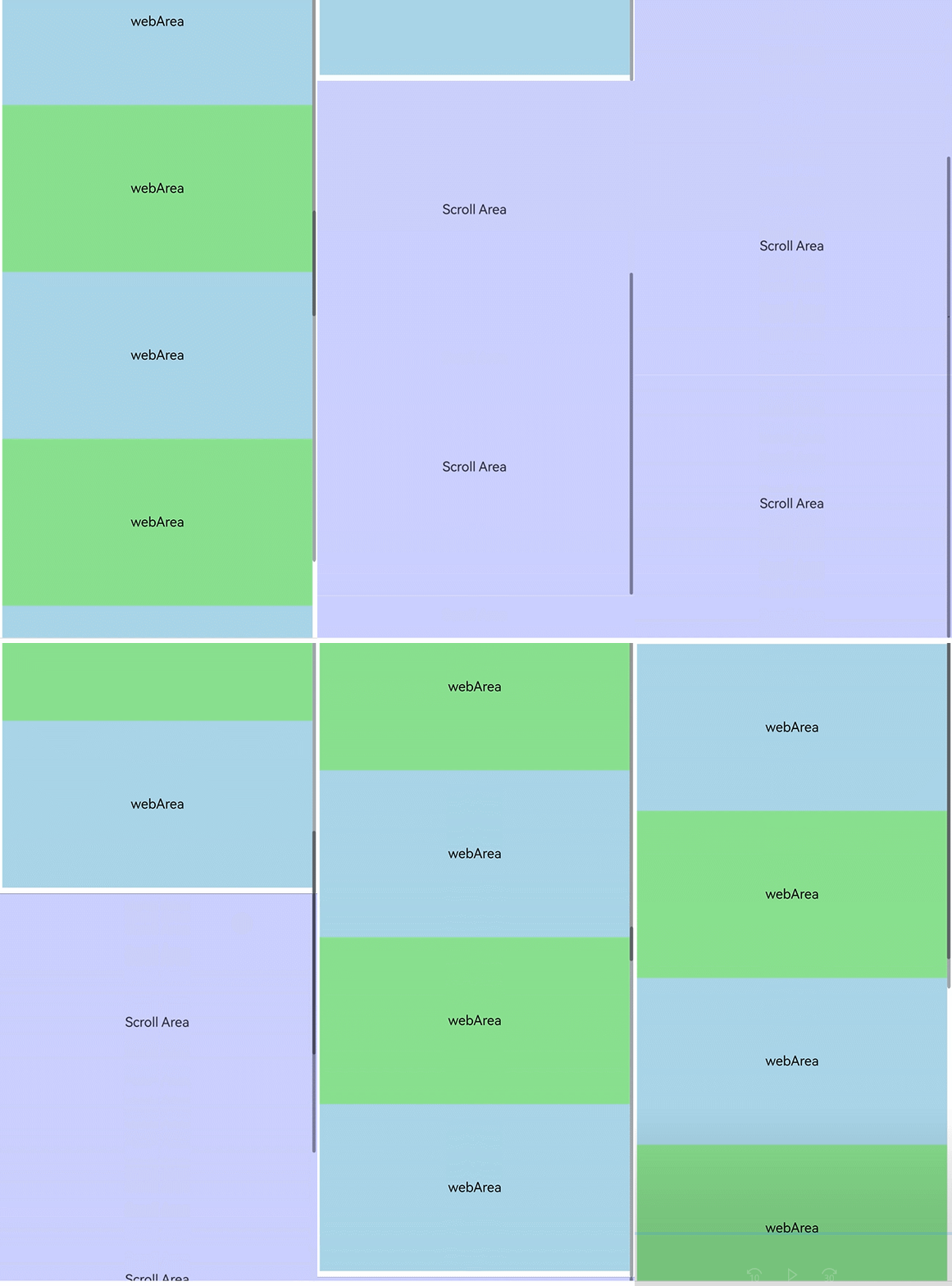
A typical use case for nested scrolling with the Web component is a page containing multiple independent scrollable areas. When users scroll the content in the Web area, other scrollable areas can be linked to it, providing a nested scrolling experience that supports scrolling the page in all directions. For Web components embedded in scrollable containers (Grid, List, Scroll, Swiper, Tabs, WaterFlow, Refresh, and bindSheet), you need to set the ArkUI NestedScrollMode attribute after receiving the scrolling gesture events to implement nested scrolling between the Web component and ArkUI scrollable containers.
The following provides two solutions for implementing nested scrolling of Web components: Solution 1: Using the nestedScroll Attribute; Solution 2: Distributing Scrolling Offsets Through the Parent Scroll Component. You can select a solution based on the specific service scenario. To associate Web components with other parent components, you are advised to use solution 1. To customize the scrolling of Web components and other scrolling components, especially in some complex scenarios, you are advised to use solution 2.

If a Web component uses full expansion (layoutMode is set to WebLayoutMode.FIT_CONTENT), the rendering mode (RenderMode.SYNC_RENDER) must be explicitly specified. For details, see layoutMode.
Using the nestedScroll Attribute
Call the nestedScroll attribute of the Web component to set the nested scrolling mode in the up, down, left, and right directions or in the forward and backward directions to implement the scrolling association with the parent component. This attribute also allows the nested scrolling mode to be dynamically changed during the process.
Complete Code
import { webview } from '@kit.ArkWeb';

@Entry
@ComponentV2
struct NestedScroll {
  private scrollerForScroll: Scroller = new Scroller();
  controller: webview.WebviewController = new webview.WebviewController();
  @Local arr: Array<number> = [];

  aboutToAppear(): void {
    for (let i = 0; i < 10; i++) {
      this.arr.push(i);
    }
  }

  build() {
    Scroll(this.scrollerForScroll) {
      Column() {
        Web({ src: $rawfile('scroll.html'), controller: this.controller })
          .nestedScroll({
            scrollUp: NestedScrollMode.PARENT_FIRST, // The parent component takes priority when scrolling up.
            scrollDown: NestedScrollMode.SELF_FIRST, // The child component takes priority when scrolling down.
          }).height('100%')
        Repeat<number>(this.arr)
          .each((item: RepeatItem<number>) => {
            Text('Scroll Area')
              .width('100%')
              .height('40%')
              .backgroundColor(0x330000FF)
              .fontSize(16)
              .textAlign(TextAlign.Center)
          })
      }
    }
  }
}
HTML file to be loaded:
<!-- scroll.html -->
<!DOCTYPE html>
<html>

<head>
    <meta name="viewport" id="viewport" content="width=device-width, initial-scale=1.0">
    <style>
        .blue {
            background-color: lightblue;
        }

        .green {
            background-color: lightgreen;
        }

        .blue,
        .green {
            font-size: 16px;
            height: 200px;
            text-align: center;
            /* Horizontally centered */
            line-height: 200px;
            /* Vertically centered (the height matches the container height) */
        }
    </style>
</head>

<body>
    <div class="blue">webArea</div>
    <div class="green">webArea</div>
    <div class="blue">webArea</div>
    <div class="green">webArea</div>
    <div class="blue">webArea</div>
    <div class="green">webArea</div>
    <div class="blue">webArea</div>
</body>

</html> 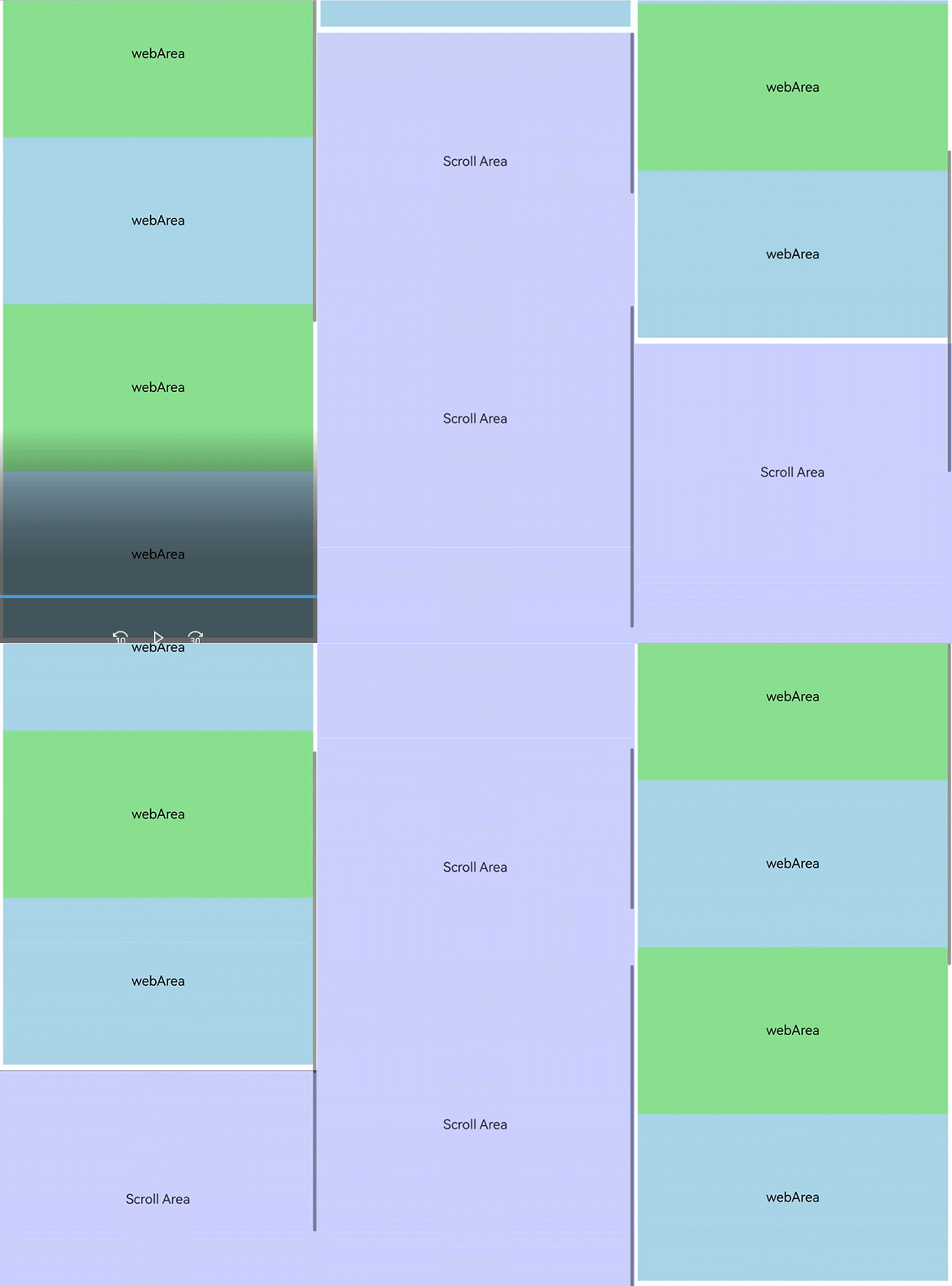
[h2]In a Parent-First Scrolling Scenario, the Web Component Stops Scrolling When It Performs Inertial Scrolling (Fling) and the Parent Component Reaches the Boundary Without Fully Consuming the Scroll Velocity
This issue exists in versions earlier than API 26.0.0 and has been fixed in API 26.0.0. To achieve the effect of "parent-first without interrupting Web scrolling" on earlier versions, use Solution 2: Distributing Scrolling Offsets Through the Parent Scroll Component.
Distributing Scrolling Offsets Through the Parent Scroll Component
How to Implement
-
Scrolling up:
(1) If the web page does not scroll to the bottom, the Scroll component sends the scrolling offset to the Web component, and the Scroll component does not scroll.
(2) If the web page scrolls to the bottom but the Scroll component has not yet scrolled to the bottom, only the Scroll component scrolls, and the scrolling offset is not sent to the Web and List components.
(3) If the Scroll component scrolls to the bottom, the scrolling offset is sent to the List component, and the Scroll component does not scroll.
-
Scrolling down:
(1) If the List component does not scroll to the top, the Scroll component sends the scrolling offset to the List component, and the Scroll component does not scroll.
(2) When the List component scrolls to the top but the Scroll component does not, the Scroll component automatically scrolls. The scrolling offset is not sent to the List component and Web component.
(3) If the Scroll component scrolls to the top, the scrolling offset is sent to the Web component, and the Scroll component does not scroll.
Key Implementation
-
Disable the scrolling gestures of the Web component.
(1) First, call the Web component's scroll controller method to disable touch scrolling for the Web component via setScrollable.
this.webController.setScrollable(false, webview.ScrollType.EVENT);
(2) Then use the onGestureRecognizerJudgeBegin method to prevent the built-in scrolling gesture of the Web component from being triggered.
.onGestureRecognizerJudgeBegin((event: BaseGestureEvent, current: GestureRecognizer, others: Array<GestureRecognizer>) => { if (current.isBuiltIn() && current.getType() == GestureControl.GestureType.PAN_GESTURE) { return GestureJudgeResult.REJECT; } return GestureJudgeResult.CONTINUE; }) -
Disable the gestures of the List component.
.enableScrollInteraction(false)
-
Check whether the List and Scroll components scroll to the boundary.
(1) The component scrolls to the top boundary: scroller.currentOffset().yOffset <= 0;
(2) The component scrolls to the bottom boundary: scroller.isAtEnd() == true;
-
Check whether the Web component scrolls to the boundary.
(1) Obtain the height, content height, and current scrolling offset of the Web component to determine the boundary.
(2) Determine whether the Web component scrolls to the top: webController.getPageOffset().y == 0;
(3) Determine whether the Web component scrolls to the bottom: webController.getPageOffset().y + this.webHeight >= webController.getPageHeight();
(4) Obtain the page content height of the Web component: webController.getPageHeight();
(5) Obtain the height of the Web component itself (window): webController?.runJavaScriptExt('window.innerHeight');
(6) Obtain the scrolling offset of the Web component: webController.getPageOffset();
-
Disable the scrolling feature of the Scroll component.
Bind the Scroll component to the onScrollFrameBegin event and return the remaining scrolling offset as 0. Then the Scroll component does not scroll and does not stop the inertial scrolling animation.
-
Distribute the scrolling offset to the List component.
this.listScroller.scrollBy(0, offset)
-
Distribute the scrolling offset to the Web component.
this.webController.scrollBy(0, offset)
-
Set bypassVsyncCondition of the Web component to WebBypassVsyncCondition.SCROLLBY_FROM_ZERO_OFFSET to accelerate the drawing of the first scrolling frame.
.bypassVsyncCondition(WebBypassVsyncCondition.SCROLLBY_FROM_ZERO_OFFSET)
Complete Code
import { webview } from '@kit.ArkWeb';

@Entry
@ComponentV2
struct Index {
  private scroller: Scroller = new Scroller()
  private listScroller: Scroller = new Scroller()
  private webController: webview.WebviewController = new webview.WebviewController()
  private isWebAtEnd: boolean = false
  private webHeight: number = 0
  @Local arr: Array<number> = []

  aboutToAppear(): void {
    for (let i = 0; i < 10; i++) {
      this.arr.push(i)
    }
  }

  getWebHeight() {
    try {
      this.webController?.runJavaScriptExt('window.innerHeight',
        (error, result) => {
          if (error || !result) {
            return;
          }
          if (result.getType() === webview.JsMessageType.NUMBER) {
            this.webHeight = result.getNumber()
          }
        })
    } catch (error) {
    }
  }

  checkScrollBottom() {
    this.isWebAtEnd = false;
    try {
      if (this.webController.getPageOffset().y + this.webHeight >= this.webController.getPageHeight()) {
        this.isWebAtEnd = true;
      }
    } catch (err) {
      console.error(`checkScrollBottom failed with error: ${err.code}, ${err.message}`);
    }
  }

  build() {
    Scroll(this.scroller) {
      Column() {
        Web({
          src: $rawfile('scroll.html'),
          controller: this.webController,
        }).height('100%')
          .bypassVsyncCondition(WebBypassVsyncCondition.SCROLLBY_FROM_ZERO_OFFSET)
          .onPageEnd(() => {
            this.webController.setScrollable(false, webview.ScrollType.EVENT);
            this.getWebHeight();
          })
          // When the recognizer is about to succeed, set whether to enable the recognizer based on the current component status.
          .onGestureRecognizerJudgeBegin((event: BaseGestureEvent, current: GestureRecognizer,
            others: Array<GestureRecognizer>) => {
            if (current.isBuiltIn() && current.getType() == GestureControl.GestureType.PAN_GESTURE) {
              return GestureJudgeResult.REJECT;
            }
            return GestureJudgeResult.CONTINUE;
          })
        List({ scroller: this.listScroller }) {
          Repeat<number>(this.arr)
            .each((item: RepeatItem<number>) => {
              ListItem() {
                Text('Scroll Area')
                  .width('100%')
                  .height('40%')
                  .backgroundColor(0x330000FF)
                  .fontSize(16)
                  .textAlign(TextAlign.Center)
              }
            })
        }.height('100%')
        .maintainVisibleContentPosition(true)
        .enableScrollInteraction(false)
      }
    }
    .onScrollFrameBegin((offset: number, state: ScrollState) => {
      this.checkScrollBottom();
      if (offset > 0) {
        if (!this.isWebAtEnd) {
          this.webController.scrollBy(0, offset)
          return { offsetRemain: 0 }
        } else if (this.scroller.isAtEnd()) {
          this.listScroller.scrollBy(0, offset)
          return { offsetRemain: 0 }
        }
      } else if (offset < 0) {
        if (this.listScroller.currentOffset().yOffset > 0) {
          this.listScroller.scrollBy(0, offset)
          return { offsetRemain: 0 }
        } else if (this.scroller.currentOffset().yOffset <= 0) {
          this.webController.scrollBy(0, offset)
          return { offsetRemain: 0 }
        }
      }
      return { offsetRemain: offset }
    })
  }
}
HTML file to be loaded:
<!-- scroll.html -->
<!DOCTYPE html>
<html>
<head>
    <meta name="viewport" id="viewport" content="width=device-width, initial-scale=1.0">
    <style>
        .blue {
          background-color: lightblue;
        }
        .green {
          background-color: lightgreen;
        }
        .blue, .green {
         font-size:16px;
         height:200px;
         text-align: center;       /* Horizontally centered */
         line-height: 200px;       /* Vertically centered (the height matches the container height) */
        }
    </style>
</head>
<body>
<div class="blue" >webArea</div>
<div class="green">webArea</div>
<div class="blue">webArea</div>
<div class="green">webArea</div>
<div class="blue">webArea</div>
<div class="green">webArea</div>
<div class="blue">webArea</div>
</body>
</html>