Use Cases
This kit supports layered icon processing since version 5.0.0(12).
Perform this processing when your icon is a layered one and needs to comply with the design style of HarmonyOS Design System. Here are some typical use cases:
-
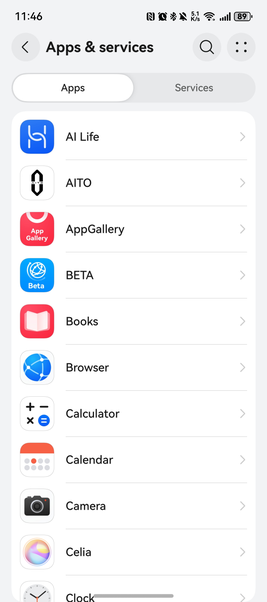
Displaying a list of apps, with app icons: You can call the batch layered icon processing API of UI Design Kit to obtain processed app icons.
-
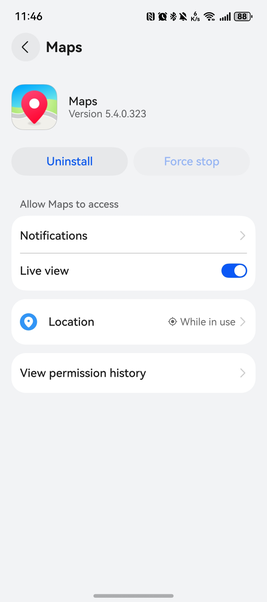
Displaying app details, with an app icon: You can call the single layered icon processing API of UI Design Kit to obtain the processed app icon.
-
Displaying an app icon that aligns with the online app theme: You can call the layered icon processing API of UI Design Kit to obtain the app icon that adapts to the changed theme.

Constraints
The layered icon processing function supports phones, tablets, PCs/2-in-1 devices, and (since 5.1.1(19)) TVs.
Development Procedure

-
Set the layered icon. Place the foreground and background resources of the layered icon in entry/src/main/resources/base/media and create a JSON file (for example, drawable.json) in the directory.
{ "layered-image": { "background" : "$media:background", "foreground" : "$media:foreground" } } -
Import the classes related to icon processing to the project.
import { LayeredDrawableDescriptor } from '@kit.ArkUI'; import { hdsDrawable } from '@kit.UIDesignKit'; import { image } from '@kit.ImageKit'; import { BusinessError } from '@kit.BasicServicesKit'; import { resourceManager } from '@kit.LocalizationKit'; import { common } from '@kit.AbilityKit'; -
Configure the page layout simply. You can either call the layered icon processing API to process a single icon or call the asynchronous batch processing API to process icons in batches.
@Entry
@Component
struct Index{
  bundleName: string = 'com.example.uidesignsample';
  resManager: resourceManager.ResourceManager | undefined = undefined;
  layeredDrawableDescriptor: LayeredDrawableDescriptor | undefined = undefined;
  @State layeredIconsResult: Array<hdsDrawable.ProcessedIcon> = [];

  build() {
    Column() {
      Column() {
        Text('getHdsLayeredIcon')
          .fontWeight(FontWeight.Bold)
          .fontSize(16)
          .margin(5)

        Image(this.getHdsLayeredIcon())
          .width(48)
          .height(48)
      }
      .margin(20)

      Text('getHdsLayeredIcons')
        .fontWeight(FontWeight.Bold)
        .fontSize(16)
        .margin(5)

      List() {
        ForEach(this.layeredIconsResult,
          (item: hdsDrawable.ProcessedIcon, index?: number) => {
            ListItem() {
              Column() {
                Text(item.bundleName)
                  .fontWeight(FontWeight.Medium)
                  .fontSize(16)
                  .margin(5)

                Image(item.pixelMap)
                  .width(48)
                  .height(48)
              }
              .margin(15)
            }
            .width('100%')
          }, (item: hdsDrawable.ProcessedIcon) => item.toString())
      }
      .scrollBar(BarState.On)
      .height('60%')
    }
    .height('100%')
    .width('100%')
  }

  aboutToAppear(): void {
    // Obtain a resource manager.
    this.resManager = (this.getUIContext().getHostContext() as common.UIAbilityContext)?.resourceManager;
    if (!this.resManager) {
      return;
    }
    // Obtain the original layered icon information through the resource manager.
    this.layeredDrawableDescriptor = (this.resManager.getDrawableDescriptor($r('app.media.drawable')
      .id)) as LayeredDrawableDescriptor;
    this.getHdsLayeredIcons();
  }

  private getHdsLayeredIcon(): image.PixelMap | null {
    try {
      // Call the layered icon processing API of the HDS.
      return hdsDrawable.getHdsLayeredIcon(this.bundleName, this.layeredDrawableDescriptor, 48, true);
    } catch (err) {
      let message = (err as BusinessError).message;
      let code = (err as BusinessError).code;
      console.error(`getHdsLayeredIcon failed, code: ${code}, message: ${message}`);
      return null;
    }
  }

  private getHdsLayeredIcons(): void {
    if (!this.layeredDrawableDescriptor) {
      console.error(`getHdsLayeredIcons layeredDrawableDescriptor is undefined.`);
      return;
    }

    // Construct parameters for calling the batch API.
    let options: hdsDrawable.Options = {
      size: 48,
      hasBorder: true,
      parallelNumber: 4
    };

    let layeredIcons: hdsDrawable.LayeredIcon[] = [];
    for (let i = 0; i < 10; i++) {
      layeredIcons.push({
        bundleName: `${this.bundleName}-${i}`,
        layeredDrawableDescriptor: this.layeredDrawableDescriptor
      });
    }

    try {
      // Call the layered icon batch processing API of the HDS.
      hdsDrawable.getHdsLayeredIcons(layeredIcons, options)
        .then((data: Array<hdsDrawable.ProcessedIcon>) => {
          console.info(`getHdsLayeredIcons data size: ${data.length}`);
          this.layeredIconsResult = data;
        })
        .catch((err: BusinessError) => {
          console.error(`getHdsLayeredIcons return error, code: ${err.code}, msg: ${err.message}`);
        });
    } catch (err) {
      let message = (err as BusinessError).message;
      let code = (err as BusinessError).code;
      console.error(`getHdsLayeredIcons failed, code: ${code}, message: ${message}`);
    }
  }
}