Troubleshoot based on the symptom:
Symptom 1
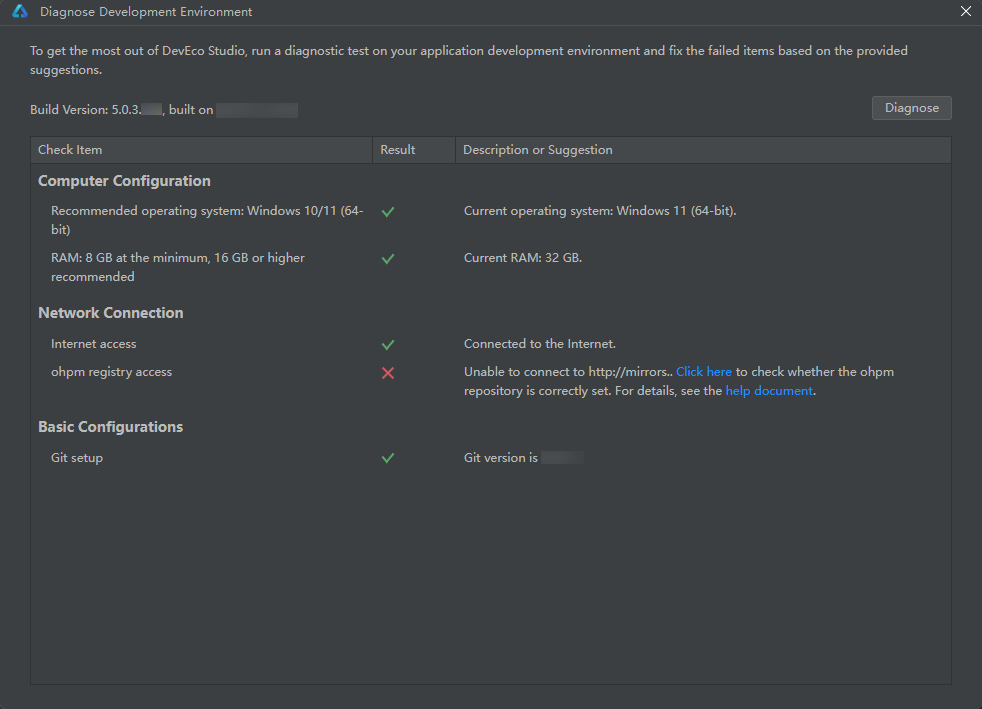
The registry address fails to be verified, and the message "check whether the ohpm repository is correctly set" is displayed.
Solution
- Scenario 1: The registry may be incorrectly configured. Click Click here to verify the registry configuration or configure a new registry address.
- Scenario 2: The network may be disconnected, and you need to configure a proxy to access the Internet using either of the following methods:
Method 1: Click Click here to go to the proxy configuration page and configure the HTTP proxy.
Method 2: Open the .ohpmrc file in C:\users\username\.ohpm and modify the http_proxy or https_proxy configuration item. If the .ohpmrc file does not exist, create one.
If your proxy server requires the user name and password for authentication, set them as follows.
- Go to the C:\Users\username\.ohpm directory and open the .ohpmrc file. If no .ohpmrc file is in the directory, create one.
- Modify the ohpm proxy information. Add the user and password fields to http_proxy and https_proxy. Note that the values may vary depending on the proxy. Perform the following steps:
http_proxy=http://user:password@proxy.server.com:80
https_proxy=http://user:password@proxy.server.com:80

- If the password contains special characters, such as @, #, and *, the configuration may not take effect. In this case, you are advised to replace the special characters with ASCII codes and add a percent sign (%) before the ASCII codes. Refer to the following for the mapping between common symbols and ASCII codes:
- !: %21
- @: %40
- #: %23
- $: %24
- &: %26
- *: %2A
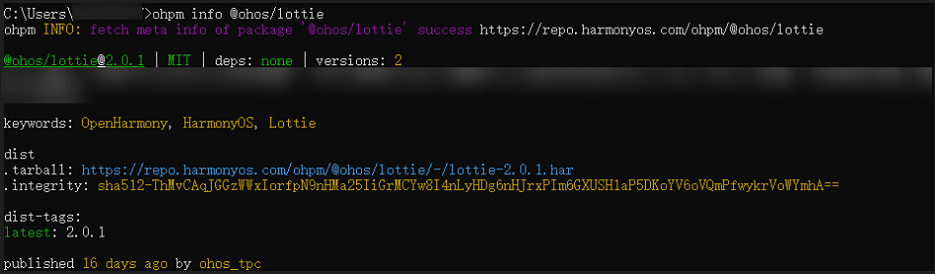
- After the proxy is configured, open the CLI and run the following command to check whether the network connectivity is normal.
ohpm info @ohos/lottie
If the information similar to the following is displayed, it indicates that the proxy has been set up successfully.
Symptom 2
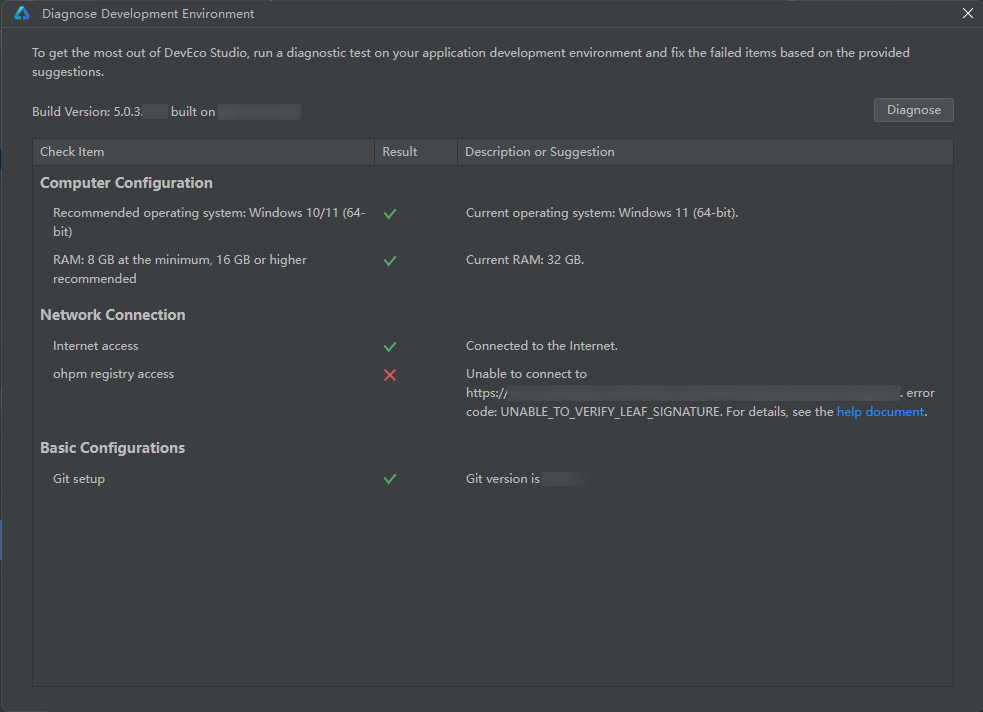
The registry certificate address verification fails, with the message "UNABLE_TO_VERIFY_LEAF_SIGNATURE" displayed.
Solution
Perform the following:
Go to the C:\Users\username\.ohpm directory and open the .ohpmrc file. If no .ohpmrc file is in the directory, create one.
- Configure the URL of the registry certificate in the ca_files field. Use commas (,) to separate URLs.
ca_files=your_ca_files_path
- Alternatively, set strict_ssl to false to temporarily disable certificate verification.
strict_ssl=false

Disabling certificate verification may bring security risks. Confirm the risks associated with disabling certificate verification before modifying the configuration. You are advised to enable certificate verification back promptly after use, by changing false to true.