Symptom
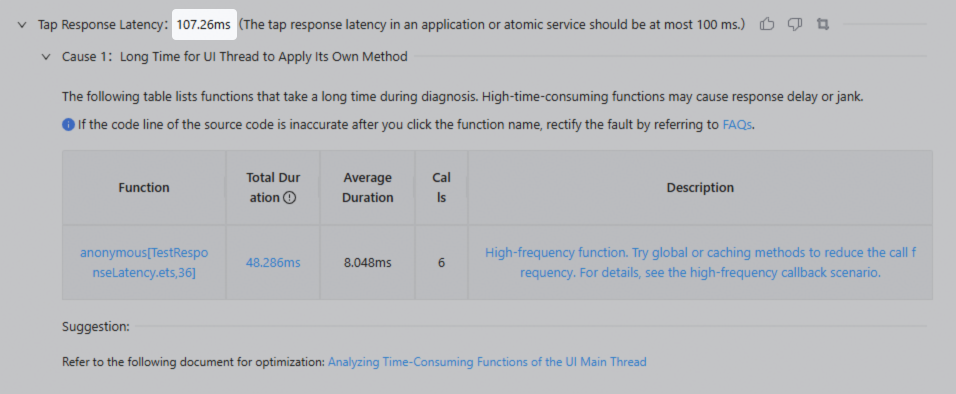
On the report details page, the indicator detection value cannot be clicked, as shown in the following figure.
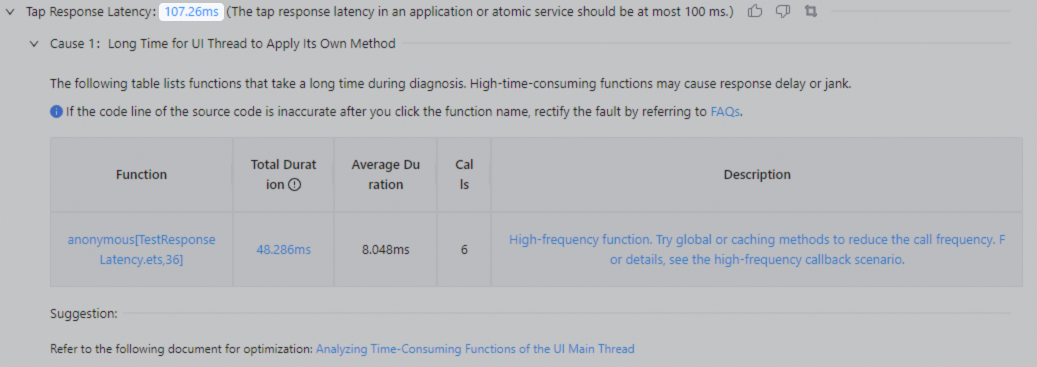
It is expected that the indicator detection value can be clicked to start the profiler, as shown in the following figure.
Possible Causes
The cold start scenario is selected for the health check widget, but the application is not restarted when the recording starts. As a result, the stack fails to be captured.
Solution
1. In the cold start scenario, you are advised to use the Manual Cold Start Performance Check widget for detection.
2. If the Cold Start scenario is selected for a custom widget, you need to forcibly restart the application when the recording starts, and then perform the health check.