Symptom
When the Emulator is started, the system displays a message indicating that the memory of the Windows computer is insufficient.

Solution
- Open Task Manager and choose the Details tab, right-click the table header and choose Select columns and select Commit size. Click the Commit size column to sort the processes, and close some processes with high commit size.
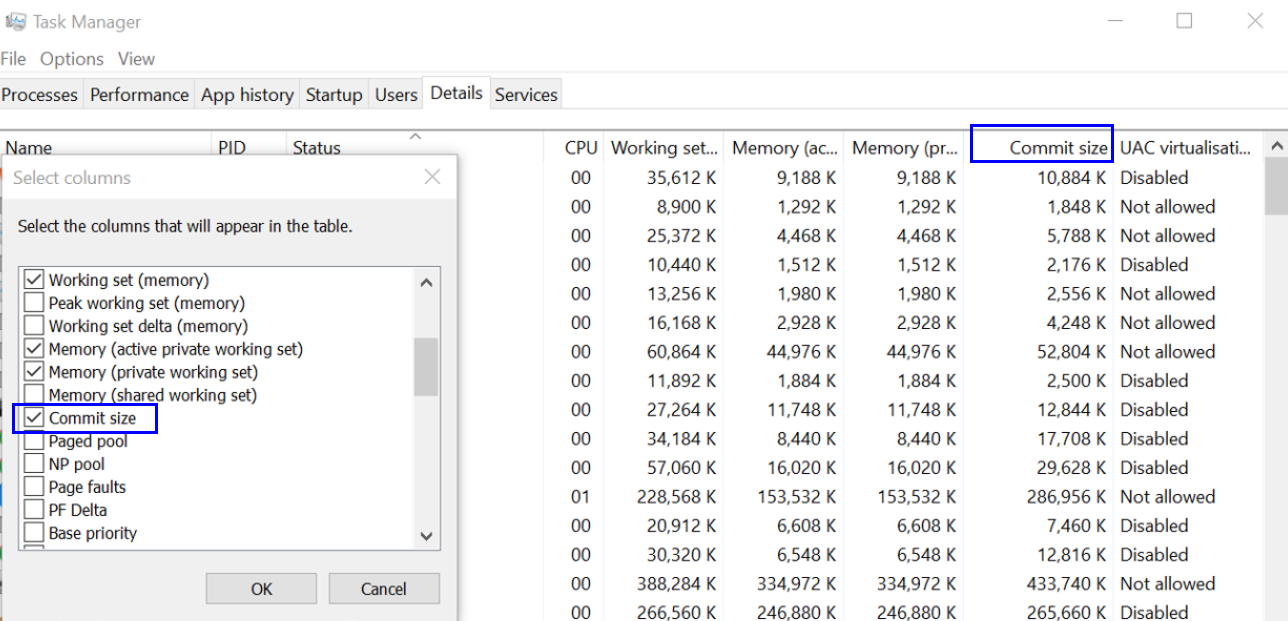
- Choose Task Manager > Performance > Memory and ensure that the remaining committed memory size is greater than the RAM size set for the Emulator.
