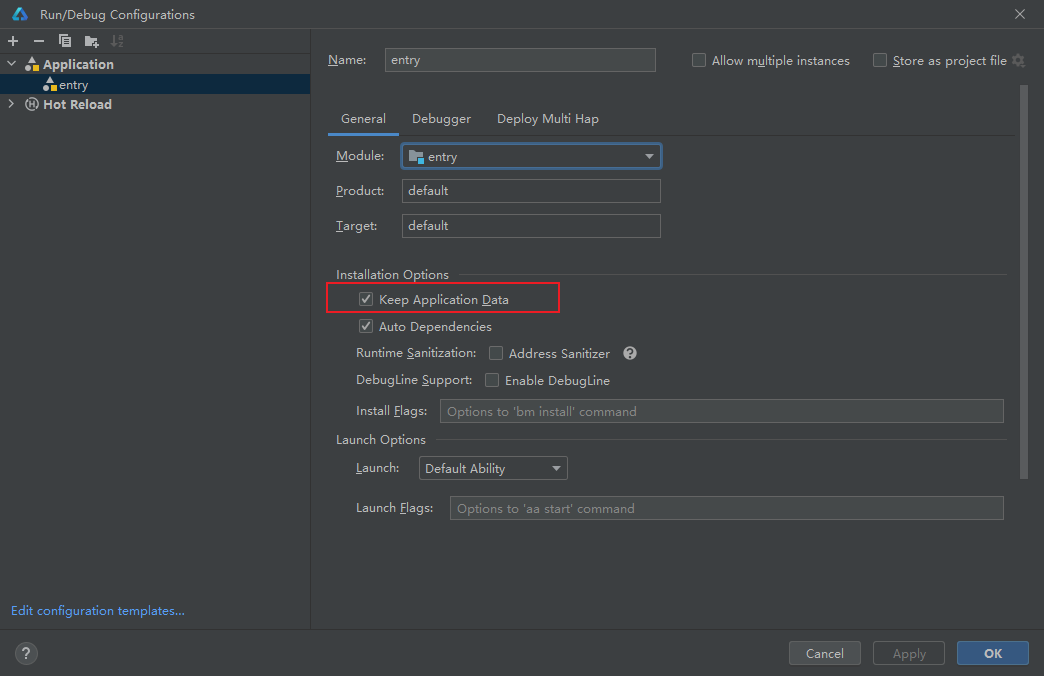
To keep the user information stored in Preferences intact after each run, follow these steps:
- In DevEco Studio, choose Run > Edit Configurations.
- In the Run/Debug Configurations window, go to the General tab.
- Under Installation Options, select Keep Application Data.