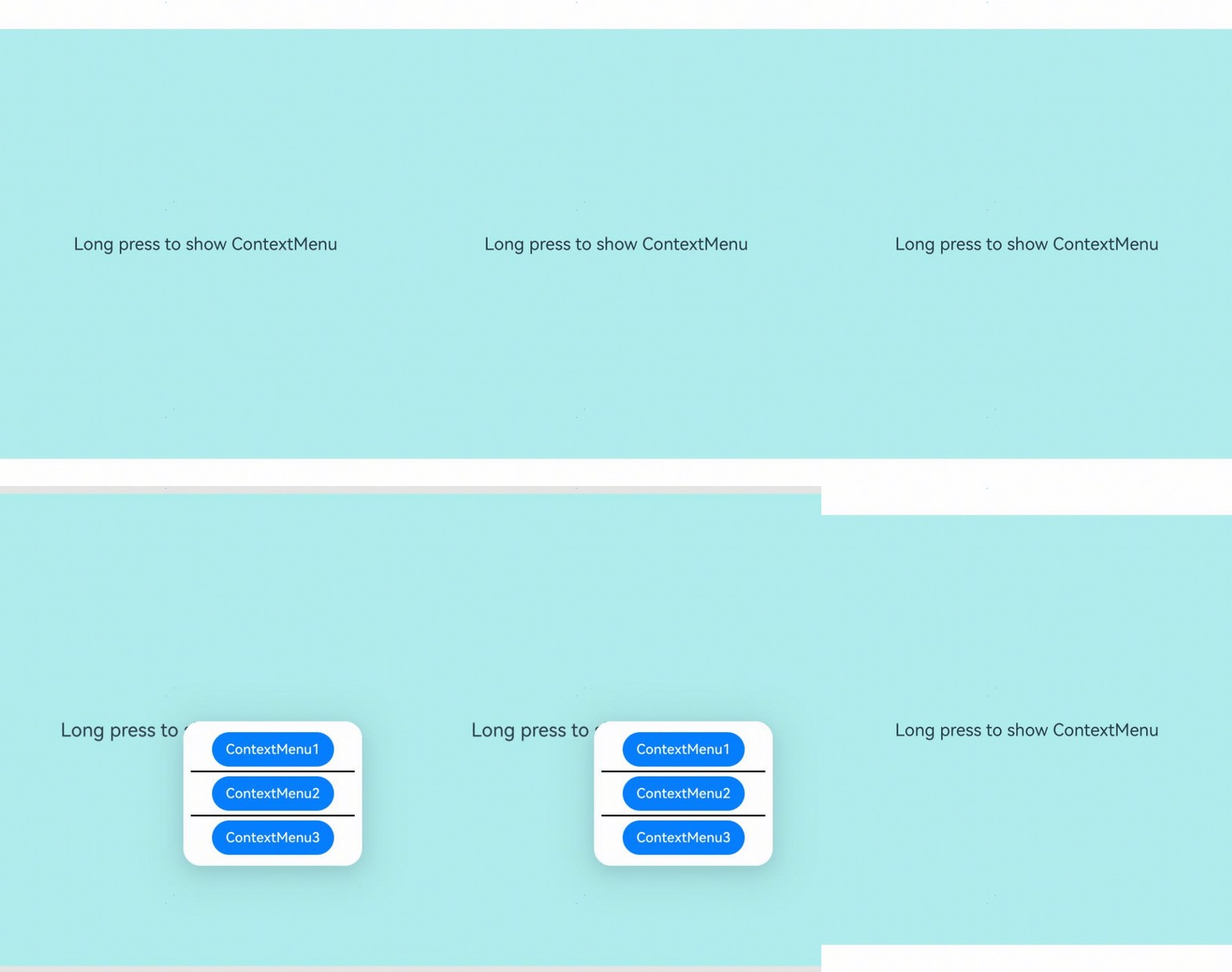
The menu bound to a component through bindContextMenu on a page can be closed as needed.

The initial APIs of this module are supported since API version 8. Updates will be marked with a superscript to indicate their earliest API version.
ContextMenu.close(deprecated)
static close()
Closes the menu bound to this component through bindContextMenu on a page.

This API is deprecated since API version 18. You are advised to use getContextMenuController in UIContext to obtain the ContextMenuController instance and then use this instance to call the close API.
Since API version 12, you can use the getContextMenuController API in UIContext to specify the UI execution context.
Atomic service API: This API can be used in atomic services since API version 11.
System capability: SystemCapability.ArkUI.ArkUI.Full
Example
This example demonstrates how to call the ContextMenu.close API to close a context menu that is bound to a component using bindContextMenu.

You are advised to use the getContextMenuController API in UIContext to specify the UI execution context.
// xxx.ets
@Entry
@Component
struct Index {
  @Builder MenuBuilder() {
    Flex({ direction: FlexDirection.Column, alignItems: ItemAlign.Center, justifyContent: FlexAlign.Center }) {
      Button('ContextMenu1')
      Divider().strokeWidth(2).margin(5).color(Color.Black)
      Button('ContextMenu2')
      Divider().strokeWidth(2).margin(5).color(Color.Black)
      Button('ContextMenu3')
    }
    .width(200)
    .height(160)
  }

  build() {
    Flex({ direction: FlexDirection.Column, alignItems: ItemAlign.Center, justifyContent: FlexAlign.Center }) {
      Column() {
        Text('Long press to show ContextMenu')
          .fontSize(20)
          .width('100%')
          .height(500)
          .backgroundColor(0xAFEEEE)
          .textAlign(TextAlign.Center)
      }
      .bindContextMenu(this.MenuBuilder, ResponseType.LongPress)
      .onDragStart(()=>{
        // Close the menu when the component is dragged.
        ContextMenu.close() // You are advised to use this.getUIContext().getContextMenuController().close() to obtain the UI context.
      })
    }
    .width('100%')
    .height('100%')
  }
}